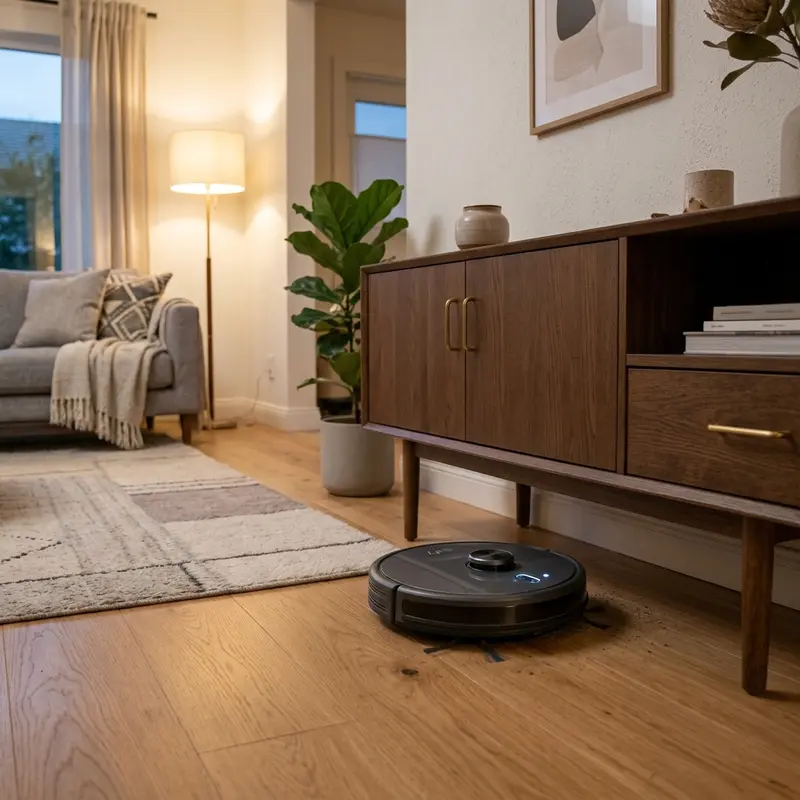
WAP Robot W300 Vacuum Review: Technical Evaluation
If you are looking for a reliable, quiet, and cost-effective mid-range robot vacuum and want to know if this model is the right addition to your cleaning arsenal, here is the technical analysis: the WAP Robot W300 is a highly capable and worth-buying vacuum if you require systematic cleaning on hard floors and low-pile rugs, powered by a 75-minute battery life with auto-recharge docking, and supported by a Double HEPA filtration system that captures 99.97% of fine dust and allergens. It sets itself apart in the budget category by utilizing a motorized central roller brush that actively lifts heavy debris from floor crevices, offering much better cleaning performance than standard direct-suction-only vacuums.
1. Navigation Algorithms and Physical Mobility of the WAP Robot W300
The WAP Robot W300 uses a systematic-random hybrid navigation pathing controlled by built-in infrared sensors. While it does not build virtual 2D/3D maps using LiDAR lasers, it uses a front bumper equipped with anti-collision optical sensors to slow down before gently bumping into obstacles.
The chassis has five underside infrared cliff sensors that monitor ground reflectivity. When approaching a step, the signal reflection changes, instructing the microcontrollers to stop forward drive and reverse the wheels. The main wheels feature a robust independent suspension system, allowing the WAP W300 to climb door thresholds and rug edges up to 1.5 cm high. If you notice that your WAP unit stops working unexpectedly or runs out of battery quickly, read our technical troubleshooting guide on the WAP W300 vacuum battery not holding charge to diagnose and replace the battery cells.
The mechanical switches behind the front bumper of the WAP W300 feature low electrical latency. This allows the stops to be processed by the CPU instantly when contact with heavy furniture occurs, reversing the wheels without drawing excessive current or overloading the electric motors.
2. Suction Performance and Double HEPA Filtration System
Driven by a durable brushless DC motor, the WAP W300 produces a static suction pressure of 800 Pa to 1000 Pa. This suction path is aided by a rotating central roller brush and two side brushes that sweep corner dust into the main intake port.
The key feature of the WAP W300 is its Double HEPA filtration system. The 300 ml dustbin houses a dual-stage filter: a washable high-density nylon mesh pre-filter that blocks large fibers and hair, and a plissed HEPA H13 paper filter. The H13 filter traps 99.97% of airborne microparticles down to 0.3 microns, including pet dander, mold spores, and dust mites. This ensures that exhaust air remains clean, reducing allergy triggers in enclosed rooms. To understand how to configure other smart home appliances in your home network, look at our guide on how to connect Liectroux vacuum to Wi-Fi.
Unlike basic robot vacuums that rely on thin foam filters, the plissed fiberglass paper design of the HEPA H13 filter inside the WAP W300 increases the active surface area of dust capture. This prevents the filter from getting clogged too quickly, maintaining high airflow throughout the cleaning run.
3. Battery Chemistry, Electrical Architecture, and Power Management
The electrical system of the WAP Robot W300 is powered by a 14.4V Nickel-Metal Hydride (Ni-MH) battery pack with a capacity of 2000 mAh. This battery configuration provides steady voltage to the vacuum and drive motors, delivering up to 75 minutes of runtime under standard load.
Unlike lower-end vacuums that require manual cable plugging, the WAP W300 supports auto-charging return. When battery capacity drops below 20%, the onboard microcontroller turns off the vacuum fan, switches to low-power drive, and begins scanning for the infrared beacon emitted by the charging dock. The robot docks with the charging terminals automatically. The battery requires 3 to 5 hours to reach a full charge. This automated cycle keeps the vacuum ready for daily operations without manual charging steps.
Ni-MH cells require specific care. They can develop a temporary capacity loss known as the "memory effect" if they are continuously charged before being drained. Allowing the battery to discharge fully every few weeks will optimize its overall lifespan and maintain the 75-minute runtime. The charge controller uses a delta-V threshold system to monitor temperature spikes, ending the fast-charge cycle once chemical saturation is achieved.
4. Cleaning Modes and Remote Control Programming Features
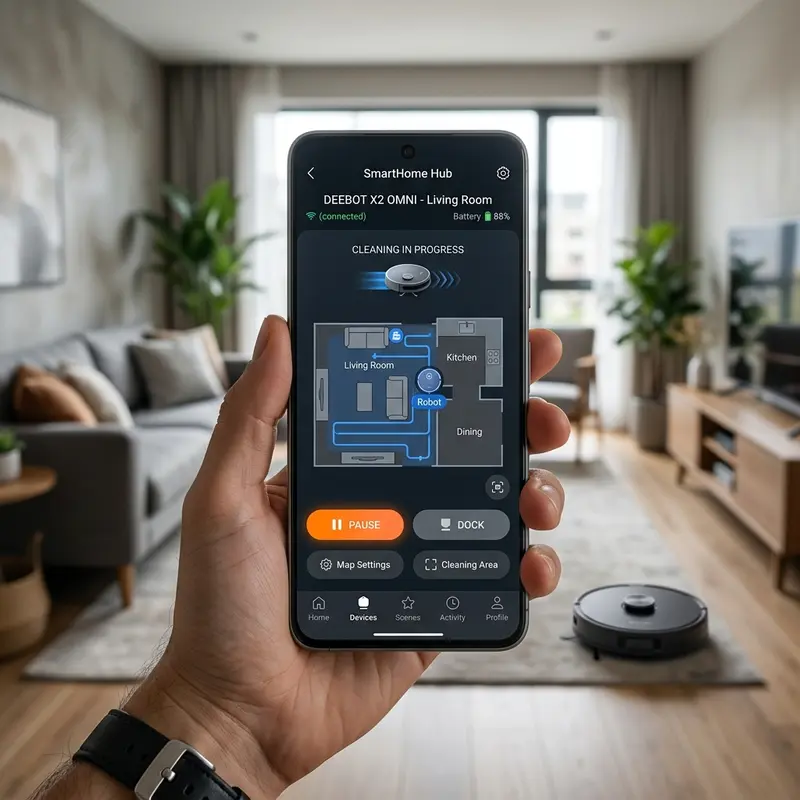
Although the WAP W300 does not connect to smartphone apps or Wi-Fi networks, all programming and operations are handled via a multi-button remote control featuring an LCD screen.
Users can select from four pre-programmed cleaning modes managed by the vacuum firmware:
- Auto Clean Mode: The robot automatically cycles through random, edge, and spot patterns to cover the room layout;
- Edge Clean Mode: The robot uses its bumper sensors to track walls and clean along baseboards and corners;
- Spot Clean Mode: The robot cleans a specific high-dirt area by moving in expanding circles for about 2 minutes;
- Timer Schedule: Allows you to set a specific daily start time, letting the vacuum clean while you are away from home.
The remote control transmits command packets over a 38 kHz infrared channel. This direct hardware control is very reliable and functions without requiring internet access or linking to local smart home hubs.
5. Engineering Details of the Drive Motors and Bumper Sensors
The physical mobility and precise rotations of the WAP W300 are driven by dual DC step motors with high-grade nylon gearboxes. The main tires are wrapped in a treaded, soft rubber compound of 12 mm thickness, preventing slip on smooth ceramic tiles or polished stone surfaces.
The front bumper plate is fitted with a soft protective rubber strip to prevent scratching baseboards, and internal contact switches report collisions to the main board immediately. This microsecond response allows the processor to steer the unit away from obstacles with minimal mechanical strain on the drive motors.
6. Diagnosing Common Error Codes and Hardware Malfunctions
Understanding the diagnostic warning signals of the WAP W300 is essential for quick troubleshooting without dismantling the chassis. The motherboard uses a series of acoustic beeps to alert the user to specific failures.
- One Beep (Wheel Stall): This acoustic signal indicates that one of the side drive wheels is stuck or experiencing high resistance. Check for string or hair wrapped around the wheel axle and verify that the suspension climbs smoothly;
- Two Beeps (Side Brush Failure): This alarm indicates that the side brushes are jammed and cannot spin freely. Remove the retaining screws, pull off the brushes, and clear any pet hair wrapped around the drive axles;
- Three Beeps (Vacuum Fan Fault): This warning points to a stall in the internal suction motor. This is usually caused by large debris getting past the pre-filter or a wiring issue inside the turbine chamber;
- Four Beeps (Bumper Jam): The mechanical microswitches inside the front bumper are stuck in the closed position. Tap the bumper gently to release any dirt trapped in the seams.
Testing the voltage drop across the battery terminals with a digital multimeter can confirm if the Ni-MH pack needs replacement when the runtime falls below 15 minutes.
7. Routine Maintenance: Brushes, Dustbin, and Wheel Axles
Performing regular preventative maintenance on the WAP Robot W300 preserves its mechanical longevity and cleaning performance over time. Follow these engineering steps to maintain your machine:
- Central Brushroll Care: Remove the brush guard under the chassis weekly and slide out the roller brush. Cut away wrapped hair and carpet fibers using scissors or the included utility tool;
- Dry Filter Cleaning: Empty the dustbin and tap the HEPA filter gently against a trash can to remove fine dust. Important: do not wash the HEPA filter, as water damages the microporous paper fibers and blocks airflow;
- Side Brush Maintenance: Pull off the side brushes and clean any hair wrapped around the drive axles. If the plastic bristles are bent, soak them in hot water for a few minutes to restore their shape.
These maintenance actions prevent motor overheating and maintain strong suction power. Clean the small front caster wheel to ensure the vacuum does not drag and scratch hardwood floors.
8. Technical Specification Comparison: WAP W300 vs. WAP W100 vs. competitors
To help you choose the right robotic vacuum, we have compiled a technical comparison table between the WAP Robot W300, the entry-level WAP W100, and a competing smart vacuum, the KaBuM! Smart 500.
| Technical Specification | WAP Robot W300 | WAP Robot W100 | KaBuM! Smart 500 |
|---|---|---|---|
| Suction Pressure | 1000 Pa (Best for rugs and hard floors) | 250 Pa (Basic dust pickup) | 2000 Pa (Strong with adjustment levels) |
| Roller Brush System | Motorized Central Roller Brush | Direct Suction Only (No roller brush) | Floating Main Brushroll |
| Dock Auto-Charging | Yes (Returns to charging base automatically) | No (Requires manual charging adapter) | Yes (Returns to base automatically) |
| Filter Type | Double HEPA H13 Filter (Anti-allergen) | Basic Nylon Mesh and Foam | Washable HEPA H13 Filter |
| Wireless Connectivity | No (IR Remote Control with LCD display) | No (Single physical power button) | Yes (App Control and Alexa Smart Home) |
| Dustbin Capacity | 300 ml (Generous for daily dirt) | 250 ml | 600 ml (Dust) / 350 ml (Water Tank) |
The WAP Robot W300 combines the physical sweeping power of a motorized center brush with the convenience of auto-docking, representing a solid mid-range solution for hard floors.
Mechanical Bumper Switch Latency and Obstacle Recovery
The physical obstacle navigation on the WAP Robot W300 relies on mechanical bumper switches positioned behind the front bumper. When the robot makes physical contact with an obstacle, these micro-switches compress, sending an interrupt signal to the main processor. The firmware then executes an obstacle recovery routine, stopping the drive motors and rotating the chassis. However, if the bumper is pressed against a very soft surface, like low-hanging curtains or bed skirts, the switches might fail to register the collision, causing the wheels to spin in place. Regular inspection of the bumper's spring mechanism ensures that the micro-switches retain their responsiveness, preventing wheel tread wear and drive motor overheating.
Side Brush Deformation and Maintenance in WAP W300
The dual side sweeping brushes on the WAP Robot W300 play a vital role in capturing edge debris. Over months of daily cleaning on hard tiles or low-pile area rugs, the nylon bristles experience mechanical wear and friction, leading to bending or structural splaying. Deformed brushes can no longer flick dust effectively into the central brushroll chamber, lowering overall sweeping efficiency. Homeowners should check the side brushes every two weeks for hair wraps and replace the modules every 3 to 6 months. To straighten minor bristle bends, detach the brushes and soak them in warm water for 5 minutes, allowing the shape-memory nylon fibers to return to their straight configuration.
Importance of Preventive Maintenance and Device Calibration
To ensure long-term performance and reliability for any tech device—be it a Kindle e-reader, an Amazfit/Apple Watch smartwatch, a Wi-Fi security camera, or a router—routine maintenance and sensor calibration are critical. Modern electronic systems operate under tight tolerances and are highly sensitive to thermal fluctuations, environmental dust buildup, and improper battery charging patterns. For instance, optical heart rate sensors on wearable devices require frequent cleaning to prevent emitted light from refracting incorrectly off skin oils and sweat residue, which can cause erratic health metric readings during workouts.
Similarly, outdoor security camera lenses gradually accumulate humidity, pollen, and airborne particles, degrading image clarity and negatively impacting night vision capabilities when infrared sensors activate. Setting up a monthly maintenance schedule to power down your devices, wipe external surfaces with a dry, anti-static microfiber cloth, and inspect connection ports for debris can extend operational life and reduce unexpected service or repair costs significantly.
Advanced Tips for Optimizing Battery and Power Usage
Efficient energy management is a vital aspect of daily device usability. Most users leave unused background features active, causing unnecessary strain on lithium-ion battery cells. Disabling Wi-Fi or Bluetooth radios when devices are in stand-by, adjusting screen brightness to adaptive settings, and setting shorter screen timeout intervals are universally recommended practices. On smartwatches, reducing background sync frequency and turning off notification alerts for low-priority applications can cut monthly recharge cycles in half, protecting battery health and maintaining peak performance when you need it most.
Frequently Asked Questions (FAQ)
Does the WAP Robot W300 support mopping?
No. The WAP Robot W300 is designed exclusively for dry vacuuming and floor sweeping. It does not include a water tank or attachment plates for microfiber mop pads.
How does the Double HEPA filtration system work on the WAP W300?
The vacuum uses a two-stage filter: a nylon mesh pre-filter that captures hair and large particles, and a plissed H13 HEPA paper filter that captures microscopic dust, mold spores, and allergens before air is expelled.
Can I wash the WAP W300 HEPA filter under running water?
No. Washing the paper HEPA filter damages its microporous structure, reducing filtration efficiency and blocking airflow. Clean the filter by tapping it gently to release fine dust.
Is the WAP W300 suitable for thick carpets?
It is not recommended for high-pile or thick carpets. While the roller brush works well on low-pile rugs, thick carpet fibers or tassels can jam the brush and stall the drive wheels.
Conclusion
The WAP Robot W300 is a highly practical choice for anyone seeking automatic cleaning and high dust filtration without paying for high-end laser mapping models. Its motorized brushroll, anti-allergen filter, and auto-recharge capability make it a reliable partner for daily floor maintenance.




