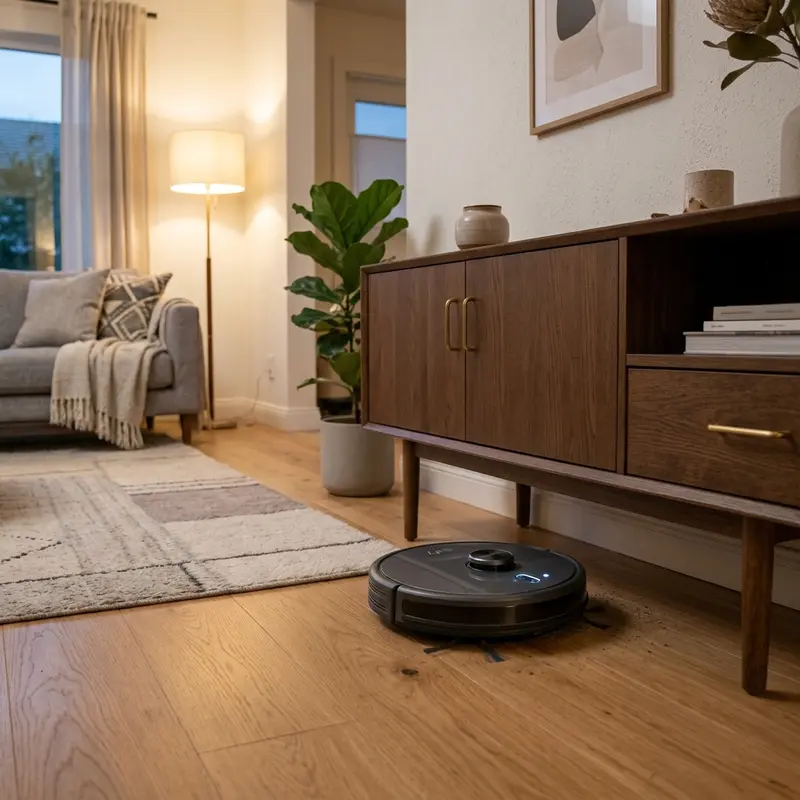
How to Fix WAP W300 Robot Vacuum Not Holding Charge
If your WAP W300 robot vacuum shuts off only minutes after leaving its charging base, experiences sudden drops in suction power, or dies before finishing its cleaning routine, here is the technical explanation: this issue is caused by the chemical degradation of the internal 14.4V Nickel-Metal Hydride (Ni-MH) battery cells or a faulty negative temperature coefficient (NTC) thermistor, causing the motherboard to halt charging before the battery reaches its true 2000 mAh capacity. Resolving a battery that won't hold a charge requires understanding the charge cycles and replacing the battery pack.
1. The Chemistry and Engineering of the WAP W300 Battery
Unlike modern robotic vacuums designed with Lithium-ion (Li-ion) battery packs, the WAP W300 relies on older Nickel-Metal Hydride (Ni-MH) cell chemistry. The battery pack consists of 12 cylindrical AA-type cells connected in series, delivering a nominal voltage of 14.4V and a capacity of 2000 mAh. While Ni-MH batteries are robust and resist thermal runaway, they present specific chemical constraints:
- Memory Effect (Voltage Depression): If the vacuum is returned to the charging base before the cells are fully discharged, the battery chemistry develops a higher internal resistance profile. The charger detects the resulting voltage peak and stops charging prematurely, leaving the cells partially filled.
- High Self-Discharge Rate: Ni-MH cells naturally lose 1% to 2% of their stored energy daily, even when the power switch is turned off. If left off the powered charging base for weeks, the voltage can drop below 10V, causing permanent cell damage.
- Thermal Overcharge Stress: Excess energy during charge cycles is dissipated as heat. If the internal NTC thermistor fails to report correct temperatures to the motherboard, the battery will overheat, drying out the electrolyte and destroying the cells.
To compare this battery architecture with Lithium-powered devices, check our evaluation on whether the KaBuM! Smart 500 is worth buying or read our detailed analysis of the WAP Robot W100 worth it to compare their suction performance.
2. Voltage Measurement and Diagnostics Table
The diagnostic table below outlines expected voltage levels across the WAP W300 battery terminals and lists the recommended troubleshooting actions for each range:
| Measured Voltage (V) | Battery Pack Status | Vacuum Behavior | Recommended Troubleshooting |
|---|---|---|---|
| Above 15.5V | Fully Charged & Healthy | Normal runtime of 90 to 110 minutes | No action required. Clean metal contacts. |
| 13.8V to 14.8V | Partial Charge or Weak Cell | Runtime reduced to 30-45 minutes | Run deep calibration cycles (full discharge/charge). |
| 11.5V to 13.5V | Cell Imbalance / Memory Effect | Shuts off in under 10 minutes | Recondition the cells or replace the battery pack. |
| Below 10.8V | Short Circuit / Deep Discharge | Won't leave dock or flashes red error LED | Replace the battery pack immediately. |
3. Chemical Calibration Protocol (Reversing Memory Effect)
Before buying a replacement battery pack for your WAP W300, try reconditioning the internal Ni-MH chemistry to clear the memory effect. This calibration process helps break down crystal structures inside the cells that increase resistance:
- Remove the robot vacuum from the charging dock and let it run until the battery drains completely and it halts in the room;
- Turn the power switch off and on again. The robot will try to run for a few seconds and shut down. Repeat this until all LED indicator lights remain off;
- Connect the charging adapter directly to the P4 power port on the side of the vacuum body, bypassing the dock to avoid contact resistance;
- Leave the device to charge continuously for 12 hours. Do not interrupt this charge cycle;
- Repeat the full discharge and charge cycle 3 times. This process can recover up to 40% of lost battery capacity if no structural damage exists.
4. Troubleshooting Battery Terminal Voltages with a Multimeter
If the vacuum continues to turn off after calibation, you must test for a short-circuited cell using a digital multimeter. Turn off the power switch on the side of the chassis, flip the vacuum over, and remove the screws holding the battery cover plate. Pull the battery pack from the compartment and unplug the 3-pin connector. Set your multimeter to measure DC voltage and connect the probes to the battery terminals. A fully charged healthy pack must show at least 14.4V. If the reading drops below 12V immediately after charging, one of the internal 1.2V cells has failed, requiring a new battery pack.
Also, check the charging plates under the vacuum and on the dock for oxidation. Wipe these metal plates with a pencil eraser or isopropyl alcohol to remove dirt barrier layers that block charging currents.

5. Replacing the WAP W300 Battery Pack Step by Step
If electrical tests confirm that the battery pack has failed, follow these instructions to install a replacement:
- Purchase a replacement Ni-MH battery pack rated at 14.4V with a 3-pin connector matching the WAP W300 specifications;
- Ensure the vacuum's power switch is set to the "0" (off) position and the charger cable is unplugged;
- Open the battery compartment on the underside of the vacuum by unscrewing the retaining screws;
- Pull the old battery pack out by the tab and press the release clip on the electrical connector to unplug it;
- Plug the new battery pack into the connector, ensuring the plug aligns correctly with the slot;
- Tuck the wires into the side slots of the compartment to prevent pinching when closing the cover;
- Replace the compartment cover, tighten the screws, and charge the new battery for 12 hours before running the vacuum.
Chemical Oxidation and Internal Resistance Build-up in Ni-MH Packs
Within battery electrochemistry, the aging profile of the WAP W300 Ni-MH cells is characterized by the physical deposition of insulating compounds on the internal plates. This oxidation process, triggered by improper charge-discharge routines and thermal stress, increases the equivalent internal series resistance of the 14.4V circuit. When the vacuum demands maximum current to drive the suction turbine and side wheel motors, this resistance causes a sharp voltage drop across the terminals. The ARM microcontroller reads this voltage drop as a depleted state and executes a safety shutdown routine, resulting in short runtimes.
Additionally, the NTC thermistor sensor wiring harness can develop hairline fractures due to mechanical vibrations during cleaning cycles. If the temperature feedback loop is broken, the motherboard cannot verify cell safety and cuts off the charging current from the wall adapter. Testing the thermistor's resistance variation under temperature shifts with a digital multimeter helps isolate logical charger errors from true chemical cell failure before purchasing a replacement.
Voltage Regulation Dynamics of the AC/DC Adapter
The AC/DC power adapter for the WAP W300 is designed to supply stable direct current to the internal charger. Fluctuations in domestic mains voltages can cause ripples in the adapter's secondary output stage, resetting the logic board's internal charge timers. This periodic interruption prevents the cells from reaching full chemical saturation, leading to voltage depression and reduced operating runtimes.
Connecting the charging dock to a surge protector equipped with EMI/RFI noise filters stabilizes the input currents and protects the voltage regulator circuits on the motherboard. This simple precaution reduces electrical strain on the battery, ensuring the cells charge efficiently and deliver their rated capacity over long cleaning sessions.
Motherboard Buck Converter and Voltage Regulator Architecture
The charging current regulation for the Ni-MH battery pack in the WAP W300 is handled by a PWM step-down buck converter integrated circuit on the mainboard. This circuit steps down the 19V supply input from the wall adapter to the required float charging potential. If the output smoothing capacitors lose their capacitance due to prolonged heat exposure, high voltage ripple will enter the battery pack. This electrical noise interrupts the chemical absorption process of the metal hydride cells, causing the charger to cut off prematurely.
Additionally, reverse-polarity blocking diodes prevent the battery pack from discharging back into the dock's circuitry when the power outlet is switched off. If one of these blocking diodes suffers from reverse current leakage, the battery will drain silently during standby hours. Checking these surface-mount diodes using a digital multimeter is key to resolving battery drain issues that calibration cycles cannot fix.
Understanding the Negative Delta-V Charging Termination Method
The charging control logic of the WAP W300 motherboard relies on detecting a Negative Delta-V (-dV/dt) voltage drop to identify when the Ni-MH battery pack reaches 100% capacity. When Ni-MH chemistry saturates, terminal voltage drops slightly while cell temperature rises quickly. The constant-current charger tracks this curve. In degraded packs, high internal resistance distorts this voltage peak, triggering premature termination before the cells are fully charged.
To prevent false termination, ensure the DC jack is clean and free of dust build-up that introduces electrical noise. Avoid using aftermarket power adapters with higher output currents (above 1A), as excess current dissipates as heat, preventing the sensor from registering the negative voltage drop and shortening battery lifespan.
Impact of Cleaning Moisture on Battery Terminals
While the WAP W300 supports a damp sweep mop attachment, moisture or cleaning detergents seeping into the lower chassis openings present a significant risk to the Ni-MH battery cells. Water vapor can migrate into the battery bay, causing galvanic corrosion on the brass terminal contacts. This corrosion increases contact resistance, which blocks the NTC thermistor from reporting clean thermal readings to the motherboard, halting the charging sequence.
Always wring out the mop cloth completely before mounting it under the vacuum chassis, and avoid using volatile cleaning chemicals that can corrode the PVC insulation wrapping the battery cells. If water enters the compartment, shut off the side switch, remove the pack, and let the housing dry for 24 hours before reassembling.
Best Charging Practices to Prolong Ni-MH Cell Life
To maximize the operational lifespan of the WAP W300 Ni-MH battery pack, implement correct charging habits. Avoid docking the vacuum on a powered base before it has consumed at least 50% of its current charge. Repeatedly charging a partially full battery pack accelerates voltage depression and capacity loss. Allow the vacuum to clean rooms until the low-battery warning indicator turns on.
Additionally, clean the metallic charging contact plates on the underside of the vacuum before docking. Dust build-up acts as an electrical insulator, introducing high-resistance spikes that cause the charger to cut off current prematurely before the cells are saturated.
To learn more about optimizing other wireless systems, refer to our review on the best Wi-Fi router for security cameras, which discusses router placement strategies to maximize coverage through walls.
Standby Current Draw of the Motherboard Power Rails
Even when the WAP W300 is idle, the motherboard draws a standby current of 15mA to 25mA to power the infrared remote receiver and the charging sensors. If the vacuum is left off the charging base with the power switch on for more than 48 hours, this idle current will drain the Ni-MH battery below its safety voltage threshold.
Once this threshold is crossed, the voltage regulator shuts down the logic board completely, requiring a low-current recovery charge to reactivate the cells. Keep the charging base plugged in, or turn off the physical power switch ("0") during days of inactivity to prevent deep battery drain.
To keep the vacuum connected to smart systems, review our recommendations in the best Wi-Fi router for security cameras, which covers setting up stable 2.4 GHz channels.
Frequently Asked Questions (FAQ)
How long does a replacement WAP W300 battery typically last?
A high-quality replacement battery for the WAP W300 lasts about 12 to 18 months under normal daily usage before performance begins to drop.
The WAP W300 turns off after 10 minutes. What is the cause?
This is caused by Ni-MH cell degradation or severe memory effect. Try running the 3-cycle calibration protocol or replace the battery pack if it fails to improve.
How do I know if the issue is with the battery or the charging base?
Plug the charger cable directly into the P4 port on the side of the vacuum. If it charges fine through the direct port but fails on the base, clean the metallic charging plates under the vacuum.
Can I replace the Ni-MH battery of the WAP W300 with a Lithium (Li-ion) battery?
No. The charging chip on the WAP W300 motherboard is programmed for the charging profile of Ni-MH cells. Using a Lithium pack on this board can cause overcharging, overheating, and fire risks.
Conclusion
Keeping your WAP W300 battery properly calibrated is key to maximizing its operational lifespan. If the vacuum continues to lose charge quickly after troubleshooting, installing a fresh battery pack will restore its original cleaning runtime.




