Back to blogBusiness & Technology

How to Power a Security Camera with a Solar Panel Kit

8 min read
How to Power a Security Camera with a Solar Panel Kit
Publicidade

To power a Wi-Fi security camera with a solar panel, connect a compatible 5V solar panel to the device's micro-USB port. official NREL website

Publicidade

For more information, read our guide on whether a home solar panel kit is worth it and check how residential solar panels work under different conditions.

Understanding the Basics of Solar Power for Security Cameras

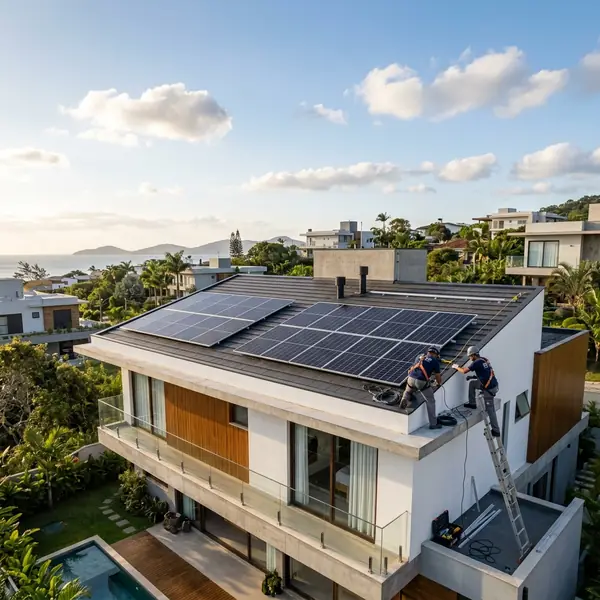
Solar panels installed on the roof of a modern residential home under a clear blue sky.

Solar power offers a sustainable solution for powering security cameras. This setup reduces reliance on traditional electrical sources. Homeowners can enjoy the benefits of energy savings and environmental sustainability.

Wi-Fi security cameras typically require a continuous power supply. A solar panel kit can provide this power efficiently. Let's explore how to set up a solar panel to keep your security camera running.

Components Needed for the Setup

To successfully power a security camera with solar energy, certain components are necessary. Here’s a list of the important points:

  • 5V solar panel
  • Charge controller
  • Battery (optional but recommended)
  • Wi-Fi security camera with micro-USB power input
  • Cables to connect everything

The solar panel converts sunlight into electrical energy. The charge controller regulates the voltage, ensuring the camera operates safely. A battery stores excess energy for use during nighttime or cloudy days.

Choosing the Right Solar Panel

When selecting a solar panel, consider the wattage needed for your camera. Most Wi-Fi security cameras consume around 5 to 10 watts. A panel rated for at least 10 watts is advisable to ensure optimal performance.

Monocrystalline solar panels are popular for residential use. They tend to be efficient and have a smaller footprint. Polycrystalline options are also available but may require more space for the same output.

Publicidade

Understanding Solar Panel Specifications

Solar panels are rated by their wattage and efficiency. Higher wattage means more energy generation. Efficiency indicates how well a panel converts sunlight into electricity.

For example, a typical 100-watt solar panel can generate about 30 kWh per month under ideal conditions. In contrast, a smaller 20-watt panel may produce only 6 kWh in the same timeframe.

Installation Process for Solar-Powered Security Cameras
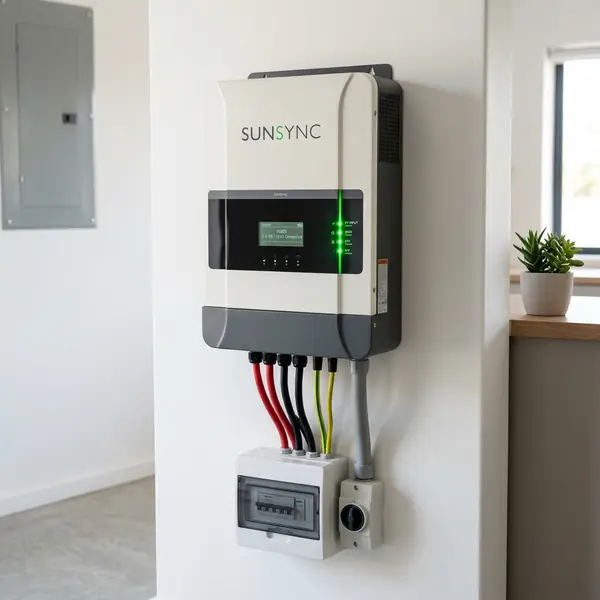
Residential solar power inverter mounted on an interior wall with green indicator lights.

Setting up a solar panel to power your security camera involves several steps. The installation process is straightforward and can typically be completed in a few hours.

Step 1: Gather Your Tools and Materials

Before starting the installation, gather the necessary tools. You will need:

  • Screwdriver
  • Drill
  • Wire cutters and strippers
  • Wrench
  • Mounting brackets (if needed)

Step 2: Mount the Solar Panel

The first step is to mount the solar panel. Choose a location with maximum sun exposure throughout the day. The ideal angle for solar panels is typically around 30 to 45 degrees.

Use mounting brackets to secure the solar panel in place. Ensure that it is firmly attached to withstand wind and other weather conditions. A sturdy installation is key for long-term performance.

Step 3: Connect the Charge Controller

The charge controller regulates the voltage and prevents battery overcharging. Connect the solar panel to the charge controller following the manufacturer's instructions. Typically, this involves connecting positive and negative terminals correctly.

Publicidade

Ensure that all connections are secure. Loose connections can lead to power losses and potential damage to your devices.

Step 4: Connect the Battery (Optional)

While a battery is not strictly necessary, it can enhance the reliability of your system. A battery stores excess power generated during the day. This stored energy can power your camera during the night or on cloudy days.

Connect the battery to the charge controller. Again, follow the manufacturer's recommendations for wiring. Proper installation ensures that your security camera receives a consistent power supply.

Step 5: Connect the Security Camera

The final step is to connect your security camera. Most Wi-Fi security cameras use a micro-USB connection. Use a suitable cable to connect the camera to the charge controller or battery.

After making all connections, check the system. Ensure that the camera powers on and functions correctly. Test the camera's connectivity to ensure that it is online and recording.

Cost Analysis of Solar-Powered Security Camera Setup
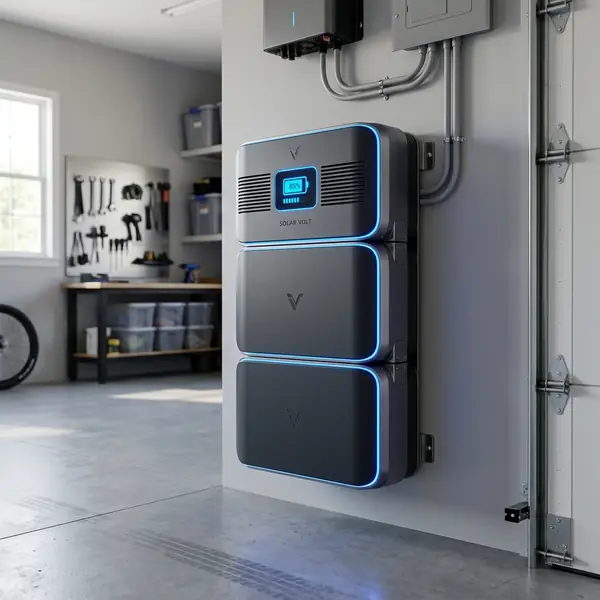
Lithium battery storage system installed in a modern home garage.

Investing in a solar-powered security camera system can save money in the long run. The initial costs might seem high, but the benefits outweigh the expenses.

Here’s a breakdown of potential costs:

Component Estimated Cost (USD)
5V Solar Panel $50 to $150
Charge Controller $20 to $50
Battery $50 to $200
Wi-Fi Security Camera $30 to $300
Installation Materials $20 to $100

Based on these estimates, the total setup cost could range from $170 to $700. This initial investment pays off through savings on electricity bills over time. Additionally, many homeowners find peace of mind knowing they are using renewable energy.

Publicidade

Maintenance Tips for Solar-Powered Security Cameras
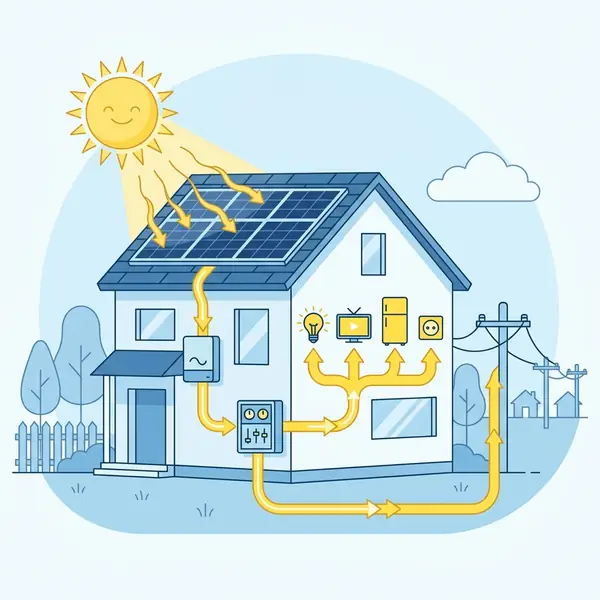
Illustrative diagram showing the energy flow in a home photovoltaic solar system.

Maintaining your solar-powered security camera is important for optimal performance. Regular maintenance ensures that your camera operates effectively over its lifespan.

Clean the Solar Panel Regularly

Dust, dirt, and debris can accumulate on solar panels, reducing their efficiency. Clean the panels regularly with water and a soft cloth. Avoid using abrasive materials that could scratch the surface.

Check Connections Periodically

Inspect all connections periodically to ensure they are secure. Loose or corroded connections can lead to power losses. Tighten any loose connections and replace corroded wires as needed.

Monitor Battery Health

If you have a battery in your system, monitor its health. Batteries can degrade over time and may need replacement. Check the manufacturer's guidelines for battery maintenance and lifespan.

DomineTec Tip: Consider using a battery with a built-in management system for optimal performance and longevity.

Conclusion
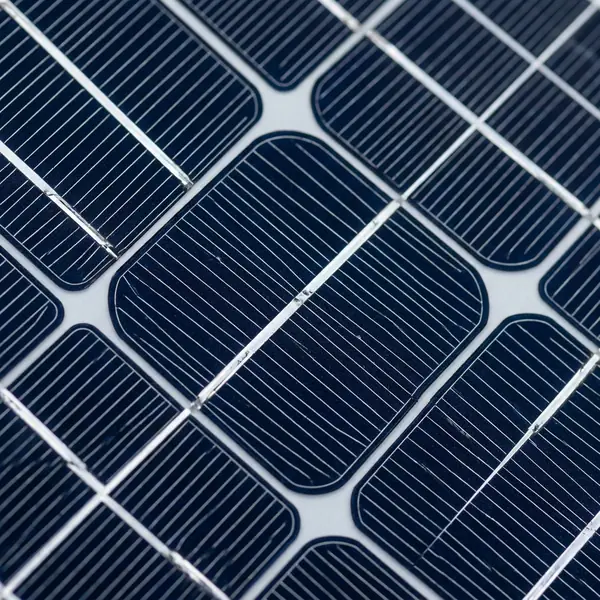
Detailed close-up of a monocrystalline solar panel surface showing silicon cells.

Powering a security camera with a solar panel kit is a practical solution for homeowners. It offers a sustainable energy source while ensuring the security of your property. Following the outlined steps can help you set up a reliable system.

With the right components and installation, you can enjoy the benefits of solar energy. Not only does it reduce your electricity costs, but it also contributes to a greener environment. Investing in solar technology is a step towards energy independence.

Publicidade

2. How much sunlight do solar panels need?

Solar panels require direct sunlight for optimal performance. Ideally, they should receive at least 4-6 hours of sunlight daily.

3. Do I need a battery for my solar-powered security camera?

While a battery is not mandatory, it is recommended. A battery ensures power availability during nighttime or cloudy conditions.

4. How long does a solar panel last?

Most solar panels have a lifespan of 25 years or more. Proper maintenance can help extend their efficiency and lifespan.

5. Where can I find solar panel kits for security cameras?

You can purchase solar panel kits from local hardware stores or online retailers. Check for compatibility with your specific camera model.

How to Power a Security Camera with a Solar Panel Kit

Powering a security camera with a solar panel kit is an innovative solution that enhances surveillance capabilities while reducing reliance on traditional electricity sources. This setup is especially beneficial for remote locations where access to electricity is limited or where running wires could be impractical. By leveraging solar energy, you can ensure your camera remains functional in various weather conditions and during power outages.

The first step in this process is selecting the appropriate solar panel kit. Look for a kit that includes a solar panel, a charge controller, a battery, and the necessary wiring. The solar panel should have sufficient wattage to meet the energy demands of your security camera, which typically ranges from 5 to 20 watts, depending on the model and features.

Publicidade

Next, consider the battery capacity necessary to power your camera, especially during nighttime or cloudy days when solar energy generation may be limited. A deep-cycle battery is often recommended, as it can handle frequent charge and discharge cycles without significant degradation. A battery with a capacity of at least 12Ah is typically sufficient for most security cameras, but this may vary based on specific power requirements.

Understanding Power Requirements

To determine the total power consumption of your security camera, review the manufacturer's specifications. Most cameras will indicate their power usage in watts or amps. Multiply the wattage by the number of hours you expect the camera to operate each day to find the total daily energy requirement.

For example, if a camera consumes 10 watts and operates 24 hours a day, the daily energy requirement is 240 watt-hours. This figure will help you size your solar panel and battery appropriately, ensuring that the system can function effectively throughout the day and night.

Installation Process

Once you have the necessary components, proceed with the installation. Mount the solar panel in a location that receives maximum sunlight exposure, ideally facing south in the Northern Hemisphere. Ensure the panel is securely installed to withstand weather conditions and is free from obstructions such as trees or buildings that could cast shadows.

Next, connect the solar panel to the charge controller, which regulates the voltage and prevents overcharging the battery. From the charge controller, connect the battery to store the energy generated by the solar panel. Finally, wire the security camera to the battery, ensuring all connections are secure and properly insulated to prevent water damage.

Publicidade

Maintenance and Monitoring

Regular maintenance of your solar-powered security camera system is important for optimal performance. Periodically check the solar panel for dirt, debris, or snow accumulation that may obstruct sunlight. Cleaning the panel with a soft cloth will help maintain its efficiency.

Additionally, monitor the battery's charge level to ensure it remains within an optimal range. Most charge controllers come with indicators that display battery status, making it easier to assess performance. If you notice the battery consistently draining faster than expected, consider increasing the size of your solar panel or battery to meet the energy demands of your security camera.

Do solar panels generate electricity without direct sunlight?

Yes, they produce power on cloudy days but at a reduced capacity of 10% to 25%. They do not generate electricity at night.

How much maintenance do home solar panels require?

Maintenance is minimal, typically involving cleaning the panels twice a year and performing a system health check.

Do I need battery storage for my solar energy system?

It is not required for grid-tied systems, but batteries are vital for off-grid operations or backup power during grid blackouts.

Can I completely eliminate my monthly electricity bill?

You cannot reach absolute zero because most utilities charge a basic monthly grid connection fee regardless of production.

Understanding the Power Requirements

Before you start powering a security camera with a solar panel kit, it's fundamental to understand the camera's power requirements. Most security cameras operate on 5V to 12V DC and typically consume between 5 to 10 watts. Check the camera specifications to determine the exact voltage and wattage needed.

Publicidade

Next, calculate the daily energy consumption of your camera. For example, if your camera consumes 10 watts and operates for 24 hours, it will require 240 watt-hours (Wh) per day. This figure will help you determine the size of the solar panel and battery needed for your setup.

Additionally, consider factors such as sunlight availability and weather conditions. In areas with limited sunlight, you might need a larger solar panel or a battery with a higher capacity to store energy for cloudy days. A battery with at least double the capacity of your daily consumption is recommended to ensure continuous power supply.

Choosing the Right Solar Panel Kit

When selecting a solar panel kit for your security camera, consider the wattage and type of solar panel. A 20W to 50W solar panel is generally sufficient for most security cameras, providing enough energy to run the camera and charge the battery. Look for solar panels made from high-efficiency materials, such as monocrystalline silicon, which offer better performance in low-light conditions.

In addition to the solar panel, you will need a compatible battery to store energy. Lithium-ion batteries are a popular choice due to their long lifespan and efficient energy storage. Ensure the battery voltage matches your camera’s requirements, and opt for a battery with a capacity that accommodates your calculated daily consumption.

Publicidade

Lastly, don't forget the necessary accessories, such as a solar charge controller. This device regulates the voltage and current coming from the solar panel to the battery, preventing overcharging and extending battery life. Some kits come with these components, but if you're purchasing them separately, ensure compatibility with your selected solar panel and battery.

Frequently Asked Questions

What is the average payback period for home solar?

The average payback period in the US ranges between 5 and 9 years, depending on state incentives and utility rates.

Do solar panels generate electricity without direct sunlight?

Yes, they produce power on cloudy days but at a reduced capacity of 10% to 25%. They do not generate electricity at night.

How much maintenance do home solar panels require?

Maintenance is minimal, typically involving cleaning the panels twice a year and performing a system health check.

Do I need battery storage for my solar energy system?

It is not required for grid-tied systems, but batteries are vital for off-grid operations or backup power during grid blackouts.

Can I completely eliminate my monthly electricity bill?

You cannot reach absolute zero because most utilities charge a basic monthly grid connection fee regardless of production.

Liked it? Share!

𝕏 TwitterFacebookLinkedInWhatsApp
Publicidade

Written by

DomineTec

DomineTec Team — bringing you the best tips on technology, digital security, jobs and finance.

Receba as melhores dicas no seu e-mail

Tecnologia, segurança digital, finanças e empregos — tudo que importa, direto na sua caixa de entrada. 100% gratuito, sem spam.

Respeitamos sua privacidade. Cancele a qualquer momento.

Related Posts

Xbox Cloud Gaming: How to Play and Setup Without a Console
Business & Technology

Xbox Cloud Gaming: How to Play and Setup Without a Console

Step-by-step guide to streaming Xbox games. Learn internet requirements, controller settings, and TV setup instructions.

DomineTec Team
5 min
Complete Guide to Microsoft Copilot in All Office Apps (2026)
Business & Technology

Complete Guide to Microsoft Copilot in All Office Apps (2026)

Step-by-step guide to activating and mastering Microsoft Copilot across the entire Office 365 ecosystem. Boost productivity with proven prompts and strategic integration.

DomineTec
5 min
Microsoft Fabric: The Ultimate Guide to the New Era of Data & Analytics
Business & Technology

Microsoft Fabric: The Ultimate Guide to the New Era of Data & Analytics

Learn everything about Microsoft Fabric, OneLake architecture, and how to scale your data platform with the most comprehensive technical guide in 2026.

DomineTec
5 min

More in Business & Technology

View all
Como dominar o Microsoft Copilot no Office 2026 – Guia prático e rápido
Business & Technology

Como dominar o Microsoft Copilot no Office 2026 – Guia prático e rápido

Guia passo‑a‑passo para ativar o Microsoft Copilot em todos os apps do Office, com checklist rápido, cheatsheet de prompts, segurança e exemplos de monetização.

DomineTec
5 min
How to Use ChatGPT: The Definitive 2026 Guide
Business & Technology

How to Use ChatGPT: The Definitive 2026 Guide

Discover how to use ChatGPT correctly in 2026 to study, work, make money, and boost your productivity. In this complete guide, you will see how to access the official platform, use it on mobile, understand the difference between the free version and ChatGPT Plus, create powerful prompts, avoid common mistakes, and apply artificial intelligence in your daily life and business. We also show practical examples, professional strategies, and everything you need to turn ChatGPT into a true competitive advantage.

DomineTec
5 min
A Bíblia do Microsoft Copilot: Como Dominar a IA em todos os Apps do Office em 2026
Business & Technology

A Bíblia do Microsoft Copilot: Como Dominar a IA em todos os Apps do Office em 2026

O manual definitivo para transformar sua produtividade com a IA da Microsoft. De prompts básicos a automação empresarial avançada.

DomineTec
5 min
7 Best Cloud-Based Call Center Software for Enterprise Teams
Business & Technology

7 Best Cloud-Based Call Center Software for Enterprise Teams

Explore the leading cloud-based call center software solutions tailored for enterprise teams, optimizing efficiency and customer experience.

DomineTec
5 min
Publicidade


