Recommended Reading: See also our guide on Midjourney V6 commands.
Recommended Reading: See also our guide on how to use Midjourney for free.
Mastering Midjourney Prompts for Realistic and Photorealistic Images
Leverage advanced Midjourney prompts to create stunningly realistic and photorealistic images that captivate audiences.
Understanding Midjourney and Its Capabilities
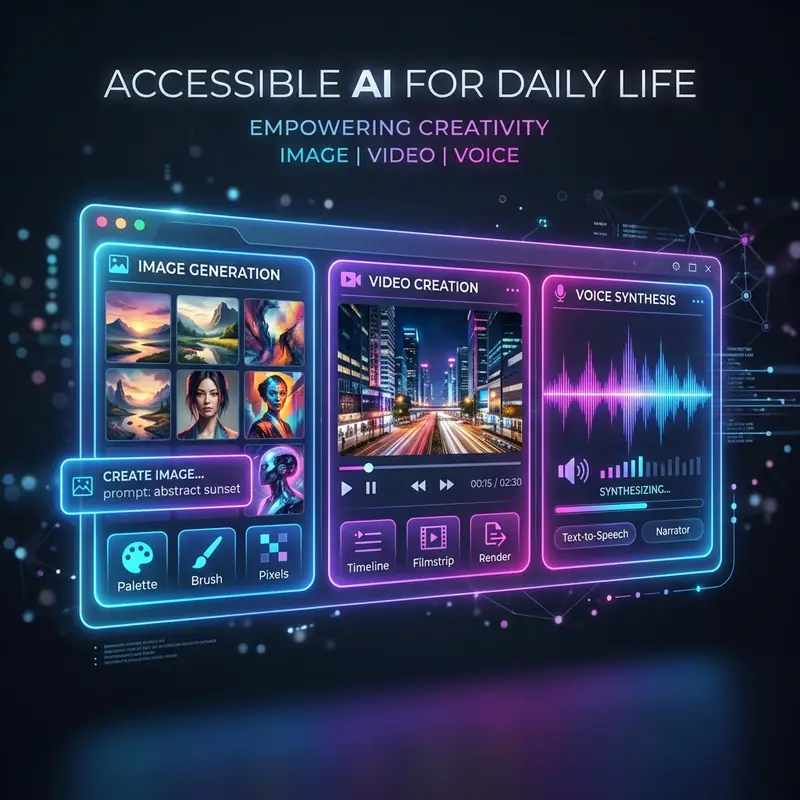
Midjourney is a revolutionary AI-driven tool that allows designers and digital artists to generate high-quality images through text prompts. This generative model primarily focuses on understanding natural language and translating it into visual representations. The latest version, Midjourney v6, has significantly enhanced the realism of generated images, providing advanced features that allow for fine-tuned control over the final output. Utilizing Midjourney effectively requires a deep understanding of its parameters, prompt engineering, and the creative potential within its framework. By mastering the art of prompt crafting, users can unlock a myriad of possibilities, from abstract designs to hyper-realistic images that mimic photography.
Key Parameters for Midjourney Prompts
To optimize your image generation process with Midjourney, it is important to understand the various parameters that can be adjusted to achieve the desired realism in your outputs. Below is a comparative table summarizing the most relevant parameters, their effects, and recommended settings.
| Parameter | Description | Recommended Settings |
|---|---|---|
| --v | Specifies the Midjourney version to use. | --v 6 for best realism |
| --ar | Aspect ratio of the generated image. | --ar 16:9 for landscapes, --ar 4:3 for portraits |
| --q | Quality of the image generation process. | --q 2 for higher quality |
| --style | Defines the aesthetic style of the image. | --style raw for photorealistic results |
| --chaos | Determines the level of variation in results. | --chaos 0 for consistency, --chaos 100 for randomness |
| --no | Excludes certain elements from the generated image. | --no text, --no people for clean backgrounds |
Crafting Effective Midjourney Prompts for Realism
Creating effective prompts for generating realistic images requires a combination of descriptive language and technical parameters. Here are some strategies to consider:
- Be Specific: Use clear and detailed descriptions. Instead of saying "a dog," specify "a golden retriever sitting on a beach during sunset."
- Incorporate Camera Lens Details: For photorealistic images, include camera lens details in your prompt. For instance, "photographed with a 50mm lens, f/1.8 aperture" enhances realism.
- Use Comparisons: Refer to well-known styles or artists to guide the aesthetic. For example, "in the style of Ansel Adams" can direct the output towards high-contrast black-and-white photography.
- Combine Elements Thoughtfully: Merge different concepts judiciously. A prompt like "A futuristic cityscape with medieval architecture at dusk" can yield unique results.
- Adjust Weights: Use weights to emphasize certain aspects of your prompt. For instance, "a forest::2 and a river::1" prioritizes the forest in the output.
DomineTec Tip: Experiment with your prompts by slightly altering parameters and observing the differences in results. This iterative process can lead to discovering the perfect prompt configurations for your needs.
Step-by-Step Tutorial for Generating Realistic Images
To facilitate your journey into creating realistic images with Midjourney, follow the step-by-step tutorial outlined below:
- Access Midjourney: Ensure you have an active Discord account. Join the Midjourney server and find a bot channel to input your commands.
- Initiate a Command: Type the command "/imagine" followed by your prompt. For example:
/imagine a serene mountain landscape during sunrise, photorealistic, --v 6 --ar 16:9 --style raw. - Adjust Parameters: After your initial generation, review the image. If it requires refinement, modify the parameters. For example, increase the quality with
--q 2or change the aspect ratio to--ar 4:3. - Refine Your Prompt: If the output is not satisfactory, edit your prompt for clarity. Add more descriptive terms or elements to enhance the detail.
- Use Weights: If necessary, utilize weights to prioritize certain aspects. For example, if you want more focus on the mountains, use
mountain::2, landscape::1. - Iterate and Save: Once satisfied, save your image. If you wish to create variations, use the
/variationscommand on the generated image.
Exploring Photorealistic Midjourney Prompts
Photorealistic prompts can significantly enhance the level of detail and accuracy in your generated images. To achieve this, you can incorporate specific terms and settings that guide the AI towards a more lifelike representation. Here are several examples of effective prompts:
- Nature Focused: "A photorealistic close-up of a dew-covered spider web, early morning light, with a soft-focus background, --v 6 --style raw."
- Urban Scenes: "A bustling city street at night, neon signs reflecting off wet pavement, captured with a 35mm lens, --ar 16:9 --q 2."
- Human Portraits: "A candid portrait of an elderly man with deep wrinkles and expressive eyes, natural lighting, --style raw --v 6."
- Product Photography: "A sleek, modern smartphone with reflections on a glass surface, studio lighting, --q 2 --ar 4:3."
Optimizing Your Workflow with Midjourney
To maximize efficiency and creativity while using Midjourney, consider implementing the following strategies into your workflow:
- Batch Processing: Prepare multiple prompts in advance and queue them to generate several images simultaneously, saving time.
- Maintain a Prompt Library: Create a document or spreadsheet to store successful prompts and their variations for easy reference in future projects.
- Analyze Outputs: Regularly review and critique the outputs generated to understand what works best. Take notes on successful prompts and parameter combinations.
- Collaborate with Peers: Engage with other designers and prompt engineers to exchange ideas and gain insights into effective prompt strategies.
- Stay Updated: Follow updates from the Midjourney community and documentation to stay informed about new features and best practices.
Advanced Techniques for Crafting Realistic Midjourney Prompts
Creating photorealistic images with Midjourney requires not just creativity but also a deep understanding of prompt engineering. To achieve the best results, users must consider various technical aspects such as prompt structure, keyword selection, and the use of parameters. This section will delve into advanced techniques that can elevate your Midjourney prompts to produce stunningly realistic images.
One of the most effective strategies is to utilize a layered approach in your prompts. Start by breaking down the image you want to create into its fundamental components.
For instance, if you are aiming for a realistic portrait, consider specifying the subject's age, ethnicity, and emotional expression. Instead of a simple prompt like "a person," you could enhance it to "a middle-aged Asian woman with a gentle smile, wearing a traditional dress, in a sunlit garden." This level of detail not only guides the AI more effectively but also helps in achieving a nuanced representation that captures the essence of the subject.
In addition to detailed descriptions, incorporating specific artistic styles or techniques can significantly influence the outcome. For example, if you want a photorealistic image that mimics the work of a particular photographer or artist, include their name in your prompt.
Phrases like "in the style of Annie Leibovitz" or "as if captured by a high-end DSLR camera" can help the AI understand the desired aesthetic. Furthermore, consider adding technical specifications such as "high dynamic range" or "shallow depth of field" to refine the image's visual quality.
These technical terms guide the AI in producing images that not only look realistic but also adhere to the standards of professional photography.
Another critical aspect of prompt crafting is the use of Midjourney's parameters to control aspects like aspect ratio, quality, and stylization. For instance, using the `--ar` parameter allows you to set the aspect ratio, which can be important for achieving the right composition.
A prompt like "a serene landscape at sunset --ar 16:9" ensures that the output is not only realistic but also visually appealing in a widescreen format. Similarly, the `--q` parameter can be adjusted to enhance the quality of the image.
By setting `--q 2`, you instruct Midjourney to allocate more resources to the rendering process, resulting in a more detailed and polished final image.
Finally, iterative refinement is key to mastering prompt engineering. After generating an initial image, analyze the results critically and identify areas for improvement. Perhaps the lighting is off, or the colors are not as vibrant as you envisioned.
Use this feedback to adjust your prompt accordingly. For instance, if the colors appear muted, you might modify your prompt to include "vivid colors" or "high saturation." This iterative process not only helps in honing your prompts but also enhances your understanding of how Midjourney interprets different phrases and instructions. By continuously refining your approach, you will develop a more intuitive grasp of the AI's capabilities, leading to increasingly realistic and compelling images.
Frequently Asked Questions
What are the best parameters to use for photorealistic images in Midjourney?
The best parameters for photorealistic images include using --v 6 for the latest realism, --style raw for a more lifelike aesthetic, and tweaking the quality with --q 2.
How can I improve the quality of images generated with Midjourney?
To improve image quality, use the --q parameter to set a higher quality level, and ensure your prompts are detailed and specific to guide the AI effectively.
Can I use Midjourney for commercial purposes?
Yes, images generated with Midjourney can be used for commercial purposes, but it’s essential to review and comply with Midjourney's terms of service to understand any restrictions.
Optimizing Midjourney Prompts for Enhanced Realism in Image Generation
To achieve the best results when utilizing Midjourney for generating realistic and photorealistic images, it is essential to delve into advanced prompt structures that leverage the platform's capabilities to their fullest extent. The first step in this optimization process involves understanding the available options when generating images. Midjourney allows users to refine their prompts by including parameters that can significantly alter the output quality and style. For instance, users can append the --v parameter followed by a version number to specify which version of the model to utilize. This can be important for ensuring that the latest advancements in the AI's training data are applied to the image generation process. A prompt might look like this: "A serene landscape with mountains at sunset --v 5", which explicitly directs Midjourney to use version 5 of its model, known for producing more detailed and lifelike images.
Furthermore, integrating aspect ratio specifications can help tailor the composition of images to better suit the desired output. Using the --ar parameter, users can define the aspect ratio to create images that fit specific dimensions, such as --ar 16:9 for a widescreen landscape or --ar 1:1 for a square format. This strategic combination of prompt structure and aspect ratio not only guides the AI in producing well-composed visuals but also aids in achieving a balanced aesthetic that enhances realism. For example, a prompt such as "A bustling city street at night, neon lights reflecting on wet pavement --ar 16:9" ensures that the generated image has the appropriate dimensions to capture the vibrancy of urban life while highlighting intricate details, such as reflections and light contrasts.
In addition to structural refinements, employing descriptive and context-rich language within the prompts can substantially improve the photorealism of the generated images. Specific adjectives and details about the scene not only help the AI understand the user's intent better but also allow it to create more vivid and lifelike representations. For instance, instead of a generic prompt like "A dog in a park," a more detailed prompt such as "A golden retriever joyfully fetching a brightly colored ball in a sun-drenched park filled with blooming flowers and lush green grass" provides the AI with a clearer vision of the desired image. The inclusion of sensory details—such as color, atmosphere, and activity—enriches the prompt, encouraging the model to produce images with depth and realism. Additionally, considering the time of day or weather conditions can further enhance the image's authenticity, as these elements influence lighting and shadow, which are critical in photorealistic imagery.
Lastly, it’s vital to utilize the --q parameter, which controls the quality of the generated image. By setting --q 2, for example, users can instruct Midjourney to allocate additional resources to produce an image with higher fidelity, resulting in finer details and textures. However, it is important to balance the quality settings with processing time and resource usage, particularly when working on larger projects. This parameter can be combined with others to create a comprehensive prompt tailored for high-quality outputs. A command such as “A close-up of a dew-covered spider web glistening in the morning sun --ar 1:1 --q 2” ensures that the user not only requests a specific aspect ratio and enhanced quality but also emphasizes the intricacies of the scene, harnessing Midjourney's full potential for realistic image generation. By carefully crafting prompts using these advanced configurations and understanding the underlying mechanics, users can significantly elevate the realism and visual impact of their generated images.
Expert Configurations for Optimizing Midjourney Prompts
To achieve the highest quality photorealistic images in Midjourney, it is essential to understand and leverage various prompt structures and configurations. One effective method is to utilize the available parameters that Midjourney provides. These parameters can significantly enhance the rendering process and overall image quality. For example, the aspect ratio can be specified using the --ar parameter, which allows users to define the width-to-height ratio of the output image. A common configuration for photorealistic results might be --ar 16:9 for landscape images or --ar 3:2 for portraits. By selecting the appropriate aspect ratio, users can guide the AI in generating images that not only meet their aesthetic needs but also align with realistic proportions found in photography.
Another important aspect of optimizing Midjourney prompts is the inclusion of specific descriptive language within the prompt itself. The use of adjectives and detailed nouns can help the AI better understand the desired outcome. For instance, instead of simply prompting "a car," a more detailed prompt like "a sleek, red sports car under a vibrant sunset" provides clearer guidance. Additionally, incorporating context about lighting conditions, textures, and backgrounds can enhance the realism of the generated images. This could include phrases such as "with soft diffused lighting" or "set against a bustling urban backdrop." The precision in language not only increases the likelihood of generating a realistic image but also allows for greater creative control over the final output.
Workflow optimization is another critical factor in maximizing the efficiency of Midjourney's image generation capabilities. Users should consider preparing multiple prompts in advance and queue them to generate several images simultaneously, saving time. Additionally, maintaining a prompt library can be beneficial for storing successful prompts and their variations for easy reference in future projects. Regularly reviewing and critiquing the outputs generated can help users understand what works best. Engaging with other designers and prompt engineers can also provide insights into effective prompt strategies. Lastly, staying updated with the Midjourney community and documentation will ensure users are informed about new features and best practices.