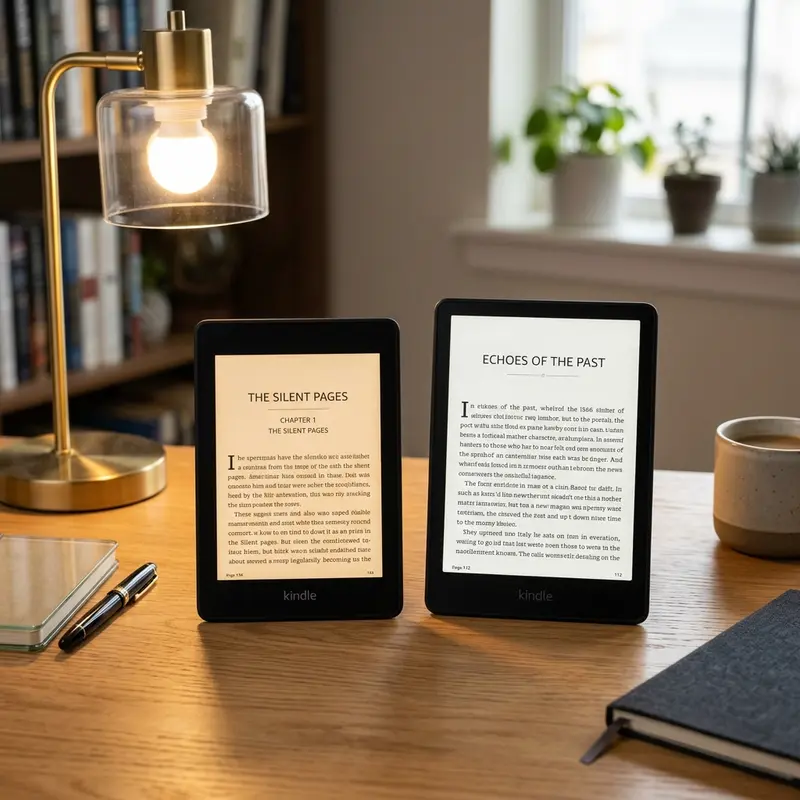
Deciding between Rakuten Kobo and Amazon Kindle? Choosing between Kobo and Kindle depends on ecosystem: Kindle is best for Amazon's book library, while Kobo excels in file formats and library integration. Understanding these fundamental differences will prevent you from buying the wrong device.
For over a decade, Amazon's Kindle has been the default name associated with e-readers. But Rakuten Kobo has carved out a loyal following of bookworms who refuse to be locked into Amazon’s proprietary bookstore. Both brands offer incredible hardware, featuring high-contrast E-Ink screens, weeks-long battery life, adjustable warm lighting, and waterproof chassis. However, beneath the plastic shells, their software, philosophies, and target users are radically different. In this extensive comparison, we look at the screens, ecosystems, store pricing, and formats to help you determine which brand deserves a spot in your reading nook.
Publicidade
Hardware Design and Screen Quality Comparison
When comparing hardware, Kobo and Amazon go head-to-head with options for every budget. In the entry-level segment, you have the basic Kindle and the Kobo Clara. Both offer crisp 300 PPI (pixels per inch) black-and-white screens that mimic physical paper. Moving up to the mid-range and premium tiers, however, Kobo has pushed ahead with display technologies. While Amazon has been slow to introduce color e-readers to its main lineup, Kobo introduced devices like the Kobo Clara Colour and Kobo Libra Colour. These devices feature E-Ink Kaleido 3 screens, which can show thousands of colors for book covers, highlight pens, comic strips, and children's books.
In terms of build quality and design preferences, Amazon is known for its flush-front glass screens, found on models like the Kindle Paperwhite and Signature Edition. This layout feels premium and is easy to wipe clean. Kobo, on the other hand, often favors ergonomic shapes. The Kobo Libra series features an asymmetrical design with physical page-turn buttons on one side, allowing you to hold the device comfortably with one hand without blocky thumb maneuvers. Furthermore, Kobo's premium devices support the Kobo Stylus, enabling you to write handwritten notes, sketch in margins, and maintain digital notebooks, competing directly with the larger Kindle Scribe.
Publicidade
Dica DomineTec: If physical page-turn buttons are a high priority for you, Kobo is your best choice in the 7-inch category. Amazon retired physical page buttons on mid-sized Kindles when they discontinued the Kindle Oasis.
Ecosystem, Book Store, and Pricing Differences
The biggest differentiator between Kobo and Kindle is their respective ecosystems. When you buy a Kindle, you are stepping into Amazon's walled garden. The Amazon Kindle Store is the largest digital bookstore in the world, containing millions of self-published titles, exclusive deals, and bestselling novels. The integration is seamless: you search for a book, click purchase, and it downloads to your e-reader in seconds. Amazon also offers Kindle Unlimited, a subscription service that lets you read millions of titles for a fixed monthly fee, which is highly beneficial for avid readers of indie fiction and romance.
Kobo operates on an open platform. The Kobo Store has a massive selection of books that is comparable to Amazon's catalog for traditional publishers, though it has fewer exclusive self-published authors. Kobo also offers Kobo Plus, a subscription plan that features an expanding library of titles, available in select regions globally. If you prefer to buy your books from independent ebook shops or download DRM-free novels from online marketplaces, Kobo allows you to load these files directly onto the device without forcing you to use email delivery conversion systems.
Publicidade
Software UI Customization and Sideloading Freedoms
For advanced users, software flexibility can turn a standard reading device into a highly tailored personal workstation. Kobo devices are highly customizable out of the box. Kobo's operating system allows users to sideload alternative reading applications, such as KOReader or Plato, without having to jailbreak the operating system. These alternative interfaces are excellent for reading complex PDFs or DJVU documents, providing fine-grained control over layout rendering, page margins, and font weights. Kobo also integrates natively with Pocket, allowing you to save articles on your computer or phone and read them automatically in a clean, E-Ink formatted style on your device.
Amazon's Kindle UI is highly optimized but rigidly structured. It is designed to minimize distractions and lead you directly to your reading list or the Kindle Store. While you can load custom fonts by putting them in the 'fonts' folder over USB, you cannot install custom reading applications without completing complex hardware or software jailbreaks, which are often patched by Amazon's security updates. Sideloading web articles onto a Kindle requires using third-party browser extensions like 'Send to Kindle' manually, rather than syncing automatically with an app like Pocket.
Publicidade
E-Book Format Support and Customization Options
If you have a large library of e-books from sources outside the official stores, format support is a critical factor. Amazon uses proprietary formats (AZW3 and KFX) and requires conversion files if you want to load personal documents. To see details about these formatting rules, check out our guide on Kindle supported file formats. If you attempt to copy an EPUB—the universal standard format for digital books—directly to a Kindle via USB, the device will not read it. You have to convert it using tools like Calibre or send it through Amazon's online cloud delivery system.
Kobo supports EPUB files natively. You can drag and drop any EPUB, PDF, CBZ (comic books), or MOBI file directly from your computer files into Kobo's storage via USB, and it will render instantly. Kobo is also highly praised for its font and layout customization. It allows you to adjust font weight (thickness) dynamically, sideload custom fonts without modifying software, and tweak margins and line spacing down to the millimeter. Kindle allows you to load custom fonts and adjust sizes, but its margin and line-height controls are limited to three fixed presets.
Publicidade
Library Integration: OverDrive vs. Kindle Library Access
For readers who love borrowing books from local public libraries, Kobo is the undisputed winner outside the United States. Kobo integrates natively with OverDrive, the platform used by public libraries globally to manage digital lending. In Kobo's settings, you simply log in with your local library card credentials. You can then search, borrow, place holds on, and return library books directly from your e-reader's interface. You do not need a computer, mobile phone, or cable transfer.
Amazon Kindle supports public library borrowing through OverDrive (via the Libby app), but this feature is strictly limited to users in the United States. If you live in Canada, the UK, Australia, Europe, or South America, you cannot borrow library books wirelessly onto a Kindle. For readers in these international markets, Kobo's built-in OverDrive access makes it an incredibly cost-effective device, allowing you to read thousands of library books for free.
Publicidade
Which E-Reader Should You Buy in 2026?
To help you compare the top models from both brands, we have put together a comparison of the key specifications for the most popular devices:
Model
Screen Size / Type
Page-Turn Buttons
Library Integration
Best Suited For
Amazon Kindle Paperwhite
7.0-inch / Monochrome E-Ink
No (Touchscreen only)
Libby (US Only)
Amazon Prime members, Kindle Unlimited fans, and readers looking for a premium glass screen.
Kobo Libra Colour
7.0-inch / Kaleido 3 Color E-Ink
Yes
OverDrive (Global)
Comic book readers, non-US library borrowers, and those who want color highlights and physical buttons.
Amazon Kindle (Basic)
6.0-inch / Monochrome E-Ink
No (Touchscreen only)
Libby (US Only)
Budget readers looking for the lightest, most compact travel companion.
Kobo Clara BW
6.0-inch / Monochrome E-Ink
No (Touchscreen only)
OverDrive (Global)
Budget buyers outside the US who want native EPUB support and library borrowing.
Ultimately, your choice boils down to a question of ecosystem versus freedom. Buy the Kindle if you want a simple, unified buying experience, use Amazon Prime, or want to read self-published books on Kindle Unlimited. Buy a Kobo if you live outside the US and want to borrow public library books, read comic books or PDFs, prefer physical buttons, or want to import digital books without file conversion limits.
Publicidade
Frequently Asked Questions (FAQ)
Can I read Kobo books on a Kindle, or Kindle books on a Kobo?
Directly, no. Books purchased from the Kindle Store are protected by Amazon's DRM and use proprietary formats, which Kobo cannot open. Similarly, books purchased from the Kobo Store are protected by Adobe DRM, which Kindle does not support. However, if you purchase DRM-free books from third-party shops, you can easily read them on both devices. For protected files, you would need to use computer software like Calibre along with DRM-removal plugins to convert the books for cross-platform reading.
Is Kobo better than Kindle for reading PDFs and documents?
Yes, Kobo is generally better for sideloading documents. It natively supports PDF and EPUB files, meaning you can plug the device into a computer and copy files directly. Kobo devices also handle zoom and pan actions on PDFs relatively well, and some premium models allow stylus annotations directly onto the PDF file. On Kindle, you must either read the PDF natively (which can shrink the text excessively) or convert it via Send-to-Kindle.
Publicidade
Which e-reader has a better battery life?
Both brands offer exceptional battery life that is measured in weeks rather than hours. On average, a Kindle Paperwhite and a Kobo Libra will last between 4 to 8 weeks on a single charge, depending on your daily reading habits, screen brightness settings, and wireless usage. Using Bluetooth for audiobooks or writing extensively with a stylus on compatible Kobo/Kindle models will drain the battery faster, requiring a recharge every 1 to 2 weeks.
Does Kobo support audiobooks like Kindle does?
Yes. Both Kobo and Kindle support audiobook playback via Bluetooth headphones or speakers, as neither device features built-in speakers. However, their systems are locked to their own ecosystems. Kobo devices can only play audiobooks purchased through the Kobo Store or Kobo Plus subscription. Kindles can only play audiobooks purchased through Amazon's Audible service. You cannot sideload third-party MP3 or M4B audiobooks onto either device easily.