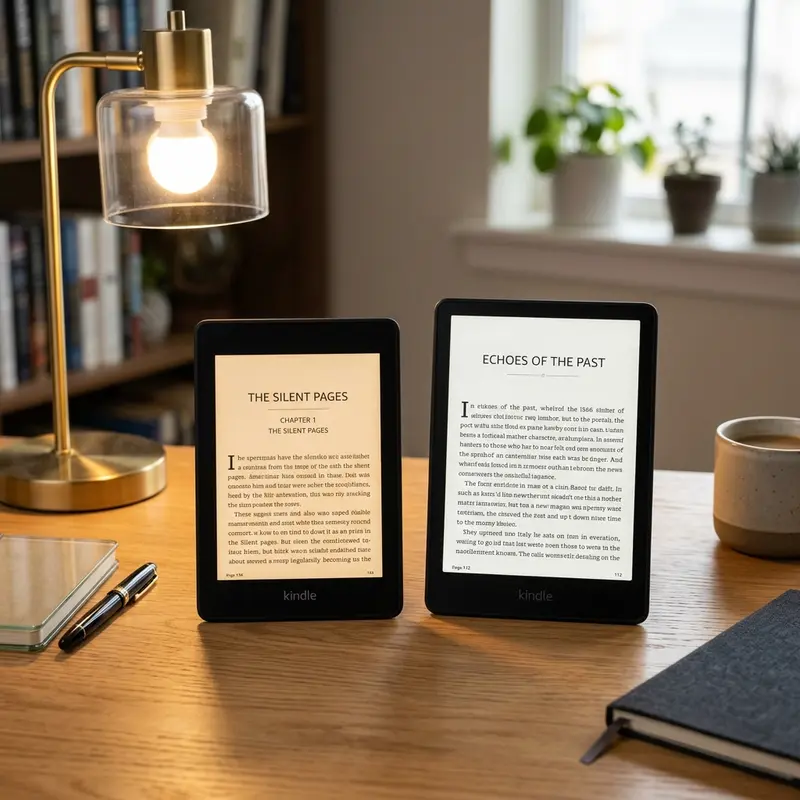
Yes, the Kindle 11th Gen is worth it. It features a sharp 300 PPI screen, USB-C, 16GB storage, and dark mode in a compact, budget-friendly design.
For years, choosing a budget e-reader meant accepting significant compromises. You had to settle for fuzzy low-resolution displays, micro-USB ports, and sluggish processing power. With the release of the Kindle 11th Gen (often referred to simply as the Kindle Basic 2022/2024 model), Amazon has completely redefined what an entry-level e-reader can be. By bringing premium features down to its most affordable model, Amazon has narrowed the gap between the budget Kindle and the high-end Paperwhite.
But does this entry-level model deliver enough value to justify its price tag, or should you save your money for a premium version? In this comprehensive Kindle 11th Gen review, we will break down the hardware, screen performance, battery longevity, and compare it against the Paperwhite to help you decide if it is the right device for your reading routine.
Publicidade
Overview: What's New in the 11th Gen Kindle Basic
The 11th generation basic Kindle marks a massive upgrade over its 10th generation predecessor. Amazon didn't just tweak the design; they overhauled almost every core specification of the device. The most notable upgrade is the screen. The display density has been bumped from a mediocre 167 PPI (pixels per inch) to a razor-sharp 300 PPI, matching the screen clarity of the premium Paperwhite and Oasis models.
Additionally, Amazon has doubled the storage capacity from 8GB to 16GB, providing ample room for thousands of books and audiobooks. The charging interface has also been updated to USB-C, aligning the e-reader with modern charging standards. Finally, the processor is noticeably faster, reducing page turns lag and making navigation through the Kindle Store and your library much smoother.
Design, Portability, and Build Quality
The standout feature of the Kindle 11th Gen's design is its physical footprint. Weighing in at just 158 grams (5.6 ounces), it is the lightest and most compact Kindle currently available. It is significantly smaller and lighter than the Kindle Paperwhite (which weighs 205 grams), making it exceptionally comfortable to hold with a single hand during long, late-night reading sessions.
Publicidade
The body is constructed from recycled plastics and has a matte finish that provides a secure grip, though it can feel slightly less premium than the flush-front design of the Paperwhite. Unlike the Paperwhite, the basic Kindle features a recessed screen design, which means the bezel is raised slightly above the display. While this bezel can collect a small amount of lint over time, it offers a distinct tactile boundary for your thumb to rest without accidentally triggering page turns.
Dica DomineTec: Because the screen is recessed and the plastic is prone to minor scratches from keys or loose items, we strongly advise investing in a protective cover. Check out our recommendations for the Kindle case with hand strap to find ergonomic protection options.
Screen Quality: 300 PPI E-ink Display with Dark Mode
The screen is the crown jewel of the Kindle 11th Gen. By upgrading the display to a 300 PPI E-ink Carta screen, Amazon has ensured that text looks indistinguishable from a printed book page. Small fonts are incredibly crisp, and there is absolutely no visible pixelation or fuzzy edges around the characters, which significantly reduces eye strain during extended reading periods.
Publicidade
The device features a built-in front light with 4 LEDs. While it lacks the warm light adjustment found on the Paperwhite (which allows you to turn the light from white to amber), the front light is more than adequate for reading in pitch-black rooms or low-light environments. Furthermore, the 11th Gen basic Kindle features a native Dark Mode (white text on a black background), which is a fantastic addition for night readers who want to minimize light pollution in the bedroom.
Performance, Battery Life, and USB-C Charging
Equipped with an updated processor and 512MB of RAM, the Kindle 11th Gen is snappy. Searching your library, looking up words in the built-in dictionary, and downloading books from the Kindle Store happen almost instantly. The e-ink page refresh rate has also improved, minimizing the ghosting effect where faint remnants of previous pages remain visible.
Battery life remains a major strength of the Kindle platform. Amazon claims the 11th Gen can last up to 6 weeks on a single charge. This estimate is based on 30 minutes of reading per day with wireless turned off and the light set to 13. In real-world usage, even with Wi-Fi enabled and the front light set higher, you can easily expect 3 to 4 weeks of regular use before needing to find a charger. When you do need to plug in, the USB-C port enables the device to charge from 0% to 100% in roughly two hours using a standard wall adapter.
Publicidade
Kindle 11th Gen vs. Kindle Paperwhite: A Detailed Comparison
To help you decide whether the budget model is right for you, or if you should upgrade to the Paperwhite, here is a specification comparison table:
Feature / Spec
Kindle 11th Gen (Basic)
Kindle Paperwhite (5th Gen / 11th Gen Paperwhite)
Screen Size
6.0 inches
6.8 inches
Pixel Density
300 PPI
300 PPI
Waterproofing
None (Not waterproof)
IPX8 (Waterproof up to 2m for 60 min)
Front Light LEDs
4 LEDs
17 LEDs (With adjustable warm light)
Storage Options
16 GB
8 GB / 16 GB / 32 GB
Charging Port
USB-C
USB-C (Signature edition adds wireless charging)
Weight
158 grams (5.6 oz)
205 grams (7.2 oz)
Dica DomineTec: If you are planning to read near the pool, at the beach, or in the bathtub, the Paperwhite's IPX8 waterproofing is a crucial feature. However, if your reading is done strictly in bed, on airplanes, or on public transit, the Basic model's lightweight footprint makes it the best Kindle for reading on the go.
Publicidade
Final Verdict: Who Should Buy the Kindle 11th Gen in 2026?
The Kindle 11th Gen is no longer just a compromise option for those who want to save money. By including a 300 PPI display, USB-C, 16GB of storage, and a fast processor, Amazon has built an incredibly compelling device that will satisfy the vast majority of readers. It is the perfect choice for students, commuters, and casual readers who value portability and ergonomics above all else. Unless you absolutely require waterproofing or the adjustable warm light, the Kindle 11th Gen offers the absolute best value-for-money ratio in the entire e-reader market today.
Frequently Asked Questions (FAQ)
1. Does the Kindle 11th Gen have a headphone jack or Bluetooth?
The Kindle 11th Gen does not have a physical 3.5mm headphone jack. However, it does feature built-in Bluetooth connectivity. This allows you to pair wireless headphones or Bluetooth speakers directly to the device so you can listen to Audible audiobooks using the VoiceView screen reader option.
Publicidade
2. Is the Kindle 11th Gen screen scratch-resistant?
The screen of the Kindle 11th Gen is made of a matte-finished plastic, which is designed to reduce glare and mimic paper. While it is durable, it is not as scratch-resistant as the glass screens found on modern smartphones or the flush-front display of the Kindle Paperwhite. A case is highly recommended to protect it from keys or pens in your bag.
3. Can I read EPUB files on the Kindle 11th Gen?
Yes, you can read EPUB files on the Kindle 11th Gen, but you must transfer them using Amazon's official "Send to Kindle" service. Amazon's servers will automatically convert the EPUB format into a native Kindle-readable format (AZW3 or KFX) during the transfer process.
4. Does the Kindle 11th Gen display ads on the lock screen?
Amazon sells two versions of the Kindle 11th Gen: the "With Ads" (Lockscreen Ads) version, which is slightly cheaper, and the "Without Ads" version. The ads only appear on the lock screen when the device is sleeping and as a small banner on the home screen; they never interrupt you while you are reading a book. You can pay a small one-time fee later to remove the ads if you purchase the ad-supported version.