HP Smart Tank 517 vs Epson EcoTank L3250: Comparison Review
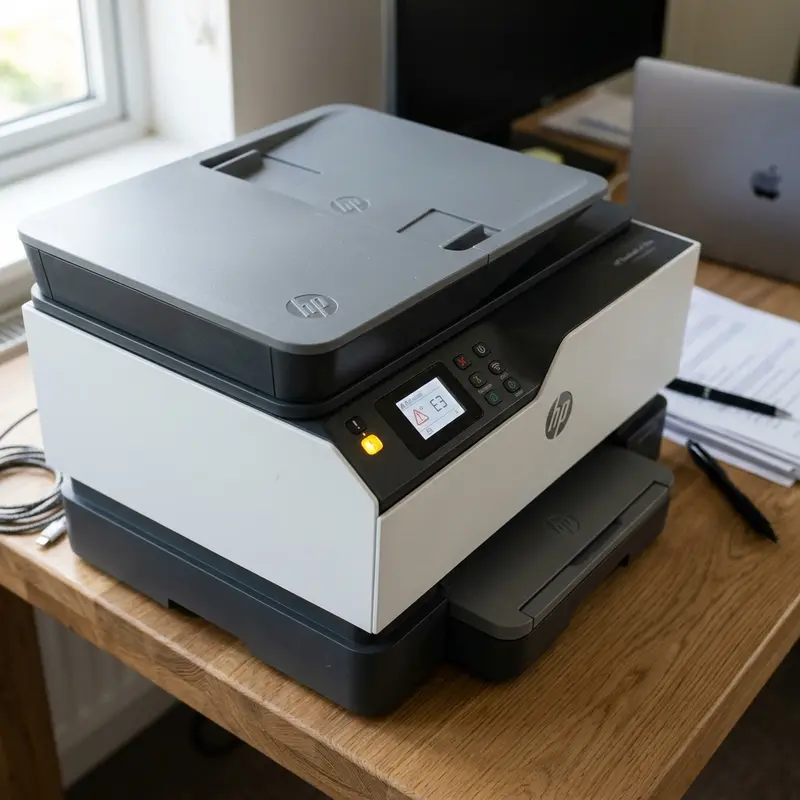
In the highly competitive market for ink tank printing hardware designed for home offices and small business setups, consumer buying decisions often narrow down to two of the most popular models: the HP Smart Tank 517 and the Epson EcoTank L3250. Both devices promise to eliminate expensive traditional cartridges in favor of high-yield refillable liquid ink bottles, resulting in a significantly reduced cost per page. However, beneath their similar plastic shells, these models feature major differences in engineering, droplet ejection physics, consumable chemical formulations, and physical user interfaces.
In comparing the HP Smart Tank 517 with the Epson EcoTank L3250, the Epson L3250 is the superior choice for overall printing speed and long-term durability thanks to its permanent MicroPiezo printhead technology, whereas the HP Smart Tank 517 excels in user maintenance with its easily replaceable thermal printheads and a physical LCD display panel that makes monitoring and local troubleshooting much simpler. These core technical differences directly impact daily usage, maintenance routines, and future component replacement costs.
1. Printhead Technology: MicroPiezo (Epson) vs Thermal Inkjet (HP)
The most fundamental engineering difference between these two devices lies in the physical method used to eject ink droplets onto the paper. Epson uses its proprietary MicroPiezo technology. The piezoelectric printhead features specialized crystals behind the nozzles that deform mechanically when a low-voltage electrical signal is applied. This physical flexing pushes the ink droplets out of the chamber. Because this mechanical process generates no heat, the head assembly runs completely cold. As a result, Epson's MicroPiezo printheads are built as permanent fixtures designed to last the entire lifetime of the printer. Additionally, cold-printing technology allows Epson to use dense, fast-drying pigment and dye inks without the risk of heat-induced clogging or nozzle residue buildup.
Conversely, the HP Smart Tank 517 uses thermal inkjet technology (Thermal Inkjet). Inside the HP printhead, tiny electrical resistors heat the ink to temperatures exceeding 300°C (572°F) in a fraction of a microsecond. This rapid heat spike causes a tiny vapor bubble to expand inside the nozzle chamber, forcing a droplet of liquid ink out onto the page. While this thermal process allows HP to manufacture dense nozzle arrays at a much lower production cost, the repetitive cycle of extreme heating and cooling subjects the nozzle walls to thermal stress. Additionally, this method is prone to thermal cavitation, where the vapor bubble collapses and creates micro-shockwaves that wear down the chamber walls over time.
Knowing this, HP designed its printhead modules (HP M0H50A Black and HP M0H51A Color) as user-replaceable parts. If a head fails or clogs, the user can swap it out at home without sending the machine to a repair center. This difference in design creates contrasting cost and maintenance structures. While the Epson L3250 offers the reliability of a permanent printhead that is unlikely to wear out under normal use, resolving a severe clog caused by months of non-use requires technical disassembly. With the HP Smart Tank 517, if a printhead is damaged or blocked, you can simply purchase a replacement head online and install it yourself, restoring the printer to service in minutes at a low cost.
2. Print Speed, Resolution, and Duty Cycle Comparisons
When analyzing performance, both manufacturers use standard ISO metrics, but real-world testing highlights distinct speed and print handling characteristics for different tasks.
The performance specifications for each model are outlined below:
- Epson EcoTank L3250: Delivers print speeds of up to 10 pages per minute (ppm) in black and 5 ppm in color under the ISO 24734 normal quality standard. In draft mode, the maximum speed rises to 33 ppm in black and 15 ppm in color, driven by the high-frequency mechanical oscillation of the MicroPiezo crystals.
- HP Smart Tank 517: Produces up to 11 pages per minute in black and 5 ppm in color in normal mode. In draft mode, the HP prints up to 22 ppm in black and 16 ppm in color. While their normal print speeds are similar, the Epson L3250 offers faster processing and first-page-out times in draft mode.
- Print Resolution: The Epson L3250 offers a maximum hardware resolution of 5760 x 1440 dpi (dots per inch), compared to the HP Smart Tank 517’s maximum of 4800 x 1200 optimized dpi. For standard office text and documents, this difference is negligible, but for high-resolution photo printing on glossy media, Epson's smaller 3-picoliter ink drops produce smoother color gradients and sharper details.
- Monthly Duty Cycle: The HP Smart Tank 517 is designed with a recommended monthly volume of up to 800 pages (and a maximum cycle of 1,000 pages), which fits light to moderate residential printing needs. The Epson L3250, because of its robust fixed printhead architecture, can comfortably handle duty cycles exceeding 1,500 recommended pages monthly without experiencing mechanical degradation.
If you want to compare other durability features of ink tank models, check out our guide on the best Epson EcoTank printer value or read our analysis of color laser printers for home offices.
3. Wi-Fi Connectivity, Mobile Apps, and Network Setup
Both printers include built-in Wi-Fi connectivity and support direct wireless printing using Wi-Fi Direct, allowing users to send print jobs directly from a smartphone without a central router. However, the HP Smart Tank 517 holds a notable advantage in wireless network stability. It includes Dual-Band Wi-Fi (supporting both 2.4 GHz and 5 GHz bands). This allows the printer to connect to the faster, less congested 5 GHz frequency, avoiding the wireless interference from household electronics that often plagues the 2.4 GHz band. The Epson L3250 operates exclusively on the 2.4 GHz band, requiring careful placement relative to your wireless router to ensure a stable connection.
On the software side, HP provides the HP Smart app, which is widely recognized for its clean interface and features like automatic perspective correction for document scanning via a phone camera. Epson offer the Smart Panel app, which uses a modular chat-like interface. This app provides direct access to maintenance features, such as nozzle cleaning and printhead alignment, directly from your mobile device.
Below is a direct comparison of the key hardware specifications for both models:
| Technical Feature | HP Smart Tank 517 | Epson EcoTank L3250 |
|---|---|---|
| Printhead System | Thermal Inkjet (User-replaceable cartridge modules) | MicroPiezo (Permanent hardware assembly) |
| Wi-Fi Capabilities | Dual-Band (2.4 GHz and 5 GHz support) | Single-Band (2.4 GHz only) |
| Physical Control Panel | 2-inch Monochromatic LCD screen | LED status indicators (No screen) |
| Max Print Resolution | 4800 x 1200 optimized dpi | 5760 x 1440 optimized dpi |
| Input Paper Tray Capacity | 100 sheets of plain paper | 100 sheets of plain paper |
4. Ink Refill Mechanics, Yield, and Chemical Formulations
The primary reason to choose an ink tank printer over a traditional cartridge model is the running cost, determined by the yield and price of official replacement ink bottles. While both brands offer high page yields, the Epson L3250 features a more refined refill mechanism that helps prevent accidental spills and incorrect colors.
Epson’s Key-Fit system uses unique physical keys for the nozzle of each color bottle. This prevents you from inserting a cyan bottle into the yellow ink chamber, eliminating color contamination errors. The bottle only flows when fully inserted at a 90-degree angle and stops automatically when the reservoir is full, without requiring you to squeeze the bottle. The HP Smart Tank 517 uses a Spill-Free membrane system. While this prevents ink from dripping when the bottle is upside down, the nozzles lack the physical color-keyed matching slots found on the Epson.
A crucial difference lies in the chemical composition of the inks. The HP Smart Tank 517 ships with the HP GT53XL black bottle containing pigment-based ink. Pigment ink particles bind to the fibers of standard paper, producing crisp, dark text that is highly resistant to water smearing and highlighter bleed, making it ideal for business documents. HP’s color inks (GT52) are dye-based. The Epson EcoTank L3250, when using its standard T544 bottle set, utilizes dye-based ink for all channels (both black and colors). Black dye ink generates excellent glossy photo prints on coated media but tends to spread slightly more on standard bond paper fibers and is susceptible to water damage, meaning a spilled liquid will smear the printed page.
5. Physical Interface: HP’s LCD Screen vs Epson’s LED Indicators
For ease of use and local troubleshooting, the HP Smart Tank 517 has a distinct advantage over the Epson L3250. The HP features a small, clear LCD screen on its control panel. This screen displays real-time status indicators, such as Wi-Fi signal strength, active Wi-Fi Direct status, paper levels, and diagnostic error codes (e.g., E1, E2, E3). This allows users to identify issues quickly without needing to check their computer or open a mobile app.
The Epson L3250 uses a simpler, lower-cost design without a digital screen. Its control panel relies entirely on physical buttons and individual red LED status lights for paper, ink, and Wi-Fi. When a mechanical or logical error occurs, the LEDs blink in various sequences. Interpreting these blinking codes often requires looking up the patterns in the user manual or opening the printer utility software on a computer, making local diagnostics less intuitive for the user.
6. Energy Consumption and Power Efficiency Analysis
Evaluating electrical energy consumption is a relevant consideration for office appliances that remain active throughout the workday. Due to the differences in their printhead technologies, the Epson L3250 and HP Smart Tank 517 have very different electrical power requirements.
The Epson L3250, utilizing cold MicroPiezo technology, requires very little electrical power. It consumes only about 12 Watts of active power while printing documents and drops to approximately 0.7 Watts in sleep mode. Because the piezoelectric elements do not require heating to eject ink, the L3250 avoids high current spikes, reducing thermal stress on its internal power supply components.
The HP Smart Tank 517, which relies on heating thermal resistors, consumes approximately 36 Watts of peak power during active printing and about 1.2 Watts in sleep mode. While this energy difference represents only a minor variation in monthly domestic utility bills, the thermal printer places greater overall electrical demand on its main power supply lines. For organizations seeking to meet green office standards and minimize their carbon footprint, the cold printing architecture of the Epson EcoTank offers a more energy-efficient solution.
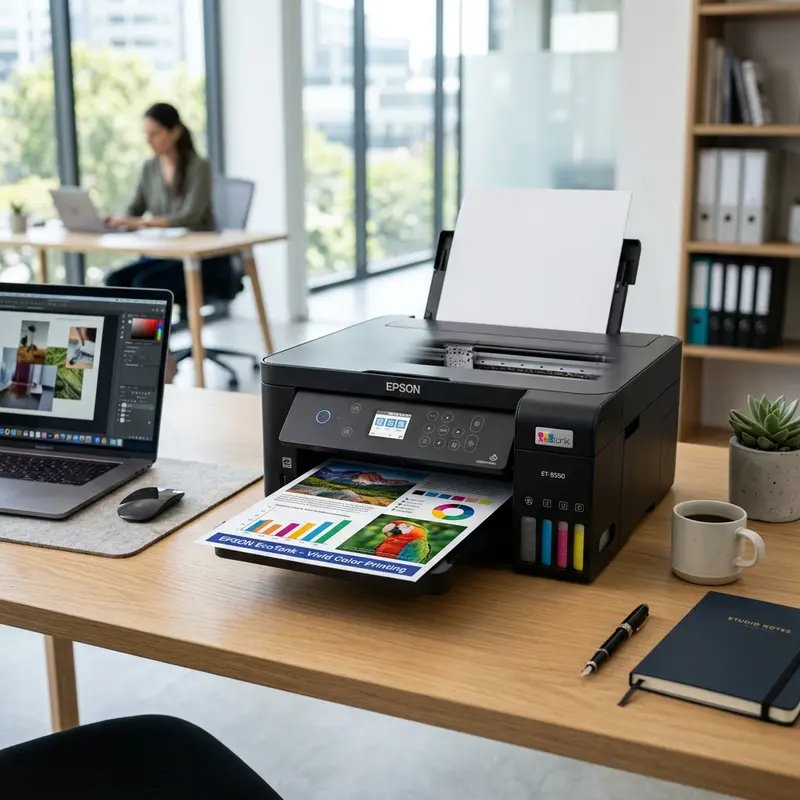
7. Technical Verdict: Which Tank Printer Should You Choose?
Selecting between the HP Smart Tank 517 and the Epson EcoTank L3250 depends on your monthly print volume, maintenance preferences, and home wireless network setup. Both models provide excellent ink economy, but they suit different usage styles.
We recommend the Epson EcoTank L3250 if you print high volumes weekly and prioritize long-term hardware durability. The permanent MicroPiezo printhead is designed to handle continuous printing tasks and produces slightly sharper details on glossy photo paper. It is an ideal option for small businesses, home offices, and students who print large documents regularly and want a reliable printhead system.
The HP Smart Tank 517 is the better choice for users who print less frequently and want a simpler setup on dual-band 5 GHz Wi-Fi routers. The built-in LCD screen makes checking printer status straightforward, and the user-replaceable thermal printheads mean that if the nozzles clog after a long period of inactivity, you can quickly restore the printer to service by replacing the printhead module at home.
Frequently Asked Questions
Which ink tank printer has the most durable printhead?
The Epson EcoTank L3250 features the MicroPiezo printhead, which is designed as a permanent component to last the lifetime of the printer. It uses mechanical pressure to eject ink at room temperature, avoiding the thermal stress that can cause wear on HP's thermal printheads.
Can the HP Smart Tank 517 connect to 5 GHz Wi-Fi networks?
Yes, the HP Smart Tank 517 includes Dual-Band Wi-Fi hardware, allowing it to connect to both 2.4 GHz and 5 GHz networks. This provides a more stable wireless connection with less interference compared to the Epson L3250, which only supports 2.4 GHz Wi-Fi.
What should I do if the printhead on my HP Smart Tank 517 fails?
Because HP uses user-replaceable printheads, you do not need to send the printer to a repair center. You can purchase a replacement printhead kit (HP M0H50A for black or HP M0H51A for color) online or from a local retailer, and install the new printhead module directly into the carriage carriage yourself.
Can I use Epson ink bottles in an HP printer or vice versa?
No, you should not mix inks between the two brands. Epson L3250 uses T544 series ink formulated for cold MicroPiezo printheads, whereas the HP Smart Tank 517 uses GT52/GT53 inks designed to withstand the high temperatures of thermal printheads. Mixing them can cause severe clogging and damage the nozzles.




