Best Affordable Color Laser Printers for Home Office & Family
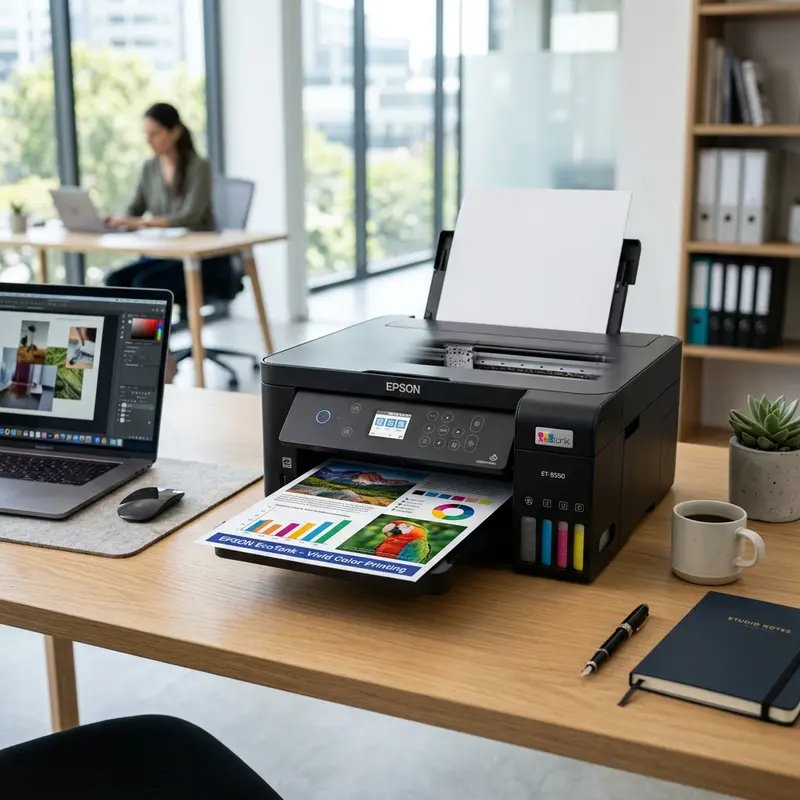
The best cheap color laser printer for home use in 2026 is the Brother HL-L3210CW (or its upgraded successor, the Brother HL-L3220CDW), which offers the lowest cost-per-page in the entry-level bracket, high hardware reliability, and complete immunity to ink dry-out. Other strong budget contenders include the ultra-compact HP Color Laser 150nw for tight spaces and the Canon LBP622Cdw for families needing automatic duplex (double-sided) printing.
Unlike inkjet models that require constant usage and printhead cleaning cycles to prevent microscopic nozzles from clogging, laser printers print using dry thermoplastic toner powder that is electrostatically fused to the paper. This means you can leave your laser printer unused for months in a guest room or home office and, upon power-up, it will produce a perfect, smudge-free print on the first try. However, choosing a cheap color laser printer requires careful planning to avoid high cartridge replacement costs down the line. In this comprehensive guide, we will analyze the physical xerographic printing process and evaluate the best affordable color laser models on the market today.
The Mechanics of Electrostatic Laser Printing: How It Works
While inkjet technology physically ejects liquid droplets onto a page, laser printing relies on static electricity and thermal fusion. The process of transferring toner to paper involves several key steps that happen in perfect synchronization across four color stations (Cyan, Magenta, Yellow, and Black):
- Charging the Drum: Inside each color unit is an Organic Photoconductor (OPC) drum—a metal cylinder coated with a light-sensitive semiconductor layer. A Primary Charge Roller (PCR) applies a high negative voltage bias (typically -600V to -800V) across the entire surface of the rotating drum, creating a uniform electrostatic charge.
- Writing with Light: The Laser Scanning Unit (LSU) uses a semiconductor laser diode focused through a high-speed rotating polygonal mirror driven by a brushless DC motor. As the mirror spins, it sweeps the laser beam across the spinning OPC drum. The light neutralizes the negative charge on specific spots, discharging the surface to about -100V. This creates a high-resolution "electrostatic latent image" on the drum.
- Developing the Image: The toner cartridge stores fine powder consisting of polyester resin, wax, and color pigments. A developer roller inside the cartridge carries the toner and rubs it against a metal doctor blade. This friction charges the toner particles negatively (known as triboelectric charging). Because the toner is negatively charged (-600V), it is repelled by the fully charged areas of the OPC drum (also -600V) but clings to the areas discharged by the laser beam (-100V).
- Transferring the Toner: The paper is fed between the OPC drum and a high-voltage Transfer Roller (charged positively up to +3000V) or an Intermediate Transfer Belt (ITB). The positive charge pulls the negatively charged toner particles off the drum and onto the paper surface.
- Thermal Fusion: At this stage, the toner is just loose powder sitting on the paper fibers. The page then passes through the Fuser Assembly. The fuser contains a halogen heating lamp (or a ceramic heater sleeve) that reaches temperatures of 150°C to 200°C (300°F to 400°F), combined with a high-pressure silicone roller. As the paper passes through, the heat melts the polyester resin in the toner, and the pressure presses it deep into the paper fibers, setting the print instantly.
This dry, heat-fused process makes laser prints water-resistant and smudge-proof immediately after exiting the machine, though it does consume significant peak electricity during the fuser heating cycle.
Laser vs. Ink Tank: Making the Right Home Choice
Selecting the right technology for your home depends heavily on your printing frequency. If you print dozens of pages every day, an ink tank printer will save you money. You can read our detailed review of this technology in our guide on the best Epson EcoTank printer value.
However, if your household only prints occasionally—such as shipping labels, tax forms, or school reports once or twice a month—an inkjet printer is highly likely to suffer from dried-out printheads. This leads to costly ink waste during cleaning cycles. For sporadic users, laser technology is the more reliable choice.
| Feature / Spec | Entry-Level Color Laser Printer | Inkjet / Ink Tank Printer |
|---|---|---|
| Sensitivity to Inactivity | None. Toner powder does not evaporate, dry out, or clog parts. | High. Liquid ink drying inside nozzles leads to clogs and bad prints. |
| Consumable Cost | Higher. Requires four separate toner cartridges (CMYK) with tracking chips. | Low. Ink bottles are cheap to buy and print thousands of pages. |
| Water Resistance | Excellent. Resin toner is melted onto the page and will not run if wet. | Varies. Dye-based inks smudge instantly when exposed to moisture. |
| Power Consumption | High (300W–600W peak draw for heating the fuser rollers). | Low (10W–20W average while active). |
| First-Page Output Time | Slower. Needs to heat up the fuser before the first page can feed. | Fast. The printhead can start scanning back and forth immediately. |
The Best Cheap Color Laser Printers of 2026
1. Brother HL-L3210CW / HL-L3220CDW
Brother\'s entry-level color LED printer is a technician favorite for budget home printing. Instead of using a spinning mirror to sweep a single laser beam, these models use a solid-state LED array that contains thousands of light-emitting diodes. This design has no moving optical parts, reducing wear and tear over time.
- Pros: Highly durable frame, easy to find affordable third-party compatible toner cartridges, and a separate drum unit (OPC) design, meaning you only replace the toner cartridge itself when the powder runs out.
- Cons: Lacks automatic double-sided printing (manual duplex only on entry models); relatively bulky footprint.
2. HP Color Laser 150nw
Designed for users with limited desk space, the HP 150nw is one of the smallest color laser printers available. It uses a compact rotating toner carousel system rather than a flat single-pass design.
- Pros: Small footprint, fits easily on shelves, clean Wi-Fi connectivity, and simple controls.
- Cons: Slower color printing speed (4 ppm because it rotates the page multiple times) and low-capacity cartridges that increase the overall cost-per-page.
3. Canon imageCLASS LBP622Cdw
A great choice for families who need automatic duplex printing (front-and-back) to save on paper costs. It features a fast internal processor that handles complex PDFs and photo files easily.
- Pros: Fast automatic double-sided printing, excellent color rendering for graphics, and a fully enclosed paper cassette tray that protects sheets from dust.
- Cons: Expensive OEM replacement cartridges and a heavy chassis.

Technician Tips to Keep Toner Costs Down
The main drawback of buying a cheap color laser printer is the cost of toner. OEM (Original Equipment Manufacturer) cartridges can cost as much as the printer itself. To manage these costs without damaging your machine:
- Choose Reputable Third-Party Toners: Look for aftermarket manufacturers that use chemical toner (toner made by chemical growth, producing perfectly spherical, uniform micro-particles) instead of mechanical toner (crushed plastic that has jagged edges that can wear down the OPC drum).
- Enable Draft or Toner Saver Mode: This settings option reduces the voltage applied to the developer roller or shortens the laser dwell time. This cuts toner consumption by up to 40% while keeping black text clear and readable for general household documents.
- Manage Smart Chips: Modern laser printer cartridges use encrypted chips to count printed pages. If you refill your cartridges, you must also replace the chip so the printer registers the cartridge as full. If you decide that ink tanks suit your volume better after all, explore our review of the Epson L4260 worth buying.
Preventative maintenance for domestic inkjet printers
To avoid future physical blockages in the printhead nozzles and extend the overall lifespan of your printer components, it is highly recommended to print a test page containing all primary colors at least once a week. This routine forces fresh ink to flow through the internal delivery lines and clears any dried residue from the nozzle plate, preventing crystallization due to prolonged inactivity. Additionally, keeping the printer away from direct drafts and heat sources reduces the rate of solvent evaporation inside the ink chambers.
Frequently Asked Questions (FAQ)
Is toner powder dangerous if inhaled?
Yes. Toner powder consists of extremely fine microparticles (5 to 10 microns in size). Inhaling these particles can cause respiratory irritation. Never use a standard domestic vacuum cleaner to clean up spilled toner inside the printer; the filter bags cannot capture particles that small, and it will blow them out into the air. Instead, use a damp cloth with cold water (hot water melts toner, fusing it to surfaces) to wipe it away.
Why does my laser printer leave repeating spots on the page?
Repeating marks or lines at regular intervals down a printed page indicate physical damage to a rotating roller. The distance between the marks matches the circumference of the damaged part. For example, a repeating mark every 75mm to 94mm suggests a scratch on the green or blue OPC drum. If the marks repeat every 30mm, the issue is likely a dent in the hot fuser roller.
Can I print on inkjet photo paper with a laser printer?
No. Inkjet photo paper has a plastic coating (typically acetate or gelatin polymers) designed to absorb liquid ink. When exposed to the high heat of a laser printer\'s fuser assembly (around 180°C / 350°F), this plastic coating will melt onto the fuser belt or pressure rollers, ruining the fuser assembly and requiring a costly repair.
How long will a home laser printer last?
A well-maintained home laser printer from a reputable brand will easily print between 30,000 and 50,000 pages over its lifespan, provided you clean out toner dust periodically and replace worn drum units as recommended by the manufacturer.
Understanding Printer Duty Cycles and Home Office Maintenance
Power Consumption and Electrical Requirements
Understanding Printer Duty Cycles and Home Office Maintenance
When selecting a cheap color laser printer for home use, you must look closely at two metrics: the monthly duty cycle and the recommended monthly page volume. The monthly duty cycle represents the absolute maximum number of pages a printer can produce in a single month under stress before experiencing component failure. For entry-level models, this duty cycle is typically around 15,000 to 20,000 pages. However, the recommended monthly volume is much lower, usually between 150 and 1,500 pages. Exceeding the recommended volume consistently will lead to premature failure of the paper transport rollers, the fuser unit, and the transfer belt.
Maintaining a laser printer at home requires simple but regular physical cleaning. Unlike inkjet printers, there is no wet ink to clean up, but toner dust does escape over time. This ultra-fine powder can settle on the internal mirrors, the paper path sensors, and the primary charge rollers (PCR). When cleaning the interior of the machine, always turn off the power and let the fuser cool down for at least 30 minutes to avoid severe burns. Use a dry micro-fiber cloth to wipe away any dust. Never use standard commercial vacuum cleaners on toner spillages because the static charge of the dry powder can cause a spark, potentially igniting the particles inside the vacuum bag.
Power Consumption and Electrical Requirements
Laser printers have unique power requirements that home users must plan for. To melt the plastic toner particles onto the paper fibers, the fuser assembly must reach temperatures between 150°C and 200°C. Heating this element requires a significant amount of electricity. During the initial warm-up cycle, a laser printer can draw peak currents of up to 800 to 1,000 watts. Once printing, the continuous power consumption drops to a steady average of 350 to 500 watts. In comparison, a standard inkjet printer rarely consumes more than 20 watts during active printing.
Because of this high electrical peak, you should never connect a laser printer to a standard computer UPS (Uninterruptible Power Supply) or a low-cost surge protector strip shared with your PC. The sudden current draw when the fuser heats up can overload the UPS, triggering a shutdown or damaging its internal inverter. Instead, plug the laser printer directly into a wall outlet or use a high-quality surge protector designed specifically for heavy household appliances. This protects both the printer's fuser logic board and your household circuit breaker from tripping during large print runs.
Understanding Single-Pass vs. Multi-Pass Printing Engines
Entry-level color laser printers use either Single-Pass or Multi-Pass mechanical systems. Single-Pass printers feature four separate OPC drums and developer rollers lined up in a row. The paper passes under all four drums in a single run, printing black and color pages at the same high speed. Multi-Pass printers (like the HP Color Laser 150a) have only one OPC drum. The paper must wrap around the transfer drum four times—once for each toner color (cyan, magenta, yellow, and black). This reduces the physical size of the machine significantly but drops color print speeds to just 4 pages per minute, making Single-Pass models superior for high-volume document printing.
Maintenance of the Waste Toner Box
Color laser printers generate waste toner during the cleaning phase of the photoconductor drum. This excess powder is scraped off the drum and deposited into a waste toner collector box. On cheap home laser models, this box is often built directly into the main drum assembly or sold as a separate, replaceable plastic container. When the optical sensors detect that the waste toner box is full of dry powder, the printer firmware will lock the device until the box is replaced, preventing internal contamination and keeping print quality pristine.




