Epson EcoTank L4260 Review: Is This Duplex Printer Worth It?
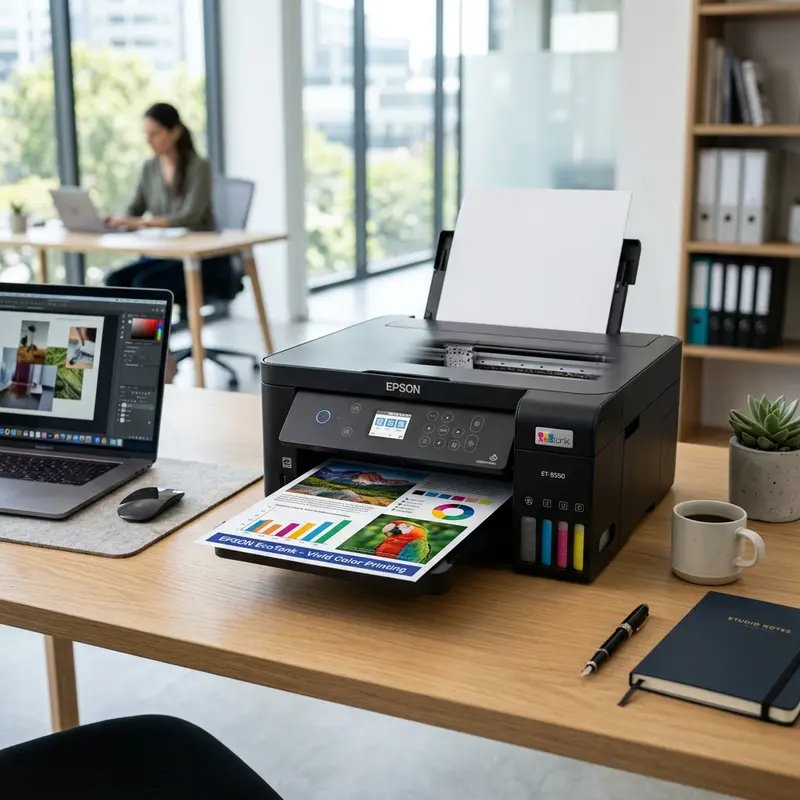
Choosing a multifunction ink tank printer for a small office or home office (SOHO) requires evaluating both upfront costs and long-term maintenance needs. In the mid-range market, the Epson EcoTank L4260 (often corresponding to the ET-2850 series in various regions) stands out as a highly popular option. It offers key upgrades over entry-level models like the L3250, including automatic double-sided printing and pigment-based black ink. If you are wondering if the Epson EcoTank L4260 is worth buying, the technical answer is yes, especially if you print high volumes of text and require automatic duplexing along with user-replaceable maintenance parts.
In this technical review, we will examine the mechanical and chemical design of the L4260. We will analyze the engineering behind its reversing duplex mechanism, the chemistry of pigment black ink compared to dye-based colors, the role of the user-replaceable maintenance box, and its wireless networking capabilities. Additionally, if you need to optimize other devices in your home or office setup, you can read our technical guides on troubleshooting Alexa Wi-Fi connection issues or fixing an Alexa speaker with a pulsing yellow light ring.
1. The Mechanical Engineering of the Automatic Duplex Unit
The primary mechanical feature of the Epson EcoTank L4260 is its automatic duplex printing unit. On entry-level printers like the L3250, double-sided printing is a manual, software-assisted process. The printer driver pauses the print job after printing the odd-numbered pages, requiring the user to remove the sheets, rotate them 180 degrees without flipping their orientation, and reload them into the paper tray.
The L4260 automates this process using a reversing duplex mechanism built directly into the paper feed path. This system relies on three main components:
- Reversing Solenoid Clutch: An electromagnetic switch controlled by the logic board that changes the gear engagement for the paper rollers once the first side of a sheet is printed.
- Optical Pass Sensors (Photo-interrupt flags): Infrared sensors that monitor the leading and trailing edges of the paper as it travels through the feed rollers.
- Secondary Duplex Path: A series of guide rollers located at the back of the printer that pulls the paper back in, flips it, and feeds it back under the printhead.
During a duplex print job, the sheet is fed from the rear tray, and the MicroPiezo printhead prints the first side. Just before the trailing edge of the sheet exits the output rollers, the logic board activates the solenoid clutch, reversing the rotation of the rollers. Instead of ejecting the sheet, the rollers draw the paper backward into the secondary duplex path. This path curves the paper around, flipping it over, and feeds it back under the printhead to print the second side. This automated cycle saves paper and simplifies printing long multi-page documents.
2. Ink Chemistry: Pigment-Based vs Dye-Based Formulations
Another important technical feature of the Epson L4260 is its hybrid ink configuration. The L4260 uses Epson's T504 ink bottle set. In this set, the black ink (T504120-AL) is a pigment-based formulation, while the Cyan, Magenta, and Yellow inks are dye-based formulations.
The differences in chemical and physical characteristics between these two ink types affect how they interact with paper fibers:
Pigment Black Ink: Pigment ink is a suspension of microscopic solid particles (typically carbon black) suspended in a liquid carrier. When the ink is sprayed onto standard plain paper, these solid particles do not soak deep into the paper fibers. Instead, they bond to the surface of the paper using binding polymers. This produces deep, high-contrast black text with clean edges. Because the colorant consists of solid particles, the printed text is waterproof and resistant to smudging, making it ideal for business documents and highlighting.
Dye-Based Color Inks: Dye-based inks use organic color molecules completely dissolved in a liquid solvent. When sprayed onto paper, the liquid is absorbed into the fibers. This absorption allows the colors to blend smoothly, producing bright, vibrant colors with minimal grain. This makes dye-based inks well-suited for printing photos and graphics on glossy photo paper, which has a coating designed to receive dissolved dyes.
3. User Maintenance: The Replaceable Maintenance Box
On entry-level continuous ink supply printers, the waste ink felt pads are integrated into the lower part of the chassis. As the printer runs cleaning cycles to clear the nozzles, waste ink is directed to these pads. An internal EEPROM counter estimates the volume of ink absorbed. When it reaches its limit, the printer locks itself to prevent ink from leaking onto your desk. To resolve this error, you must take the printer to an authorized service center to have the pads physically replaced and the counter reset using proprietary software.
The L4260 resolves this issue by utilizing a user-replaceable maintenance box (model T04D1). The maintenance box is a self-contained plastic cartridge containing absorbent felt pads and a dedicated smart chip. It is located behind a small panel on the back of the printer, secured by a single screw.
When the printer's utility driver alerts you that the maintenance box is full, you can purchase a replacement T04D1 unit, unscrew the cover, pull out the saturated box, and slide the new one in. The smart chip on the new box communicates with the printer's main logic board to reset the waste ink counter automatically, eliminating the need for professional service or utility resets.
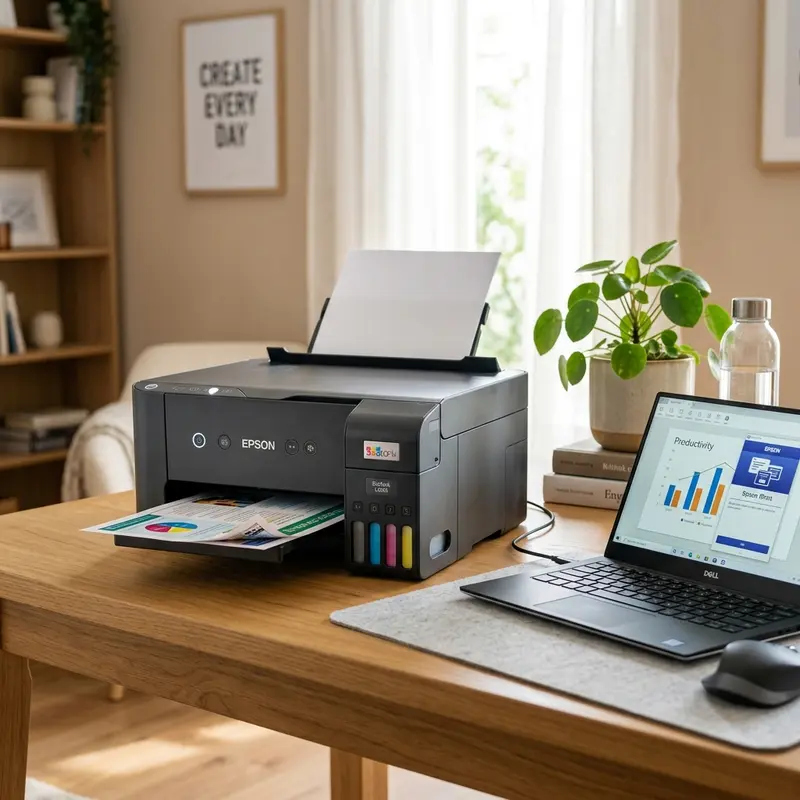
4. Epson EcoTank L4260 Technical Specifications
The table below summarizes the key physical, electrical, and performance specifications of the Epson EcoTank L4260.
| Hardware Metric | Epson EcoTank L4260 Specification |
|---|---|
| Print Technology | MicroPiezo 4-color (CMYK) drop-on-demand inkjet |
| Maximum Resolution | 5760 x 1440 optimized dpi |
| Print Speed (ISO) | 10.5 ppm black / 5.0 ppm color |
| Scanner Resolution | 1200 x 2400 dpi optical (CIS flatbed) |
| Wireless Connectivity | Wi-Fi (802.11 b/g/n), Wi-Fi Direct, USB 2.0 |
| Display | 1.44-inch color LCD display screen |
| Maintenance Box Model | T04D1 (User-replaceable cartridge) |
5. Wireless Networking and Direct Print Protocols
The L4260's electronic architecture includes an integrated Wi-Fi transceiver operating on the 2.4 GHz band. It supports several logical communication protocols that simplify printing from mobile devices:
- Apple AirPrint: An Apple protocol that allows macOS and iOS devices to discover the printer and spool print jobs directly over the local network without installing proprietary drivers.
- Mopria Print Service: A standardized mobile printing protocol for Android devices that enables printing from various apps.
- Wi-Fi Direct: A peer-to-peer connection protocol that allows the printer to act as a wireless access point. Mobile devices can connect directly to the printer's network, which is useful when a local router is not available.
You can manage these network protocols directly via the 1.44-inch color LCD display. If the printer loses its connection, you can configure manual IP addresses, subnet masks, and gateways directly through the control panel menus.
To learn how to maintain your printhead and keep the ink flowing smoothly on similar EcoTank models, you can read our detailed guide on performing printhead cleaning on the Epson L3250 from your PC.
Advanced Hardware Diagnostics and Preventative Maintenance for Epson L3250 / L4260
To preserve the mechanical reliability and print output quality of your Epson EcoTank printer, it is vital to monitor the structural components of the MicroPiezo printhead assembly and carriage assembly. Epson printheads utilize piezoelectric crystals that physically bend when subjected to electrical pulses. This deflection ejects ink drops with high precision without relying on heat. In contrast to thermal inkjet heads, which boil the ink, piezoelectric heads run at room temperature, which lowers thermal stress on the printhead nozzle plate. However, this configuration is highly vulnerable to micro-air bubbles and dried pigment residues clogging the channels.
| Mechanical Part | Primary Function | Common Failure Mode | Recommended Repair Procedure |
|---|---|---|---|
| Capping Station | Seals the printhead when idle; provides a vacuum seal for ink priming during purge cycles. | Rubber gasket degradation or ink crust buildup preventing airtight vacuum. | Gently clean the rubber gasket rim with a lint-free cotton swab moistened with distilled water. |
| Wiper Blade | Physically wipes the lower surface of the printhead nozzle plate to clear excess ink. | Paper dust accumulation combined with dry ink scratching the printhead surface. | Remove solid fibers using precision tweezers and apply printhead cleaning solution. |
| Pressure Dampers | Regulate ink pressure from external reservoirs and prevent air pocket movement. | Damper chamber drying out or emptying due to lack of ink pressure or bad ink viscosity. | Manually prime the damper using a syringe (without needle) connected to the damper valve to extract trapped air. |
| Linear Encoder Strip | Provides optical positioning reference for the carriage motor as it travels horizontally. | Lubricant grease or ink mist contamination on the strip, causing misaligned print lines or error codes. | Carefully wipe the strip horizontally with isopropyl alcohol and a clean microfiber cloth. |
To avoid damaging the power transistors on the motherboard of the Epson L3250 or L4260, never detach the internal ribbon cables while the printer is plugged in. If printhead ink leaks onto the electronic pin contacts, it can cause a short circuit that blows the driver chips (such as the F1 fuse or the main IC transistors), causing the printer to stop booting or display persistent double-blinking light errors. Maintaining these printers requires precision tools, anti-static safety gear, and patience during cleaning. For other technical maintenance issues, you can check our guide on how to connect the Epson L3250 printer to Wi-Fi from your phone.
Thermal Management and Longevity of the EcoTank Printing Engine
The inner printing engine of the Epson EcoTank L4260 features robust thermal protection mechanisms that ensure high reliability during volume tasks. Unlike thermal inkjet technology used by competitors, which heats the ink to boil and eject droplets, Epson's MicroPiezo printhead runs cool. This cold-printing mechanism means the printhead itself is not subjected to extreme thermal expansion and contraction cycles, preventing structural micro-cracks on the nozzle plate. This engineering choice significantly extends the operating life of the machine, making it a reliable workhorse for small offices.
However, the duplex paper pathway adds mechanical complexity. The paper path uses several optocouplers and mechanical leaf switches to track the paper feed coordinates in real-time. If you use low-quality or damp paper, the friction coefficient changes, which can cause paper alignment slippage during the reversal phase. To maximize paper feed reliability, keep your paper stored in a dry, sealed container and fan the sheets before loading them into the rear tray. This simple step minimizes static cling and prevents annoying double-sheet feeds that disrupt duplex printing runs.
Additionally, the printer includes an automatic printhead capping system that prevents ink from drying when inactive. The station seals the printhead nozzles, preserving the moisture and chemical balance of both pigment black and dye color inks over long periods of idle state. This design minimizes the need for printhead cleanings, preserving both maintenance box lifetime and ink capacity.
Frequently Asked Questions (FAQ)
Can I use pigment-based color inks in the L4260?
No. The color printhead nozzles on the L4260 are calibrated for the viscosity and surface tension of dye-based inks. Filling the color tanks with third-party pigment inks can cause severe clogging in the MicroPiezo channels and may permanently damage the printhead.
How do I turn on double-sided printing on the L4260?
To use automatic duplexing, select "Print on Both Sides" (or Duplex Printing) in the printing preferences menu of the printer driver on your computer. The printer's mechanical solenoid will automatically reverse and flip the paper.
How do I know when the maintenance box needs to be replaced?
The printer's LCD screen will display an error message stating that the maintenance box is near the end of its service life or needs to be replaced. You can also monitor the remaining capacity of the maintenance box through the printer driver's maintenance tab.
Can the Epson L4260 scan double-sided documents automatically?
No. While the L4260 can print double-sided documents automatically, its flatbed scanner does not have an Automatic Document Feeder (ADF). To scan double-sided documents, you must place each page on the scanner glass and flip it manually.




