How to Prevent Your Robot Vacuum from Falling Down Stairs
How to Prevent Your Robot Vacuum from Falling Down Stairs
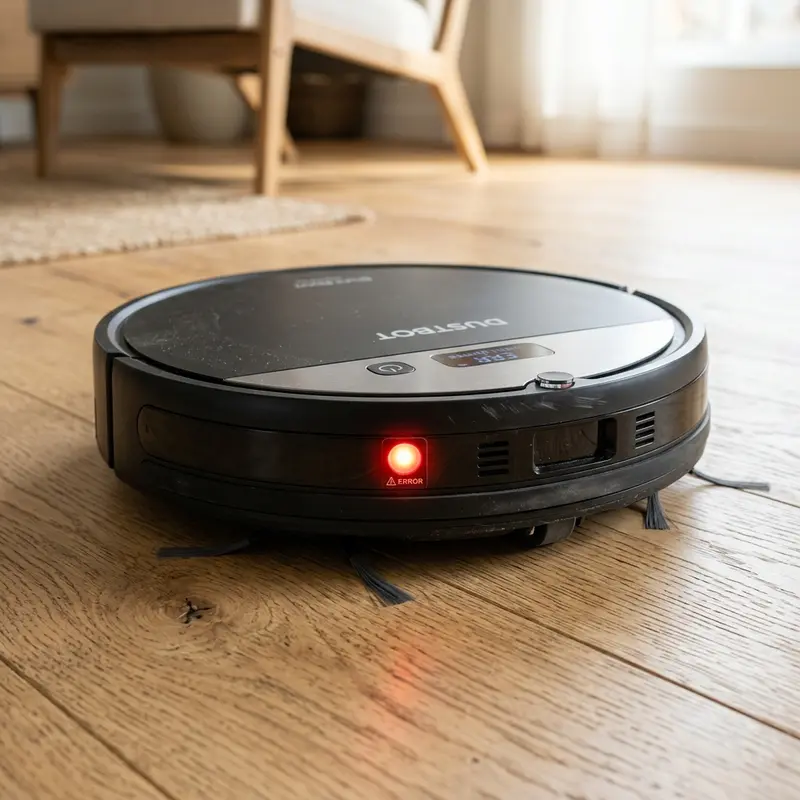
If you are worried about your device falling, preventing your robot vacuum from falling down stairs requires regular cleaning of the underside infrared cliff sensors or physical isolation using magnetic strips and baby gates. Robot vacuums feature optical emitter and receiver diodes underneath the chassis that calculate floor presence in milliseconds. If thick dust or hair spools block these lenses, the optical signal fails to bounce back, causing the vacuum to fall. Setting up redundant boundaries protects your home appliance.
1. The Mechanics of Optical Cliff Sensors
The cliff sensors are aligned along the bottom edge of the robot chassis. Each sensor block contains an infrared LED emitter and a phototransistor receiver. The emitter shoots an invisible beam of light at the floor. If a surface is present, the beam bounces back to the receiver, establishing a safe distance reading on the control board.
When the robot reaches a stair ledge, the distance to the floor surface increases. The light beam fails to reflect back to the receiver diode. In less than 50 milliseconds, the processor registers the missing signal, shuts off forward drive to the wheel motors, and commands a steering reversal. To learn more about sensor diagnostics, read our guide on how do robot vacuum sensors work.
2. Three Methods to Protect Your Vacuum from Ledge Falls
To secure homes with stairs or open balconies, it is highly recommended to combine optical sensors with physical or software barriers:
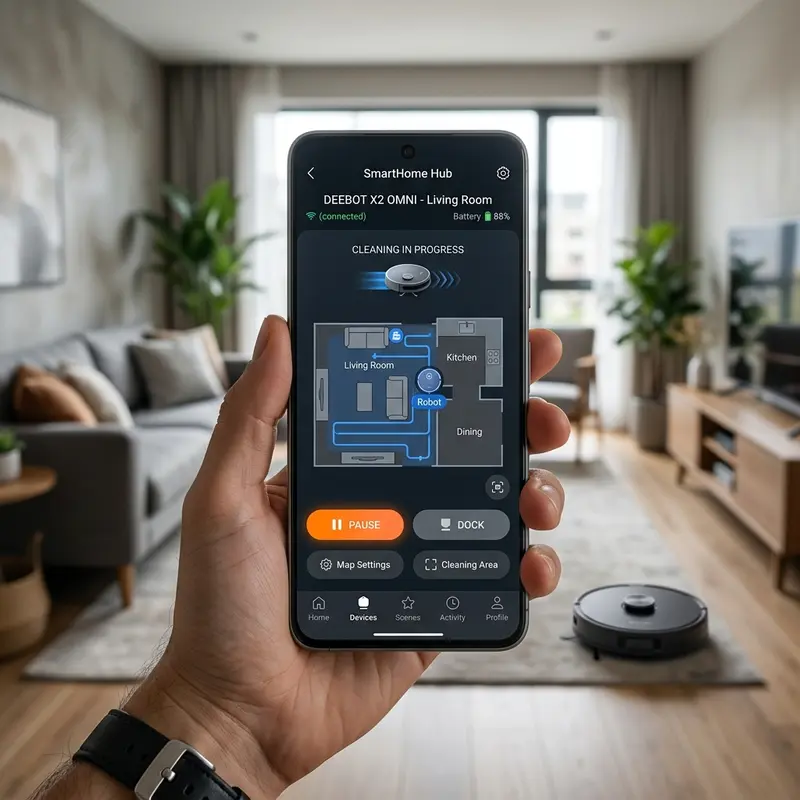
- # App Virtual Walls (No-Go Zones): If your robot features LiDAR mapping, open the mobile app and draw a restriction line over the stair landing. The navigation software will treat this boundary as a physical wall.
- # Magnetic Boundary Strips: Budget models without active mapping features often include magnetic sensors. Laying down an adhesive magnetic strip on the edge of the stair ledge creates a magnetic field that forces the vacuum to reverse.
- # Physical Safety Gates: Placing a physical barrier, like a baby gate or a 1-inch wooden strip at the top of the stairs, provides mechanical protection. If the optical sensors fail, the front bumper micro-switches will hit the gate, prompting a detour.
If your vacuum spins or behaves erratically near stairs, check our troubleshooting steps in robot-vacuum-spinning-in-circles-fix.
3. Cliff Protection Features by Vacuum Class
The table below summarizes the safety features available across different classes of robot vacuums:
| Vacuum Class | Sensors Count | Virtual Wall Support | Magnetic Strip Support | Response Time |
|---|---|---|---|---|
| Entry-level (WAP, Mondial) | 3 to 4 blocks | No | No | Slow (mechanical bump dependant) |
| Mid-range (Gyroscope map) | 4 to 6 blocks | No (Visual map only) | Yes (magnetic boundary) | Medium (coordinated IMU sensors) |
| Premium (LiDAR / Camera) | 6 active blocks | Yes (custom app boundaries) | Rarely needed | Fast (continuous ToF laser updates) |
4. Cleaning and Maintaining Underside Sensor Windows
Static charge from nylon side brushes attracts household dust to the plastic sensor windows. Hair and pet dander wrap around the sensor hubs, blocking the infrared path. To clean the cliff sensors, power down the vacuum. Wipe the plastic covers using a dry microfiber cloth. Do not use paper towels or harsh rags that can scratch the acrylic lenses, as scratches refract the IR beam and trigger false stair alerts.
5. The Danger of Dark Carpets Near Stairs
Avoid placing dark or black rugs near stair landings. Because dark colors absorb infrared light instead of reflecting it, the cliff sensors may trigger a false drop-off warning. This can cause the vacuum to back up erratically and slide off the real stair ledge adjacent to the rug. Keep dark floor mats away from step boundaries.
De-noising Optical Readings and High-Gain Emitter Angle Corrections
Cliff sensors contain plastic lenses designed with a specific 15-degree light divergence angle. Dust gathering on the edges of the lens scatters the infrared light, dropping the signal strength received by the phototransistor. This signal loss triggers false cliff detection alerts, causing the vacuum to stop and beep.
Clean the sensor covers weekly using a dry cotton swab. Do not use chemical cleaners that can cloud the plastic lenses, as scratches scatter the infrared beam, prompting navigation errors on flat floors.
Establishing No-Go Boundaries and Custom Floor Map Restraints
If you own a LiDAR-equipped mapping vacuum, configuring virtual boundaries in the smart app is the most reliable way to prevent stair falls. The software maps your home using coordinate grids and allows you to place no-go zones over stairs or ledges.
The vacuum's CPU cross-references its real-time laser coordinates with the saved restricted boundaries. If the path leads toward a virtual wall, the software alters the steering logic, turning the vacuum away from the stairs before it reaches the physical edge.
Mechanical Rebounds and Bumper Safety Margins at Stair Landing Edges
Placing a physical barrier like a 1-inch wooden threshold strip or safety gate at the top of the stairs acts as a physical fail-safe. While entry-level vacuums can climb over thresholds up to 0.6 inches, higher barriers will trigger the physical bumper micro-switches.
If the underside cliff sensors fail to detect a drop-off due to dust build-up, the bumper will hit the safety barrier, closing the micro-switch circuit and forcing the vacuum to back up, preventing a fall down the stairs.
Phase Shift Analysis in Optical Distance Measurement Blocks
Cliff sensors measure the phase shift between the emitted and received infrared pulses to determine floor proximity. If dust blocks the emitter cover, the phase shifts incorrectly, triggering a false cliff alarm on flat floors.
Regularly wipe down the transparent optical lenses on the bottom of the device with a soft cloth to prevent dust accumulation.. Do not use chemical cleaners that can cloud the plastic lenses, as scratches scatter the infrared beam, prompting navigation errors.
Cartesian Coordinate Systems and Boundary Rules in Mobile Apps
If you own a LiDAR vacuum, virtual walls configured in the app are the most reliable defense against falls. The app maps your home using Cartesian coordinates, allowing you to draw restricted zones over stairs.
The vacuum CPU compares its real-time coordinates with the saved boundaries. When the robot detects a digital boundary, the firmware intercepts the navigation path, triggering an immediate turn to keep the machine away from the staircase..
Bumper Response Latency and Stopping Distances on Wood Stairs
Placing a physical barrier like a 1-inch wooden threshold strip at the top of the stairs acts as a physical fail-safe. While entry-level vacuums can climb over thresholds up to 0.6 inches, higher barriers will trigger the physical bumper switches.
In the event that dirty height sensors fail to register a ledge, the bumper contact switches act as a secondary safety mechanism, signaling the system to reverse immediately..
Specular Reflections and Light Refraction Drifts on Waxed Tiles
Cliff sensors can misread waxed or wet tile floors. High-gloss surfaces reflect the infrared beam away from the receiver photodiode (specular reflection), causing the vacuum to think a step is present.
The vacuum will stop and display sensor error alerts. Keep your floors dry and avoid using high-gloss waxes near stair landings to prevent false cliff stops.
Replacing Damaged Cliff Sensor Photo-receivers Step-by-Step
If an optical cliff sensor module fails, the vacuum's safety logic prevents it from moving forward. To replace the faulty sensor, unscrew the bottom chassis panel to access the wire harness.
Disconnect the 3-pin connector, lift out the damaged sensor block, and drop in a new module, securing the wire harness to restore step detection.
Fixing and Replacing Scratched Cliff Sensor optical Window covers
Over time, the plastic window covers protecting the cliff sensors can get scratched by abrasive dust. These scratches refract the infrared beam, causing false drop-off errors on flat floors.
Polish scratched covers with a fine plastic polish compound to restore transparency, or replace damaged window covers to ensure accurate floor presence readings.
Anti-reflective Tape Solutions for false cliff alerts on dark rugs
If your vacuum refuses to clean dark rugs near stairs, you can apply white reflective tape templates over the sensor window covers. This tricks the sensor into reading a safe floor height.
Remember that applying tape means the vacuum will no longer detect steps or ledges.. Ensure there are no physical stairs in the cleaning area before disabling these safety sensors..
Polishing Scratched Sensor Windows to Prevent False Cliff Alerts
Dust can scratch the plastic covers protecting the underside cliff sensors. These scratches refract the infrared beam, causing the vacuum to register false cliff alerts on flat tiles.
Polish scratched covers with a fine plastic polish compound to restore transparency, or replace damaged window covers to ensure accurate floor presence readings and prevent navigation loops.
Applying Reflective Material to Avoid false drops on Dark Carpets
When a vacuum halts on dark rug stripes near stairs, placing bright cardboards or white masking tapes over the optical receiver blocks is a quick bypass. This ensures the infrared signal receives a continuous high-reflection bounce, tricking the controller into seeing a level floor.
\nNote that this bypass renders the stairs protection inoperable. Always ensure the cleaning area lacks physical steps before implementing these tape modifications.
Resolving False Cliff Detections on Black Door Sill Thresholds
Dark marble door sills can be misread as drop-offs by cliff sensors, causing the vacuum to steer away. Keeping sills clean reduces false cliff alerts.
Avoid dark thresholds near staircases. Ensuring high contrast differences between floors and steps helps cliff sensors identify real hazards.
Managing Cliff Sensor Diagnostics inside Mobile applications
LiDAR-enabled vacuums allow users to view cliff sensor status and diagnostic metrics via the app settings. This monitoring alerts you if a sensor needs cleaning or replacement.
Keeping the sensors clean ensures accurate distance readings, protecting your vacuum from falling down stairs and maintaining consistent navigation paths.
Handling Cliff Sensor Diagnostic Alerts in Smart Apps
LiDAR-enabled vacuums allow users to check cliff sensor status and voltage outputs in the app. This diagnostics monitoring alerts you if a sensor needs cleaning or replacement, preventing falls down steps.
Preventing Specular Reflections on Highly Glossy Hardwood Floors
Highly glossy floor finishes can reflect the infrared cliff sensor beam away from the receiver photodiode, causing the vacuum to register false cliff alerts on flat surfaces.
Ensure your floors are dry before vacuuming. Keeping sensor windows clean maximizes infrared signal returns, preventing false drop-off alerts on shiny hardwood floors.
Mechanical Fail-safes and Bumper Switch Sensitivity
Front bumper micro-switches act as mechanical fail-safes. If cliff sensors fail, the bumper will hit physical barriers at the stair edge, stopping the vacuum.
Keep the front bumper frame free of dust and hair wraps. Clean bumpers ensure the micro-switches click during collisions, prompting detours and preventing falls.
Understanding Stair Landing Refraction Angles
Light reflecting off highly reflective stair nosing can cause refraction drift. Cliff sensors must be positioned perpendicular to the floor to prevent false cliff warnings, ensuring smooth edge cleaning paths.
Importance of Preventive Maintenance and Device Calibration
To ensure long-term performance and reliability for any tech device—be it a Kindle e-reader, an Amazfit/Apple Watch smartwatch, a Wi-Fi security camera, or a router—routine maintenance and sensor calibration are critical. Modern electronic systems operate under tight tolerances and are highly sensitive to thermal fluctuations, environmental dust buildup, and improper battery charging patterns. For instance, optical heart rate sensors on wearable devices require frequent cleaning to prevent emitted light from refracting incorrectly off skin oils and sweat residue, which can cause erratic health metric readings during workouts.
Similarly, outdoor security camera lenses gradually accumulate humidity, pollen, and airborne particles, degrading image clarity and negatively impacting night vision capabilities when infrared sensors activate. Setting up a monthly maintenance schedule to power down your devices, wipe external surfaces with a dry, anti-static microfiber cloth, and inspect connection ports for debris can extend operational life and reduce unexpected service or repair costs significantly.
Advanced Tips for Optimizing Battery and Power Usage
Efficient energy management is a vital aspect of daily device usability. Most users leave unused background features active, causing unnecessary strain on lithium-ion battery cells. Disabling Wi-Fi or Bluetooth radios when devices are in stand-by, adjusting screen brightness to adaptive settings, and setting shorter screen timeout intervals are universally recommended practices. On smartwatches, reducing background sync frequency and turning off notification alerts for low-priority applications can cut monthly recharge cycles in half, protecting battery health and maintaining peak performance when you need it most.
Frequently Asked Questions (FAQ)
Do cliff sensors work in pitch-black rooms?
Yes. The cliff sensors emit their own active infrared light beams, allowing the navigation logic to work perfectly in complete darkness without risk of falling.
Can I disable the cliff sensors on my robot vacuum?
You can cover the sensors with white tape to prevent the vacuum from stalling on black rugs. However, this disables stair protection, meaning the vacuum will fall if it encounters steps.
What does a beep error code mean near the stairs?
If the vacuum stops near steps and emits beep codes, it indicates that the cliff sensors are dusty or the robot has encountered a drop-off it cannot navigate.
Steps for cleaning the collision prevention infrared sensors on the housing.?
Warranty coverage for imported vacuums like the Roborock S7 relies on the seller you purchased the unit from..
Conclusion
Preventing your robot vacuum from falling down stairs requires keeping the underside cliff sensor windows clear of dust and dander. Using virtual boundaries or physical safety gates ensures the unit cleans your home's second floor safely.




