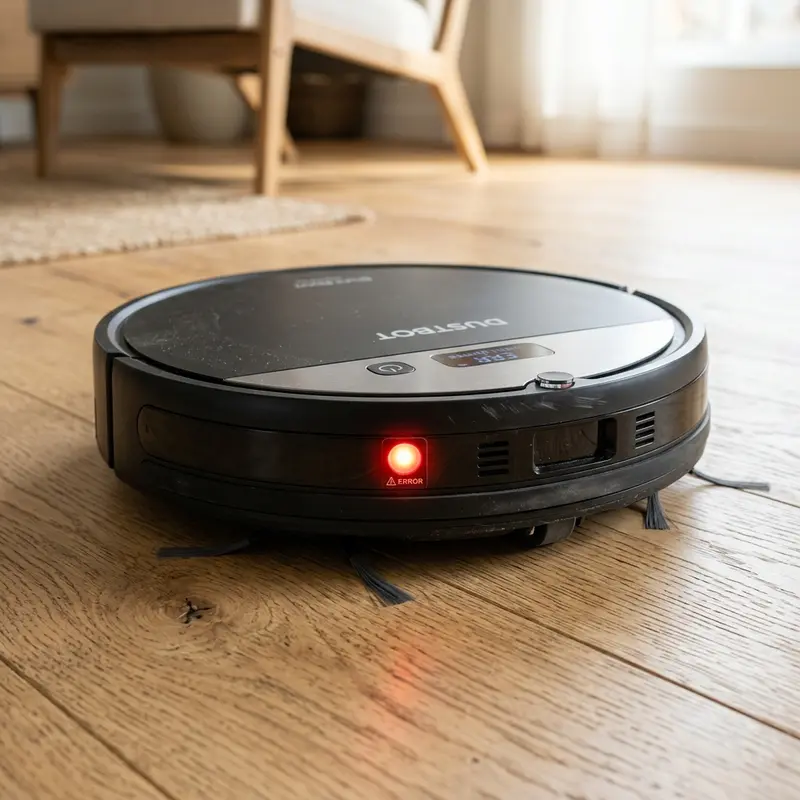
How to Fix a Robot Vacuum Cleaner Spinning in Circles
If your robot vacuum turns on, drives forward, and begins spinning continuously in circles or pivots repeatedly around a single spot before stopping with an error warning, here is the direct hardware diagnosis: this behavior is caused by speed asymmetry in the side drive wheels due to hair wrapped around the drive shaft, dust blocking the front caster wheel's optical odometer sensor, or a shorted MOSFET motor driver on the motherboard. Troubleshooting wheel obstructions and cleaning optical sensors resolves this issue in most cases.
1. Understanding Odometry Errors and Circular Pathing
Robot vacuum navigation systems (including LiDAR scanners, mapping cameras, and gyroscope-based units) depend on tracking the exact distance each wheel travels. This calculation process is called odometry. When a robot vacuum spins in circles, the controller is reading conflicting speed or rotation signals from the left and right drive wheels. The four main hardware causes for this behavior include:
- Asymmetric Mechanical Drag: Hair, threads, and fibers wrap around only one side drive shaft. The motor on the blocked wheel draws higher current to move, while the clean side spins freely. The resulting speed difference causes the vacuum to pivot toward the jammed side.
- Dirty Optical Odometer (Encoder Sensor): Each drive motor assembly features a slotted plastic disk and an infrared optical sensor. As the motor spins the wheel, the disk cuts the infrared light beam, producing pulses that the motherboard translates into distance. Dust blocking the optical slot halts pulses, forcing the CPU to spin the other wheel to free itself.
- Jammed Front Caster Wheel: The non-driven front caster acts as a steering guide. If pet hair wraps around its steel pin and locks the wheel, it acts as an anchor. The side wheels will push the chassis in circles around the locked caster wheel.
- Stuck Bumper Micro-switch: If fine dust enters the bumper seams or a heavy hit bends the switch lever on one side, the CPU registers a constant collision and drives the wheels in circles to steer away from the phantom obstacle.
To compare this behavior with other entry-level and mid-range systematic models, check our analyses on whether the KaBuM! Smart 500 is worth it or discover in our review of the WAP Robot W100 worth buying how it handles wheel issues.
2. Spinning Problems and Diagnostics Guide Table
The reference table below matches common circle-pathing behaviors with their hardware causes and correct troubleshooting steps:
| Vacuum Behavior | Likely Hardware Cause | Affected Part | Troubleshooting Action |
|---|---|---|---|
| Spins in tight circles immediately | Bumper switch stuck in active position | Front mechanical bumper assembly | Tap the bumper repeatedly to free the micro-switches. |
| Pivots in wide arcs toward the left | Left wheel axle jammed by hair wrap | Left drive motor drive shaft | Remove the left wheel, cut hair away, and grease axle. |
| Pivots, stops, and beeps 3 times | Optical encoder slot blocked by dust | RPM encoder sensor board | Blow out the wheel gearbox optical slot with air. |
| Drives backward, spins, and halts | Underside sensors blocked by dust | Infrared cliff sensors | Wipe acrylic cliff sensor windows with isopropyl alcohol. |
3. Troubleshooting Stuck Bumper Assemblies and Aligning Switches
If your robot vacuum spins in circles because the front bumper is jammed, perform the following alignment steps to restore normal rebound travel:
- Turn off the physical power switch on the side panel to isolate the sensor circuits;
- Press the front bumper plate manually along its face. The bumper must slide back and rebound forward instantly with an audible click from the micro-switches;
- If the bumper binds or fails to slide forward, use a flat plastic trim tool to clear dust, pet hair, or grit from the seams;
- If the bumper remains jammed, remove the retaining screws under the front edge of the bumper plate to expose the return springs;
- Inspect the internal micro-switches. Use needle-nose tweezers to align the metal actuator arms if they have bent out of place.
4. Testing the Optical Encoder and Board Voltages with a Multimeter
If the drive wheels and caster wheel spin smoothly but the vacuum still spins in circles on start, the encoder sensor is failing to transmit pulses. The infrared diode on the sensor board can accumulate fine carbon dust from motor brushes, blocking the beam:
Expose the wheel gear housing by removing the chassis cover screws. Locate the small circuit board mounted behind the DC drive motor. Set your digital multimeter to measure DC voltage (20V scale). Connect the probes to the sensor board pins (labeled VCC, GND, and OUT). Turn the drive wheel slowly by hand. The voltage on the OUT pin must toggle between 0V (beam cut) and 5V (beam clear). If the reading remains fixed, the optical sensor is dirty or damaged, requiring cleaning with a swab or soldering a replacement phototransistor.
If other wireless devices in your home automation system are dropping connection, read our guide on resolving issues when a Tapo camera won't connect to Wi-Fi.
Additionally, to keep robot maps syncing with the mobile application without data loss, check our review of the best Wi-Fi router for security cameras, which covers setting up stable 2.4 GHz IoT channels.

5. Cleaning the Underside Cliff Sensors
Dirty cliff sensors are another major cause of backing up and spinning loops. The logic board assumes that a lack of returned infrared light indicates a step, forcing reverse maneuvers. Wipe the acrylic covers of the cliff sensors on the underside of the vacuum using a swab dampened with isopropyl alcohol. Dry the covers with a clean cloth to prevent spots that can block infrared beams.
Physics of Slotted Wheel Encoders and RPM Signal Waveforms
The optical encoder on each wheel assembly features an infrared phototransistor reading a slotted disk. As the wheel rotates, the slots cut the infrared beam, generating square electrical waveforms sent to the microprocessor. The frequency of these signals reflects the speed (RPM) of each wheel, allowing the systematic navigation firmware to calculate coordinates.
If dust or grease blocks the optical sensor slots, the waveform signal breaks down, and the CPU cannot verify wheel rotation. The logic board assumes a physical jam is present and steers the vacuum in circles to bypass the phantom barrier. Clearing the sensor slots with compressed air restores the RPM signals and fixes the spin loop.
Drive Motor Impedance Tests and Gearbox Diagnostics
If the drive wheels turn smoothly by hand but the vacuum spins when powered, measure the motor's winding resistance. Unplug the wheel motor connector from the mainboard. Set your multimeter to measure resistance (200 ohms range) and place the leads on the motor terminal pins. A healthy DC motor should read between 15 ohms and 30 ohms.
If the reading shows zero resistance (short circuit) or infinity (open circuit), the motor windings have failed. Overloaded motors draw high currents, forcing the mainboard to trigger safety shutdowns and spin patterns to protect the drive circuitry.
MEMS Gyroscope Calibration and Drift Correction Procedures
The microelectromechanical (MEMS) gyroscope integrated into the control board calculates angular velocity to track heading directions. Over time, these sensors suffer from cumulative drift caused by mechanical vibrations and thermal shifts. If the firmware fails to recalibrate the gyroscope bias at boot, the vacuum will assume it is turning, executing spin loops to correct its path.
To fix gyroscope drift, always start the vacuum on a flat, level surface. Powering the vacuum on while it is resting on an incline causes the processor to record an incorrect zero-bias coordinate, leading to erratic diagonal pathing and loop errors.
Gearbox Reduction Ratios and Drive Gear Wear Diagnostics
The reduction gearboxes connected to the side drive motors use precision nylon gears. Over time, fine dust entering the gearbox mixes with the grease, creating an abrasive paste that grinds down the plastic gear teeth. If one gearbox develops play, that wheel will slip under load, causing the vacuum to drive in circles due to torque mismatch.
If a side wheel feels loose, disassemble the gearbox cover. Clean the nylon gears with isopropyl alcohol and apply fresh white lithium grease. This maintenance step eliminates gear drag and protects the teeth from wearing down, ensuring straight driving paths.
Checking for Cold Solder Joints on Motherboard Motor Drivers
Mechanical vibrations from crossing thresholds can cause hairline fractures in the solder joints (cold solder joints) of the motor driver ICs on the mainboard. These cracks lead to intermittent electrical connections, cutting voltage to one drive motor and causing the vacuum to spin in circles unexpectedly.
Inspecting the motherboard with a magnifying glass and reflowing the solder joints on the H-bridge driver pins restores reliable power delivery. This component-level repair requires soldering tools and should be done if spinning persists after cleaning the wheel encoders.
Specular Reflection and Shiny Hard Floor Troubleshooting
Glossy porcelain tiles and highly polished floor sealers can cause specular reflection, scattering the infrared light emitted by the cliff sensors. The receiver photodiode fails to capture the reflection, causing the CPU to register a false drop-off and spin in circles to retreat.
Avoid applying high-gloss waxes to floors where the vacuum runs, and keep the cliff sensor covers clean of water stains. Wiping the acrylic windows with a dry cotton swab removes fine dust films and restores floor reflectivity tracking.
Refer to our guide explaining how to change Yoosee camera password to secure other smart devices on your home network.
Setting DHCP Leases to Prevent Local Control Latency
Erratic spin loops can be aggravated by network latency in receiving Wi-Fi coordinates from the control app. If the router re-assigns the vacuum's IP address due to DHCP lease expiration during cleaning, the CPU may freeze or execute loop patterns due to lost server connection.
Configuring a static DHCP lease (binding the MAC address to a permanent IP) in your gateway settings prevents these communication freezes. This setup ensures that gyroscope telemetry and scheduled path corrections reach the vacuum without delays.
Check our guide explaining how to change Yoosee camera password to secure other smart devices on your network.
Reworking Cold Solder Joints on Motherboard Motor Drivers
Mechanical vibrations from crossing doors and carpets can cause hairline cracks in the solder joints of the motor driver ICs on the mainboard.
Verifying the Motherboard Crystal Oscillator and Clock Timing Signals
Systematic pathing coordinates depend on precise clock cycles managed by a crystal oscillator on the mainboard. If mechanical shock de-calibrates this crystal, the CPU will experience timing drift in processing wheel sensor inputs. This timing mismatch causes the vacuum to drive in circles.
A timing drift issue can be isolated by running a sensor test in the manufacturer's diagnostic mode. If the clock cycles are out of sync, the motherboard must be serviced or replaced. Protect the vacuum from impacts against stairs to preserve these sensitive electronic timing modules.
Testing Wheel Encoders Using Diagnostic Control Software
Many smart robot vacuums feature a hidden technician console accessible via USB or specific key combinations on startup. Connecting the device to a computer allows you to monitor real-time wheel encoder tick counts. If one wheel shows zero ticks while turning, it confirms a faulty sensor board, pinpointing the hardware repair needed.
Frequently Asked Questions (FAQ)
Can a faulty cliff sensor cause a robot vacuum to spin in circles?
Yes. If one side sensor falsely detects a drop-off, the control logic forces the vacuum to rotate back, creating a continuous loop.
The vacuum drives backward, spins, and halts. What is the issue?
This behavior indicates that the logic board is registering a constant bumper hit or step drop-off. Clean the underside cliff sensors and inspect the bumper seams for jammed grit.
How do I reset the vacuum to resolve spin loops?
If the spin loop is caused by corrupted coordinate cache in the gyroscope memory, turn the power switch off, remove the battery for 2 minutes, and power it back on to clear volatile registers.
One wheel spins freely while the other is stiff. How do I fix it?
Turn the wheels by hand. If one wheel feels locked or makes grinding noises, hair is wrapped around the inner axle or the nylon gears inside the gearbox have failed.
Conclusion
Inspecting the drive wheels and front bumper for blockages weekly is the best way to prevent circle-pathing errors. Keeping the odometer sensors and cliff sensors clean ensures straight driving lines and extends motor lifespan.




