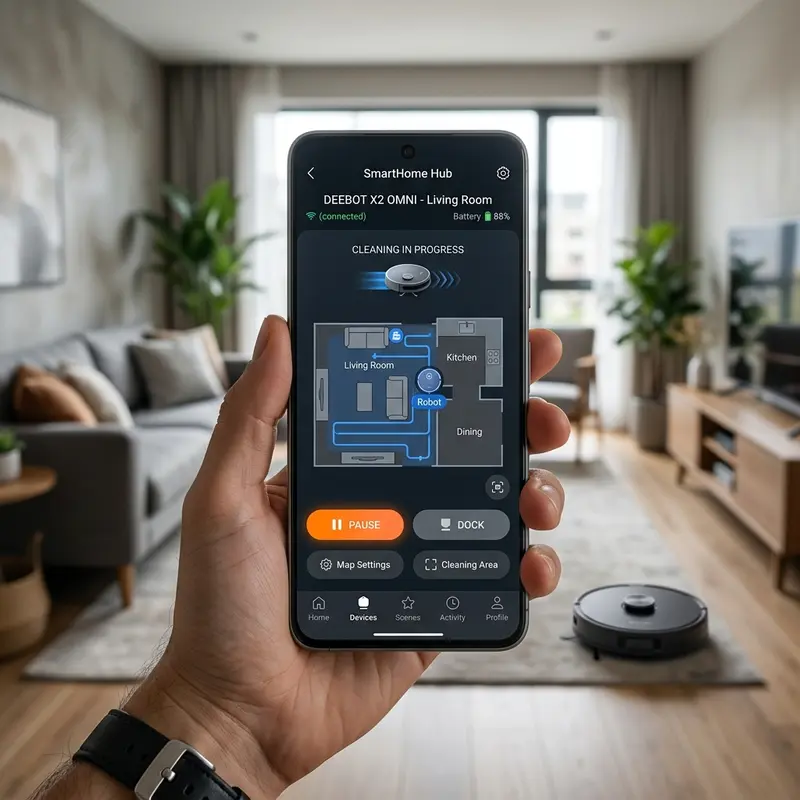
Do Robot Vacuums Have Pet Poop Avoidance Sensors?
If you have pets at home, understanding if a robot vacuum avoids pet poop requires analyzing the front-facing Artificial Intelligence (AI) cameras and 3D structured light sensors used for low-profile obstacle avoidance. Conventional robot vacuums with gyroscopic navigation or basic infrared sensors cannot detect objects lower than 1.2 inches, running straight over pet waste and spreading it across the floor. Choosing a model with active computer vision prevents these hygiene issues.
1. Limitations of LiDAR and Gyroscopic Sensors for Flat Objects
The most common robot vacuums use LiDAR (a spinning laser turret on top) or bumper sensors. The LiDAR laser sweeps the room at a height of 3.0 to 4.0 inches. Flat objects like pet waste (which usually measure between 0.6 and 1.2 inches high) sit below the laser line. The vacuum's navigation system does not register the obstacle.
Additionally:
- Mechanical bumper contact: Vacuums without active mapping rely on physical collisions. The bumper must hit an object to trigger its micro-switches. With soft waste, the vacuum drives over the obstacle before registering physical resistance.
- Treaded driving wheels: The rubber wheels run over the waste, and the rotating side and main brushes spread the residues across hard floors and carpets.
2. AI-Powered Smart Cameras and Neural Processing
Premium robot vacuums designed to avoid pet waste feature digital RGB cameras integrated into the front bumper. These cameras scan the floor ahead at a rate of 30 frames per second. The video feed is analyzed by a low-power Neural Processing Unit (NPU) on the motherboard.
These processors run computer vision algorithms trained on databases containing tens of thousands of pet waste images photographed from different angles, lighting, and shapes. When the NPU identifies the shape of pet waste, it alters the path routing at a safe distance of 2 to 4 inches, marking the obstacle on the virtual floor plan to alert the user.
If your vacuum gets stuck or moves backward after a collision, see how to fix a robot vacuum that only moves backwards.
3. 3D Structured Light and Laser Line Projectors
Even vacuums with AI cameras can struggle in dark rooms (such as scheduled night cleanings). To resolve this lighting limitation, manufacturers use 3D structured light sensors.
The vacuum projects invisible infrared laser lines onto the floor. An infrared camera reads the distortion of these lines as they hit low-profile objects. Trigonometric calculations estimate the height and width of obstacles as low as 0.4 inches, allowing the vacuum to dodge charger cables and pet waste in complete darkness.
If your current model lacks these sensors and often bumps into walls, read how do robot vacuum sensors work to learn about collision prevention.
4. Navigation Technology Comparison Table
The table below ranks different navigation technologies and their effectiveness at avoiding pet waste:
| Navigation Tech | Min Obstacle Height | Avoidance Success (Day) | Avoidance Success (Night) | Example Models |
|---|---|---|---|---|
| AI Camera + 3D Structured Light | 0.4 inches (1.0 cm) | High (99%) | High (98% — active laser) | Roborock S8, Roborock Q Revo |
| Standard AI Camera (RGB) | 1.2 inches (3.0 cm) | Medium (85%) | Low (requires ambient light) | Roborock S6 MaxV, Ecovacs T9 |
| LiDAR Only (No camera) | 2.0 inches (5.0 cm) | None (runs over waste) | None (runs over waste) | KaBuM! Smart 700, Xiaomi Mop 2 |
| Gyroscope / Basic Infrared | 3.0 inches (8.0 cm) | None (collides and runs over) | None (collides and runs over) | Mondial Fast Clean, WAP W100 |
5. What to Do If Your Robot Vacuum Runs Over Pet Waste
If an accident occurs, you must clean the vacuum immediately to prevent electrical damage and contamination. Follow this sanitation guide:
Turn off the power switch and remove the battery pack to isolate the circuits. Remove the main brushroll, side brushes, and the dustbin. Discard any contaminated paper HEPA filters; they cannot be washed and will trap bacteria, causing bad smells in the room air.
Wash the plastic casing parts and brush rollers with warm water and disinfectant. Clean the optical lenses of the underside cliff sensors with a swab dipped in isopropyl alcohol. Let the vacuum dry for 48 hours before reassembly. For filter maintenance tips, read how to clean KaBuM! Smart 500 filter.
Sanitizing Treaded Rubber Wheels
The deep treads on the drive wheels are difficult to clean. If pet waste dries inside these tread gaps, the rubber wheels will lose traction, causing wheel slippage errors.
Clean the tread grooves using a stiff nylon brush dipped in a disinfectant solution. Be careful not to let moisture seep into the wheel motor housings during cleaning.
Cleaning the Internal Suction Turbine
If liquid waste bypasses the dustbin and reaches the suction motor fan, the vacuum will emit a strong odor and muffled noises. Dried dirt on the fan blades throws the high-speed motor out of balance.
In this situation, the vacuum chassis must be disassembled. Clean the fan housing with isopropyl alcohol and cotton swabs. If the motor is jammed, contact an authorized service center.
Recognition Glitches on Irregular Pet Waste Shapes
AI computer vision databases are trained on typical cylindrical waste shapes. Loose or runny pet waste changes the geometric signature of the obstacle.
The AI camera may fail to recognize flat, irregular waste shapes, treating them as simple floor stains. Keep sick or young pets isolated from rooms where scheduled cleaning runs occur.
Scheduling Safety Cleaning Routines
The best way to prevent pet waste accidents is by scheduling cleanings carefully. Do not schedule the vacuum to clean overnight or when you are away for long periods.
Set the vacuum to clean specific rooms only when you are home, allowing you to monitor the path and intervene if a pet accident has occurred.
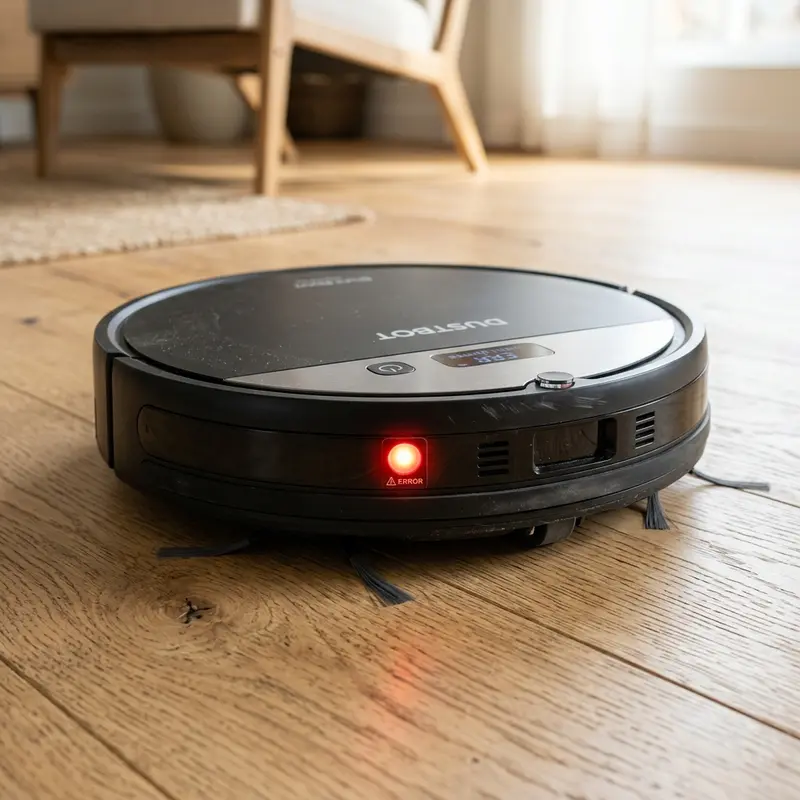
Convolutional Neural Networks and Object Confidence Thresholds
Premium robot vacuums utilize front-facing cameras paired with dedicated processors that run Convolutional Neural Networks (CNNs). These artificial intelligence models are trained on large datasets of home object images to identify low-profile hazards.
The CNN analyzes visual features such as color contrast, surface texture, 3D shadows, and geometric boundaries. If the NPU estimates the object is pet waste with a confidence rating above 75%, it immediately adjusts the navigation path, avoiding the obstacle and sending a photo to the app.
LiDAR Triangulation Limits on Flat and Low-Profile Obstacles
A spinning LiDAR turret uses laser Time-of-Flight (ToF) to scan wall coordinates. However, the laser diode spins at a fixed height of about 3.5 inches above the floor. Flat obstacles like pet waste lie below this scanning field.
This height gap makes the LiDAR software register the space as clear floor. Without a front-facing AI camera or low-profile laser line sensors on the bumper, the vacuum will drive over pet waste, spreading it across tile and carpet surfaces.
Decontamination Procedures and HEPA Filter Replacement
If the vacuum drives over pet waste, power down the unit immediately to contain the mess. Remove the battery pack to isolate the motherboard and discard any contaminated paper HEPA filters.
Wash the central roller and side brushes in warm water with disinfectant. Clean the rubber drive wheels and intake port using cotton swabs and antibacterial soap. Let the chassis air dry for 48 hours before reinserting the battery pack.
Dynamic Route Calculations and App Exclusion Markings
When the front AI camera detects pet waste, the navigation software calculates a detour path in real-time. The vacuum updates the digital floor plan with a temporary warning icon at the obstacle's coordinates.
This icon instructs the navigation system to maintain a safety perimeter of 6 inches around the zone during subsequent cleaning runs. The mobile app sends a notification to the user, indicating the exact location of the pet accident.
Cleaning the Vacuum's Internal Suction Fan and Motor Impellers
If liquid waste slips past the dustbin seals and reaches the vacuum's suction fan blades, the motor will emit a strong odor and run out of balance. Dried residue on the fan blades can cause high-vibration damage.
In this event, the internal chassis must be opened for cleaning. Wipe down the plastic fan housing using cotton swabs dipped in isopropyl alcohol. If the motor shaft is seized, contact a repair technician.
Object Detection Performance during Offline Operations
Advanced robot vacuums process AI computer vision algorithms locally on a dedicated NPU rather than sending image data to cloud servers. This offline processing protects user privacy and avoids latency issues.
This design ensures that poop avoidance systems remain fully active even if the home Wi-Fi is offline or the signal is weak, allowing the vacuum to navigate safely around pet waste without needing an active internet connection.
Limitations of Computer Vision in Dark Rooms and Low Light
While AI camera navigation is highly effective during the day, success rates drop in dark rooms or on dark-colored rugs. Low light limits the contrast needed for the neural network to identify shapes.
When scheduling cleanings overnight, leave a hallway light on or choose a model with active 3D laser scanners that map details independently of ambient light to avoid pet waste accidents.
App Alert Notifications and Mapping Coordination
When the camera detects pet waste, the software sends an instant alert notification to the user's mobile app, showing the coordinates on the house map. This allows the user to clean up the accident immediately.
The vacuum saves this restricted coordinate boundary to its temporary path planning grids, ensuring it does not enter the area in subsequent sweep cycles during the current run.
Object Avoidance Diagnostics in Cloud Application Dashboards
Premium robot vacuums allow users to view object detection logs and diagnostic metrics via the app settings. This monitoring alerts you if a sensor lens needs cleaning or replacement, ensuring consistent navigation paths and protecting the vacuum from collisions.
Obstacle Avoidance Performance during Wi-Fi Dropouts
Because the artificial intelligence recognition is processed locally on the NPU, the pet waste avoidance system remains fully active even if the home Wi-Fi signal drops. This local offline processing ensures constant protection and prevents accidents even in rooms with poor wireless coverage.
Navigating Obstacles on Dark Carpets and Geometric Rug Patterns
AI cameras process light patterns to identify objects. On dark carpets or geometric rugs, shadows can distort the camera's view, leading to false warnings. Ensure rooms are well-lit to maintain high detection rates.
Resolving Edge Case Misidentifications in Loose Textures
Irregularly shaped pet waste can sometimes baffle the neural network, which is trained primarily on standard cylindrical shapes. Keep sick pets in rooms where the vacuum is scheduled to avoid cleaning runs.
Understanding Low-Contrast Object Recognition Limits
If the floor matches the color of the pet waste, the camera's image recognition accuracy may decrease due to lack of contrast. Keep your rooms well-lit during scheduled runs to help the neural network recognize shapes.
Frequently Asked Questions (FAQ)
Does the KaBuM! Smart 700 avoid pet waste?
No. The KaBuM! Smart 700 uses LiDAR laser navigation. The laser scans above the floor level, meaning the vacuum will run over pet waste. It does not have a front AI camera.
Can I wash the HEPA filter if the vacuum sucked up pet waste?
No. HEPA filters are made of paper fibers that absorb bacteria. Washing the filter ruins the mesh and spreads bacteria and bad smells. Replace the contaminated filter with a new one.
How do robot vacuum pet waste avoidance sensors work?
The system uses a front-facing camera and 3D laser scanners. The onboard processor runs AI algorithms to identify pet waste shapes, directing the vacuum to navigate around them.
What is the cheapest robot vacuum that avoids pet waste?
Robot vacuums equipped with 3D structured light or front AI cameras (such as the Roborock Q8 Max or similar models) are the most affordable options that avoid pet waste.
Conclusion
For pet owners, preventing robot vacuum accidents requires selecting a model with front-facing AI cameras and 3D structured light sensors. Vacuums relying on LiDAR or basic gyroscopes will run over pet waste, requiring complete disassembly for cleaning and filter replacement.




