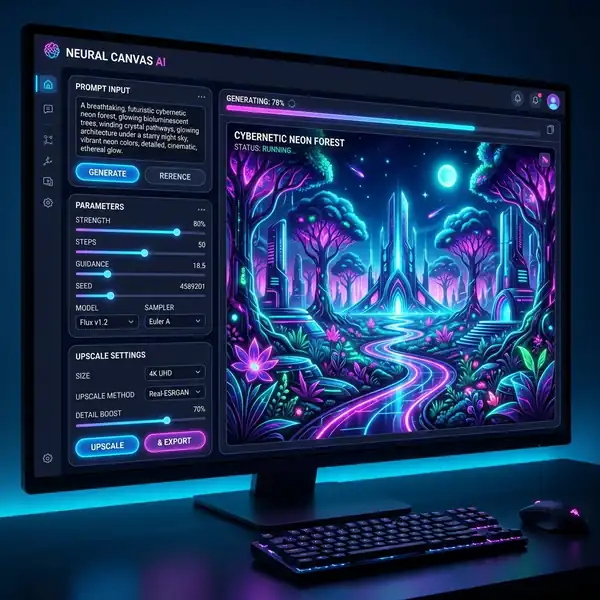
Discover effective DALL-E 3 prompts that can elevate your logo design projects to a professional level.
DomineTec Tip: For those just getting started, you can generate images with DALL-E 3 for free to explore its capabilities before committing to a project. To learn more, check out our guide on how to write prompts in Leonardo AI.
Understanding DALL-E 3 for Logo Design
DALL-E 3 is an advanced AI image generation tool that can create stunning visuals based on textual prompts. When designing logos, the clarity and specificity of your prompts are important. This AI can understand complex instructions and produce high-resolution images that can be used for various branding purposes. One of the key features of DALL-E 3 is its ability to interpret stylistic requests, which allows designers to experiment with different artistic directions.
Creating Effective Prompts
To harness the full potential of DALL-E 3, you must craft prompts that are descriptive and precise. Here are some elements to consider when formulating your prompts:
- Specificity: Include details about colors, shapes, and styles to guide the AI.
- Context: Explain the brand personality and the message you want to convey.
- Style References: Use references to existing logos or design styles to provide a frame of reference.
Prompt Structure
Here’s a simple structure to help you create effective prompts:
- Brand Name: Start with the name of the brand.
- Colors: Specify the color palette you envision.
- Imagery: Describe any specific symbols or imagery you want incorporated.
- Style: Define the design style (e.g., minimalist, vintage, playful).
Examples of DALL-E 3 Prompts for Logo Design
Below are several examples of prompts that you can use as a foundation for your logo designs:
- "Create a minimalist logo for a tech startup called 'InnovateX', featuring a blue and green color scheme with a futuristic font."
- "Design a vintage-style logo for a coffee shop named 'Brewed Awakenings', incorporating a steaming coffee cup and earthy tones."
- "Generate a playful logo for a children's toy company called 'Toytopia', using bright colors and whimsical characters."
Refining Your Logo Design with Parameters
When using DALL-E 3, you can adjust various parameters to refine your logo outputs. Here’s a comparison table of key parameters that can influence your designs:
| Parameter | Description | Recommended Settings |
|---|---|---|
| Aspect Ratio | The ratio of width to height for the logo. | 1:1 (Square) for social media, 16:9 for banners |
| Resolution | The quality of the image output. | 300 DPI for print, 72 DPI for web |
| Color Palette | The selection of colors used in the design. | Use complementary colors for balance |
Workflow Tips for Logo Design
To streamline your logo design process using DALL-E 3, consider the following workflow strategies:
- Start with brainstorming sessions to gather ideas about the design and brand message.
- Draft multiple prompts based on different concepts to see a variety of outputs.
- Iterate on designs by refining prompts based on the initial outputs you receive.
- Create a feedback loop with stakeholders to ensure the designs align with brand vision.
Exporting and Finalizing Your Designs
Once you have generated your logo designs, the next step is exporting them. DALL-E 3 allows you to save images in various formats. Here are some common export settings:
- File Formats: PNG for clear backgrounds, JPEG for web use.
- Size Considerations: Ensure the logo is scalable; use vector formats when possible for print.
- Color Profiles: Use RGB for digital displays, CMYK for printed materials.
Common Challenges and Solutions
When working with AI-generated logos, designers often encounter a few common challenges:
- Overgeneralization: AI may create designs that lack specificity. To mitigate this, ensure your prompts are detailed and focused.
- Color Mismatches: Sometimes, the colors generated do not match your vision. Specify exact color codes or palettes in your prompts.
- Inconsistency in Style: If outputs vary greatly, refine your prompt to reinforce stylistic guidelines.
Perguntas Frequentes

What are the best practices for writing prompts in DALL-E 3?
When writing prompts for DALL-E 3, clarity and specificity are key. Include details such as the brand name, desired colors, imagery, and specific styles to guide the AI effectively. Experimenting with different wording and formats can also yield varied results, allowing you to find the perfect prompt for your design needs.
How can I ensure my logo design is unique?
To ensure the uniqueness of your logo design, consider combining multiple artistic styles, symbols, and color palettes that resonate with your brand identity. Additionally, after generating logos with DALL-E 3, further editing and refining can help differentiate your design from others, making it truly unique.
What are some common mistakes to avoid when using DALL-E 3 for logo design?
Common mistakes include being too vague in prompts, which can lead to generic designs, and not specifying the desired output size or resolution. It's also important to provide context about the brand to guide the AI in creating a relevant and appealing logo.
Optimizing DALL-E 3 Prompts for Iterative Workflow in Logo Design
The iterative design process is a cornerstone of effective logo creation, allowing designers to refine concepts based on feedback and evolving brand requirements. DALL-E 3's prompt capabilities facilitate this iterative workflow by enabling designers to generate multiple variations of a logo concept quickly. To harness this potential, it is imperative to structure prompts that clearly define both the initial vision and the desired variations, maintaining a balance between specificity and creative freedom.
A critical aspect of optimizing prompts for iteration is the use of controlled vocabulary. Designers should incorporate industry-specific terminology that resonates with the target audience while remaining flexible enough to accommodate creative reinterpretations. For example, instead of merely describing the desired colors or shapes, a prompt could specify the emotional tone associated with these elements, such as “energetic and youthful” paired with “vibrant blues and yellows.” This nuanced approach can yield a wider array of logo concepts that align more closely with the brand's identity, facilitating a deeper exploration of visual possibilities.
Iteration also involves feedback loops where designers evaluate the outputs generated by DALL-E 3. It is essential to document these evaluations systematically, noting strengths and weaknesses in each design iteration. By analyzing what works and what doesn’t, designers can refine their prompts to focus on successful elements while eliminating less effective ones. For instance, if a particular geometric shape is consistently appealing, subsequent prompts can emphasize variations of that shape, thereby building upon successful design elements while exploring new creative directions.
Moreover, leveraging DALL-E 3's capability for high-resolution outputs during iterations allows for detailed analysis of logos in various contexts. Designers can simulate how logos appear across different platforms, such as digital media and print, by adjusting the aspect ratio and resolution directly within the prompt. This aspect of workflow optimization ensures that the logo not only meets aesthetic standards but also functions effectively across diverse applications, reinforcing the importance of a holistic approach to logo design.
Advanced UI Features in DALL-E 3 for Enhanced Logo Design Creativity
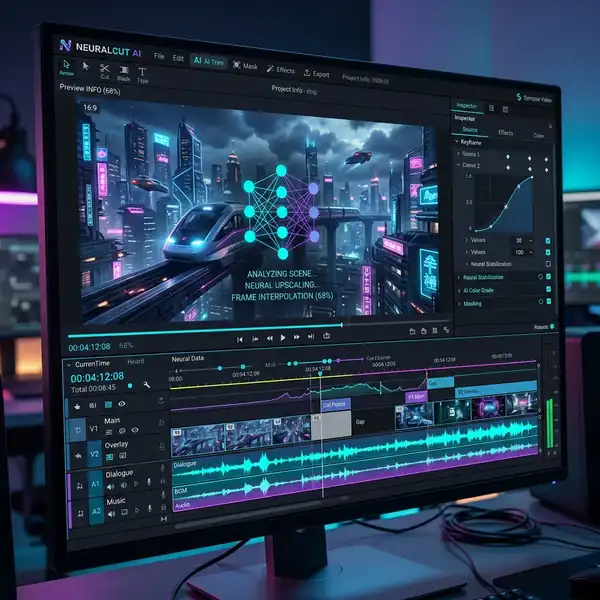
DALL-E 3 introduces several advanced user interface features that significantly enhance the logo design process, making it a potent tool for creative professionals. One of the most valuable tools is the interactive canvas that allows designers to manipulate generated images in real-time. This feature enables users to adjust aspects such as color saturation, contrast, and even layout directly through intuitive sliders, providing instant visual feedback on changes made. Such a feature not only accelerates the design process but also fosters a more hands-on approach to creative exploration, allowing designers to iterate and refine designs more fluidly.
Another noteworthy UI component is the ability to save and categorize prompt variations. Designers can create a library of prompts that have yielded successful logo concepts, allowing for quick reference and adaptation in future projects. This categorization feature can be enhanced further with tagging systems that allow designers to filter prompts based on style, color palette, or thematic elements, streamlining the process of revisiting and repurposing effective prompts. This archival capability transforms DALL-E 3 from a mere image generator into an expansive creative repository, significantly enhancing productivity for design teams.
Furthermore, the collaboration tools integrated within DALL-E 3's UI allow for seamless sharing of designs among team members. This feature is particularly beneficial in professional settings where feedback from multiple stakeholders is important. Designers can share generated logos with annotations, enabling collaborators to provide input directly on the canvas, thus facilitating a more collaborative feedback process. The ability to engage with colleagues and clients in real-time ensures that the final design aligns closely with the brand vision while incorporating diverse perspectives, ultimately leading to a more refined and effective logo.
Lastly, DALL-E 3’s integration with other design tools enhances its functionality for logo creation. The ability to export designs directly to industry-standard software like Adobe Illustrator or Figma streamlines the transition from concept to final execution. This integration allows designers to take advantage of DALL-E 3’s generative capabilities while leveraging the robust editing tools available in professional design applications, thus merging artificial intelligence with traditional design methodologies for a comprehensive creative workflow.
Optimizing Workflow for Logo Design with DALL-E 3
The integration of DALL-E 3 into logo design workflows necessitates a re-evaluation of traditional design processes. By leveraging the AI's capabilities, designers can streamline their creative workflow, ensuring that ideation and execution phases are both efficient and effective. A key aspect of this optimization lies in the prompt refinement stage. Designers should initiate their workflow by crafting a comprehensive initial prompt that encapsulates the brand's essence, target audience, and desired visual elements. This foundational prompt serves as a launching pad for subsequent iterations that fine-tune the output, allowing for a more focused exploration of concepts.
To maximize the potential of DALL-E 3, designers should adopt an iterative approach to refining prompts. This involves generating multiple outputs from the initial prompt and analyzing them for design elements that resonate with the brand's identity. The feedback loop created by iterating on prompts not only enhances the quality of the generated logos but also fosters a deeper understanding of how different descriptors impact the visual style. For example, tweaking adjectives related to color, form, and typography can yield significantly different outputs, which can be further evaluated through team discussions or stakeholder feedback sessions.

Another critical component of optimizing workflows is the effective use of DALL-E 3's UI features. The interface offers robust tools for organizing and categorizing outputs based on various criteria, such as style, color palette, and complexity. Designers can utilize tagging systems or custom folders to streamline their review process, allowing for a more systematic exploration of designs. This organization not only aids in the selection of final concepts but also serves as a valuable archive for future projects, fostering a library of design inspirations that can be revisited and reinterpreted as needed.
Understanding Aspect Ratios in Logo Design Using DALL-E 3
Aspect ratios play a significant role in logo design, impacting how a logo is perceived across different platforms and mediums. When using DALL-E 3 for logo generation, it is essential to consider the aspect ratio that aligns with the brand's application requirements. Common aspect ratios for logos include 1:1 for social media profiles, 16:9 for website headers, and various elongated formats for print materials. By explicitly specifying the desired aspect ratio in the prompt, designers can guide DALL-E 3 to produce outputs that are not only visually appealing but also practical for their intended use.
Incorporating aspect ratio considerations into prompts goes beyond mere dimensions; it involves understanding the implications of shape on brand identity. For instance, a square logo often conveys stability and balance, while a rectangular logo may suggest dynamism and adaptability. Designers should articulate these conceptual underpinnings in their prompts, allowing DALL-E 3 to generate logos that resonate with the brand's values. Additionally, experimenting with multiple aspect ratios in a single project can yield diverse outputs that cater to various applications, from digital avatars to signage.




