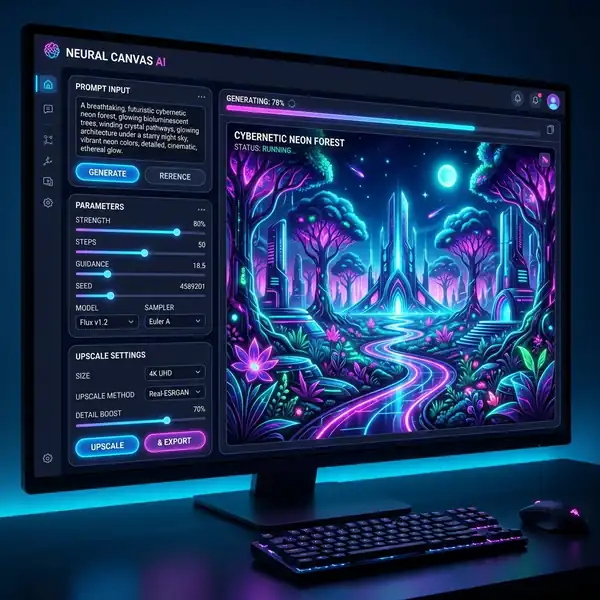
. ..
Discover how to create stunning images with DALL-E 3 at no cost using Bing and ChatGPT. This guide provides a thorough overview of the steps involved, key parameters, and effective prompt strategies to help you maximize your image generation experience. With DALL-E 3's advanced capabilities, producing high-quality images has never been easier. Let's dive into the details of generating images seamlessly and for free!
DomineTec Tip: To enhance your image creation skills, learn how to write prompts in Leonardo AI for generating more effective visual content.
Understanding DALL-E 3
DALL-E 3 is an advanced AI model developed by OpenAI that generates images from textual descriptions. Leveraging powerful neural networks, it can interpret complex prompts and create unique visual representations. This capability makes DALL-E 3 an invaluable tool for creatives, marketers, and anyone looking to generate custom images effortlessly. The key lies in crafting precise and imaginative prompts, as the quality of the output heavily depends on the input.
Getting Started: Accessing DALL-E 3 for Free
To access DALL-E 3 without any fees, you can utilize platforms like Bing Image Creator and ChatGPT. Both platforms allow users to generate images based on text prompts. The registration process is simple and typically involves creating a free account, after which you can start generating images immediately. Here’s how to do it:
- Visit the Bing Image Creator or ChatGPT website.
- Sign up for a free account if you don't have one.
- Navigate to the image generation section.
- Enter your prompts and configure any settings as desired.
- Click on the generate button to create your images.
Crafting Effective Prompts
The effectiveness of your image generation largely depends on how well you craft your prompts. DALL-E 3 allows for detailed, descriptive prompts that can include various parameters like style, colors, and objects. Here are a few tips on constructing prompts:
- Be Descriptive: Include specific details about the image you want to create. For example, instead of saying "a dog," say "a fluffy golden retriever playing in a sunny park."
- Specify Styles: Mention the art style you desire, such as "in a watercolor style" or "as a digital illustration."
- Include Context: Provide additional context to guide the AI, like "during sunset" or "with a city skyline in the background."
Parameters and Options in DALL-E 3
DALL-E 3 offers a variety of parameters that can be adjusted to influence the output. Understanding these can significantly improve your results. Here’s a comparison table of some key options:
| Parameter | Description | Default Value |
|---|---|---|
| Aspect Ratio | Determines the width and height of the image. | 1:1 |
| Style | Artistic style applied to the image (e.g., realism, abstract). | Realism |
| Color Palette | Defines the color scheme used in the image. | Vibrant |

Exporting Your Images
Once you’ve generated your images, exporting them in the right format and resolution is important for quality. DALL-E 3 typically allows you to download images in various formats such as PNG and JPEG. Here are some steps to follow for exporting:
- Click on the generated image to preview it.
- Look for the download option, usually represented by a download icon.
- Select the desired format and resolution.
- Click download and save the image to your device.
Common Issues and Troubleshooting
While using DALL-E 3, you might encounter a few challenges. Here are some common issues and potential solutions:
- Image Generation Failures: If your image fails to generate, try simplifying your prompt or adjusting the parameters.
- Quality Concerns: Ensure that your prompts are detailed and specific to achieve higher quality outputs.
- Access Issues: If you face issues accessing DALL-E 3, check your internet connection and ensure that you're logged into your account.
Enhancing Your Image Skills
To further improve your skills, consider exploring other AI tools that complement DALL-E 3. For example, using best Leonardo AI models for realism can help you create more realistic images and bring your artistic vision to life. Additionally, experimenting with different AI platforms can provide a broader understanding of image generation capabilities.
Conclusion
Generating images with DALL-E 3 for free is an incredible way to unleash your creativity and produce stunning visuals. By understanding how to craft effective prompts, utilizing the right parameters, and exporting your images correctly, you can take full advantage of this powerful tool. As you enhance your skills, don't hesitate to explore various platforms and techniques to broaden your creative horizons.

Optimizing Workflows for Image Generation with DALL-E 3
Efficient workflows in image generation using DALL-E 3 are important for maximizing productivity and creativity, especially for designers and artists who rely on rapid iteration. A streamlined workflow not only enhances the user experience but also significantly reduces the time taken to generate high-quality images. One of the first steps in optimizing your workflow is understanding the interface and features provided by platforms like Bing and ChatGPT, which integrate DALL-E 3 capabilities. By familiarizing yourself with these tools, you can easily navigate the image generation process.
Creating a systematic approach starts with defining specific goals for your image output. Whether you are generating images for marketing materials, social media, or personal projects, having a clear vision helps in crafting focused prompts. This clarity allows for more accurate iterations, as you can refine your prompts based on the initial outputs. Incorporating version control within your workflow can also be beneficial; saving each iteration of the generated images alongside its corresponding prompt enables you to track the evolution of your ideas and make informed decisions on further refinements.
Additionally, leveraging batch processing features can drastically reduce the time spent on generating multiple images. If the platform offers the ability to input multiple prompts at once, this can enable a more extensive exploration of concepts without the monotony of individual submissions. Organizing prompts in a spreadsheet format, complete with a column for expected outcomes, can facilitate a clearer view of your creative process and outcomes. This approach not only creates a repository of images but also allows for easier comparisons across different iterations.
Exploring UI Features and Customization Options in DALL-E 3
The user interface (UI) of platforms utilizing DALL-E 3 plays a critical role in the overall user experience and effectiveness of image generation. A well-designed UI allows users to access advanced features that can enhance their image creation process. Features such as sliders for adjusting parameters like creativity levels, aspect ratios, and styles can provide a more interactive and intuitive experience. Understanding these features is essential for maximizing the capabilities of DALL-E 3.
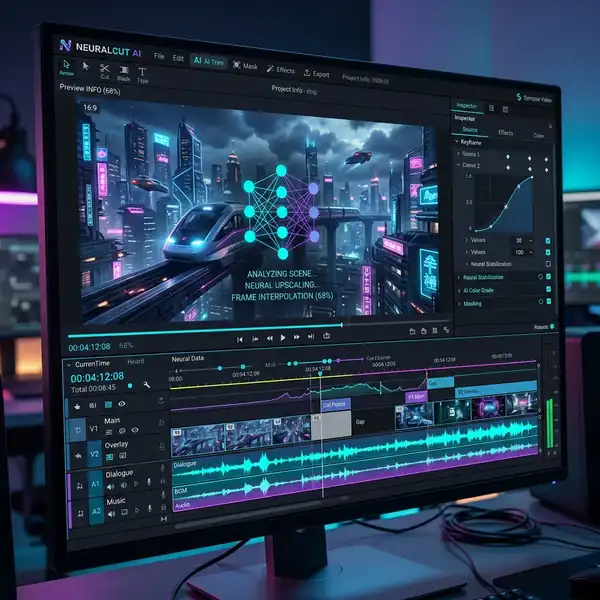
Customization options within the UI can also significantly influence the output quality. Users can often select from pre-defined styles or create their own through iterative prompts. This flexibility makes it possible to generate images that align closely with specific artistic visions or brand guidelines. Furthermore, the UI may include tools for real-time feedback on prompt effectiveness, allowing users to see how changes in wording or structure affect the output. This immediate correlation can lead to more precise and satisfying results.
Moreover, the integration of collaborative features in the UI can facilitate teamwork among designers and stakeholders. By allowing multiple users to contribute to the prompt creation process or share generated images, projects can benefit from diverse perspectives and expertise. Some platforms even offer commenting systems or version histories, which can be invaluable for tracking changes and maintaining a clear design narrative. Overall, understanding and effectively utilizing the UI features of DALL-E 3 can significantly enhance the image generation process, making it a powerful tool within any creative workflow.
Optimizing Workflow for DALL-E 3 Image Generation
Efficient workflows are important when utilizing DALL-E 3 for image generation, particularly in professional settings where time and quality are paramount. To optimize your workflow, consider the use of batch processing techniques. This involves generating multiple images in a single session, which can significantly reduce the overhead of context switching. By preparing a series of prompts that vary slightly in terms of detail or theme, users can take advantage of DALL-E 3’s ability to produce variations on a theme. This iterative approach not only saves time but also allows for the exploration of diverse visual interpretations based on a single conceptual framework.
Another key aspect of workflow optimization is the integration of pre- and post-processing tools. Pre-processing can involve curating or refining prompts to ensure they are as specific and clear as possible. This may involve utilizing tools that analyze prompt effectiveness based on historical data or user feedback, allowing creators to craft prompts that are more likely to yield desired results. Post-processing, on the other hand, can include using image editing software to enhance or modify the generated images further, ensuring that the final output meets the intended aesthetic or functional requirements.

Moreover, implementing a systematic feedback loop is essential for continuous improvement of the image generation process. By systematically reviewing generated images against project requirements or aesthetic goals, users can refine their prompt strategies over time. This iterative feedback can be documented and analyzed, providing insights into which types of prompts yield the best results under various conditions. Over time, this leads to a more streamlined workflow that maximizes the creative potential of DALL-E 3 while minimizing wasted effort.
Exploring UI Features for Enhanced User Interaction
The user interface (UI) of platforms utilizing DALL-E 3, such as Bing and ChatGPT, is designed to facilitate a seamless interaction between the user and the AI. One of the standout features is the intuitive prompt input field that allows for real-time adjustments. Users can modify their prompts dynamically, experimenting with various descriptors or styles without needing to restart the entire generation process. This flexibility enables a more fluid creative process, as users can immediately see how changes in wording impact the resulting images.
Additionally, the integration of visual feedback mechanisms enhances user interaction significantly. Features such as thumbnail previews or side-by-side comparisons of variations generated from similar prompts allow users to make informed decisions about which images best align with their vision. By presenting users with visual cues and options, the UI encourages exploration and experimentation, reducing the cognitive load associated with selecting the most suitable outputs. These features not only enhance the creative process but also foster a more engaging user experience.
Lastly, advanced filtering and sorting options within the UI can streamline the image selection process. Users can categorize generated images based on various criteria, such as style, color palette, or content type, making it easier to navigate a large library of outputs. This added layer of organization is particularly beneficial for users working on extensive projects, where managing numerous assets is essential. By facilitating easier access to relevant images, these UI features contribute to a more efficient and productive interaction with DALL-E 3.
Frequently Asked Questions
Perguntas Frequentes
1. What types of prompts work best with DALL-E 3?
Effective prompts are usually descriptive and specific. Including details about style, context, and desired elements helps the model generate more accurate images. Experiment with different combinations of keywords to see what yields the best results.
2. Can I use DALL-E 3 images for commercial purposes?
Depending on the platform's terms of service, you may be able to use generated images for commercial purposes. It’s essential to review the licensing agreements to ensure compliance and avoid potential copyright issues.
3. How can I improve the quality of images generated by DALL-E 3?
Improving image quality involves refining your prompts and using specific parameters. Focusing on clarity in your descriptions and experimenting with different styles and settings can lead to higher-quality outputs.




