
The v0 by Vercel platform represents a major turning point at the intersection of web design and front-end software engineering. Developed by the team behind the Next.js framework, v0 operates as a generative AI engine focused on accelerating the development of user interfaces (UI) built on React, Tailwind CSS, and shadcn/ui components. In this comprehensive technical guide, we explore how v0 works, analyze its primary architectural features, show how to integrate its outputs into professional development pipelines, and explain how to leverage it to improve workspace productivity.
Front-end prototyping and component styling have traditionally represented significant time constraints in product development lifecycles. Software engineers and UI designers spend hours adjusting pixel layouts, writing media queries for responsive alignments, and configuring theme templates for tables and forms. The v0 interface eliminates this manual overhead by operating as an AI design partner that understands modern web design systems. By parsing text descriptions or design images, v0 generates production-ready UI components in under thirty seconds, presenting a major shift over traditional code assistants compared in Windsurf AI vs Cursor.
| v0 by Vercel Feature | Technical Mechanics | Developer Benefit |
|---|---|---|
| shadcn/ui Native | Automatic integration with accessible Radix UI component primitives. | Ensures generated interfaces meet web accessibility standards (WAI-ARIA). |
| Design-to-Code | Constructs functional layouts directly from screenshots or wireframes. | Accelerates the translation of mockups into working React files. |
| Incremental Edits | Targets and refactors specific page areas using point-and-click edits. | Allows updates to individual components without rewriting the codebase. |
| Vercel CLI Sync | Terminal commands to add generated modules directly to local directories. | Provides rapid component integration into local desktop IDE workspaces. |
| Theme Customizer | Configures custom color schemes, border radius, and spacing variables. | Aligns the visual output with your company's design system guidelines. |
What is v0 and How Does It Fit the Vercel Ecosystem?
The v0 platform is an AI design assistant created and maintained by Vercel. The name "v0" references the software concept of "Version 0", indicating that the tool generates a functional starting point for user interface designs, sparing developers from starting code directories from scratch. Vercel optimized v0's neural models to specialize in modern web technologies, prioritizing **React**, **Next.js**, **Tailwind CSS**, and the component architecture of **shadcn/ui**.
Unlike old website builders that export complex, unstructured HTML and CSS files, v0 generates modular React files. The code outputs follow industry standards: styling properties are written using Tailwind utility classes, vector assets are handled by Lucide React icons, and complex components (like drawers, popovers, and select tags) utilize accessible Radix UI code. This structured output ensures the generated code integrates easily into enterprise systems, similar to the hardware configurations recommended in IT manuals like the Windows 11 manual to preserve file system integrity.
Inside the Visual Generation Loop
Developing interfaces with v0 is an iterative process structured around a visual loop. The tool provides a side-by-side split viewport, displaying the chat window on the left and the interactive Live Preview container on the right, letting you test clicks and actions immediately.
When you input a UI request (e.g. *"Create a modern navigation header with dropdown menus for resources, user settings, search bar, and dark mode toggles"*), v0 presents three design directions. After selecting the preferred structure, you can modify the component incrementally:
- Conversational Refinement: Instruct the agent through the chat window to make additions. Example: *"Add a notifications badge with a red counter to the bell icon."* v0 refactors only the affected elements, preserving the rest of the file.
- Visual Target Selection: Click a specific area of the Live Preview viewport (like an individual card or button) and type instructions for that element. This limits model focus and prevents unintended changes.
- Code Export: Switch to the code panel to copy the React structure, or import the module directly into your local directory using the custom Vercel CLI command generated by the interface.
The Power of Design-to-Code: Generating UIs from Screenshots
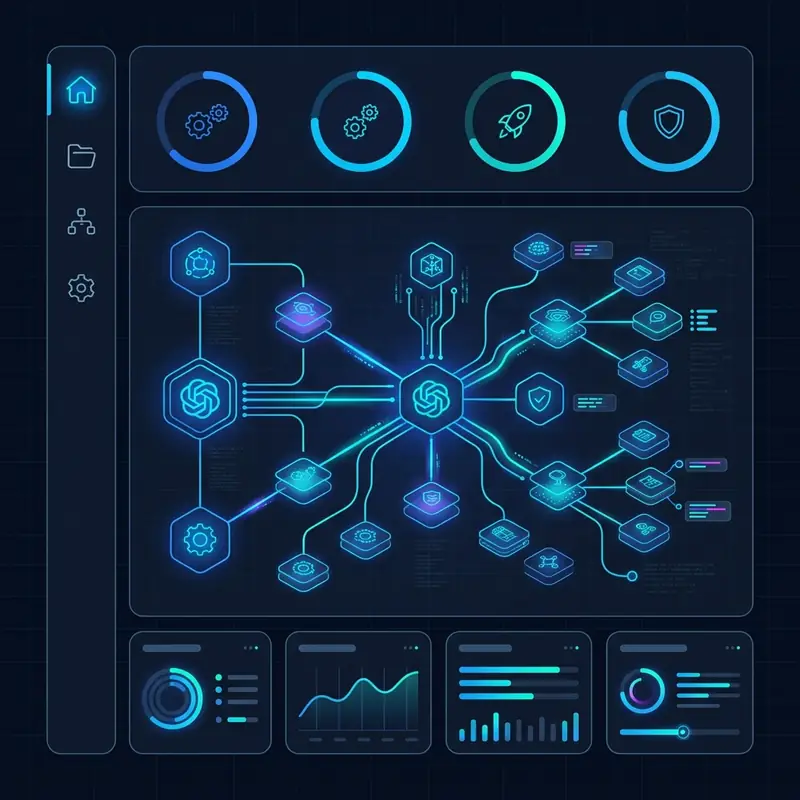
A key capability of v0 by Vercel is its ability to parse layout images, wireframes, and sketches to generate code. You can upload an image of a web page interface directly into the chat and instruct the model to rebuild it as a responsive React component.
v0's vision processing model analyzes the image to identify structural patterns, forms, graphics, alignment grids, and spacing relationships. It then translates these elements into Tailwind CSS classes. This capability streamlines collaboration between UI designers and front-end developers, letting teams convert high-fidelity image mockups into working React components. This visual translation workflow matches the automation speeds discussed in the Windsurf AI: How It Works guide.
shadcn/ui Integration and Accessibility Guidelines
The choice to utilize the **shadcn/ui** library as the base for v0's code generation is a key technical detail. Unlike traditional component libraries that require importing large npm packages, shadcn/ui operates as a collection of reusable components built on top of **Radix UI**.
These components are designed with web accessibility (WAI-ARIA) at their core. v0 outputs modal dialogs, select inputs, and accordions that natively support keyboard navigation and screen readers. Because shadcn components are copied directly into your local codebase directory, you maintain full control over styling details and DOM structures. The v0 engine writes these files to match your theme settings, avoiding vendor lock-in issues that affect platforms discussed in our builder analysis on Bolt.new vs Lovable.
Step-by-Step Tutorial: Integrating v0 Components

To integrate v0 components into your local React or Next.js development projects, follow this step-by-step developer tutorial:
- Log In: Visit the official v0.dev portal and authenticate using your GitHub or Vercel credentials.
- Generate Your Component: Type a prompt or upload an image mockup to initiate generation. Refine the visual states and layout configurations.
- Copy the CLI Command: Open the export panel and copy the terminal script. Example: 'npx v0 add a5d6597f'
- Run the Script: Paste the command into your terminal at the root of your Next.js directory. The CLI will identify your path settings, create the component file, and install Radix dependencies.
- Import the Component: Import the generated file into your routes. Example: 'import { NavigationHeader } from "@/components/nav-header"' .
Optimizing Prompts for Quality Layouts
To ensure v0 generates visually balanced interfaces and clean component structures, apply these prompting strategies:
- Reference Design Standards: Instruct the agent to structure layouts using specific UI states. Example: *"Create a product details container using shadcn layout patterns, with clean margin offsets and rounded image panels."*
- Specify Visual Interactions: Detail how components should adjust across breakpoints. Example: *"The sidebar menu should collapse into a minimalist icon tray on mobile screens and expand into a full drawer layout upon user click."*
- Incorporate Custom Branding: Use specific Tailwind color targets. Example: *"Apply a deep slate background (slate-950), with charcoal borders (slate-800) and primary call-to-action buttons in gradient violet."*
v0 vs Bolt.new vs Lovable: Which Tool Fits Your Stack?
To align your choice of AI tooling with your engineering requirements, consider how these agentic development platforms differ in execution:
- v0 by Vercel: Specializes in generating front-end components and visual page states. It does not provision cloud databases, create server route APIs, or manage deployment pipelines natively. It is a front-end UI generation tool, similar to page mockup builders like Bolt.new but optimized for modular React code exports.
- Lovable: Automates database configuration (Supabase) and GitHub synchronization out of the box, making it suitable for launching production SaaS applications that require user authentication.
Technical Architecture: Cloud Compilation and AST Generation
Under the hood, v0 by Vercel leverages a specialized pipeline designed to interpret user inputs, generate structural layouts, and compile them into standardized code formatting. When a prompt is processed, it is not merely fed into a generic language model. Instead, the input is analyzed against a structured visual design schema. The core architecture uses an Abstract Syntax Tree (AST) parser that translates prompt components into specific React node representations.
This AST generation ensures that the resulting code is structurally sound and syntax-error-free. The system checks the code hierarchy to confirm that tags are correctly closed, imports are properly resolved, and Tailwind utility classes are applied without conflicts. This server-side compilation step is why v0 successfully avoids common formatting issues that plague less specialized LLMs. The compilation pipeline is optimized for high-performance deployment on Edge infrastructure, aligning with the fast delivery concepts of modern React Server Components.
Comparing v0 with Replit Agent and Bolt.new
To choose the correct tool for your project, it is essential to compare the technical approaches of current generation AI coding assistants. While v0 focuses on precise, high-fidelity UI compilation, other platforms address different aspects of the software development lifecycle. For instance, Replit Agent specializes in configuring the entire virtual workspace environment, including package management, local databases, and server configurations, making it highly effective for full-stack prototyping from scratch.
In contrast, Bolt.new runs a complete Node.js environment directly in the browser via WebContainers, allowing developers to execute server code in real time without local setup. Lovable takes a similar full-stack path, prioritizing database sync with Supabase and production deployment pipelines. v0, however, remains the undisputed leader in front-end design fidelity. It does not attempt to solve backend database provisioning or server environment configuration; instead, it provides the most precise, production-ready Tailwind and React components, designed to be integrated into existing enterprise code repositories.
Enterprise Adoption and Design System Alignment
For large organizations, adopting AI tools requires strict alignment with established brand identity, security guidelines, and internal design systems. v0 addresses this need through its advanced Theme Customizer. Enterprises can define global Tailwind variables, border-radius standards, font-families, and exact HSL color tokens within the v0 workspace, ensuring that every generated component aligns with the brand manual from the first iteration.
Additionally, because the code is copied directly into the local repository using Vercel CLI, it remains behind the enterprise security firewall. Developers can run automated validation pipelines, accessibility checkers, and unit test suites on the generated code before it enters the production branch. This clean separation of generation and execution ensures compliance with corporate governance, making it a reliable solution for enterprise software engineering teams looking to scale front-end output without compromising security standards.
Detailed Interaction Loops and Custom Refinement Mechanics
The core strength of the v0 platform lies in its iterative feedback loop. When a developer receives the initial layout options, the design is rarely 100% complete. The refinement process allows targeting specific elements of the UI without affecting the broader layout structure. This is achieved by combining visual element mapping with targeted code patches.
When you use the point-and-click edit feature, the interface identifies the specific DOM node in the AST and generates a localized prompt constraint for the model. This localized editing prevents the model from introducing regression errors in parts of the code that are already functioning correctly. For example, if you want to change only the hover state of a submission button inside a complex dashboard form, the system targets only the button's class declarations. This precision makes the refinement loop faster, cheaper, and more aligned with the surgical editing methods required in professional software development pipelines.
Best Practices for Project Layout and Component Hygiene
When integrating v0 code into production projects, developers must establish structured workflows to avoid codebase pollution. A recommended best practice is to set up a dedicated workspace directory for generated components. By placing v0 components in a subdirectory such as components/v0/, you clearly separate generated templates from hand-crafted business logic.
Furthermore, developers should run formatting scripts like Prettier and lint checkers like ESLint immediately after importing files via the CLI. It is also beneficial to document the source component ID as a code comment at the top of the file. This simple metadata tracking allows other team members to trace the layout back to its origin in the v0 dashboard, enabling quick visual updates and collaborative refinement sessions whenever design requirements evolve.
The Evolution of Design-to-Code Platforms
v0 by Vercel highlights a clear shift in front-end development. Instead of spending time writing boilerplate markup and debugging CSS configurations, software engineers will focus on system integration, business logic, API design, and performance optimization.
v0 makes clean design systems accessible to developers, ensuring web accessibility standards are met by default. As visual models improve, these tools will integrate directly into Figma workspaces and local IDEs, letting teams generate full web systems in real time, accelerating development timelines across the technology sector.
Disclaimer: DomineTec is an independent technology and tutorial portal. The analyses and comparisons contained in this article reflect hands-on testing and editorial opinions by our experts, serving exclusively for educational and informational purposes. All autonomous agents should be validated by internal IT security teams before deployment in enterprise environments.






