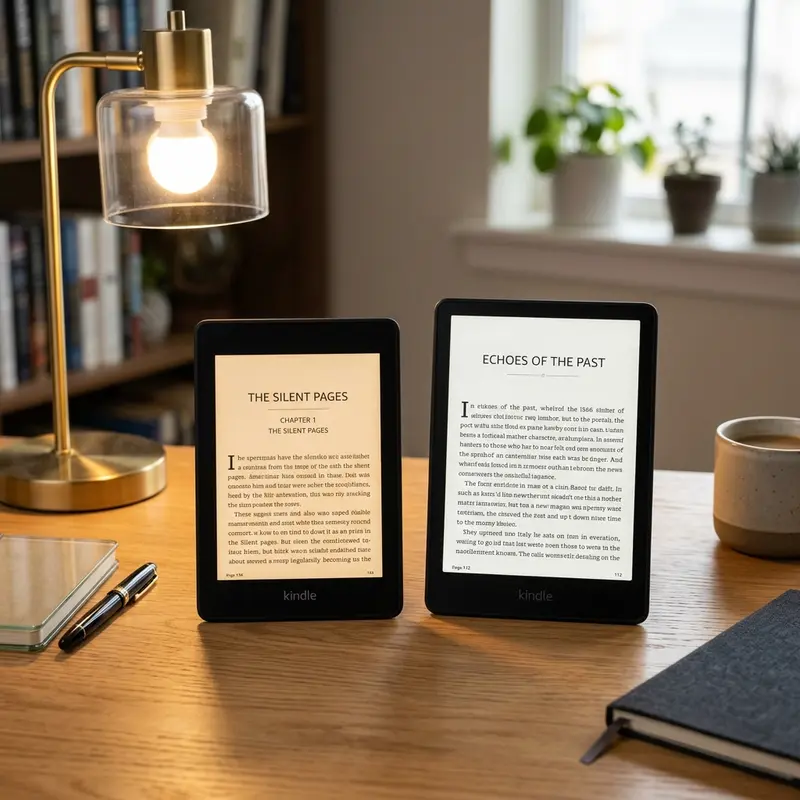
Choosing a new e-reader can be surprisingly difficult, especially when comparing two devices that look almost identical at first glance. If you are torn between the standard Amazon Kindle Paperwhite and its premium sibling, the Kindle Paperwhite Signature Edition, you are not alone. Both devices feature the same stunning 6.8-inch display and waterproof design, making the choice about the subtle upgrades under the hood.
Direct Answer: Buy the standard Kindle Paperwhite for the best value; choose the Signature Edition for wireless charging, auto-brightness, and 32GB storage.
In this comprehensive comparison, we will analyze the technical differences, daily usage scenarios, and financial trade-offs to help you decide which e-reader deserves a place on your nightstand.
1. The Evolution of the Kindle Paperwhite Series
The Kindle Paperwhite has long been considered the sweet spot in Amazon's e-reader lineup. Situated between the entry-level basic Kindle and the high-end Kindle Oasis (and now the Kindle Scribe), the Paperwhite series has historically offered the best balance of features, performance, and price. For years, the Paperwhite was a single, straightforward device with minor storage variations. However, with the release of the 11th generation, Amazon split the lineup into the standard Kindle Paperwhite and the premium Kindle Paperwhite Signature Edition.
Publicidade
This split was designed to address two distinct types of readers: those who want a simple, high-quality, distraction-free reading device at a reasonable price, and power users who desire modern conveniences like wireless charging and automatic screen adjustments. To understand whether these premium features are worth the extra investment, we must look at the underlying technology that powers these devices. Both models represent a massive leap forward from previous generations, incorporating a larger 6.8-inch display, thinner bezels, and a faster processor that makes page turning and library navigation feel much smoother than ever before.
2. Detailed Technical Specifications Comparison
On paper, the Kindle Paperwhite and the Paperwhite Signature Edition share about 90% of their DNA. They both utilize the same high-resolution 300 ppi E Ink Carta 1200 touchscreen, which offers crisp text that mimics real paper and 20% faster page turns compared to the older 10th generation models. Both models are IPX8 waterproof, meaning they can withstand accidental immersion in up to two meters of fresh water for up to 60 minutes. Furthermore, both feature a modern USB-C charging port, adjustable warm light (allowing you to transition the screen color from cool white to warm amber), and Bluetooth connectivity for listening to Audible audiobooks via wireless headphones or speakers.
Publicidade
However, the remaining 10% of differences are where the Signature Edition justifies its higher price point. Below is a structured comparison table outlining the exact specifications of both devices:
Feature
Kindle Paperwhite (Standard)
Kindle Paperwhite Signature Edition
Screen Size & Density
6.8 inches (300 ppi E Ink Carta 1200)
6.8 inches (300 ppi E Ink Carta 1200)
Storage Capacity
16 GB (8 GB on older production runs)
32 GB
Wireless Charging
No (USB-C only)
Yes (Qi-compatible, up to 7.5W)
Auto-Adjusting Light
No (Manual brightness adjustment only)
Yes (Ambient light sensor built-in)
Lockscreen Ads Option
Available with or without ads
Always ad-free (Without ads)
Dimensions
174 x 125 x 8.1 mm
174 x 125 x 8.1 mm
Weight
205 grams
208 grams
Battery Life
Up to 10 weeks (based on 30 mins/day)
Up to 10 weeks (based on 30 mins/day)
Waterproofing
IPX8 (up to 2 meters for 60 mins)
IPX8 (up to 2 meters for 60 mins)
Warm Light Adjustment
Yes (Manual, 24 levels)
Yes (Manual or Schedule-based, 24 levels)
As you can see, the dimensions and physical design are identical, with the Signature Edition weighing a mere 3 grams more due to the wireless charging coil and the ambient light sensor. In real-world usage, this weight difference is completely imperceptible, even during long reading sessions in bed.
Publicidade
Dica DomineTec: If you are planning to use a thick protective case, the 3-gram difference will be completely overshadowed by the weight of the case itself. Focus your decision on features like storage and lighting rather than the weight or size of the bare device.
3. Storage Capacity: 16 GB vs 32 GB (Do You Need the Extra Space?)
Storage capacity is one of the most prominent hardware differences between these two models. The standard Kindle Paperwhite comes with 16 GB of storage (though older versions of the same generation were sold with 8 GB). The Kindle Paperwhite Signature Edition comes exclusively with 32 GB. To understand which one you need, we must break down how files are stored on these devices.
A standard textual e-book purchased from the Kindle Store or loaded manually averages between 1 MB and 5 MB in size. A 16 GB Kindle has approximately 13 GB of usable storage after accounting for the operating system and system files. This is enough space to hold roughly 3,000 to 6,000 text-only books. If you upgrade to the 32 GB Signature Edition, you get about 28 GB of usable storage, which translates to over 12,000 standard e-books. For the vast majority of readers, 16 GB is already an astronomical amount of storage that they will never fill in their lifetime. Even if you read a book a week, it would take you over 60 years to read 3,000 books.
Publicidade
However, the equation changes dramatically if you consume media other than standard novels. Consider the following file types:
Audiobooks (Audible): Audio files are much larger than text. A typical audiobook formatted for Kindle can range from 50 MB to over 150 MB depending on the length and quality. A 16 GB Kindle can hold about 100 to 150 audiobooks, whereas a 32 GB model can comfortably store over 300 audiobooks. If you like to keep your entire Audible library offline, the extra space is highly beneficial.
Manga, Comics, and Graphic Novels: These files are highly image-intensive. A single volume of manga can easily range from 80 MB to 150 MB, and full-color graphic novels can be even larger. Serious manga readers will quickly exhaust a 16 GB drive.
PDF Documents: Technical documents, textbooks, and research papers with charts and diagrams can be bulky. If you frequently read external documents on your Kindle, you might want to convert PDF to Word or compress your PDF files before transferring them to keep your library lightweight.
Publicidade
Therefore, if you strictly read standard novels, the 16 GB standard model is more than sufficient. But if you are a heavy manga reader or audiobook collector, the 32 GB storage of the Signature Edition is a very practical upgrade that saves you from constantly managing your library and archiving files.
4. Auto-Adjusting Front Light: How It Impacts Your Reading Experience
Both models feature Amazon's excellent front lighting system, which uses LEDs to project light across the screen rather than shining it directly into your eyes like a traditional tablet or phone screen. This design minimizes eye strain during extended reading sessions. Both also feature 24 levels of brightness and a manual warmth adjustment that allows you to change the screen hue from cool blue-white to a warm amber, which is ideal for reading in the dark before sleeping. You can even set a schedule for the warmth adjustment to kick in automatically at sunset or a specific time of day.
Publicidade
The crucial difference is that the Signature Edition features an ambient light sensor that automatically adjusts the screen brightness based on the lighting conditions of your environment. Just like a modern smartphone, if you walk from a dimly lit room into bright sunlight, the Kindle will automatically crank up the LEDs so you can read clearly without manual input. If you turn off the bedside lamp, the screen will slowly dim to a comfortable level so it does not blind you.
In contrast, on the standard Paperwhite, you must manually swipe down from the top of the screen and adjust the slider every time your environment changes. While this only takes a few seconds, it can disrupt the immersion of reading. The auto-adjusting sensor is not just a luxury; it is a quality-of-life feature that makes the transition between reading in bed, reading on a train, and reading outside completely seamless. It is worth noting, however, that some users prefer manual control because the auto-sensor can sometimes be overly sensitive to minor shadows, causing the brightness to fluctuate slightly. Fortunately, you can disable the auto-adjust feature on the Signature Edition if you prefer fixed brightness.
Publicidade
Dica DomineTec: If you read in a stable environment, such as always in your favorite armchair with a lamp or always in bed, you will not benefit much from the auto-adjusting light. Save your money and adjust the brightness manually once.
5. Qi Wireless Charging: Luxury Convenience or Unnecessary Premium?
The Kindle Paperwhite Signature Edition is the only model in the Paperwhite lineup to offer Qi wireless charging support. It allows you to charge your e-reader by simply placing it on a compatible charging pad or dock, eliminating the need to plug in a USB-C cable.
While this sounds convenient, we must examine the actual charging habits of Kindle users. A single charge on either Paperwhite model lasts up to 10 weeks, assuming 30 minutes of reading per day with wireless turned off and the light set to a moderate level. Even for heavy readers who read two hours a day, the battery will easily last two to three weeks. Because charging is such an infrequent chore, the convenience of wireless charging is not as impactful as it is on a smartphone, which must be plugged in every single day.
Publicidade
Furthermore, Amazon does not include a wireless charging pad in the box with the Signature Edition. You must buy a compatible Qi charger separately, or purchase the official wireless charging dock designed by Anker specifically for this Kindle. The dock holds the Kindle upright, turning it into a neat desk clock or display piece when not in use. If you already have Qi charging pads scattered around your house for your phone or wireless earbuds, you can use them with the Signature Edition, but charging speeds will be limited to 7.5W, which takes about 3.5 hours for a full charge.
If you prefer a clean workspace without cables, or if you love the idea of a dedicated charging dock that keeps your Kindle upright and fully charged at all times, wireless charging is a cool feature. Otherwise, the standard USB-C port on the base model is incredibly reliable, charging the device from empty to full in about 2.5 hours when connected to a standard 9W power adapter.
Publicidade
6. The Price vs Value: Breaking Down the Hidden Costs
When comparing the prices of the Kindle Paperwhite and the Signature Edition, you must pay close attention to the "Ads" vs "No Ads" options. Amazon sells many of its Kindle models at a discount if you agree to have "sponsored screensavers" (ads) display on your lock screen when the device is asleep. These ads do not interfere with your actual reading, but they can be annoying if you want a clean aesthetic or prefer to see the cover of the book you are currently reading on the lock screen.
The standard Kindle Paperwhite is sold in two versions:
With Ads (Lockscreen Ads): The cheapest option, displaying promotions when the screen is locked.
Without Ads: Typically costs $20 more than the ad-supported version.
The Kindle Paperwhite Signature Edition, on the other hand, is only sold without ads. It has no ad-supported variant. Because of this, when comparing the price of the Signature Edition to the standard Paperwhite, you should compare it to the "Without Ads" version of the standard model to ensure a fair comparison. If you buy a standard Paperwhite with ads and later decide you want to remove them, Amazon will charge you the $20 difference to unlock the device. When you account for this $20 fee, the price gap between the standard Paperwhite and the Signature Edition shrinks significantly, making the Signature Edition a much more compelling value proposition.
Publicidade
7. Software and User Experience Differences
From a software perspective, the Kindle Paperwhite and the Signature Edition run on the exact same operating system. This means you get access to the same clean interface, the same Goodreads integration, the same dictionary lookup, and the same vocabulary builder. Page turn animations, font customizability (including the OpenDyslexic font), and margin sizing are identical on both devices.
However, the larger storage on the Signature Edition can indirectly improve the software experience for users with massive libraries. On an e-reader with 16 GB of storage, having thousands of books loaded simultaneously can sometimes cause the system indexer to slow down the device as it builds search indexes for all the text. Because the Signature Edition is built to handle 32 GB, its indexing process is optimized to ensure that library navigation remains snappy even with thousands of files stored locally. Furthermore, if you enjoy using the "Display Cover" feature on the lock screen, the ad-free nature of the Signature Edition ensures that this feature works out of the box, whereas standard Paperwhite users with the ad-supported version will only see promotional banners.
Publicidade
8. Final Verdict: Which Kindle Paperwhite is Right for You?
Ultimately, both the standard Kindle Paperwhite and the Signature Edition offer an exceptional reading experience. The choice boils down to your specific reading habits and budget preferences.
Who Should Choose the Standard Kindle Paperwhite?
The standard model is the best option for the majority of readers. You should buy it if:
You primarily read standard text-based novels and do not need massive storage space.
You do not mind plugging in a cable once every few weeks to charge your device.
You are on a budget and want the best price-to-performance ratio in the e-reader market.
You are comfortable manually adjusting the screen brightness when moving between rooms.
Who Should Choose the Kindle Paperwhite Signature Edition?
The Signature Edition is a premium upgrade that targets specific power users. You should buy it if:
You read a lot of manga, comics, or PDFs, or listen to a large library of Audible audiobooks that require 32 GB of storage.
You want a seamless reading experience where the screen automatically adjusts to your environment without manual intervention.
You hate cables and want the convenience of dropping your Kindle onto a Qi wireless charging pad or desk dock.
You plan to buy the "Without Ads" version of the standard Paperwhite anyway, meaning the price difference to upgrade to the Signature Edition is minimal.
Publicidade
Frequently Asked Questions (FAQ)
Does the Kindle Paperwhite Signature Edition come with a charger?
The Kindle Paperwhite Signature Edition comes with a USB-C to USB-A charging cable in the box, but it does not include a wall adapter or a wireless charging pad. You must purchase a Qi-certified wireless charging pad or a USB wall charger separately to power the device.
Can I remove ads from the standard Kindle Paperwhite later?
Yes. If you buy the ad-supported version of the standard Kindle Paperwhite, you can remove the ads at any time by paying a one-time fee (typically $20) through your Amazon account settings. This will turn your device into an ad-free version, matching the default experience of the Signature Edition.
Is the screen on the Signature Edition better or clearer than the standard Paperwhite?
No, the screen technology is identical on both devices. Both feature a 6.8-inch display with 300 pixels per inch (ppi) and use the E Ink Carta 1200 panel. The text sharpness, contrast, and page turn speed are exactly the same. The only difference related to the screen is the auto-adjusting light sensor on the Signature Edition.
Publicidade
How long does the battery last if I use wireless charging frequently?
The battery life of both devices is up to 10 weeks under typical reading conditions. If you use a wireless charging dock regularly and rest your Kindle on it when not in use, the battery will constantly remain topped up, meaning you will effectively never run out of battery during daily use.