The best Kindle 11th Gen case is the classic Amazon Fabric Cover for slim protection, or a hand strap cover for better ergonomic grip while reading.
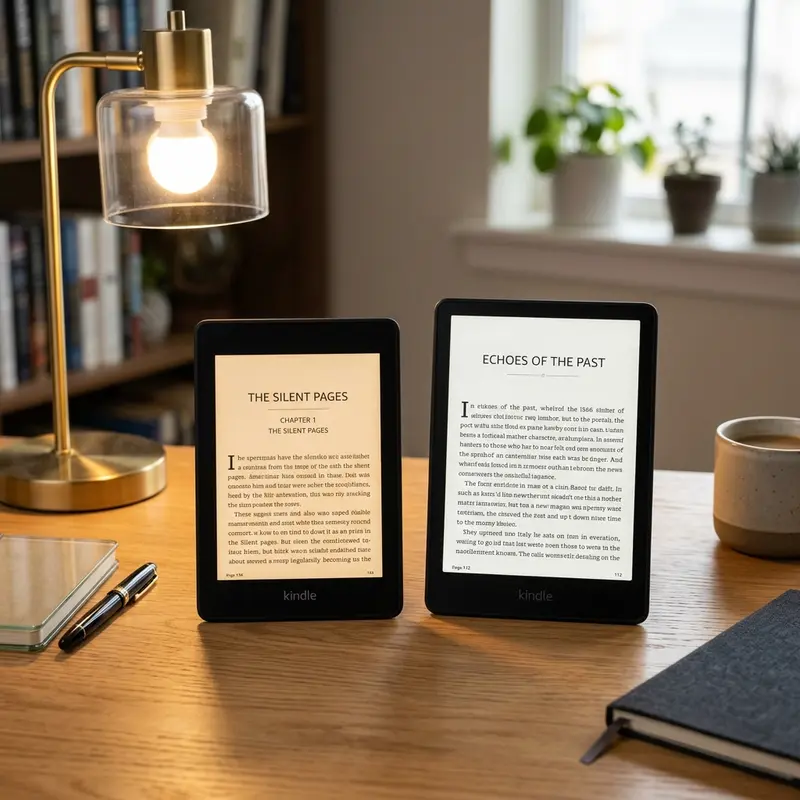
One of the greatest strengths of the basic Kindle 11th Generation is its incredibly lightweight and compact form factor. Weighing a mere 158 grams, it is a device designed to be taken everywhere—tucked into a pocket, tossed in a backpack, or held with one hand during a long subway commute. However, that portability also exposes it to significant risks. Keys, coins, dropped bags, or accidental spills can quickly scratch the plastic screen or dent the corners of your e-reader.
Selecting the right cover is about finding the perfect balance between style, ergonomics, and defense. In this guide, we will review the top case options for the Kindle 11th Gen Basic, highlighting the unique benefits of each design category so you can find the perfect match for your reading style.
Publicidade
Why Your Kindle 11th Gen Needs a Protective Case
Unlike the Kindle Paperwhite, which features a flush glass-front screen, the Basic Kindle has a recessed plastic screen. While this design minimizes reflections, it makes the screen and bezels more susceptible to gathering dust and getting scratched by everyday objects in your bag. A simple scratch on an e-ink screen can distort the text, creating annoying refractions that ruin the reading experience.
Furthermore, e-readers are long-term investments. Unlike smartphones, which many users replace every two years, a Kindle can easily last 5 to 10 years if properly maintained. Investing in a quality case not only keeps the device looking brand new, but it also preserves its resale value and prevents costly screen replacements down the road.
The Classic Folio Smart Cover: The Best All-Round Protection
The folio-style smart cover remains the most popular option for Kindle users worldwide. This design mimics the form of a physical book, featuring a front flap that folds over to protect the screen when not in use. Folio cases are typically constructed from synthetic leather (polyurethane), fabric, or real leather, wrapped around a hard plastic shell that snaps onto the back of the Kindle.
Publicidade
A key feature to look for in a folio cover is the magnetic auto sleep/wake function. When you open the lid, the magnets trigger the Kindle's internal sensor to wake up the screen instantly, bypassing the power button. When you close the lid, the Kindle immediately goes to sleep, preserving battery life. Folio covers offer excellent 360-degree protection without adding excessive bulk, keeping the device pocketable.
Hand Strap Cases: Ergonomic Comfort for Long Reading Sessions
If you love reading for hours on end, you know that holding a flat, thin device can eventually lead to finger fatigue or wrist cramps. Hand strap cases solve this ergonomic problem. These covers are structured like a traditional folio case, but they feature an elastic band integrated into the inside of the front cover.
When you fold the front cover back, you can slide your hand under the elastic strap. This allows you to hold the Kindle securely without needing to squeeze the edges of the device, completely eliminating the risk of accidentally dropping the Kindle onto your face while reading in bed. Many hand strap cases also feature built-in kickstands, allowing you to prop the device up on a table for hands-free reading during meals.
Publicidade
Dica DomineTec: If ergonomics is your top priority, you should look into a specialized Kindle case with hand strap. The added strap provides stability, which is especially useful when reading in moving vehicles, preventing accidental drops from sudden bumps.
Clear TPU Cases with PopSockets: Minimalist Style and Grip
For readers who love the original color of their Kindle (such as the beautiful Denim blue or classic Black) and want to show it off, a transparent TPU (thermoplastic polyurethane) case is the ideal choice. These cases cover only the back and sides of the device, leaving the front screen completely exposed.
Clear TPU cases are made of flexible, shock-absorbing silicone that protects the corners from drop damage. Because they do not have a front cover, they are incredibly light. Many users pair a clear TPU case with a PopSocket stuck to the back. This provides a highly customizable and comfortable grip while allowing you to personalize your Kindle with stickers placed underneath the transparent shell.
Publicidade
Heavy-Duty Armor Cases: Rugged Protection for Outdoor Readers
If you are an adventurous reader who takes their Kindle camping, hiking, or to the beach, a standard fabric cover might not cut it. Heavy-duty armor cases are engineered for maximum impact protection. They feature thick, dual-layer construction: a soft silicone inner sleeve to absorb shock and a hard polycarbonate outer skeleton to deflect drops.
Many rugged cases also feature built-in screen protectors and port plugs to keep dust, sand, and minor splashes out of the USB-C charging port. While these cases do add noticeable weight and bulk to the otherwise slim Kindle, the peace of mind they provide when reading in challenging environments is well worth it.
Sleeve Pouches: Protection Without Adding Bulk During Use
For purists who love the feeling of holding a naked Kindle without any cover attached, a sleeve pouch is the perfect compromise. A sleeve is essentially a padded pocket—made of felt, neoprene, or leather—that you slide your Kindle into when you are not reading.
Publicidade
When it is time to read, you slide the Kindle out, enjoying its lightweight, ultra-thin native design. Once you are finished, you slide it back into the sleeve to keep it safe from scratches inside your bag. This is an excellent option for those who primarily read at home on the couch and only need protection during travel.
Kindle 11th Gen Case Style Comparison
To help you choose the style that best matches your reading environment and physical preferences, here is a detailed breakdown of the different case categories:
Case Type
Drop Protection
Auto Sleep/Wake
Added Bulk
Hands-Free Use
Best For
Classic Folio
Medium
Yes
Low
No
General daily reading
Hand Strap Cover
Medium-High
Yes
Medium
Yes (Strap & Stand)
Commuters & bed readers
Clear TPU + PopSocket
Medium
No
Very Low
Yes (With PopSocket)
Minimalists & sticker fans
Heavy-Duty Armor
Excellent
No
High
Sometimes (Built-in stand)
Hikers, campers, children
Sleeve Pouch
Low (Only when stored)
No
None (When reading)
No
Purists & home readers
Dica DomineTec: Remember to always check the model number of your Kindle before buying. Cases designed for the Kindle Paperwhite (6.8" screen) or older 10th generation Kindle Basics (6.0" but different dimensions) will not fit the 11th Generation Basic Kindle (2022/2024 release).
Publicidade
Conclusion
Protecting your Kindle 11th Gen Basic does not mean you have to sacrifice its signature portability. Whether you choose a classic folio case for all-round coverage, a clear TPU cover to show off the Denim blue design, or an ergonomic hand strap case for comfortable reading marathons, there is an option tailored to your routine. Evaluate where and how you read most, pick the corresponding case style, and ensure your e-reader remains in pristine condition for years to come.
Frequently Asked Questions (FAQ)
1. Does the Kindle 11th Gen fit in Kindle Paperwhite cases?
No, the Kindle 11th Gen Basic will not fit in Kindle Paperwhite cases. The Paperwhite has a larger 6.8-inch screen and a wider, taller body, whereas the 11th Gen Basic has a compact 6-inch screen. Always purchase cases labeled specifically for the Kindle 11th Generation (2022/2024 release, Model C2V2L3).
2. Do third-party cases support the auto sleep/wake feature?
Publicidade
Yes, most reputable third-party folio cases support the magnetic auto sleep/wake function. When shopping, double-check the product description to ensure it explicitly mentions "smart cover" or "auto sleep/wake" capability to verify the magnetic triggers are included.
3. How do I clean a fabric Kindle cover?
To clean a fabric Kindle cover, remove the Kindle from the case. Use a lint roller to remove dust and crumbs. For light stains, dampen a microfiber cloth with water and a drop of mild dish soap, and gently wipe the fabric. Allow the case to air dry completely before putting your Kindle back inside.
4. Will a case make my Kindle significantly heavier?
Standard folio and clear TPU cases only add about 80 to 110 grams to the weight of your Kindle. While you will notice a slight difference, the total weight remains under 270 grams, which is still lighter than most average paperback physical books.