How to Use Leonardo AI for Free High-Quality Image Generation
Leonardo AI allows users to generate high-quality images for free using advanced algorithms and intuitive prompts.
Understanding Leonardo AI: A Comprehensive Overview
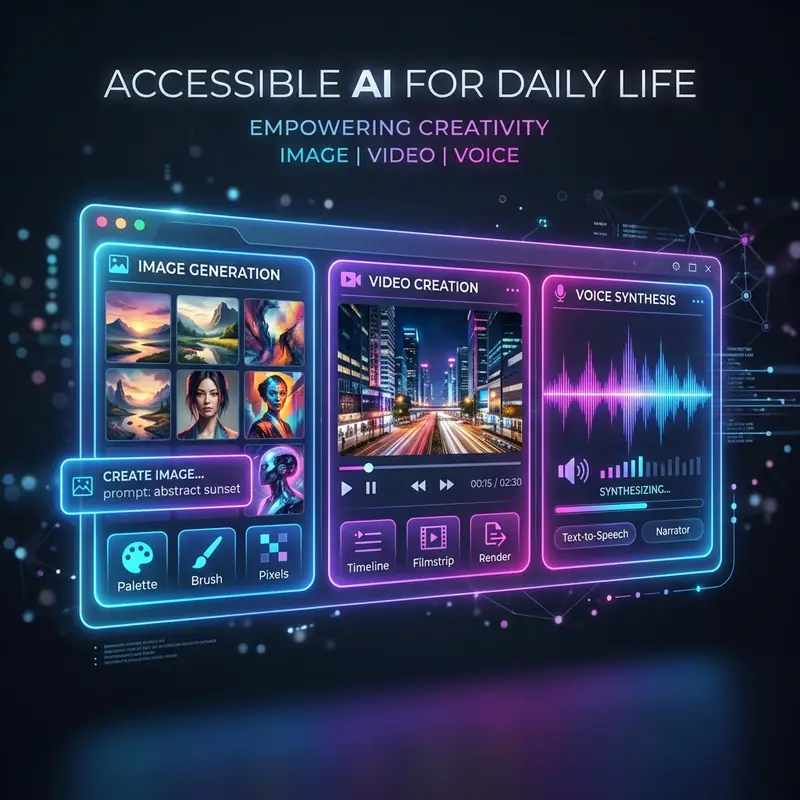
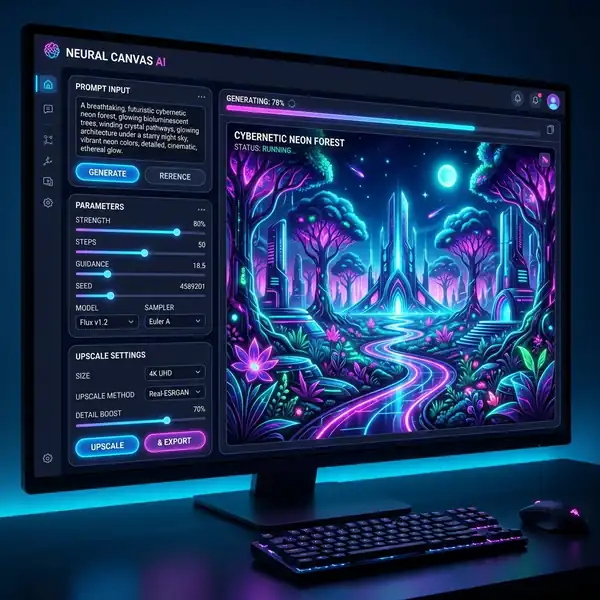
Leonardo AI is a state-of-the-art image generation platform that leverages artificial intelligence to create visually striking images based on user-defined prompts. With its robust architecture, Leonardo AI provides advanced designers, digital artists, and AI prompt engineers with an array of tools to optimize the image creation process. The platform supports various parameters that influence the output images, such as resolution, style, and subject matter. By thoroughly understanding how to use Leonardo AI for free images, users can harness its potential to create stunning visuals without incurring costs.
Recommended Reading: See also our guide on best Leonardo AI models for realism.
Recommended Reading: See also our guide on how to use Midjourney for free.
Key Features of Leonardo AI
- User-Friendly Interface: The platform boasts an intuitive user interface that allows for easy navigation through its features, making it accessible for both beginners and experienced users.
- Customizable Parameters: Users can set specific parameters to tailor the output, including resolution, aspect ratio, and styles.
- Community and Collaboration: Leonardo AI encourages user engagement through community features, allowing designers to share their creations and collaborate on projects.
- Daily Tokens: The platform operates on a token system, granting users a limited number of free generation tokens each day, enabling them to create free images without a subscription.
Parameter Comparison: Optimizing Your Image Generation
| Parameter | Description | Default Value | Recommended Values |
|---|---|---|---|
| Resolution | The output image's pixel dimensions. | 512x512 | 1024x1024, 2048x2048 |
| Aspect Ratio | The width-to-height ratio of the generated image. | 1:1 | 16:9, 4:3 |
| Style | The artistic style applied to the image. | Realism | Impressionism, Surrealism, Abstract |
| Creativity Level | Controls the randomness and uniqueness of the generated image. | 0.5 | 0.7 to 1.0 |
| Prompt Weight | Influences how strongly the prompt affects the image. | 1.0 | 0.5 to 2.0 |
DomineTec Tip: Experiment with varying creativity levels and prompt weights to achieve different artistic effects in your images.
Step-by-Step Tutorial: Creating Free Images with Leonardo AI
To effectively utilize Leonardo AI for free image generation, follow this comprehensive tutorial that guides you through the necessary steps.
- Sign Up for an Account: Visit the official Leonardo AI website and create a free account. Ensure to verify your email address to activate your account.
- Understanding Daily Tokens: Familiarize yourself with the daily token system. Each user receives a set number of tokens daily, which can be used to generate images. Keep track of your token balance.
- Select the Image Generation Section: After logging in, navigate to the image generation section of the platform. This is where you will input your prompts and set parameters.
- Input Your Prompt: Craft a detailed prompt that describes the image you wish to generate. Consider using descriptive adjectives, specific styles, and desired elements.
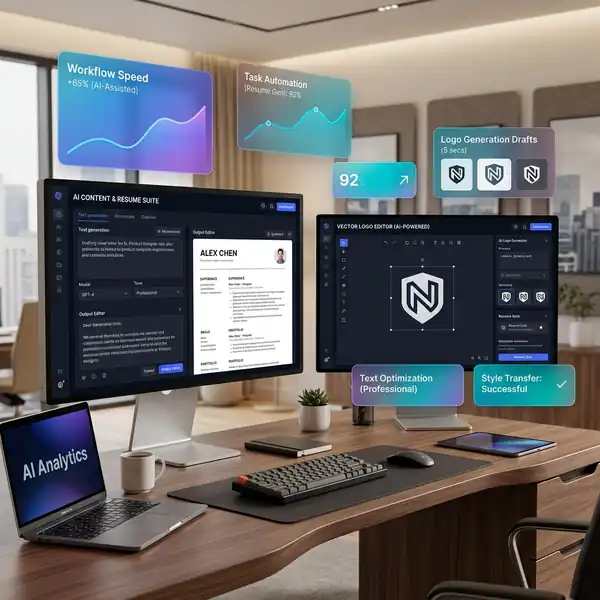
- Set Your Parameters: Adjust the parameters based on the table provided earlier. Consider increasing the resolution for higher quality and selecting a creative level that matches your artistic vision.
- Experiment with Prompt Weights: Modify the prompt weight to see how it influences the generated images. A lower weight may create more abstract interpretations, while a higher weight will adhere closely to your input.
- Preview and Generate: Many platforms provide a preview of your settings. Review them carefully, and when satisfied, click the generate button to create your image.
- Review Your Creation: Once the image is generated, take time to evaluate its quality and relevance to your prompt. Save or download the image if it meets your expectations.
- Share and Collaborate: Engage with the community by sharing your generated images. You can also seek feedback and suggestions for improvement.
- Track Your Token Usage: After generating images, monitor your daily token usage. If you frequently hit your limit, consider ways to optimize your prompts and parameters to maximize results.
Advanced Techniques for Image Generation
For advanced designers and digital artists, leveraging Leonardo AI's full potential requires an understanding of sophisticated techniques that enhance image generation. Mastering these techniques can lead to superior results that align closely with your creative vision.
Using Advanced Prompts
Prompts are the backbone of image generation in Leonardo AI. A well-crafted prompt can significantly impact the quality and relevance of the generated image. Here are some strategies for creating effective prompts:
- Be Specific: Instead of vague descriptions, specify the elements you want in your image. For example, instead of saying "a landscape," say "a sunset over a mountain range with a lake in the foreground."
- Incorporate Styles: Mention specific artistic styles to guide the AI. For instance, "in the style of Van Gogh" or "as a digital painting" can produce vastly different results.
- Combine Elements: Experiment with combining different subjects in your prompts. For example, "a futuristic city skyline merged with ancient ruins" can yield unique visuals.
Adjusting Creativity Levels and Weights
Understanding how creativity levels and prompt weights affect your outputs can enhance your workflow. A higher creativity level often results in more unique and unexpected images, while a lower level produces outputs that are closer to the prompt. Adjust these settings based on the desired outcome:
- Creativity Level: For experimental artwork, consider setting this to a higher value (0.7 to 1.0). For more realistic images, use a lower setting (0.3 to 0.5).
- Prompt Weight: Adjust the prompt weight based on how closely you want the output to adhere to your prompt. A weight of 2.0 will enforce your prompt strongly, while a weight of 0.5 allows for more creative interpretation.
Optimizing Your Workflow with Leonardo AI
To maximize your productivity with Leonardo AI, adopting a well-structured workflow is essential. Here are some tips to enhance your image generation process:
- Document Your Prompts: Maintain a record of your most successful prompts and their corresponding settings. This allows for easy replication and fine-tuning in future projects.
- Batch Processing: If you have multiple images to generate, consider batching your prompts. This approach can save time and ensure consistency across your creations.
- Engage with the Community: Participate in forums and discussions to learn from fellow designers. Sharing insights and techniques can lead to improved skills and new ideas.
Advanced Techniques for Optimizing Image Generation with Leonardo AI
When working with Leonardo AI for high-quality image generation, understanding the nuances of its configuration can significantly enhance your output. One of the most effective advanced techniques involves fine-tuning the model parameters to suit your specific needs. Start by exploring the various settings that Leonardo AI offers, such as resolution, aspect ratio, and style presets. Adjusting the resolution can impact both the quality and the processing time of your images. For instance, generating images at a higher resolution (e.g., 4K) can yield more detailed results, but it may require more computational resources and time. Conversely, lower resolutions can be beneficial for quick drafts or concept art.
Another critical aspect of optimizing image generation is the use of prompt engineering. The way you phrase your prompts can drastically alter the output. Instead of using generic descriptions, consider incorporating specific adjectives, artistic styles, or even references to famous artworks. For example, instead of simply asking for "a landscape," you might specify "a vibrant sunset over a serene lake in the style of Claude Monet." This level of detail helps the AI understand your vision more clearly, resulting in images that are not only high-quality but also closely aligned with your creative intent. Experimenting with different combinations of keywords and phrases can lead to surprising and unique results.
Additionally, leveraging the power of iterative refinement can greatly improve the quality of your images. After generating an initial image, take the time to analyze its strengths and weaknesses. Identify elements that you would like to enhance or modify. You can then use these insights to create a follow-up prompt that addresses these specific areas. For example, if the initial image has a beautiful sky but lacks detail in the foreground, you could generate a new image focusing on enhancing the foreground elements while retaining the sky. This iterative process allows you to build upon your previous outputs, gradually honing in on the perfect image.
Lastly, consider integrating Leonardo AI with other tools and software to expand your creative possibilities. For instance, using image editing software like Adobe Photoshop or GIMP can allow you to make post-processing adjustments to your generated images. You can enhance colors, adjust lighting, or even combine multiple images into a single composition. Furthermore, exploring plugins or scripts that automate certain tasks can save you time and streamline your workflow. By combining the strengths of Leonardo AI with other creative tools, you can elevate your image generation process and produce stunning visual content that meets your high standards.
Frequently Asked Questions
What are daily tokens in Leonardo AI, and how can I maximize their use?
Daily tokens are the credits you receive each day to generate images on Leonardo AI. To maximize their use, create detailed prompts and adjust parameters effectively to get the most out of each token.
Can I use Leonardo AI for commercial purposes?
Yes, you can use images generated by Leonardo AI for commercial purposes, provided you adhere to the platform’s terms of service. Always ensure that your use complies with copyright laws and the platform’s guidelines.
How can I improve the quality of my generated images?
Improving image quality can be achieved by increasing the resolution, adjusting creativity levels, and refining your prompts for clarity and detail. Experimenting with different styles can also yield better results.
Expert Configurations for Optimizing Leonardo AI Image Generation
To leverage the full potential of Leonardo AI for high-quality image generation, users must familiarize themselves with essential configurations that can drastically enhance their output quality. The first critical aspect of optimization is the selection of the appropriate model parameters. Leonardo AI provides several pre-trained models, each tailored for different styles and themes. By specifying the model, you can dictate the aesthetic and complexity of the images generated. For instance, utilizing a model designed for artistic outputs will yield images with a more creative flair, whereas a model focused on realism would produce lifelike representations. It’s recommended to experiment with various models based on the desired output to find the one that best meets your needs.
Another significant configuration involves adjusting the resolution settings. By default, Leonardo AI generates images at a standard resolution, but for projects requiring finer details, increasing this setting can make a substantial difference in the final product. However, higher resolutions also demand more computational resources, so it’s essential to ensure that your hardware is adequately equipped, or consider running the generation process in a cloud environment. Moreover, adjusting the quality settings can enhance the fidelity of the output; setting it to a higher quality may result in longer processing times but will yield images with better texture and depth.
In addition to model and resolution settings, effective prompt structures play a important role in guiding Leonardo AI to produce the desired images. Crafting a succinct yet detailed prompt is essential; for example, instead of a vague request like "generate a landscape," a more structured command could specify the elements you wish to include, mood, and atmosphere of the image. Including adjectives and specific details in your prompt ensures that the AI understands your vision more clearly, leading to significantly improved outcomes.
Finally, users should consider implementing batch processing for generating multiple images simultaneously, which can greatly enhance workflow efficiency. By using a well-structured approach, you can instruct Leonardo AI to generate a series of images based on different prompts without needing to input each command individually. This method not only saves time but also allows for greater experimentation with diverse themes and styles in one batch run. By mastering these configurations and techniques, users can unlock the full capabilities of Leonardo AI, ensuring high-quality, visually stunning images tailored to their unique requirements.
Advanced Configurations and Optimizations for High-Quality Image Generation with Leonardo AI
When utilizing Leonardo AI for image generation, understanding the nuances of advanced configurations can significantly elevate the quality and relevance of the images produced. One of the primary areas to consider is the effective use of the parameters which are integral to optimizing the image generation process. Users can specify various parameters such as resolution, aspect ratio, and style influences, which directly impact the output. For example, using specific settings allows the user to generate images that are tailored for HD displays, ensuring that the images maintain clarity and detail when showcased on larger screens. Furthermore, specifying styles can guide the AI in aligning the output with the desired aesthetic.
In addition to resolution and style, the prompt structure plays a important role in defining the output. Crafting a well-defined prompt involves not only the main subject but also additional details that inform the AI about the context and mood of the image. For instance, a prompt that provides not just a subject but also contextual elements enhances the quality of the generated image. Users can further refine their prompts by adding emotional descriptors or specific elements, which can enhance the intricacy of the designs. The subtlety in language used in prompts can dictate the creative direction, making it essential to experiment with different phrasing to achieve the best results.
Workflow optimization is another critical aspect when working with Leonardo AI. Users can streamline their image generation process by creating batch scripts that allow for the automation of repetitive tasks. By chaining commands efficiently, users can efficiently queue multiple jobs, allowing for simultaneous processing and quicker turnaround times.
Lastly, it is important to leverage Leonardo AI’s community resources and documentation to stay updated on new features and improvements. Engaging with user forums and technical discussions can provide insights into best practices and innovative techniques that enhance image generation capabilities. By keeping abreast of developments and continuously refining the approach based on collective knowledge, users can maximize the effectiveness of Leonardo AI in producing high-quality images that meet their creative and professional needs.