How to Unclog a 3D Printer Nozzle Using Tweezers and Needle While Hot

To unclog a 3D printer nozzle using tweezers and a needle while hot, follow safety protocols and proceed with caution.
Understanding the Basics of 3D Printer Nozzle Clogs
A 3D printer nozzle clog can disrupt the printing process, leading to failed prints and wasted materials. Various factors contribute to clogs, including filament quality, temperature settings, and improper maintenance.
When the nozzle becomes blocked, filament cannot flow correctly, resulting in under-extrusion or complete stoppage. Recognizing the signs of a clog early can save time and resources.
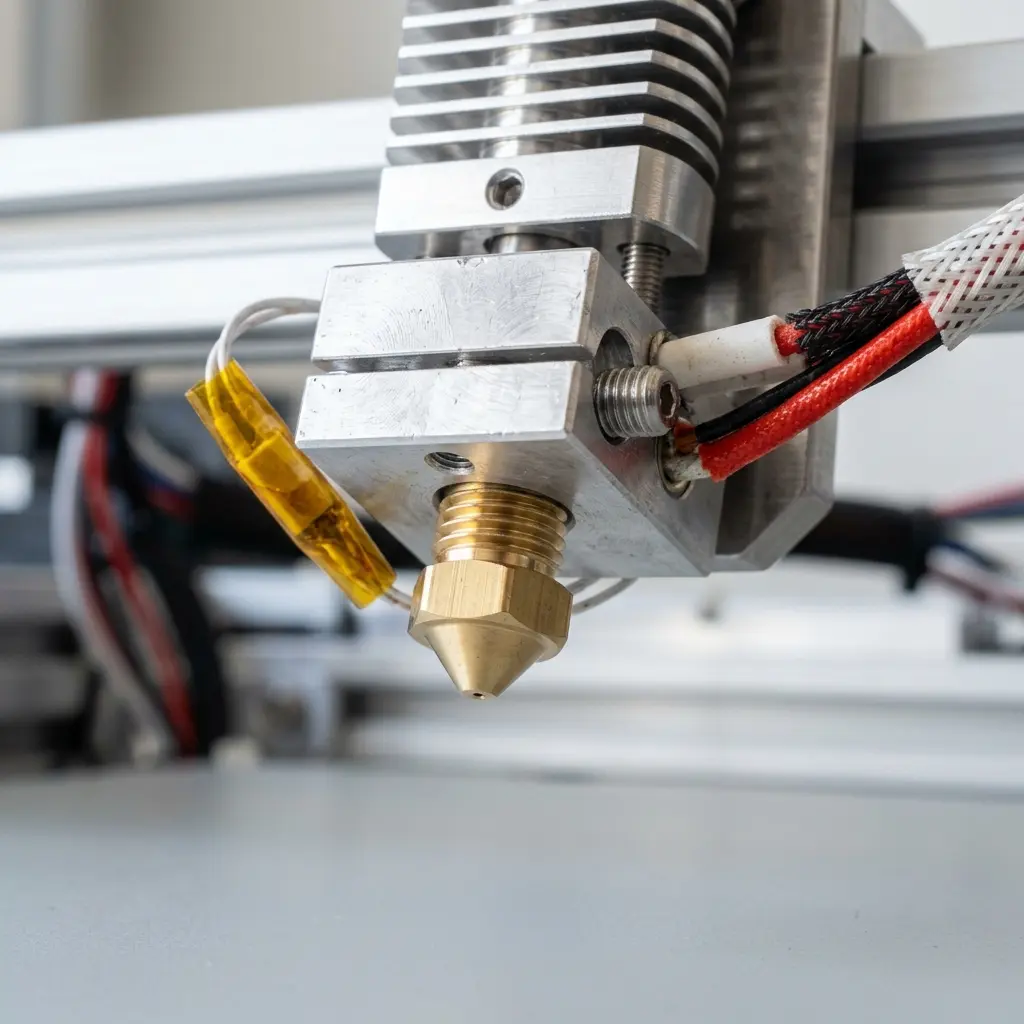
Understanding the anatomy of a 3D printer nozzle is essential for effective maintenance. It usually consists of a heat break, a heating block, and a nozzle tip.
Common Causes of Clogs in 3D Printer Nozzles
Numerous factors can lead to nozzle clogs. Understanding these causes helps in preventing future issues.
- Using low-quality filament can introduce impurities that cause blockages.
- Incorrect temperature settings may lead to filament not melting adequately.
- Moisture absorption by filament can create steam, leading to pressure buildups.
- Filament diameter inconsistencies can lead to uneven flow and clogs.
- Improper storage of filament can result in contamination and degradation.
Additionally, leftover material from previous prints can solidify and block the nozzle. Regular maintenance and cleaning can mitigate these risks.
Preparing for the Unclogging Process
Before attempting to unclog the nozzle, ensure the printer is properly set up. Gather necessary tools: tweezers, a fine needle, and safety gloves.
Turning on the printer and setting it to the appropriate temperature for the filament in use is crucial. This makes the filament more pliable, facilitating the unclogging process.
It is also advisable to have a cleaning kit for the nozzle, which may include brushes and cleaning filament.
Step-by-Step Guide to Unclogging a 3D Printer Nozzle
Follow these steps carefully to unclog the nozzle effectively:
- Preheat the 3D printer to the appropriate temperature for the filament.
- Once heated, use tweezers to remove any visible filament from the nozzle's exterior.
- Insert the needle gently into the nozzle opening to dislodge any internal clogs.
- Move the needle back and forth while ensuring not to apply excessive force.
- After clearing the clog, extrude a small amount of filament to confirm smooth flow.
- If the clog persists, consider using cleaning filament to help clear stubborn blockages.
DomineTec Tip: Always ensure the printer is in a well-ventilated area when working with heated components to avoid inhaling fumes.
Safety Precautions While Unclogging
Safety is paramount when dealing with heated components of a 3D printer. Always wear heat-resistant gloves to protect hands from burns.
Ensure that the working area is clear of flammable materials. Keep tools away from the heated nozzle when not in use.
Consider having a fire extinguisher nearby in case of emergencies. Also, avoid wearing loose clothing that could get caught in the printer.
Preventative Maintenance for 3D Printer Nozzles
Maintaining a clean and functional nozzle is vital for consistent 3D printing performance. Regularly inspect and clean the nozzle to prevent clogs.
Using high-quality filament can significantly reduce the risk of clogs. Store filament in a moisture-free environment to maintain its quality.
Consider checking and calibrating the printer settings frequently. Refer to the how to calibrate 3D printer guide for detailed instructions.
Establishing a regular maintenance schedule can help keep the printer in optimal condition. Documenting maintenance activities can also be beneficial.

Understanding Different Types of Filament and Their Impacts
Different filaments have varying melting points and properties. Knowing these characteristics can help in choosing the right filament for specific tasks.
| Filament Type | Melting Point (°C) | Common Uses | Pros | Cons |
|---|---|---|---|---|
| PLA | 180-220 | Prototyping, models | Easy to print, biodegradable | Low heat resistance |
| ABS | 210-250 | Durable parts, toys | Good strength, impact resistance | Fumes can be toxic |
| PETG | 230-250 | Functional parts, containers | Strong, less brittle | Can be challenging to print |
| TPU | 220-250 | Flexible parts | Highly flexible, durable | Requires precise settings |
Choosing the right filament can significantly impact the printing process. Refer to the PETG vs PLA filament comparison for more insights.
When to Seek Professional Help
If clogs persist despite multiple attempts at unclogging, professional assistance may be necessary. Continuous clogs can indicate deeper issues within the printer.
Consider consulting with a technician if the printer exhibits unusual behavior, such as inconsistent extrusion or unusual noises during operation.
Documenting the symptoms and attempts to resolve them can aid technicians in diagnosing the problem more efficiently.
Frequently Asked Questions
What should be the ideal temperature for unclogging a nozzle?
The ideal temperature depends on the filament used. Generally, setting the printer to the filament's recommended melting point is advisable.
Can using a needle damage the nozzle?
Using a needle carefully should not damage the nozzle. However, excessive force can lead to scratches or permanent damage.
How often should a 3D printer nozzle be cleaned?
Cleaning should be performed regularly, especially after completing large prints. This prevents material buildup that can lead to clogs.
What are the signs of a clogged nozzle?
Common signs include inconsistent extrusion, under-extrusion, and filament not flowing at all. These indicate a potential blockage that needs addressing.
Is it safe to unclog a nozzle when it’s hot?
While it is effective to unclog a nozzle when hot, safety precautions must be taken. Heat-resistant gloves and tools should be used to avoid burns.
Checklist for Unclogging a 3D Printer Nozzle
- Gather tools: tweezers, needle, heat-resistant gloves.
- Ensure the printer is preheated to the correct temperature.
- Clear the nozzle exterior of any visible filament.
- Insert needle gently into the nozzle opening.
- Move the needle back and forth to dislodge clogs.
- Extrude filament to check for smooth flow.
- Use cleaning filament if necessary.
- Document maintenance performed on the printer.




