Reviving a dead Bluetooth earbud battery left uncharged is possible through specific techniques that reintroduce charge and restore functionality. Lithium batteries, commonly used in Bluetooth earbuds, can enter a sleep state when their voltage drops below approximately 2.5 volts. This condition often results from prolonged inactivity or failure to charge, rendering the earbuds seemingly unusable. Understanding how to revive these batteries not only saves money but also contributes to sustainable practices in electronics usage.
The theme of reviving dead Bluetooth earbud batteries is significant, as many users experience frustration with inoperative devices that still possess potential life. Lithium batteries are susceptible to deep discharge states where they can become unresponsive. When the voltage of a lithium-ion battery falls below a critical threshold, it may enter a protective sleep mode, making it challenging to recharge through standard means. This situation raises the importance of understanding battery chemistry, the implications of deep discharge, and the methods available for reviving seemingly lifeless batteries.
To effectively address this issue, it is essential to grasp the core definitions surrounding lithium batteries and their operational states. Lithium batteries are designed with built-in protections to prevent over-discharge, which can lead to irreversible damage. However, when the voltage drops significantly, the battery management system may lock the battery in a sleep state to safeguard its health. Recognizing these parameters not only aids in the revival of dead batteries but also enhances user awareness about battery maintenance and care.
Core Tutorial: Step-by-Step Instructions and Settings
Publicidade
Reviving a dead Bluetooth earbud battery involves several methods, each with varying degrees of effectiveness and safety. The following sections detail these techniques, offering step-by-step instructions to guide users through the process of bringing their earbuds back to life.
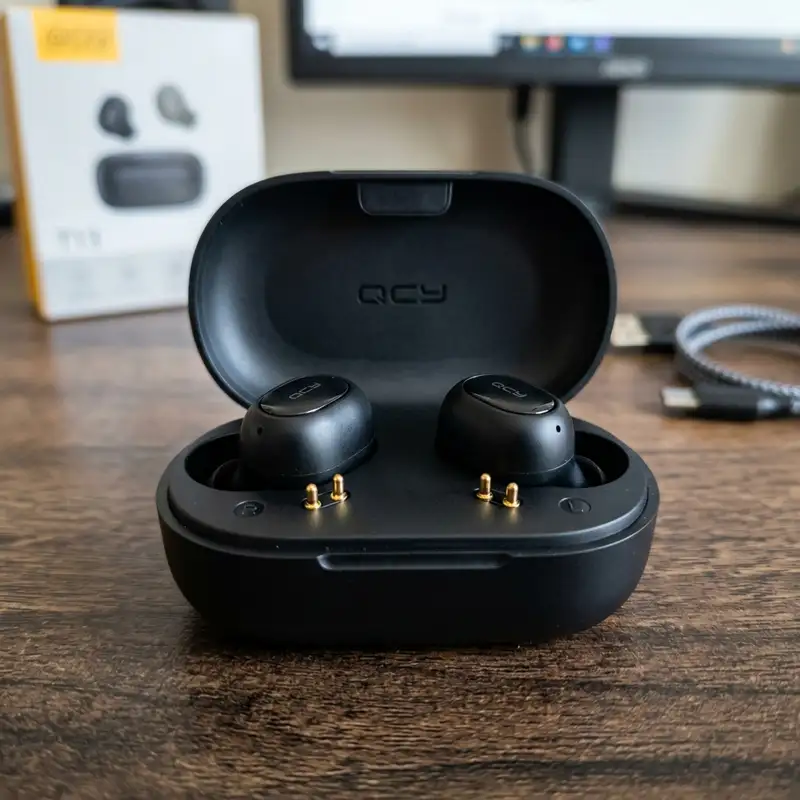
One common method involves cleaning the battery contacts for improved conductivity. Over time, oxidation can accumulate on the metal pins of the charging port, hindering the charging process. Using a soft cloth or cotton swab dipped in rubbing alcohol can effectively clean these contacts. This step ensures that any residue is removed, allowing for optimal electrical connectivity when attempting to charge the battery.
Another effective approach is trickle charging the battery via a low amperage USB port on a computer. This method typically requires connecting the earbuds to the computer using a compatible charging cable. The low current prevents further damage to the battery while providing just enough energy to raise the voltage above the sleep threshold. It is advisable to leave the earbuds connected for an extended period, often between 12 to 24 hours, to allow for gradual charging. Regularly checking the earbuds during this period can help assess any signs of life, such as indicator lights or sounds.
A third method that may yield positive results involves thermal stimulation. This technique entails gently warming the battery, which can increase the internal chemical reactions, potentially reviving the battery's functionality. Care should be taken to apply heat safely; using a hairdryer on a low setting or placing the earbuds in a warm area can provide sufficient thermal stimulation without causing damage. It is vital to avoid excessive heat, as this could lead to further complications or even battery failure.
Publicidade
Safety Hierarchy Table for Methods
When attempting to revive a dead Bluetooth earbud battery, understanding the associated risks and success rates is crucial. The following table summarizes the different methods, their danger levels, success rates, and recommended equipment to guide users through the revival process.
Method
Danger Level
Success Rate
Recommended Equipment
Cleaning Oxidation Pins
Low
Moderate
Rubbing Alcohol, Cotton Swab
Trickle Charging
Low
High
USB Charging Cable, Computer USB Port
Thermal Stimulation
Moderate
Moderate
Hairdryer (Low Setting) or Warm Location
It is essential to approach each method with an understanding of the risks involved. While cleaning contacts carries a low danger level, thermal stimulation requires more caution due to the potential for overheating. Following these guidelines can significantly enhance the chances of successfully reviving the battery while minimizing any associated risks.
Publicidade
Additional Resources and Recommended Links
For those seeking further information on battery care and maintenance, additional resources can be invaluable. Understanding proper charging techniques can greatly extend the life of Bluetooth earbuds. For instance, learning how to charge earbud case effectively ensures that the earbuds are always ready for use. Additionally, users facing issues with specific models can benefit from expert insights, such as those found in the article about Redmi Airdots not charging in case. These resources provide essential knowledge for maintaining optimal battery health and ensuring longevity in Bluetooth devices.
For authoritative guidance, manufacturers often provide support documents that outline best practices for battery care. Consulting these resources is recommended to obtain specific information tailored to various earbud models.
Detailed Technical Troubleshooting, Advanced Settings, or Hardware Checks
Publicidade
In the realm of wireless audio devices, particularly Bluetooth earbuds, technical troubleshooting can often become a necessity when issues arise. In the case of a dead battery that has been left uncharged for an extended period, it is essential to conduct a thorough hardware inspection to assess the current state of the device. The first step involves examining the charging case, as many models utilize this as a primary power source. Inspecting the charging contacts for dirt or corrosion is crucial; a clean connection is vital for effective recharging. Utilizing a soft, dry cloth or a cotton swab with isopropyl alcohol can help remove any buildup that may impede charging.
Next, advanced settings within the device can often play a significant role in battery performance. Many Bluetooth earbuds are equipped with power-saving features or sleep modes that can inadvertently lead to battery drain if not configured properly. Accessing the respective companion app, if available, can provide insights into battery settings and usage statistics. These statistics can indicate whether the earbuds are consuming power even when not in active use. Furthermore, ensuring that the firmware of the earbuds is up to date can resolve known bugs and improve overall battery management. Regular updates are often released by manufacturers to optimize performance and address potential issues.
In addition to software settings, a thorough inspection of the battery itself is critical. If the earbuds are equipped with removable batteries, checking for any signs of swelling or physical damage should be prioritized. Swollen batteries can pose safety risks and indicate that a replacement is necessary. For non-removable batteries, testing the charge with a multimeter can determine whether the battery still holds any voltage. A reading of 0 volts typically indicates that the battery is completely drained, while a low voltage reading might suggest that there is still some life left. In such cases, applying a slow charge can sometimes revive the battery, but this should be done with caution to avoid further damage.
Another aspect to consider during troubleshooting is the Bluetooth connection itself. If the earbuds are not pairing correctly or are experiencing intermittent connectivity, the issue might not lie solely with the battery. Resetting the earbuds to factory settings can often resolve pairing issues. This process may vary among different brands but usually involves holding the pairing button for a specific duration. After resetting, the earbuds should be placed back into pairing mode, allowing for a fresh connection with the audio device. Furthermore, ensuring that the device attempting to connect is also updated and free from connectivity issues can create a more stable pairing environment.
Lastly, seeking professional repair services may be warranted if the above steps do not yield results. Many authorized service centers provide diagnostics that can identify underlying hardware issues that may not be apparent through basic troubleshooting. Depending on the brand and model, manufacturers may offer warranty services that cover battery replacement or other repairs, making it worthwhile to explore these options before considering a replacement.
Preventative Maintenance, Battery Protection Practices, or Compatibility Insights
Publicidade
Maintaining Bluetooth earbuds involves more than just troubleshooting when problems arise; it requires a proactive approach to ensure longevity and optimal performance. Preventative maintenance practices can significantly extend the lifespan of the battery. One key factor is understanding the charging cycles that lithium-ion batteries, commonly used in earbuds, undergo. Frequent complete discharges can negatively impact the battery’s overall health. To avoid this, it is advisable to adhere to a charging routine that keeps the battery levels between 20% and 80%. This method, often termed the "battery health" approach, can lead to improved battery longevity and performance.
Additionally, proper storage conditions play a pivotal role in battery maintenance. Extreme temperatures, whether hot or cold, can adversely affect battery chemistry, leading to irreversible damage. Storing the earbuds in a temperature-controlled environment, away from direct sunlight or heat sources, is crucial. Furthermore, using the original charging case, which is designed to accommodate the earbuds' specific charging requirements, can prevent potential issues associated with third-party chargers. Non-compatible charging devices may deliver inconsistent power levels or voltages, which can harm the battery over time.
Compatibility insights also warrant attention, particularly when considering firmware updates or new devices. Some Bluetooth earbuds are designed to work seamlessly with specific operating systems or devices, and incompatibility can lead to performance issues or decreased battery life. It is beneficial to consult the manufacturer's specifications regarding compatibility with various devices. Additionally, understanding the Bluetooth version utilized by the earbuds can provide insights into connectivity range and power consumption. Newer versions, such as Bluetooth 5.0 and above, typically offer improved efficiency, which can positively impact battery life.
Regular cleaning of the earbuds contributes to overall maintenance as well. Earwax and debris can accumulate in the speaker grills and charging ports, leading to compromised audio quality and inefficient charging. Utilizing a soft brush or a microfiber cloth can help maintain cleanliness without damaging sensitive components. Implementing a cleaning schedule, perhaps once a month, can ensure that the earbuds remain in optimal condition for audio enjoyment.
Incorporating battery protection practices such as avoiding overnight charging can also be beneficial. While many modern earbuds feature smart charging technology, consistently leaving them plugged in can lead to battery wear over time. Setting reminders to unplug the device after a full charge or utilizing smart plugs with timers can mitigate this risk. Overall, a combination of proper charging, storage, and cleaning practices can greatly enhance the lifespan and usability of Bluetooth earbuds.
DomineTec Tip: Implementing a routine that includes regular checks for firmware updates, as well as maintaining optimal charging practices, can significantly prolong the life of Bluetooth earbuds and their batteries.
Publicidade
Long Term Expectations, Technology Landscape, and Expert Recommendations
The technology landscape surrounding Bluetooth earbuds and their batteries is constantly evolving. As advancements in battery technology continue to emerge, expectations regarding battery longevity and performance are also shifting. Consumers increasingly seek devices that not only provide high-quality audio but also feature longer usage times and faster charging capabilities. Current trends indicate a move towards more efficient battery materials, such as solid-state batteries, which promise greater energy density and safety. These innovations may ultimately redefine the longevity expectations for wireless audio devices.
In addition to technological advancements, understanding the long-term expectations of Bluetooth earbud batteries is vital. Users should be aware that even with proper maintenance, lithium-ion batteries naturally degrade over time. Factors such as usage patterns, charging habits, and environmental conditions can all contribute to a reduction in battery capacity. Generally, users may expect a significant decrease in battery life after approximately 300 to 500 charge cycles, depending on the specific usage and care. This decline is typically characterized by a noticeable decrease in playtime between charges, necessitating an earlier recharge than when the product was new.
Expert recommendations emphasize the importance of selecting high-quality earbuds from reputable manufacturers. The market is saturated with a range of options, and opting for devices with established performance records can lead to better long-term satisfaction. Researching user reviews and expert opinions can provide insights into the reliability and durability of specific models. Additionally, considering the warranty and customer service options offered by manufacturers can also influence the decision-making process. A robust warranty can provide peace of mind, ensuring that potential issues are addressed without incurring additional costs.
Furthermore, keeping abreast of developments in wireless audio technology can also enhance user experience. The integration of features such as active noise cancellation, ambient sound modes, and touch controls not only improves usability but can also impact battery performance. As these technologies become more commonplace, understanding how they interact with battery life can help users make informed choices that align with their audio needs.
In conclusion, the long-term care and management of Bluetooth earbuds extend beyond immediate troubleshooting. By embracing preventative maintenance practices, staying informed about evolving technologies, and adhering to expert recommendations, users can significantly enhance the lifespan and performance of their devices. As the landscape of wireless audio continues to evolve, a proactive approach will ensure that users remain satisfied with their investment in Bluetooth earbuds for years to come.