How to Replace the Battery on Mondial Fast Clean Robot Vacuum Cleaner (Step-by-Step)
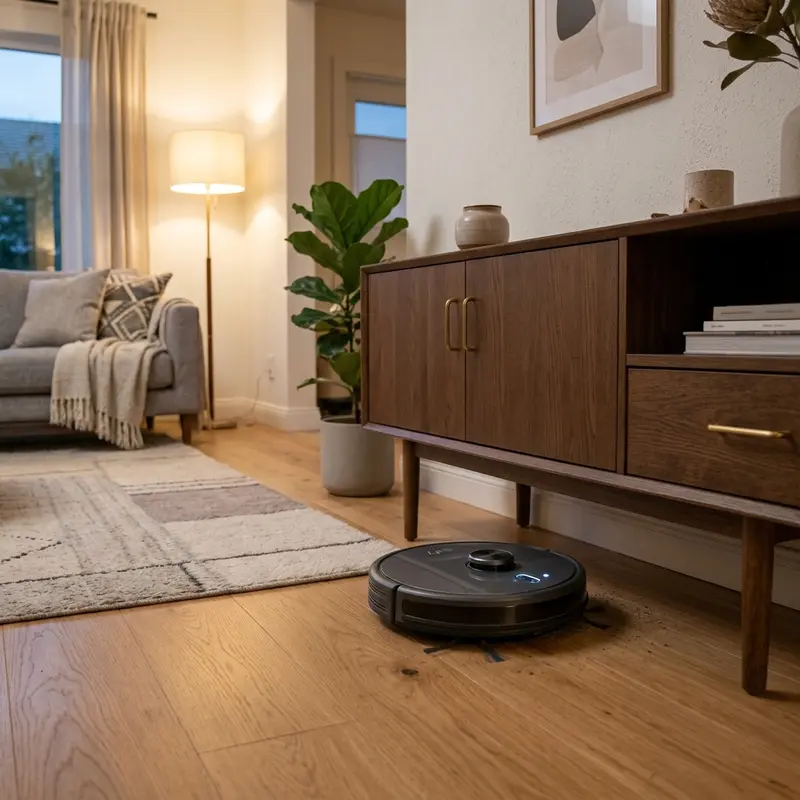
The Mondial Fast Clean robot vacuum cleaner is a popular choice for those looking to maintain a clean home with minimal effort. No entanto, como todos os dispositivos recarregáveis, sua bateria pode se degradar com o tempo, levando a problemas de desempenho. If you've noticed that your vacuum runs for less than ten minutes, the battery indicator turns red instantly, or it fails to charge on the base, it might be time to replace the battery. In this comprehensive guide, we will walk you through the step-by-step process of replacing the battery for various Mondial Fast Clean models, including RB-01, RB-07, RB-08, RB-09, and RB-11.
Before diving into the battery replacement process, ensure you have the necessary tools and the correct replacement battery on hand. With a medium Phillips screwdriver and a compatible battery, you’ll be able to restore your vacuum’s performance in no time.
Understanding Battery Degradation
Before we jump into the steps, it’s crucial to understand how to recognize when your battery is degrading. Aqui estão alguns sinais comuns:
- Runtime Drops: If your vacuum cleaner runs for less than 10 minutes before needing a recharge, it’s a clear indication of battery degradation.
- Battery Indicator Issues: If you notice the battery indicator turns red instantly, it suggests that the battery is no longer holding a charge properly.
- Charging Problems: If your vacuum fails to charge while docked on its base, this could also signal a battery issue.
Tools Required for Battery Replacement
Before beginning the battery replacement process, ensure you have the following tools:
- Medium Phillips screwdriver
Step-by-Step Battery Replacement Process
Step 1: Toggle the Master I/O Power Switch
To ensure safety while working on your vacuum, the first step is to turn off the power. Locate the master I/O power switch underneath your robot vacuum and toggle it to the OFF position. This will prevent any accidental activation during the battery replacement process.
Step 2: Flip the Vacuum Upside Down
Next, carefully flip your vacuum cleaner upside down. This will give you access to the battery hatch where the old battery is located. Make sure to place it on a soft surface to avoid scratches.
Step 3: Unbolt Battery Hatch Screws
Using your medium Phillips screwdriver, unscrew the screws that secure the battery hatch. Keep the screws in a safe place, as you will need them for reassembly later. Make sure not to lose any screws during this process.
Step 4: Lift the Protection Cover Plate
Once the screws are removed, gently lift the protection cover plate to expose the battery compartment. Be careful not to apply too much force, as this could damage the cover.
Step 5: Unplug the Harness Connector
Now, it’s time to disconnect the old battery from the vacuum. Locate the harness connector that connects the battery to the vacuum. Firmly grasp the connector and pull it out without tugging on the wires. This will prevent any damage to the wiring.
Step 6: Connect the New Replacement Battery
Take your new replacement battery, ensuring it matches the specifications of your previous battery (either 14.8V or 7.4V Li-ion battery pack). Carefully plug the harness connector into the new battery, ensuring a snug fit.
Step 7: Re-secure the Hatch Cover Screws
With the new battery in place, it’s time to reassemble the vacuum. Carefully replace the protection cover plate and secure it with the screws you removed earlier. Ensure that the screws are tightened, but avoid over-tightening, which can damage the plastic.
Step 8: Initial Charge Cycle
After successfully replacing the battery, it’s crucial to perform an initial charge cycle. Place the vacuum back on its charging base and allow it to charge for a mandatory 12 hours. This ensures that the new battery is calibrated properly, providing optimal performance.
DomineTec Tech Tip: Always use a battery that is specifically designed for your Mondial Fast Clean model to avoid compatibility issues and ensure safety.
Battery Specifications Comparison
| Model | Voltage | Capacity | Battery Type | Runtime (Approx.) |
|---|---|---|---|---|
| RB-01 | 14.8V | 2600mAh | Li-ion | 60-90 mins |
| RB-07 | 14.8V | 2600mAh | Li-ion | 60-90 mins |
| RB-08 | 7.4V | 2200mAh | Li-ion | 50-80 mins |
| RB-09 | 14.8V | 2600mAh | Li-ion | 60-90 mins |
| RB-11 | 14.8V | 2600mAh | Li-ion | 60-90 mins |
Advanced Troubleshooting Tips
If you're experiencing persistent issues with your Mondial Fast Clean vacuum even after replacing the battery, consider the following advanced troubleshooting techniques:
- Check for Software Updates: Sometimes, performance issues can stem from outdated firmware. Visit the manufacturer's website to check for any available updates for your vacuum model.
- Inspect the Charging Dock: Ensure that the charging dock is clean and free of debris. Dust or dirt can interfere with the charging process. Use a soft cloth to clean the connectors on both the dock and the vacuum.
- Test with a Multimeter: If you're comfortable with electronics, use a multimeter to check the voltage output of the charging dock. If it’s below the required level, the dock may need to be repaired or replaced.
- Check for Obstructions: Regularly inspect the vacuum’s brushes and wheels for hair or debris that could impede movement. Blocked pathways can affect the vacuum's efficiency and battery life.
Alternative Settings for Optimal Performance
To maximize the lifespan and efficiency of your Mondial Fast Clean vacuum, consider the following alternative settings and best practices:
- Adjust Cleaning Modes: Utilize different cleaning modes based on your needs. For instance, use a more intensive mode for deep cleaning carpets and a lighter mode for hard floors to conserve battery life.
- Schedule Regular Maintenance: Regularly clean the filters and brushes. A clogged filter can reduce suction power and battery efficiency. Schedule maintenance every month for optimal performance.
- Limit Use on High-Pile Carpets: If your vacuum struggles on high-pile carpets, consider using it primarily on hard surfaces or low-pile carpets to preserve battery life.
- Store Properly: When not in use, store the vacuum in a cool, dry place. Avoid leaving it in areas with extreme temperatures, as this can negatively impact the battery's health.
Long-Term Care Tips for Your Robot Vacuum
To ensure the longevity of your Mondial Fast Clean vacuum and its battery, follow these long-term care tips:
- Regular Battery Calibration: Every few months, allow the vacuum to run until the battery is completely drained before recharging it fully. This can help recalibrate the battery, ensuring it maintains its capacity.
- Use the Right Charger: Always use the charger that came with your vacuum. Using third-party chargers can lead to inconsistent charging and potential damage to the battery.
- Monitor Battery Health: Keep track of how long your vacuum runs on a full charge. If you notice a significant drop in performance, it may indicate that the battery is aging and needs to be replaced.
- Read the Manual: Always refer to the user manual for specific care instructions and recommendations from the manufacturer. This can provide insights into proper maintenance techniques and troubleshooting advice.
Conclusion
Replacing the battery in your Mondial Fast Clean robot vacuum is a straightforward process. By following the steps outlined above, you can ensure that your vacuum continues to perform optimally. Always remember to handle the battery with care and use a compatible replacement to maintain the longevity of your device.
If you're looking to enhance your home technology further, consider exploring external SSD options for faster data storage, or check out our guide on how to translate entire PDF files for free.
Frequently Asked Questions (FAQ)
1. How do I know if my vacuum battery needs replacement?
If your vacuum runs for less than 10 minutes, the battery indicator turns red instantly, or it fails to charge, it’s time for a replacement.
2. Can I use any battery for my Mondial Fast Clean vacuum?
No, it is essential to use a battery specifically designed for your model to avoid compatibility issues and ensure safety.
3. What should I do if the vacuum doesn’t turn on after battery replacement?
Ensure that the battery is connected properly and that the power switch is toggled to the ON position. If issues persist, check the connections and consider consulting customer support.
4. How often should I replace the battery?
Typically, a battery lasts 1-2 years depending on usage. Regularly monitor the vacuum’s performance for signs of battery degradation.
5. Can I dispose of the old battery in the regular trash?
No, batteries contain hazardous materials and should be disposed of at designated recycling centers. Check local regulations for battery disposal.






