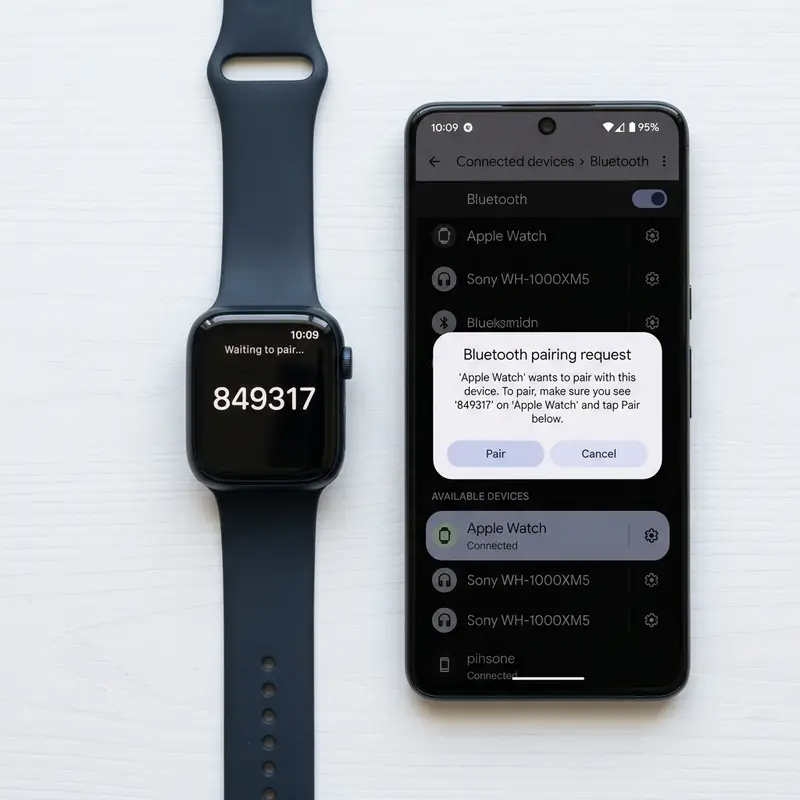
How to Install and Use Official WhatsApp on Galaxy Watch
For years, smartwatch owners had to rely on mirrored notifications and quick templates to reply to WhatsApp messages on their wrists. However, the release of the official WhatsApp application for Google's WearOS platform has changed the game. If you own a Samsung Galaxy Watch (Galaxy Watch 4 series or newer), you can now enjoy a complete, independent messaging experience directly from your wrist.
To install and use official WhatsApp on your Galaxy Watch, open the Google Play Store directly on your watch screen, search for the official WhatsApp app, and tap install. Once installed, launch the application to generate an 8-character verification code on the screen. On your smartphone, navigate to the Linked Devices menu in WhatsApp, select link device, enter the code from the watch, and wait for your conversations to sync over Wi-Fi or LTE. This allows you to read messages and reply using voice or text independently.
If you also want to troubleshoot or manage other devices in your home, check out our detailed guides on como reiniciar apple watch travado or learn about syncing wellness trackers in our tutorial on como conectar mi band no celular android.
1. Compatibility Requirements for WhatsApp on WearOS
Although WhatsApp is available on wearables, it has technical operating system requirements that exclude older Samsung smartwatches. The official application requires a smartwatch running WearOS 3.0 or later. As a result, older Tizen-based models like the Galaxy Watch Active 2 and Galaxy Watch 3 are not compatible and will continue to rely on basic notifications.
Compatible models include the Galaxy Watch 4, Galaxy Watch 4 Classic, Galaxy Watch 5, Galaxy Watch 5 Pro, Galaxy Watch 6, Galaxy Watch 6 Classic, Galaxy Watch 7, and Galaxy Watch Ultra. Additionally, your paired smartphone must run Android with the latest version of WhatsApp installed.
2. Step-by-Step Installation Process on Galaxy Watch
Downloading and installing the app is simple and uses the Play Store. Ensure your watch is connected to a stable Wi-Fi network before beginning to speed up the process.
Follow these steps to install the app:
- Swipe up on the main watch face to access the application menu.
- Tap the Google Play Store icon.
- Tap the search bar and type "WhatsApp".
- Select the official WhatsApp Messenger app developed by Meta Platforms, Inc.
- Tap Install to download the application files to the watch's internal storage.
3. Feature Synchronization and Access Matrix
| WhatsApp Feature | Supported on WearOS | Method of Operation on Wrist |
|---|---|---|
| Send Text Messages | Yes | Using the onscreen virtual keyboard or speech-to-text dictation |
| Send Voice Messages | Yes | Recording directly via the integrated microphone on the watch |
| Listen to Voice Messages | Yes | Playing audio output through the built-in watch speaker |
| Voice and Video Calls | No (Alerts only) | Incoming calls show on screen but must be answered on the phone |
| Standalone Mode (LTE) | Yes | Works without your phone nearby on active cellular models |
4. Pairing Your Account and Syncing Chats
Once the app is installed, you must link it to your active WhatsApp account on your phone to synchronize your recent chat history.
To link your devices:
- Open the WhatsApp app on your Galaxy Watch.
- The screen will display a welcome page and generate an 8-character pairing code.
- Open WhatsApp on your Android phone.
- Tap the three vertical dots (Settings) in the top-right corner and select Linked Devices.
- Tap Link a Device and authenticate using your phone's fingerprint or PIN.
- Tap Link with phone number instead at the bottom of the screen and enter the 8-digit code shown on the watch.
- Wait a few moments while your recent chats sync to your Galaxy Watch.
5. Standalone Messaging via LTE connection
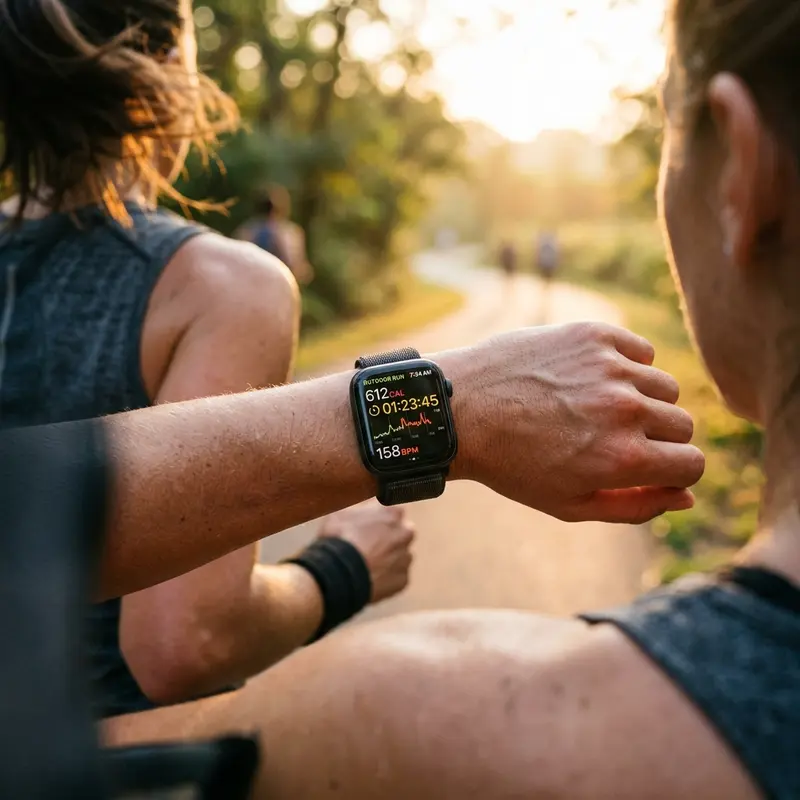
If you own an LTE version of the Galaxy Watch and have an active eSIM profile with your mobile carrier, the WhatsApp application will function independently. You can leave your smartphone at home when going for a run or outdoor activity and still receive, read, and reply to messages using your watch's active cellular connection.
6. Improving the Onscreen Keyboard Experience
Typing text on the small circular display of a Galaxy Watch can be difficult. To improve your typing speed, consider replacing the default Samsung keyboard with Google's Gboard app, available for free on the watch's Play Store. Gboard features glide-typing support and reliable voice recognition, making it easier to type longer messages.
7. Cleaning App Cache to Free Up Memory
Because the WhatsApp app stores localized databases and media caches on the watch (such as contact profile pictures and voice messages), it can consume significant internal memory. If you are running low on storage, go to Settings > Apps > WhatsApp > Storage and tap "Clear Cache" to delete temporary files without logging out of your account.
8. Battery Drain Management for Background Services
Keeping the WhatsApp client active on WearOS requires background sync services to listen for incoming messages. To prevent this from draining your Galaxy Watch battery, you can limit notifications. Go to Settings > Notifications > App Notifications and select only critical individual chats, blocking alerts from busy group chats that send constant messages.
Network Independence and Connectivity Options (LTE versus Wi-Fi)
Using the standalone WhatsApp application on a Galaxy Watch requires choosing the right connectivity mode. LTE-enabled Galaxy Watch models with an active eSIM profile allow you to send messages, stream audio notes, and make voice calls directly from your wrist, even if your phone is off. Wi-Fi-only models require a stable local Wi-Fi connection or a constant Bluetooth link to your paired smartphone, meaning you cannot send messages independently during outdoor workouts without a connection.
Managing Audio Caches and Watch Storage Limitations
Because the native WhatsApp app caches voice notes, profile pictures, and small media attachments directly to the Galaxy Watch's internal flash storage, it can consume a large portion of the device's memory. With limited storage space on WearOS wearables, users should manage their space to avoid system slowdowns. Access the WearOS storage manager, find WhatsApp, and clear its cached database files to delete old voice clips that have already been played.
Customizing Quick Replies and Speech-to-Text Inputs on WearOS
Replying to incoming messages on a small smartwatch screen can be challenging. To streamline communication, configure custom text shortcuts in the companion app. Additionally, utilize the built-in Samsung or Google Gboard speech-to-text engines to dictate responses quickly. This converts voice input into clean text files instantly, providing a hands-free method to reply to chats on the go.
Fixing Message Sync Latency Between Watch and Smartphone
If the WhatsApp chats on your Galaxy Watch lag behind your phone's inbox, background processes may be restricted. Ensure that WhatsApp is excluded from battery-saver limits on your smartphone and that mobile data permissions are enabled. Toggling Bluetooth off and on or restarting both devices re-establishes the connection, resolving message synchronization delays.
Compiler Optimizations and Application Execution in Resource-Constrained Environments
To run applications smoothly on limited smartwatch hardware, developer suites use Ahead-of-Time (AOT) compilation. This converts source code into native machine code instructions before application launch, reducing CPU cycles during runtimes. Wearable operating systems like WearOS also use layout optimizers to make sure rendering circular UI elements does not overload system RAM, preventing lag when running media players.
The Role of MEMS Accelerometers in Complex Motion Tracking
Micro-Electromechanical Systems (MEMS) accelerometers built into modern smartwatches measure linear acceleration along three orthogonal axes. These tiny silicon components detect minute voltage shifts generated by the swing of a user's arm. Proprietary sensor-fusion algorithms analyze these analog signals and apply Fourier transforms to filter out environmental vibrations, such as typing or driving. This mechanical parsing prevents the system from logging false steps, saving processing cycles for the main CPU cores and drastically reducing battery drain during standby periods.
Chemical Degradation of Lithium-Ion Batteries Under Thermal Stress
Small-scale lithium-ion cells used in wearable electronics undergo rapid physical degradation when subjected to persistent heat. The chemical charging cycle generates internal resistance that, if not radiated through the aluminum or ceramic case, damages the solid electrolyte interphase (SEI) layer. This reduces the anode's ability to host lithium ions. Furthermore, utilizing low-quality chargers that introduce voltage spikes accelerates lithium plating on the electrodes, increasing the risk of cell swelling and sudden battery drops.
The Evolution of Bluetooth Low Energy (BLE) Protocol Implementations
Bluetooth Low Energy (BLE) has changed how smartwatches sync telemetry logs with mobile hosts by prioritizing energy conservation over high-bandwidth transfers. BLE keeps the radio transceiver in a low-power sleep state, waking it up to broadcast small health telemetry packets during brief connection intervals. If a mobile operating system alters these connection intervals, it can cause delayed notification deliveries on the watch face or disrupt the wireless connection entirely.
Applying Kalman Filters to Sensor Fusion for Clean Heart Rate Tracking
Optical photoplethysmography and motion sensor data are merged in real time using Kalman filters and sensor-fusion algorithms. This mathematics calculates the user's pulse rate by subtracting motion-induced noise, such as the impact of steps during running. Without this dynamic noise filtering, the optical sensor's LED feedback would be corrupt, showing inaccurate spikes that would throw off estimations of physical stress, VO2 max metrics, and recovery estimates.
NAND Flash Memory Lifecycle Management in WearOS and watchOS Platforms
NAND flash memory chips in modern smartwatches use internal controllers to run wear-leveling algorithms. Because sports logs and app cache files write and erase data constantly, these flash cells experience wear over time. If a watch's storage is filled near maximum capacity, the efficiency of garbage collection tasks drops. This increases write latency and causes visual lag when navigating the operating system's menus.
Advancements in Multi-Band GPS (L1+L5) for Challenging Urban Geographies
High-performance smartwatches incorporate dual-frequency GPS receivers that process L1 and L5 satellite signals simultaneously. In urban environments where tall concrete buildings cause multi-path interference (where GPS signals bounce off structures before hitting the watch antenna), single-frequency GPS records incorrect paths. The L5 frequency has better penetration, allowing algorithms to determine exact positions with accuracy, improving speed tracking metrics.
Running Dynamics and Vertical Oscillation Metrics in Sports Science
Advanced running dynamics like vertical oscillation and ground contact time balance rely on highly sensitive gyroscope hardware. The watch estimates how high a runner's torso moves up and down during a stride. Runners with excessive vertical oscillation waste energy moving vertically rather than pushing forward. Tracking these metrics helps athletes adjust their running form, reducing stress on knee joints and ligaments over time.
Understanding Reflective Optical Spectroscopy in SpO2 Pulse Sensors
The blood oxygen saturation (SpO2) sensor in modern wearables uses reflective optical spectroscopy. The sensor emits red light (approx. 660 nanometers) and infrared light (approx. 940 nanometers) through the skin. Oxygenated hemoglobin absorbs more infrared light, whereas deoxygenated hemoglobin absorbs more red light. By calculating the ratio of reflected light captured by the photodiode array, the onboard processor estimates blood oxygen saturation levels.
Frequently Asked Questions (FAQ)
1. Does WhatsApp on the Galaxy Watch work if my phone is turned off?
Yes. If you have an LTE-enabled Galaxy Watch with an active cellular connection, the app will connect directly to Meta's servers to send and receive messages even if your phone is off.
2. Can I make voice calls directly from WhatsApp on the watch?
No. The WearOS WhatsApp client does not support making or answering voice or video calls directly. The screen will only display notifications for incoming calls.
3. Why isn't my Galaxy Watch showing the 8-digit pairing code?
This is usually due to network connectivity issues. Verify that your watch is connected to Wi-Fi and that the WhatsApp application on your phone is updated. If the issue persists, restart both devices.
4. How do I log out of WhatsApp on my Galaxy Watch?
To log out, open WhatsApp on your watch, scroll down to settings, and select Log Out. Alternatively, open WhatsApp on your phone, go to Linked Devices, select the watch, and tap Log Out.
5. Is WhatsApp compatible with the Galaxy Watch Active 2?
No, the Galaxy Watch Active 2 runs Tizen OS. The official WhatsApp application requires devices running WearOS 3.0 or later.




