How to Clean Sensors on Xiaomi Mi Robot Vacuum Cleaner
If your Xiaomi Mi Robot vacuum cleaner (Essential, Mop 2, Mop 3, or Roborock series) displays "sensor blocked" error alerts, refuses to clean dark-colored carpets, or drives backward repeatedly, here is the direct hardware diagnosis: fine dust build-up on the acrylic windows of the underside cliff sensors, side wall sensors, and LiDAR lenses blocks active infrared beams and laser reflections. Wiping these sensors clean with 99% isopropyl alcohol and re-calibrating height values in the Mi Home app resolves navigation errors without disassembling the chassis.
1. Sensor Array Architecture and Operation in Xiaomi Vacuums
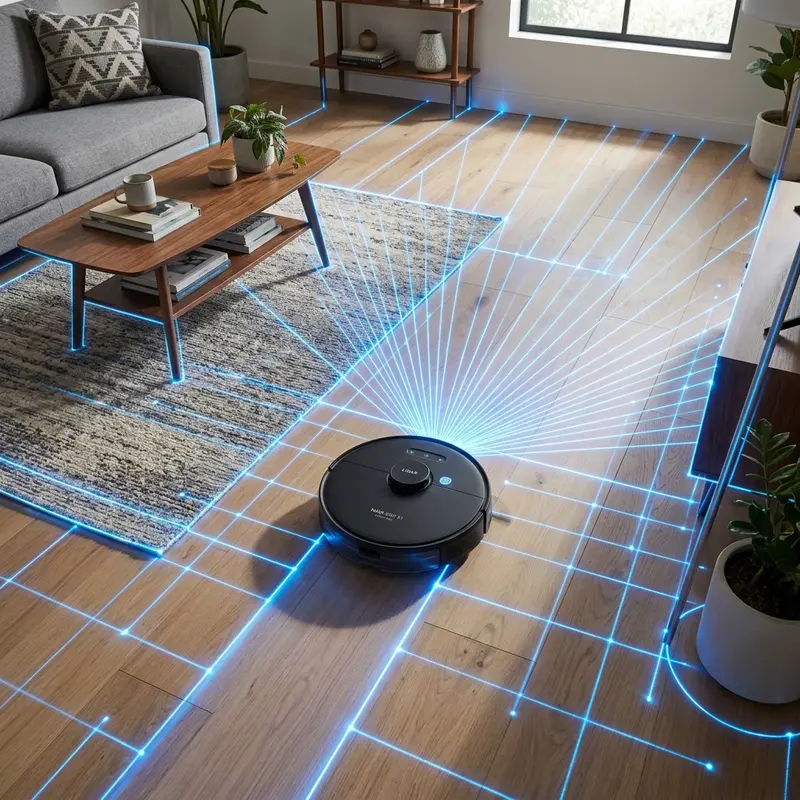
The Xiaomi robot vacuum ecosystem integrates a high density of optical sensors to process real-time spatial telemetry. The motherboard runs a SLAM algorithm based on input from these components. Understanding the function of each sensor is essential for maintenance:
- Cliff Sensors (Underside): Located under the front and side edges (4 to 6 sensors depending on the model). They use infrared (IR) light-emitting diodes and phototransistor receivers to measure the height from the floor. If a step is detected, the beam reflection fails to return, forcing a reverse;
- Wall Sensor (Side): Located on the right side of the bumper, it measures the distance to walls, allowing the vacuum to clean close to baseboards at a fixed distance of 10 mm;
- LiDAR LDS Laser Turret (Top): The rotating laser scanner rotates 360 degrees on top of the robot, scanning distances up to 1,800 times per second to build the map layout;
- Optical Flow / Camera Sensors: Positioned on the front or underside of camera-enabled models, they track ceiling or floor texture patterns to prevent drift.
To compare these sensors with other systematic vacuums, read our guides on how to map house with KaBuM 700 vacuum or see the review of whether the KaBuM! Smart 500 is worth it.
2. Sensor Cleaning Guide and Maintenance Intervals Table
The reference table below describes where each optical sensor is located on Xiaomi vacuums, the recommended cleaning schedule, and correct cleaning materials:
| Xiaomi Sensor | Chassis Location | Cleaning Frequency | Correct Cleaning Materials | Symptoms of Dust Build-up |
|---|---|---|---|---|
| Cliff Sensors | Underside front border | Bi-weekly | Dry cotton swab or isopropyl alcohol | Drives backward, halts, or shows drop-off error. |
| Wall Sensor | Front right side panel | Monthly | Dry microfiber cleaning cloth | Bumps hard into furniture on the right side. |
| LiDAR LDS Laser | Top rotating turret | Monthly | Compressed air, lint-free cotton swab | Maps disappear in app or robot spins on spot. |
| Charging Contacts | Bottom rear plates | Monthly | Pencil eraser or isopropyl alcohol | Fails to charge when docked on base. |
3. Cleaning Underside Cliff Sensors Step by Step
Always clean the cliff sensors gently. Scratches on the clear acrylic cover will refract the infrared light, triggering false drop-off warnings. Follow these maintenance steps:
- Power off the Xiaomi vacuum using the physical power button or the app, and remove it from the charging base;
- Place the vacuum upside down on a soft towel to protect the top LiDAR turret from weight stress;
- Locate the 4 to 6 rectangular acrylic window covers along the front edge of the chassis;
- Use a dry cotton swab to wipe away fine dust held by static charge from the nylon side brushes;
- For grease or damp soil build-up, dampen the swab with a drop of 99% isopropyl alcohol. Never use water or standard 70% rubbing alcohol, as moisture can seep through the adhesive seals and damage the infrared photodiode;
- Wipe the acrylic window in a circular motion. Dry the window immediately with the other end of the swab to prevent streaks;
- Inspect the windows to ensure they are transparent and dry. Flip the robot back over and power it on to test.
4. Troubleshooting Dark Carpet Issues and Sensor Calibration in Mi Home
If the cliff sensors are clean but the Xiaomi vacuum still stops on dark carpets (a common issue where black pigments absorb infrared beams, causing the CPU to assume a step is present), you must calibrate the sensors or map via the application:
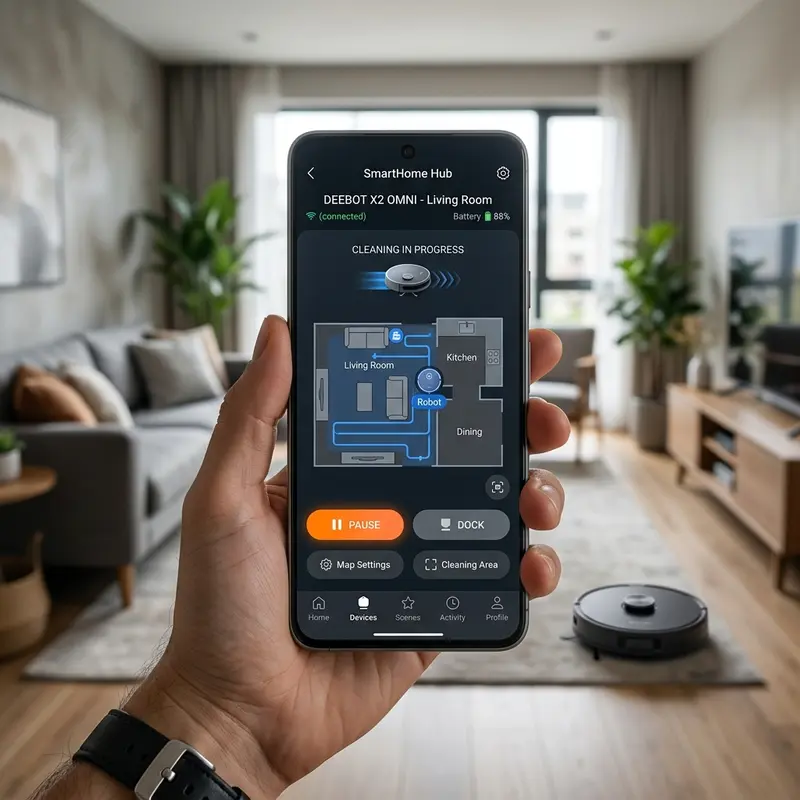
Launch the Mi Home app, select your vacuum cleaner, and navigate to Settings > Additional Settings > Sensor Calibration. Keep the vacuum on a flat, light-colored floor and follow the prompts to adjust the gain current on the phototransistors. If the warning continues, the infrared emitter diode has aged and the sensor module must be replaced by plugging a new sensor harness into the motherboard socket.
If your wireless security cameras also drop connection during cleaning runs, check our guide on how to share Smart Life camera to manage wireless settings.
Additionally, to keep robot maps loading smoothly on your phone, read our analysis of the best Wi-Fi router for security cameras, which covers setting up stable 2.4 GHz channels.
5. Cleaning the LDS LiDAR Rotating Laser Scanner
The top LDS LiDAR housing contains a laser diode and a CMOS optical receiver that spin on a belt-driven assembly. If dust settles on the optical lenses, the vacuum will report "LDS blocked" errors. Clean the optical openings by inserting a dry, lint-free cotton swab into the turret slits and gently wiping the lenses while rotating the assembly slowly by hand. Do not spray high-pressure compressed air directly into the sensor turret, as this can misalign the optical alignment, ruining the LiDAR module.
Physics of PSD Wall Sensors and LDS LiDAR Optical Engines
The side wall sensor on the Xiaomi robot vacuum utilizes PSD (Position Sensitive Detector) technology. Unlike standard proximity sensors that measure light intensity, PSD sensors calculate the angle of the returned infrared beam, measuring the actual distance to walls in millimeters. Dust build-up on the PSD lens distorts this angle, causing the vacuum to bump into walls or drive away from baseboards.
The LDS LiDAR turret projects a Class 1 near-infrared laser beam. The reflections are read by a high-speed CMOS image sensor inside the turret. If dust settles on the emitting or receiving lenses inside the turret, the vacuum cannot map rooms, resulting in LDS errors in the Mi Home app. Wiping the lenses inside the slits with a dry cotton swab keeps the laser pathway clear.
Recalibrating Optical Sensors via the Mi Home App
After wiping the sensors, recalibrate the height threshold settings inside the Mi Home application. This reset adjusts the infrared sensitivity limits, helping the vacuum navigate dark carpets without false cliff reports. Perform this calibration on a level, light-colored floor under normal indoor lighting.
Do not cover the cliff sensors with white tape or paper to bypass dark carpet issues. This disables step detection, exposing the vacuum to drop-offs on stairs and risking damage to the LiDAR turret and internal drive gearboxes.
Optical Tracking with the Underside Visual Flow Sensor
High-end Xiaomi robot vacuums feature an underside visual flow sensor (a low-resolution tracking camera). This sensor operates like an optical computer mouse, capturing thousands of images of the floor per second to calculate displacement vectors. If dust covers this lens, the vacuum loses linear tracking accuracy, drifting during systematic cleaning runs.
Wipe the glass lens of the visual flow sensor using a dry cotton swab or a drop of isopropyl alcohol. Do not apply heavy pressure, and ensure no cotton fibers remain on the plastic bezel, maintaining an unobstructed optical tracking pathway to the floor.
LiDAR LDS Laser Turret Motor and Belt Drive Maintenance
The LDS LiDAR scanner on the Xiaomi vacuum uses a small DC motor and a silicone drive belt to rotate the optical head at 5 revolutions per second. Over time, hair and dust fibers can get caught in the motor pulley, increasing friction. This friction wears down the silicone belt or burns out the small motor, causing the scanner to stop spinning and triggering LDS errors.
To inspect the LiDAR drive, remove the top turret cover screws. Verify the drive belt tension and clear any hair wrapped around the metal pulley. Applying a drop of light silicone oil to the motor spindle restores smooth rotation and prevents map synchronization errors in the app.
Cleaning the Bumper Proximity Sensors and Transceiver Windows
The front bumper of the Xiaomi vacuum houses a series of infrared proximity sensors protected by a dark acrylic panel. These sensors emit infrared light to detect furniture. If dust builds up on the panel, the light is blocked, causing the vacuum to bump into objects because it cannot gauge proximity.
Wipe the front bumper panel with a soft microfiber cloth weekly. Avoid chemical cleaners that can scratch the clear plastic, as scratches refract the infrared light and cause false obstacle reports, leading the vacuum to drive slowly or change path directions constantly.
Protecting Underside Optical Lenses from Scratches
The clear acrylic panels shielding the Xiaomi cliff sensors are sensitive to scratches. Wiping these lenses with coarse rags or abrasive cleaners can scratch the plastic, causing the infrared beam to scatter and triggering constant sensor errors.
Use clean microfiber cloths or soft cotton swabs to clean the sensors. For sticky soil, dampen the swab with a drop of 99% isopropyl alcohol and wipe dry immediately, keeping the plastic surface transparent for the infrared transmitter.
For network tips, check our guide on how to share Smart Life camera to secure local wireless settings.
Cleaning the LDS Optical Lenses and Emitter Diode
The rotating LDS LiDAR scanner on Xiaomi vacuums projects its laser beam through two narrow slits in the top plastic cover. If dust or spiderwebs block these openings, the laser suffers refraction, preventing the CPU from compiling 2D floor maps in the mobile application.
Carefully insert a dry, lint-free cotton swab into the turret slits to clean the glass lenses of the emitter and receiver. Avoid blowing high-pressure air directly onto the optics, as mechanical shock can misalign the lenses, requiring turret replacement.
See our guide on how to share Smart Life camera to configure local network safety settings.
Cleaning the Radar and Laser Distance Sensor (LDS) Cover
The top dome of the Xiaomi robot vacuum contains the rotating laser sensor used for real-time room mapping.
How Dust Accumulation Affects Active Infrared Light Transmissions
The active infrared cliff sensors under the Xiaomi chassis emit light at a 940nm wavelength. Fine dust coating the lenses acts as a light diffuser, scattering the beams and reducing the signal gain. This drop in gain causes the logic board to report false cliff warnings.
Wipe the acrylic covers with a dry microfiber cloth before cleaning cycles. Do not use wet paper towels, as wood fibers can scratch the plastic lens covers, permanently refracting the light and requiring sensor replacement.
Managing Cliff Sensor Calibration via the Mi Home App
If your Xiaomi vacuum still reports sensor errors after physical cleaning, a software recalibration might be needed. Navigate to the device settings inside the Mi Home application and check the sensor diagnostics panel. Starting a manual calibration loop on a flat, white surface resets the infrared threshold values, correcting false drop-off alarms.
Frequently Asked Questions (FAQ)
Should I use wet wipes on Xiaomi cliff sensor lenses?
No. Liquid cleaners can seep past the outer lens seals and short-circuit the internal photodiode board. Use dry microfiber cloths only.
Why does the Xiaomi Mi Robot get stuck on black carpets?
Dark fibers absorb infrared light rather than reflecting it. The cliff sensors fail to receive the returned beam and report a false drop-off error, halting the vacuum for safety.
Can I cover the cliff sensors with white tape?
Some users tape white paper over the cliff sensors to prevent black carpet halts. While this works, it disables cliff detection completely. If the robot has access to stairs, it will fall and break.
How do I clean the charging contact plates under the robot?
Rub the metal plates with a pencil eraser to remove dirt films. Wipe the terminals clean with a cloth dampened with isopropyl alcohol to ensure good electrical contact.
Conclusion
Cleaning your Xiaomi vacuum's cliff sensors and LiDAR lenses bi-weekly ensures accurate floor tracking and prevents navigation errors. Proper maintenance keeps the unit running smoothly on all compatible floor surfaces.




