How to Calibrate Z-Offset Using an Auto Bed Leveling Sensor on Any 3D Printer

Calibrating the Z-offset using an auto bed leveling sensor enhances print quality and ensures adhesion across all 3D printers.
How to Calibrate Z-Offset Using an Auto Bed Leveling Sensor on Any 3D Printer" loading="lazy"/>Understanding Z-Offset and Its Importance
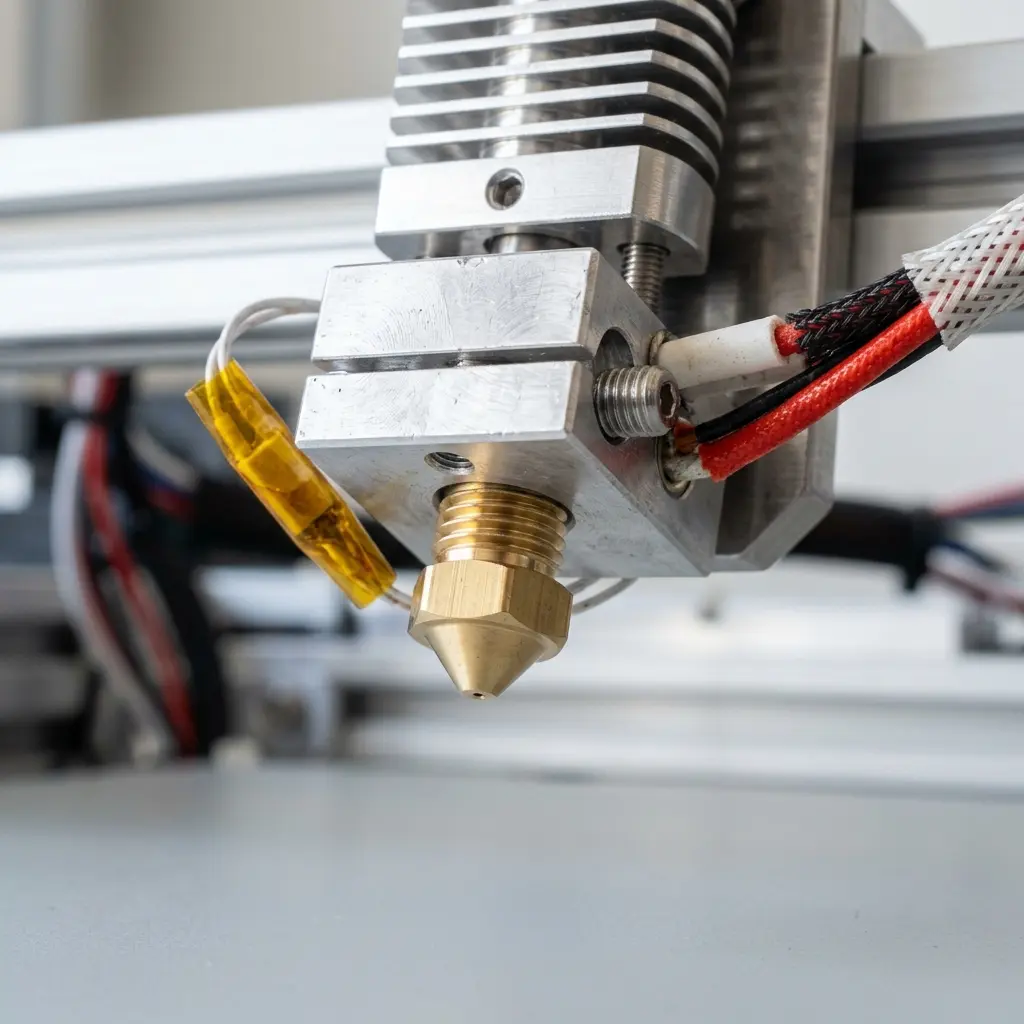
The Z-offset setting in 3D printing refers to the vertical distance between the nozzle and the print bed during the initial layer of printing.
Accurate Z-offset calibration is crucial because it directly impacts layer adhesion, print accuracy, and overall print quality.
Inadequate calibration can lead to issues such as poor first layer adhesion, resulting in failed prints.
Understanding the mechanics of Z-offset is essential for achieving optimal performance from a 3D printer.
How Auto Bed Leveling Sensors Work
Auto bed leveling sensors are devices installed on 3D printers to measure the distance between the nozzle and various points on the print bed.
These sensors provide feedback to the printer's firmware, allowing it to compensate for any unevenness in the print surface.
Different types of sensors utilize various technologies, such as inductive, capacitive, and laser-based systems.
Each sensor type has its advantages and disadvantages, which can influence the choice based on specific printing needs.
Steps to Calibrate Z-Offset with an Auto Bed Leveling Sensor
- Ensure the printer is turned off and the bed is clean.
- Install the auto bed leveling sensor according to the manufacturer's instructions.
- Connect the sensor to the printer's control board.
- Power on the printer and navigate to the settings menu.
- Initiate the auto bed leveling process from the printer’s interface.
- After leveling, move the nozzle to the center of the bed.
- Adjust the Z-offset value in the settings until the nozzle just touches the bed.
- Save the settings and perform a test print to verify adhesion.
Following these steps diligently will help ensure that the Z-offset is accurately calibrated, thus enhancing print quality.
Common Tools and Materials Required
To calibrate Z-offset effectively, certain tools and materials are essential. These include a digital caliper, a piece of paper for gap measurement, and a clean print bed.
Having the right tools can significantly simplify the calibration process and yield better results.
The digital caliper allows for precise measurements, while paper can serve as a feeler gauge to assess the nozzle gap.

Choosing the Right Filament for Optimal Results
The choice of filament can significantly influence print quality and the necessity of Z-offset adjustments. Different materials have varying characteristics.
For instance, PLA and ABS filaments have distinct adhesion properties, which may require tailored Z-offset settings.
When using PLA, a slightly higher Z-offset may be beneficial, while ABS may require a lower setting due to its tendency to warp.
Referencing the difference between pla and abs can be beneficial when selecting the appropriate filament for specific projects.

Testing and Fine-Tuning Your Z-Offset
After saving the Z-offset settings, it is vital to conduct test prints to ensure perfect results. A first layer calibration print can help in assessing the nozzle distance.
If the first layer is too squished or too high, adjustments can be made to the Z-offset incrementally until the desired result is achieved.
Utilizing a test print designed specifically for first layer calibration can provide valuable insights into how well the Z-offset is set.

Maintaining Your 3D Printer for Consistent Performance
Regular maintenance of the printer, including cleaning the nozzle and bed, can help maintain optimal performance. A clean nozzle minimizes clogs and ensures a steady filament flow.
Routine checks and cleaning of the auto bed leveling sensor can also enhance its accuracy and reliability.
Additionally, inspecting the print bed for any warping or debris can help ensure consistent results in every print.
Comparison of Different Auto Bed Leveling Sensors
| Sensor Type | Accuracy | Price Range | Ease of Installation |
|---|---|---|---|
| Inductive | High | $20 - $50 | Moderate |
| Capacitive | Medium | $15 - $40 | Easy |
| Laser | Very High | $30 - $100 | Challenging |
DomineTec Tip: Regularly check and recalibrate the Z-offset when switching between different filament types to ensure optimal adhesion and print quality.
Best Practices for Z-Offset Calibration
- Perform Z-offset calibration in an environment with stable temperature and humidity.
- Always ensure the print bed is level before proceeding with Z-offset adjustments.
- Use the same filament type during calibration as the one intended for the print.
- Document the Z-offset values for different filament types for future reference.
- Consider using a feeler gauge for more accurate measurements during calibration.
Frequently Asked Questions
What is the ideal Z-offset for 3D printing?
The ideal Z-offset varies depending on the printer and filament type, but generally, it should be set to allow the nozzle to be just above the print bed surface during the first layer.
How often should Z-offset be calibrated?
Z-offset should be calibrated whenever the print bed is adjusted, after changing the nozzle, or when switching filament types to maintain optimal print quality.
Can Z-offset affect print quality?
Yes, an incorrect Z-offset can lead to poor adhesion, warping, and layer shifting, significantly affecting the overall quality of the print.
Is it necessary to use an auto bed leveling sensor?
While not mandatory, using an auto bed leveling sensor simplifies the leveling process and enhances print accuracy, especially on uneven surfaces.
What to do if the auto bed leveling sensor fails?
If the sensor fails, manual bed leveling can be performed as a temporary solution. Regular maintenance and checking connections can prevent sensor issues.




