How to Calibrate PLA Flow Rate (Extrusion Multiplier) in Slicer for Accurate Walls

Calibrating the PLA flow rate, or extrusion multiplier, in your slicer ensures accurate wall thickness and print quality.
How to Calibrate PLA Flow Rate (Extrusion Multiplier) in Slicer for Accurate Walls" loading="lazy"/>Understanding PLA and Its Properties
Polylactic Acid (PLA) is one of the most popular 3D printing materials, known for its ease of use and eco-friendliness. Esteemed for being derived from renewable resources such as cornstarch or sugarcane, PLA is a biodegradable thermoplastic.
PLA is widely appreciated for its low warping characteristics and ability to produce detailed prints. Its low melting temperature makes it suitable for hobbyists and for beginners in 3D printing.
Despite its many advantages, its flow rate must be calibrated to achieve optimal results. This ensures that prints maintain the desired quality and precision.
What is the Flow Rate (Extrusion Multiplier)?
The flow rate, also referred to as the extrusion multiplier, determines how much filament is pushed through the nozzle during printing. It is crucial for achieving accurate dimensions and layer adhesion.
If the flow rate is set too high, prints may exhibit over-extrusion, leading to blobs and stringing. Conversely, a low flow rate can result in under-extrusion, causing gaps and weak layers.
Understanding the nuances of flow rate adjustments allows for improved print integrity and visual appeal. Accurate flow settings can significantly influence the final appearance and mechanical properties of the printed object.
Why Calibrate the Flow Rate?
Calibrating the flow rate is essential for achieving precise wall thickness and overall print quality. Accurate settings help ensure that the filament flows consistently, contributing to better surface finishes and dimensional accuracy.
Moreover, proper calibration can reduce material waste and enhance the mechanical properties of printed parts. This step is critical in the 3D printing process, impacting not only aesthetic but also functional attributes.
Neglecting flow rate calibration may result in prints that fail to meet specifications. Consequently, the calibration process should not be overlooked, especially for intricate designs.
Preparing for Calibration
Before calibrating the flow rate, certain preparations are necessary. Ensure that the 3D printer is clean, and the filament is loaded correctly.
Check the nozzle for any clogs, as this can affect extrusion.
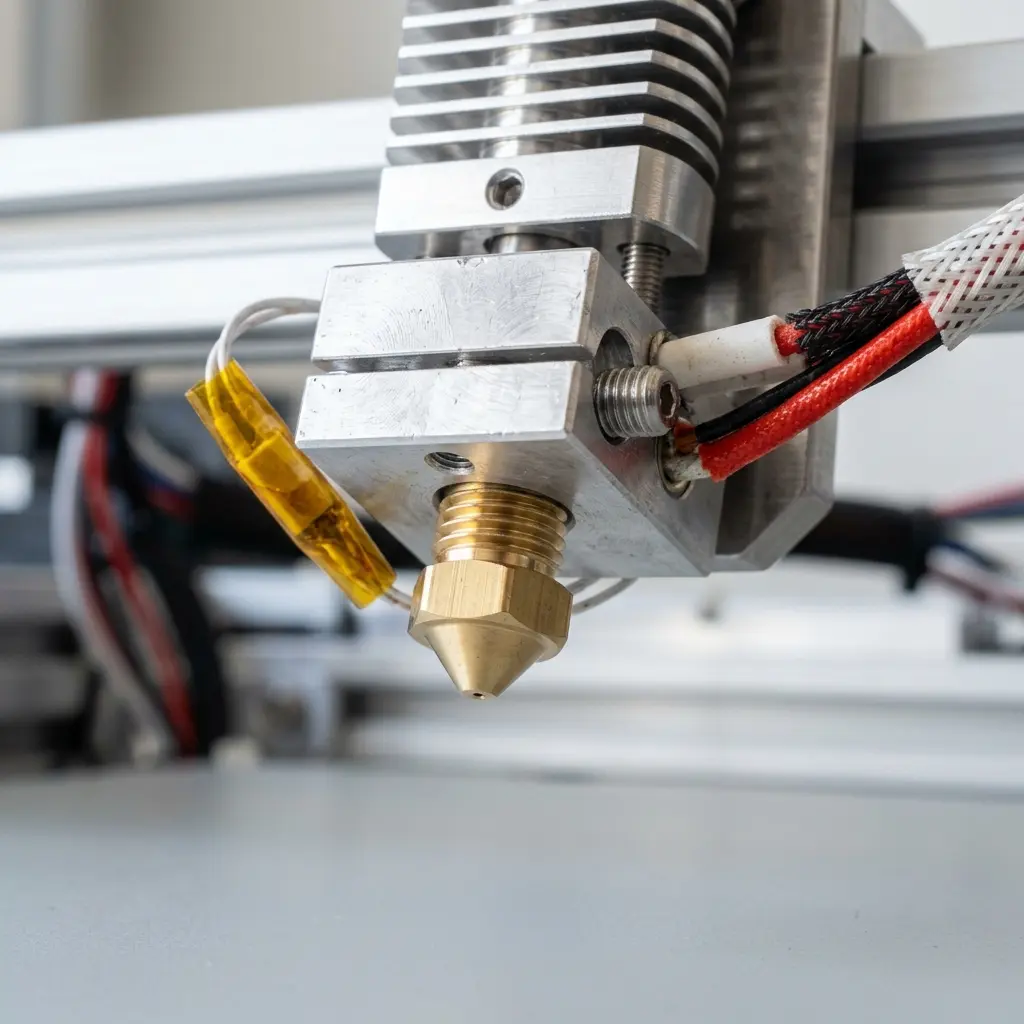
Additionally, verify that the bed is leveled and the temperature settings for the PLA filament are appropriate. Proper temperature settings can significantly impact flow consistency.
Inspect the filament for any signs of damage or inconsistencies. Any irregularities in the filament can affect extrusion and ultimately impact print quality.
Gather necessary tools such as calipers for measurement and a reliable slicer software for adjustments. Being well-prepared can streamline the calibration process and enhance accuracy.
Step-by-Step Guide to Calibrate the Flow Rate
Follow these steps to calibrate the PLA flow rate effectively:
- Print a calibration test object designed to test flow rate adjustments, such as a cube or a wall calibration model.
- Measure the actual wall thickness of the printed object using calipers.
- Compare the measured thickness to the intended thickness specified in your slicer settings.
- Calculate the new extrusion multiplier using the following formula: New Multiplier = (Measured Thickness / Intended Thickness) * Current Multiplier.
- Update the extrusion multiplier in your slicer settings.
- Reprint the calibration object to verify the adjustments.
Documenting your measurements and results is highly recommended. Keeping a log can help identify trends and areas needing future adjustments.
It may be beneficial to print multiple test pieces to verify consistency across different prints. This can enhance the accuracy of your calibration process.
Finding the Right Extrusion Multiplier
The standard extrusion multiplier for PLA typically ranges between 0.9 and 1.1, depending on the printer and filament brand. Adjustments may be needed based on individual setups.
It is advisable to start with the manufacturer's recommended flow rate and make incremental changes based on test results. This approach minimizes potential issues during the calibration process.
Documenting each calibration session helps track the adjustments made and their effects on print quality. This can streamline future calibrations and improve overall efficiency.
Consider creating a checklist for each calibration session to ensure all steps are followed consistently. This can help in refining the calibration procedure over time.
Common Issues and Troubleshooting
Various issues may arise during the calibration process. Over-extrusion can lead to excessive filament being laid down, causing prints to look messy.
Under-extrusion may create gaps in the print.

If problems persist, consider checking the following:
- Nozzle diameter settings should match the actual nozzle.
- Filament diameter must be accurately measured, as inconsistencies can lead to calibration errors.
- Ensure the slicer settings are compatible with the printer's capabilities.
- Verify the temperature settings, as incorrect temperatures can lead to extrusion issues.
- Inspect the filament path for any blockages or friction points that could impede flow.
In case of persistent issues, consider tightening or loosening the tension of the extruder gears. This adjustment may improve the grip on the filament.
Effective Use of Slicer Software
Utilizing slicer software effectively can greatly enhance the calibration process. Slicers like Cura and PrusaSlicer offer user-friendly interfaces for adjusting flow rates.
These programs often include features for visualizing layer height and wall thickness, aiding in fine-tuning the extrusion multiplier. Utilizing these visual tools can help in achieving desired print characteristics.

Always ensure that settings are saved after making adjustments. Consider using profiles specific to different filament types to maintain optimal settings for each material.
Explore the advanced settings in your slicer to uncover additional features that could assist in calibration. Features such as speed and retraction settings can also affect print quality.
Documenting Calibration Results
Keeping track of calibration results is crucial for maintaining consistent print quality. A simple spreadsheet can be used to record extrusion multipliers, test results, and observations.
This documentation can serve as a reference for future calibrations and assist in identifying trends that may require adjustments over time. Include columns for printer settings, filament types, and environmental conditions.
Utilize graphs or visual charts to identify patterns in your calibration data. This can help in making more informed decisions during future calibrations.
DomineTec Tip: Consider printing test objects with varying wall thicknesses to better understand how changes in the extrusion multiplier affect your prints.
Comparative Table of Filament Specifications
| Filament Type | Recommended Extrusion Multiplier | Common Printing Temperature | Density (g/cm³) |
|---|---|---|---|
| PLA | 0.9 - 1.1 | 190 - 220°C | 1.25 |
| ABS | 0.95 - 1.05 | 230 - 250°C | 1.04 |
| PETG | 0.95 - 1.1 | 220 - 250°C | 1.27 |
| TPU | 0.8 - 1.0 | 210 - 230°C | 1.20 |
| Nylon | 1.0 - 1.2 | 240 - 260°C | 1.15 |
Frequently Asked Questions
How often should the flow rate be calibrated?
The flow rate should be calibrated periodically, especially when changing filament brands or colors, or after maintenance of the printer.
Can I use the same flow rate for different filaments?
Using the same flow rate for different filaments is not recommended, as each material has unique properties that affect extrusion characteristics.
What is the impact of temperature on flow rate?
Temperature directly affects filament viscosity; higher temperatures can lead to smoother flow, while lower temperatures may cause jams or inconsistencies.
Is it necessary to calibrate for every print?
Calibration is not necessary for every print but should be performed after significant changes, such as a new filament type or major printer adjustments.
Can over-extrusion be fixed after printing?
Over-extrusion can be difficult to fix post-printing; however, adjustments can be made to future prints to ensure better results.




