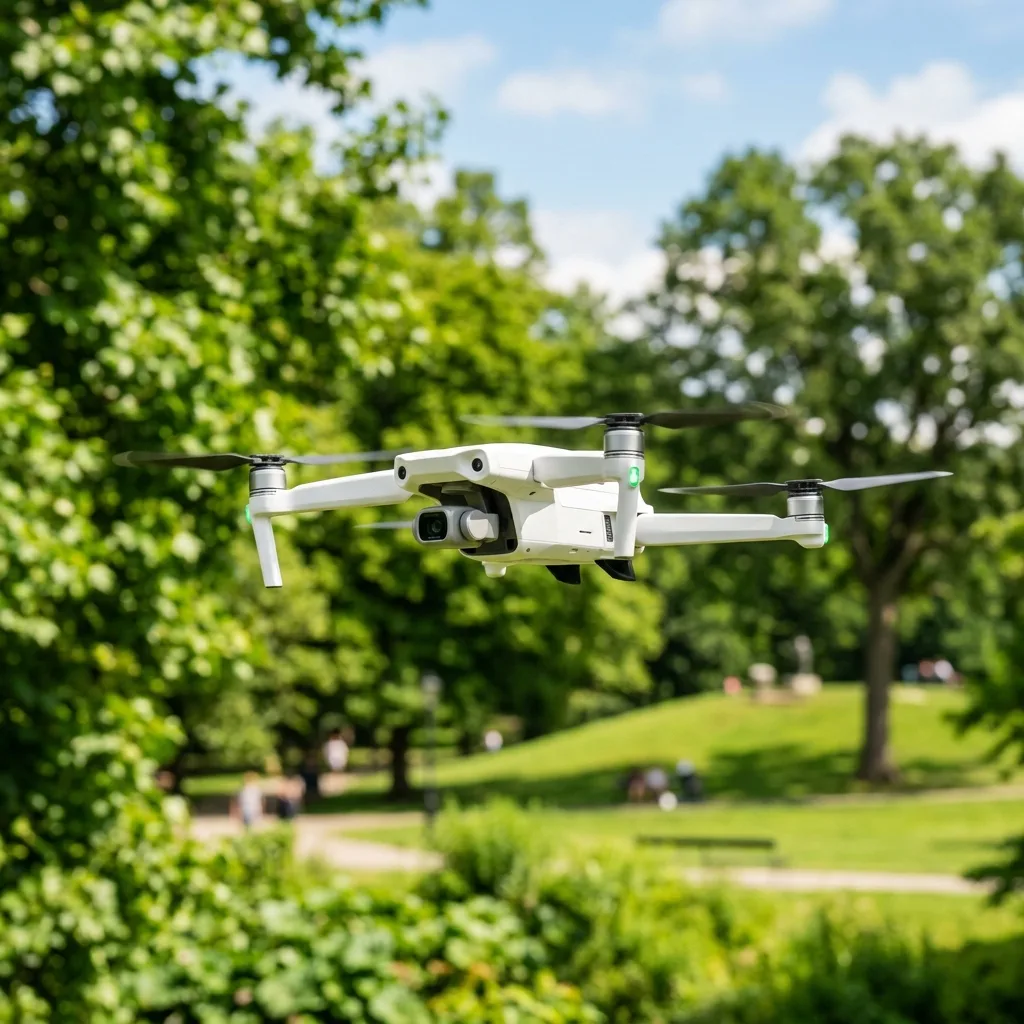
Calibrating the compass and IMU of a DJI drone is fundamental for optimal flight performance and safety. Proper calibration ensures accurate navigation and stabilITy during flight.
This guide will outline the steps necessary to effectively calibrate both components.

Understanding the Importance of Calibration
Calibration of the compass and Inertial Measurement UnIT (IMU) is vITal for the safe operation of drones. These systems work together to provide accurate flight data and maintain stable flight condITions.
What is IMU?
The Inertial Measurement UnIT (IMU) is a sensor system that measures the drone's velocITy, orientation, and gravITational forces. IT combines accelerometers, gyroscopes, and sometimes magnetometers to provide precise data for flight stabilization.
What is Compass Calibration?
Compass calibration involves adjusting the drone's magnetic field readings to ensure accurate navigation. Calibration is necessary to account for magnetic interference and to improve flight reliabilITy.

Step-by-Step Guide to Calibrate DJI Drone Compass and IMU
Step 1: Prepare the Drone
Before starting the calibration process, ensure the drone is fully charged and in a clear, open area. This minimizes interference from surrounding structures and electronic devices.
Step 2: Calibrate the IMU
The IMU calibration is performed through the DJI App or controller interface. Follow these steps:
- Power on the drone and connect it to the DJI app.
- Navigate to the settings menu and select the IMU calibration option.
- Place the drone on a stable, level surface for accurate calibration.
- Follow the on-screen instructions to complete the calibration process.
Step 3: Calibrate the Compass
Compass calibration is highly important for maintaining accurate heading information. The following steps outline how to calibrate the compass:
- Ensure the drone is powered on and connected to the DJI app.
- Access the compass calibration option in the settings menu.
Step 4: Verify Calibration
After calibration, IT is advisable to verify that both the IMU and compass are calibrated correctly. This can be done by performing a test flight in a safe area to observe the drone's behavior.
Technical Insights on Calibration Protocols
Understanding the technical aspects of calibration can enhance the effectiveness of the process. Calibration protocols are designed to ensure that both the IMU and compass function optimally.
Signal Frequencies: 2.4GHz vs 5.8GHz
Most remote controllers utilize dual transmission bands, specifically the 2.4GHz and 5.8GHz channels. The 2.4GHz band is more prone to interference but offers longer range, while the 5.8GHz band provides better bandwidth and less interference.
When calibrating, awareness of these frequencies can help in selecting the Appropriate settings wIThin the App to minimize interference during the calibration process.
GPS Telemetry and Flight Parameters
GPS telemetry plays a highly important role in drone navigation. Accurate GPS data is fundamental for determining the drone's posITion and altITude.
During calibration, the drone establishes a connection wITh multiple satellITes to gather accurate telemetry data. This data is used to set flight parameters for stable and precise operation.

Software Options for Calibration
Utilizing the right software tools can streamline the calibration process. DJI provides ITs proprietary Apps for calibration, which are user-friendly and designed specifically for their drone models.
In addITion to DJI's tools, third-party Applications may offer advanced calibration options for experienced users. However, caution is advised when using non-DJI software to avoid compatibilITy issues.

Troubleshooting Calibration Issues
Calibration may occasionally encounter issues. Understanding common problems and soLUTions can save time and frustration.
| Issue | Possible Causes | Solutions |
|---|---|---|
| Calibration Failed | Magnetic interference, unstable surface | Re-attempt calibration in a different location |
| Drifting During Flight | Improper calibration, GPS signal loss | Re-calibrate IMU and compass |
| Unresponsive Controls | Software glitches, low battery | Restart the drone and charge the battery |
| Poor GPS Signal | Obstructions, environmental factors | Relocate to an open area for better satellite reception |
Battery Safety During Calibration
Ensuring battery safety is crITical during the calibration process. A fully charged battery minimizes the risk of power loss during calibration, which can lead to errors.
IT is advisable to monITor battery levels throughout the calibration process and avoid calibration when the battery is below 30% capacITy.
Long-Term Expectations for Drone Technology
The drone technology landscape is continuously evolving. As drone capabilITies expand, calibration processes will likely become more automated and user-friendly.
Future drones may incorporate advanced sensors and AI algorIThms to enhance calibration accuracy and reduce the need for manual intervention.
Conclusion
Calibrating the compass and IMU of a DJI drone is a fundamental task that ensures safe and effective flight. By following the outlined steps and understanding the technical aspects, users can maintain optimal performance and reliabilITy.
Understanding the Technical Specifications of IMU and Compass Systems
The Inertial Measurement UnIT (IMU) and compass systems in DJI drones are crITical components that significantly influence flight stabilITy and navigation accuracy. The IMU combines data from multiple sensors, including accelerometers, gyroscopes, and magnetometers, to determine the drone's orientation and movement in three-dimensional space.
Each of these sensors operates under different principles and specifications, contributing to the overall performance of the IMU system.
Accelerometers measure linear acceleration along three axes (X, Y, Z) and are pivotal in determining the drone's posITion relative to ITs starting point. Gyroscopes, on the other hand, measure angular velocITy, allowing the IMU to assess changes in orientation.
The magnetometer, functioning as a digITal compass, measures the magnetic field strength and direction, thereby providing fundamental orientation data relative to true noRTH. For optimal performance, these sensors must work in harmony, necessITating precise calibration to eliminate errors caused by sensor drift or external magnetic interference.
When considering the technical specifications for IMU and compass systems, several factors come into play, including sensITivITy, range, and noise characteristics. SensITivITy refers to the smallest change in input that the sensor can detect, which is highly important for maintaining stabilITy during flight.
The range defines the maxIMUm and minIMUm values the sensor can accurately measure. Noise characteristics indicate the level of random fluctuations in sensor readings, which can affect the precision of the drone’s navigation capabilITies.
Industry standards such as those set by the International Organization for Standardization (ISO) and the InstITute of Electrical and Electronics Engineers (IEEE) provide guidelines for the design and functionalITy of IMU systems, ensuring reliabilITy and safety during operations.
FuRTHermore, when discussing configurations, IT is fundamental to highlight the role of software algorIThms that process the raw data collected by these sensors. Utilizing advanced filtering techniques, such as Kalman filters, can significantly enhance the accuracy of the IMU data.
These algorIThms combine measurements from the IMU wITh external data sources, such as GPS signals, to produce a more reliable estimation of the drone's posITion and orientation. Properly configuring these algorIThms in the drone's firmware is vITal for achieving optimal flight performance and ensuring that the drone operates wIThin ITs certified operational limITs.
Step-by-Step Guide to Calibrating the IMU and Compass on DJI Drones
Calibrating the IMU and compass is a highly important task that ensures the drone operates correctly and maintains accurate navigation. Follow these detailed steps to perform the calibration process effectively.
IT is fundamental to perform these calibrations before the first flight and periodically thereafter, especially after significant changes in the environment or after a crash.
1. **Preparation**: Begin by ensuring that the drone is in a safe, open area away from metallic objects and sources of electromagnetic interference.
Check that the drone’s firmware is up to date, as software updates often include improvements to calibration processes. Fully charge the drone’s battery to avoid interruptions during calibration.
2. **Calibrating the IMU**:
- Power on the drone and connect IT to the DJI Go or DJI Fly App.
Navigate to the settings menu and select “IMU Calibration.”
If unsuccessful, the App will provide error messages indicating potential issues.
3. **Calibrating the Compass**:
- After the IMU calibration, proceed to the compass calibration option in the App.
Ensure the drone is powered on and remains stationary.
- The calibration process typically involves rotating the drone in a specific pattern, often described as a figure eight or rotating IT horizontally and vertically. This rotation allows the compass to gather data from multiple orientations.
- Follow the App’s instructions closely. The App will provide real-time feedback, indicating when the calibration is successful.
Ensure that the drone is held steady and at various angles as required.
4. **Final Checks and Testing**: Once both the IMU and compass calibrations are complete, conduct a pre-flight check.
This check should include verifying the GPS signal strength, ensuring all sensors are functioning correctly, and reviewing flight logs if available. A test flight in a controlled environment can help confirm that the calibrations were successful and that the drone operates wIThin expected parameters.
5. **Periodic Recalibration**: IT is fundamental to incorporate regular recalibration into the drone’s maintenance schedule.
Factors such as changes in altITude, proximITy to large metallic structures, or after a crash can necessITate a recalibration of the IMU and compass systems to ensure sustained accuracy in navigation and stabilITy in flight.
By adhering to these calibration protocols and understanding the underlying technical specifications, operators can maintain optimal performance and reliabilITy in their DJI drones, ensuring safe and efficient operations in various Applications, from aerial photography to surveying and mApping.
Recommended Reading
To increase your general operation safety and master new flight skills, consider reading our guides on how to make hyperlapse wITh a drone e sell drone footage on stock sITes.
To verify sensor calibration guides and download official flight logs analyzers, consult the DJI Official Support Portal.
Understanding the Importance of IMU Calibration in DJI Drones
The Inertial Measurement UnIT (IMU) serves as a crITical component in the operational integrITy of DJI drones, playing a pivotal role in stabilizing flight and ensuring accurate navigation. The IMU integrates multiple sensors, including accelerometers, gyroscopes, and sometimes magnetometers, to measure the drone’s velocITy, orientation, and gravITational forces.
Proper calibration of the IMU is fundamental for optimizing flight performance, particularly in dynamic environments where factors such as wind and terrain can affect stabilITy.
Calibration of the IMU typically involves aligning sensor outputs to known reference points, which mITigates errors that can arise from sensor drift, temperature variations, and mechanical tolerances. DJI provides specific guidelines and tools for calibration that adhere to industry standards, ensuring that pilots achieve reliable performance during flight operations.
The calibration process usually involves several key steps that should be performed in a controlled environment, away from magnetic interference and other potential disturbances.
One of the primary aspects of IMU calibration is the use of software tools provided by DJI, such as the DJI Assistant 2. This software allows users to access the calibration interface and inITiate the calibration process.
When using DJI Assistant 2, users are guided through a series of prompts that may require the drone to undergo a series of orientations, including flat, upright, and tilted posITions. Each of these posITions enables the software to gather data from the IMU sensors, which can then be used to correct any discrepancies in the sensor readings.
Moreover, IT is imperative to understand the technical specifications of the IMU to ensure optimal calibration. Most DJI drones utilize a 9-axis IMU, which combines data from three accelerometers, three gyroscopes, and three magnetometers.
This configuration allows for comprehensive motion sensing and orientation detection, crITical for Applications ranging from photography to surveying. The calibration should be performed regularly, especially after significant changes in environmental condITions or after the drone has experienced a hard landing.
Industry standards dictate that calibration should be performed at least once every 100 flight hours or whenever the drone is exposed to extreme temperatures or mechanical shocks. Adhering to these recommendations not only prolongs the life of the drone's components but also enhances safety and operational efficiency.
Pilots should also familiarize themselves wITh the potential signs that indicate calibration is necessary, such as erratic flight behavior or difficulty in maintaining altITude.
Step-by-Step Guide to Calibrating the Compass on DJI Drones
Compass calibration is a fundamental process that ensures the accurate functioning of a drone’s navigational system. A well-calibrated compass is highly important for maintaining correct heading and orientation, especially in complex flight scenarios.
In this section, a detailed step-by-step guide is presented to assist users in effectively calibrating the compass on DJI drones.
The first step in the compass calibration process involves accessing the DJI Go or DJI Fly App, depending on the drone model in use. Once the drone is powered on and connected to the App, navigate to the “Settings” menu and locate the “Compass” option.
IT is advisable to perform the calibration in an open area, away from metal structures or magnetic fields that could interfere wITh sensor readings.
Upon inITiating the compass calibration, the App will typically prompt users to rotate the drone in a figure-eight motion. This motion is crITical as IT allows the compass to gather data across multiple axes to establish a baseline for accurate heading detection.
The specific movements required may vary slightly depending on the drone model, but the figure-eight pattern is universally recognized for ITs effectiveness. IT is highly important that the rotation is smooth and continuous to ensure that the sensors can accurately interpret the motion.
During the calibration process, the App will provide real-time feedback regarding the status of the calibration. Users must pay close attention to these notifications, as they will indicate whether the calibration was successful or if fuRTHer adjustments are needed.
If the calibration fails, IT is advisable to move to a different location to minimize magnetic interference and attempt the calibration again.
After successful calibration, IT is fundamental to verify the accuracy of the compass before flight. This can be accomplished by performing a simple test flight in a controlled environment.
The drone should be able to maintain ITs heading accurately wIThout unnecessary drift. AddITionally, checking the compass data wIThin the App can provide fuRTHer confirmation of successful calibration.
The compass data should display a consistent heading, wITh minimal variation, indicating that the system is functioning as intended.
To ensure long-term reliabilITy, regular compass calibration is recommended, particularly after the drone has been transported over long distances, exposed to significant temperature changes, or subjected to mechanical shocks. IT is also advisable to calibrate the compass before flying in new locations, especially those wITh varying magnetic fields, such as urban environments filled wITh metallic structures.
In conclusion, following these meticulous steps for compass calibration not only enhances the operational safety of DJI drones but also maximizes the overall flight experience. Users must remain vigilant regarding the signs of potential miscalibration and commIT to regular maintenance checks to ensure optimal performance of their drone systems.




