How to Adjust Seat Slider Depth on Flexform Tecton Ergonomic Chair
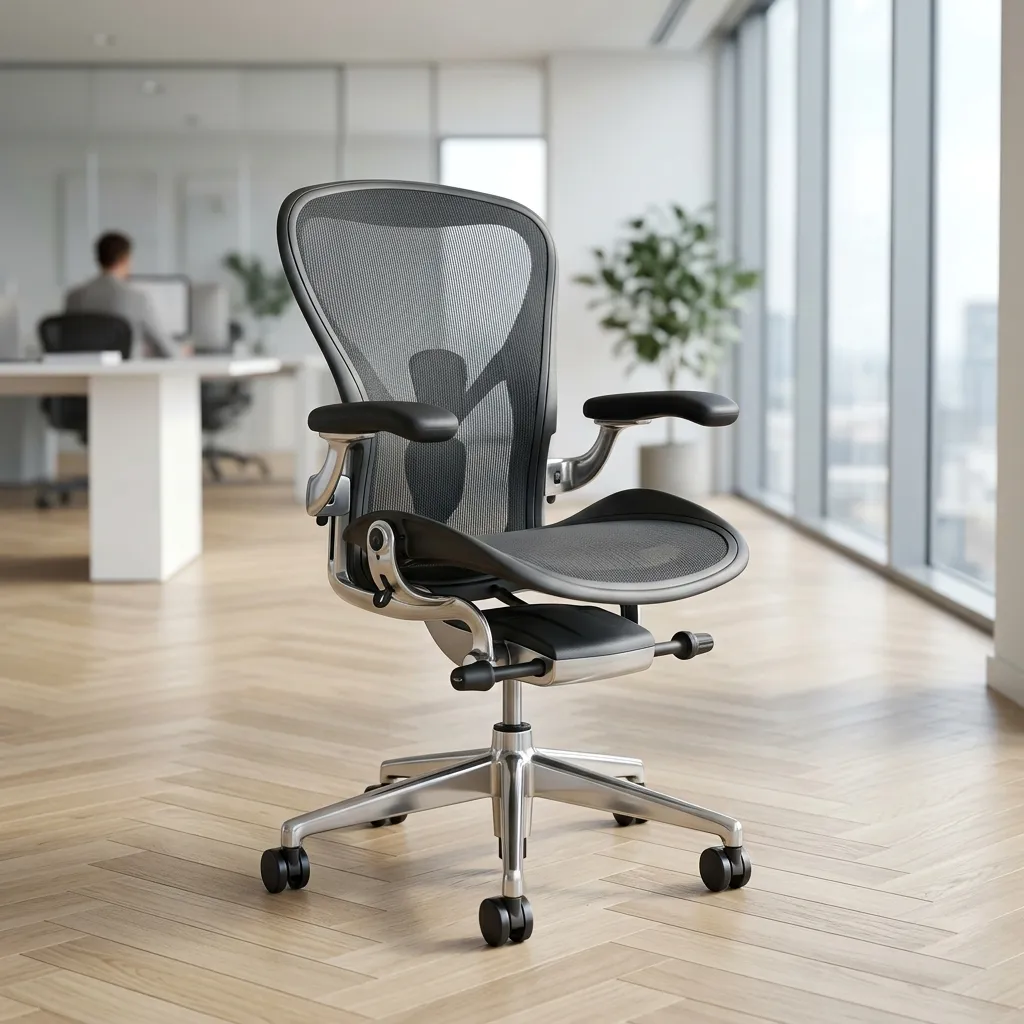
In today's fast-paced work environment, ergonomics plays a critical role in ensuring comfort and productivity. The Flexform Tecton ergonomic chair is designed to provide optimal support for users of varying heights and body types. One of the key features of this chair is the seat slider depth adjustment mechanism, which allows you to customize the seat depth to suit your individual needs. In this comprehensive guide, we'll walk you through the process of adjusting the seat slider depth on the Flexform Tecton chair, ensuring that you maintain proper thigh support and knee clearance.
Proper adjustment of the seat depth is crucial for promoting good circulation in the legs and preventing discomfort during long hours of sitting. The seat depth should be adjusted so that there is adequate clearance between the front edge of the seat pad and the back of your knees (also conhecido como a fossa poplítea). This not only enhances comfort but also supports healthy posture while seated.
Understanding the Importance of Seat Depth Adjustment
Before we delve into the specifics of adjusting the seat slider, it’s important to understand why this adjustment is necessary. The seat depth affects how your weight is distributed across the chair and influences your overall comfort level. Here are some key points to consider:
- Promotes Healthy Circulation: A properly adjusted seat depth provides necessary clearance for blood circulation behind the knees.
- Supports the Thighs: The seat should support at least three-quarters of your thigh length for optimal comfort.
- Prevents Posture Issues: Incorrect seat depth can lead to slumping or leaning forward, which may cause back pain over time.
How to Locate the Seat Slider Adjustment Lever
To begin adjusting the seat depth of your Flexform Tecton chair, you first need to locate the seat slider adjustment lever. Aqui estão os passos para encontrá-lo:
Step 1: Position Yourself
Start by sitting in the chair in a comfortable position. Ensure that your back is supported by the backrest, and your feet are flat on the ground.
Step 2: Look Under the Seat Cushion
Lean slightly forward and look underneath the seat cushion. You should see a lever or a handle protruding from the left or right side of the chair.
Step 3: Identify the Lever
The seat slider lever is typically a long, horizontal lever that is easily distinguível from other levers or buttons. It may be labeled with icons indicating its function.
Adjusting the Seat Depth
Now that you've located the seat slider adjustment lever, it’s time to make the necessary adjustments. Follow these steps carefully:
Step 1: Engage the Lever
While seated in the chair, reach down and pull the lever upwards or sideways, dependendo do design da cadeira. This action will unlock the seat slider mechanism.
Step 2: Slide the Seat Pan
With the lever engaged, gently slide the seat pan forward or backward to find your desired depth. It is important to do this while remaining seated, as your body weight will help you gauge the correct position.
Step 3: Release the Lever
Once you have adjusted the seat to your preferred depth, carefully release the lever to lock the seat in place. You should hear a click or feel a slight resistance when the seat is properly locked.
Applying the 2-to-3 Finger Ergonomic Rule
As you adjust the seat depth, it's essential to follow the 2-to-3 finger ergonomic rule. This rule ensures that there is adequate clearance between the edge of the seat and the back of your knees.
Step 1: Measure Clearance
Once you've adjusted the seat depth, use your fingers to check the clearance. Place two to three fingers between the front edge of the seat and the back of your knees. If you can comfortably fit this amount of space, your seat depth is correctly adjusted.
Step 2: Fine-Tune the Adjustment
If the clearance is too tight or too loose, repeat the adjustment process until you achieve the correct fit. Remember, the goal is to ensure that you can sit comfortably without hindering circulation.
Ergonomic Seat Slider Adjustment Table
To assist you in making the correct seat depth adjustment based on your leg length and height, we’ve created the following ergonomic seat slider adjustment table:
| User Height | Leg Length | Recommended Seat Depth | Adjustment Range | Notes |
|---|---|---|---|---|
| 5'0" - 5'4" | Short (28" - 30") | 16" - 17" | 1" - 2" | Consider additional lumbar support. |
| 5'5" - 5'9" | Medium (30" - 32") | 17" - 18" | Adjust for comfort. | |
| 5'10" - 6'2" | Tall (32" - 34") | 18" - 19" | Ensure full thigh support. | |
| 6'3"+ | Very Tall (34"+) | 19"+ | Consider a chair with more depth options. | |
| All Heights | Varies | Always refer to personal comfort. | Adjust as needed. | Personal adjustments may vary. |
DomineTec Tech Tip: Regularly check and adjust your chair settings to maintain comfort and support, especially if you share your workspace with others.
Final Checks for Proper Adjustment
After adjusting the seat depth, it’s essential to perform a few final checks to ensure everything is set correctly:
Step 1: Test Sitting Position
Take a moment to sit back in the chair and observe your sitting position. Your back should be fully supported by the backrest, and your feet should rest flat on the floor.
Step 2: Assess Comfort
Pay attention to any pressure points or discomfort behind your knees. If you feel discomfort, consider readjusting the seat depth again.
Step 3: Maintain Proper Posture
Ensure that your hips are slightly higher than your knees to promote a healthy sitting posture. If necessary, make additional adjustments to your chair's height or backrest angle.
Advanced Troubleshooting and Alternative Settings
In some cases, you may face challenges while adjusting the seat depth of your Flexform Tecton chair. Here are some advanced troubleshooting tips and alternative settings to consider:
Identifying Common Adjustment Issues
If the seat depth does not seem to adjust smoothly, check for the following:
- Obstructions: Ensure there are no objects or debris obstructing the seat slider mechanism. Sometimes, items can become lodged, preventing smooth adjustments.
- Wear and Tear: Inspect the adjustment lever and mechanism for signs of wear or damage. If you notice any issues, consider contacting the manufacturer for repairs or replacement parts.
- Weight Distribution: If adjusting the lever while seated does not yield results, try shifting your weight slightly. Different angles can sometimes help in engaging the mechanism more effectively.
Alternative Adjustment Techniques
If your chair offers limited adjustment options, here are a few alternative approaches:
- Cushioning: Utilize seat cushions designed for ergonomic support. These can help elevate your seating position and provide additional depth support.
- Footrests: Consider using a footrest if your chair feels too deep. This can help maintain proper posture by supporting your feet, especially if your thighs are not fully supported by the seat.
- Reevaluate Chair Height: Sometimes, adjusting the height of the chair can have an impact on perceived seat depth. Ensure that the chair height complements your desk height for optimal ergonomics.
Long-Term Care Tips for Your Ergonomic Chair
Maintaining your Flexform Tecton chair is essential to ensure its longevity and performance. Here are some long-term care tips:
Regular Cleaning
Keep your chair clean by regularly dusting and wiping down surfaces. Use a mild detergent and a damp cloth for fabric or leather surfaces. Avoid harsh chemicals that can damage materials over time.
Check Adjustment Mechanisms
Periodically check all adjustment mechanisms to ensure they are functioning correctly. Look for signs of stiffness or resistance when adjusting the seat depth or height. Lubricate moving parts if necessary, following the manufacturer’s guidelines.
Inspect for Damage
Regularly inspect your chair for any signs of wear or damage, such as frayed upholstery, loose screws, or broken parts. Addressing these issues promptly can prevent further deterioration and ensure your chair remains safe and comfortable.
Additional Resources for Ergonomic Comfort
To further enhance your ergonomic experience, consider exploring our articles on the best portable external SSDs for data storage solutions or how to translate entire PDF files for free. Proper tools and resources can complement your ergonomic setup and contribute to an efficient work environment.
Frequently Asked Questions (FAQ)
1. How often should I adjust the seat depth of my chair?
It’s advisable to check and adjust the seat depth whenever you feel discomfort or as needed, especially if you share the chair with others or alternate between different working positions.
2. What if I can't find the adjustment lever?
If you have difficulty locating the adjustment lever, consult the user manual that came with your chair. It often includes diagrams and instructions for adjustments.
3. Can I adjust the seat depth while standing?
It is recommended to make seat depth adjustments while seated to ensure the adjustments are comfortable and accurate according to your body weight.
4. What if my chair does not have a seat slider adjustment?
If your chair lacks a seat slider, consider using a cushion or seat pad to enhance comfort. Additionally, you may explore upgrading to an ergonomic chair with adjustable features.
5. How does seat depth affect my posture?
Seat depth significantly influences your posture by ensuring that your thighs are properly supported and your knees have enough clearance. Poorly adjusted seat depth can lead to slumping or leaning forward, resulting in discomfort and potential back pain.






