How to Adjust 3D Armrests Height and Angle on Flexform Tecton Chair
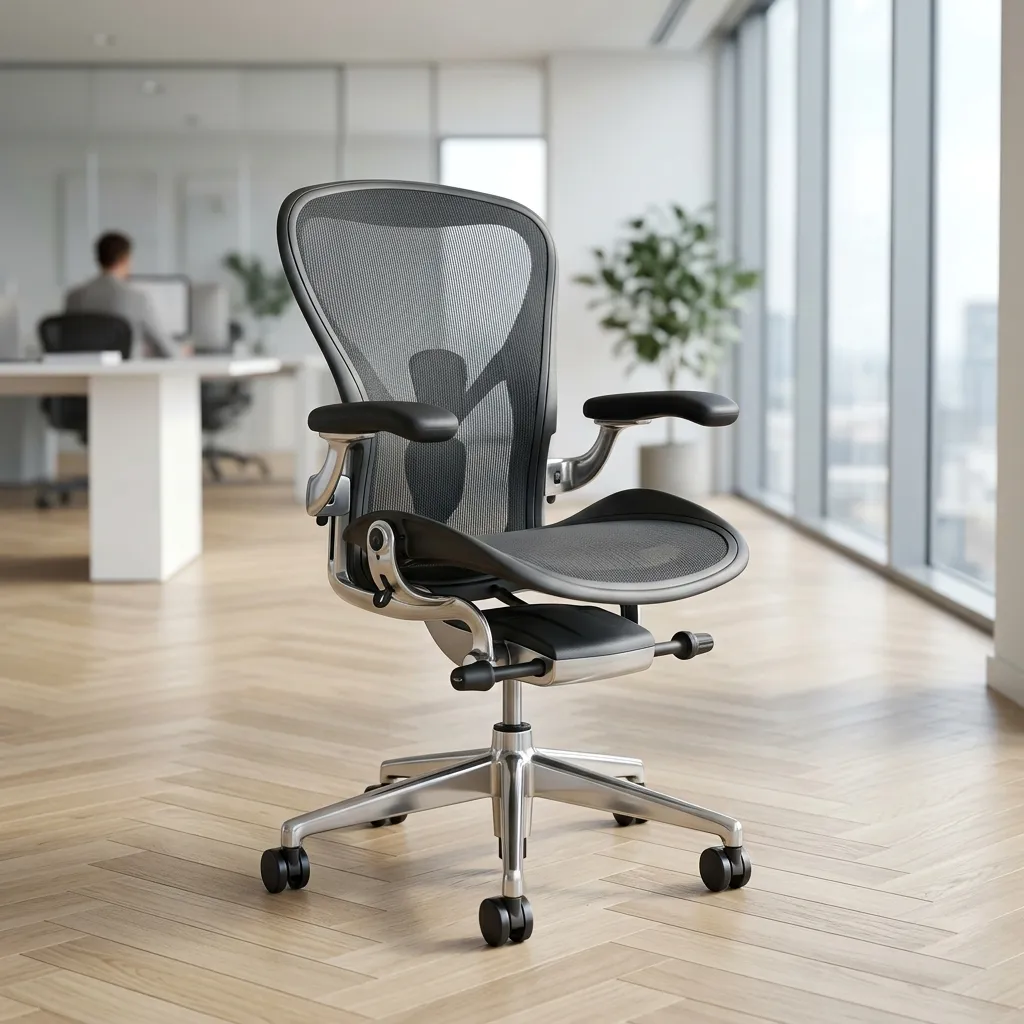
The Flexform Tecton chair is renowned for its ergonomic design, providing optimal support for long hours of work. One of the key features that enhance its ergonomic capabilities is the 3D multi-directional armrests. However, achieving the perfect setup requires a thorough understanding of how to adjust the armrests properly. This guide will walk you through the steps necessary to adjust the height, depth slide, and angle of the armrests, ensuring that you can work comfortably and efficiently.
Proper adjustment of the armrests is essential for minimizing shoulder and wrist strain, improving posture, and enhancing overall comfort during your workday. With these adjustments, you can create a workspace that supports your body, allowing for better focus and productivity. Let’s dive into the detailed steps for adjusting the 3D armrests on your Flexform Tecton chair.
Understanding the Components of the 3D Armrests
Before we begin the adjustment process, it’s crucial to familiarize yourself with the components of the 3D armrests on the Flexform Tecton chair. Each armrest can be adjusted in three different ways:
- Vertical Height: Adjusting the height to ensure your elbows are at a 90° angle.
- Depth Slide: Moving the arm pads forward or backward to accommodate your sitting position.
- Angular Pivot: Adjusting the angle of the arm pads for typing or relaxed positions.
Step 1: Adjusting the Vertical Height
Tools Required
No tools are required for this adjustment; the mechanism is built into the armrests.
Adjustment Process
- Locate the buttons on the underside of the armrests. These buttons are typically positioned on the outer sides, easily accessible.
- To raise the armrests, press the button on the bottom side of the armrest while lifting the armrest to your desired height.
- To lower the armrests, press the button and gently push down on the armrest until it clicks into place.
- Ensure that your elbows are at a 90° angle when your hands are on the desk surface. This is crucial for reducing strain on your shoulders and wrists.
Step 2: Adjusting the Depth Slide
Understanding Depth Adjustment
The depth adjustment allows you to slide the arm pads forward or backward, which helps accommodate different body types and preferences.
Adjustment Process
- Identify the sliding mechanism, usually located at the back of each armrest.
- To slide the arm pads forward, press the release button (if applicable) and push the arm pad toward the front of the chair.
- To slide the arm pads backward, repeat the process, pulling the arm pad towards the back of the chair.
- Ensure that the armrests are positioned so that your forearms rest comfortably when typing, without stretching or straining.
Step 3: Adjusting the Angular Pivot
Why Angular Adjustment is Important
The angle of the armrests can greatly affect your typing posture. Adjusting the angle can help align your wrists and reduce strain.
Adjustment Process
- Locate the pivot adjustment mechanism, typically found at the base of the armrest.
- To pivot the arm pads inward, gently press the release mechanism and push the arm pads towards the center of the chair.
- To pivot the arm pads outward, pull the arm pads away from the center.
- Experiment with different angles to find the most comfortable position for your typing style.
DomineTec Tech Tip: Always ensure that your chair is adjusted to the correct height before making adjustments to the armrests. A well-adjusted chair enhances the effectiveness of armrest adjustments, creating a more ergonomic setup.
Ergonomic Benefits of Proper Armrest Adjustment
Correctly adjusted armrests play a vital role in your overall ergonomic setup. Aqui estão alguns benefícios chave:
- Reduced Shoulder Strain: Proper height and angle help maintain a relaxed shoulder position.
- Wrist Support: Adjusted armrests can provide the necessary support for your forearms, reducing wrist strain when typing.
- Improved Posture: A proper armrest setup promotes better spinal alignment, enhancing overall posture.
Advanced Troubleshooting for Armrest Adjustments
Sometimes, despite following the adjustment guidelines, you might encounter issues with the armrests. Here are some troubleshooting tips to help you resolve common problems:
Problem: Armrests Won't Stay in Position
If you find that the armrests slide down or do not stay in place after adjustment, check for any obstructions or dirt in the adjustment mechanism. Clean the area around the buttons and ensure that nothing is blocking the movement.
Problem: Difficulty Adjusting the Armrests
If the armrests are difficult to adjust, it may be due to wear in the adjustment mechanism. Inspect the mechanism for any signs of damage. If you notice any broken parts, consider contacting the manufacturer for replacement parts or professional help.
Problem: Uncomfortable Armrest Position
If after adjusting the armrests you still feel discomfort, reevaluate your chair's height and desk level. Sometimes, your chair or desk may need further adjustment to achieve optimal ergonomics. Additionally, consider consulting with an ergonomic specialist for personalized advice.
Alternative Settings for Different Tasks
Depending on the tasks you perform at your workstation, you may find that different armrest settings enhance your comfort and productivity. Aqui estão algumas alternativas de configurações com base em atividades comuns:
For Typing
When typing, adjust the armrests so that your elbows are at a 90° angle and your forearms are parallel to the floor. This position minimizes strain and allows for a more fluid typing motion.
For Phone Calls
If you frequently take phone calls while at your desk, consider adjusting the armrests to a higher position. This will allow you to hold the phone comfortably without straining your neck or shoulders.
For Relaxation
When taking breaks or relaxing, adjust the armrests to a wider angle and lower height, allowing your arms to rest comfortably without tension. This positioning can aid in reducing muscle fatigue during long work periods.
Long-term Care Tips for Your Flexform Tecton Chair
To ensure that your Flexform Tecton chair remains in excellent condition and continues to provide optimal support, consider the following long-term care tips:
Regular Maintenance
Schedule regular checks of your chair's adjustment mechanisms. Ensure that they are functioning properly and make any necessary adjustments to maintain comfort.
Cleaning
Keep your chair clean by wiping it down with a damp cloth and mild cleaning solution. Avoid harsh chemicals that could damage the materials.
Storage
If you need to store your chair, do so in a dry environment away from direct sunlight to prevent fading and material degradation.
Advanced Setup Configurations for Maximum Comfort
Beyond basic adjustments, consider these advanced configurations to enhance your comfort:
Personalized Adjustments
Every user has unique needs. Take time to adjust your armrests based on your specific activities and body mechanics. If you're using your chair for prolonged periods, experimenting with different settings can lead to discovering the perfect configuration for your comfort.
Utilizing Accessories
Incorporate ergonomic accessories, such as armrest pads or wrist supports, to further enhance the comfort of your armrests. These accessories can provide additional cushioning and support, making it easier for you to maintain a healthy posture.
Consulting Ergonomic Specialists
If you're unsure about the best adjustments for your specific needs, consider consulting an ergonomic specialist. They can assess your workspace and provide tailored recommendations to improve your overall setup.
Armrest Configuration Matrix
| Adjustment Type | Description | Recommended Position | Impact on Comfort | Notes |
|---|---|---|---|---|
| Vertical Height | Adjusts the height of the armrests | Elbows at 90° | High impact on comfort | Critical for reducing strain |
| Depth Slide | Moves arm pads front or back | Forearms parallel to desk | Moderate impact on comfort | Adjust based on body type |
| Angular Pivot | Tilts arm pads in and out | For typing or relaxed position | Low to moderate impact | Experiment for best position |
Internal Resources
If you're looking to further enhance your workspace, consider checking out our guides on the best portable external SSDs for quick data access or how to translate entire PDF files for free.
Additional Care and Maintenance Strategies
In addition to regular maintenance and cleaning, there are several strategies you can adopt to ensure the longevity and performance of your Flexform Tecton chair.
Mind the Environment
Consider the environment where you use your chair. High humidity or extreme temperatures can affect the materials used in the chair. Try to keep your workspace at a comfortable temperature and humidity level to protect your chair from wear.
Rotate Usage
If you use multiple chairs or seating options, rotate between them. Alternating between different seating can reduce wear on any one chair and allow the materials to recover from prolonged use.
Monitor for Wear and Tear
Regularly inspect your chair for signs of wear and tear. Look for fraying fabric, loose screws, or any changes in the functionality of the adjustment mechanisms. Early detection can prevent more significant issues down the line.
Frequently Asked Questions (FAQ)
1. How high should my armrests be adjusted?
Your armrests should be adjusted so that your elbows are at a 90° angle when your forearms are resting on the armrests. This position minimizes shoulder strain.
2. Can I adjust the armrests while sitting in the chair?
Yes, you can adjust the armrests while seated, but for the best results, it’s recommended to stand up to make more precise adjustments.
3. What if my armrests are too wide for my body?
If the armrests feel too wide, adjust the angular pivot inward to find a more comfortable position that aligns with your typing posture.
4. How often should I adjust my armrests?
Adjust your armrests whenever you change your sitting position or experience discomfort. Regular adjustments help maintain comfort and ergonomic alignment.
5. Are the armrests removable?
The armrests on the Flexform Tecton are not designed to be removed. However, they can be fully adjusted to cater to individual preferences.






