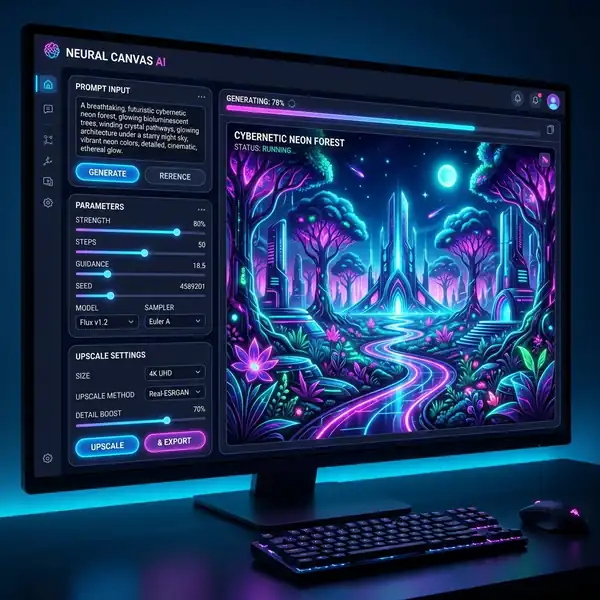
Discover how to effectively correct spelling errors in DALL-E 3 images for better visual storytelling.
DomineTec Tip: To enhance your experience, make sure to generate images with DALL-E 3 for free before making any edits.
The process of generating images in DALL-E 3 involves using precise prompts that guide the AI in creating visuals that are not only aesthetically pleasing but also contextually relevant. When it comes to text within these images, the challenge often lies in accuracy. Correcting spelling errors can be achieved through a combination of prompt adjustments, editing techniques, and understanding the underlying technology. To learn more, check out our guide on DALL-E 3 prompts for logo design.
Understanding DALL-E 3's Text Generation
DALL-E 3 is designed to interpret and execute natural language prompts, generating images based on user input. However, the AI's interpretation of text can vary, leading to potential spelling errors. Understanding how DALL-E processes these prompts is essential for crafting effective commands.
1. Prompt Precision: The more specific your prompt, the better the outcome. For example, instead of saying “a sign with text,” specify the exact wording you want, such as “a sign that says ‘Welcome to the Future’ in elegant font.”
2. Weight Tokens: Utilize weight tokens to emphasize certain words or phrases. This technique ensures that critical text elements are prioritized during the image generation process, reducing the likelihood of errors.
3. Parameters and Settings: Familiarize yourself with the various parameters available in DALL-E 3. Adjustments to aspect ratios, color palettes, and even the level of detail can influence how text appears in the final image.
Fixing Spelling Errors Through Image Editing
While generating images with accurate text is ideal, sometimes you may need to fix spelling errors post-creation. Here are some effective methods:
1. Image Editing Software: Use software like Adobe Photoshop or GIMP to manually correct spelling errors. Tools such as the clone stamp or healing brush can seamlessly replace incorrect text with accurate spellings.
2. Text Overlay: Another approach is to overlay text on the image after generation. This method allows you to create text that matches the style of the original image while ensuring accuracy.
3. AI-Assisted Editing Tools: Certain AI tools can assist in editing images. These tools can analyze the image, recognize the text, and provide suggestions for corrections.
Workflow for Generating Accurate Text in DALL-E 3 Images

To ensure that the text generated in DALL-E 3 images is accurate from the start, you can follow a structured workflow:
1. Drafting Your Prompt: Begin by writing a detailed prompt that includes the specific text you want in the image. Consider the font style, color, and placement.
2. Iterative Testing: Generate multiple images with variations in prompts. This experimentation helps you identify which prompts yield the best textual accuracy.
3. Review and Edit: After generating your images, review them for spelling errors. If errors are found, use the editing techniques mentioned earlier to correct them.
Key Parameters and Options
When generating images, understanding the parameters will enhance your output. Below is a comparison table of key dimensions and options that influence text accuracy in DALL-E 3 images.
| Parameter | Description | Recommended Value |
|---|---|---|
| Aspect Ratio | Controls the width and height of the image. | 16:9 for landscapes, 1:1 for social media posts. |
| Color Palette | Defines the color scheme used in the image. | Vibrant colors for attention, muted for professionalism. |
| Detail Level | Sets how intricate the image will be. | High for detailed text, medium for general designs. |

Export and Resolution Considerations
When finalizing images, consider the resolution and format for export. High-resolution images are essential for print, while lower resolutions may suffice for web use. Choose formats such as PNG for transparency or JPEG for smaller file sizes.
1. Export Settings: Always export your final images in the highest resolution available, especially if they contain important text.
2. File Format: Depending on the platform or use case, select the appropriate file format. PNGs are ideal for images with text due to their lossless quality.
Leveraging DALL-E 3 for Branding
Properly executed text in images is vital for branding. Consistent typographic style enhances brand recognition. When creating logos or promotional materials, ensure that text is not only accurate but also aligned with your brand's identity.
1. DALL-E 3 Prompts for Logo Design: Utilize targeted prompts to generate logos that include your brand's name correctly spelled. For instance, “a modern logo for ‘Tech Innovations’ with sleek typography.”
2. Brand Guidelines: Establishing clear guidelines for the use of text in images can help maintain consistency across all platforms.
Final Thoughts on Text Accuracy in DALL-E 3
Achieving accurate text in DALL-E 3 images requires a combination of effective prompt crafting, understanding of the technology, and post-editing capabilities. By utilizing the strategies outlined in this guide, you can create stunning visuals that communicate your intended message clearly.
Conclusion
In conclusion, fixing spelling in images generated by DALL-E 3 is not just about correcting errors; it is about enhancing the overall quality and effectiveness of your visual communications. By implementing the techniques discussed, you can ensure that your images resonate with your audience and convey the right message.
Optimizing Workflows for Enhanced Text Generation in DALL-E 3
To effectively harness the capabilities of DALL-E 3 in generating accurate text within images, it is important to establish a streamlined workflow that accommodates the iterative nature of prompt refinement. This begins with a foundational understanding of how DALL-E 3 interprets and processes prompts. Users must consider the hierarchy of elements within their prompts, ensuring that key phrases and contextual cues are strategically positioned to influence the AI's output. By systematically breaking down prompts into their core components, users can experiment with varying structures to identify optimal configurations that yield the desired textual results.
Incorporating iterative testing into the workflow is equally important. This involves generating multiple iterations of an image based on slightly varied prompts, allowing users to observe how subtle changes can dramatically affect the incorporation of text. Documenting these iterations will provide valuable insights into which phrasing or contextual adjustments lead to improved accuracy and coherence. Leveraging tools for version control or project management can facilitate this process, enabling users to track changes, categorize outcomes, and build a comprehensive database of effective prompts.
Additionally, utilizing a feedback loop within the workflow can significantly enhance the quality of generated text. After obtaining initial results, users should evaluate the images critically, analyzing the text's integration and legibility. Gathering feedback from peers or target audiences can provide external perspectives that may reveal areas for improvement not immediately apparent to the creator. This collaborative approach not only fosters creativity but also contributes to refining the understanding of DALL-E 3’s text generation capabilities.
Exploring UI Features for Enhanced Prompt Iteration in DALL-E 3
The user interface (UI) of DALL-E 3 is designed to facilitate an intuitive interaction with the underlying AI model, yet a deeper exploration of its features can unlock significant improvements in prompt iteration processes. One particularly valuable feature is the live preview functionality, which allows users to visualize the generated images in real-time as they modify prompts. This immediate feedback can accelerate the iterative process, enabling users to make adjustments on-the-fly, thus enhancing their ability to refine text accuracy and appearance.
Another noteworthy aspect of the UI is its support for contextual tooltips and suggestions that guide users in crafting effective prompts. By analyzing the user's input and providing contextual recommendations, the UI can help mitigate common pitfalls associated with vague or ambiguous instructions. This feature is especially beneficial for users new to AI-driven design, as it encourages best practices in prompt creation while reducing the learning curve associated with mastering DALL-E 3.
Furthermore, the integration of collaborative tools within the UI can significantly enhance the iteration process. Features that allow multiple users to contribute to a single project enable real-time collaboration, where team members can suggest prompt modifications, discuss potential improvements, and share insights on text generation accuracy. This communal approach not only leverages diverse perspectives but also fosters a deeper understanding of how different inputs can lead to varying outputs, ultimately refining the quality of generated text in images.

Enhancing Workflow Efficiency with DALL-E 3: Integration and Automation
In the realm of AI-driven design, the efficiency of workflows significantly impacts productivity and output quality. DALL-E 3 incorporates several features that allow for seamless integration into existing design workflows. By leveraging APIs and automation tools, designers can streamline the process of generating and refining images. This integration not only accelerates the creative process but also ensures that the outputs remain consistent with the project's overall vision.
For instance, utilizing tools like Zapier or Integromat can automate the interaction between DALL-E 3 and other applications such as design software (Adobe Suite, Figma) or project management platforms (Trello, Asana). This allows for automatic image generation based on predefined triggers, such as the completion of a design phase or the approval of a concept. By setting up these workflows, designers can focus more on creative exploration rather than the repetitive aspects of image generation, leading to a more dynamic and responsive design process.
Moreover, the ability to create custom scripts using programming languages like Python can enhance the automation possibilities. Designers can develop scripts that not only generate images with specific prompts but also apply predefined filters or modifications. This level of customization ensures that the outputs are not only generated quickly but are also aligned with specific brand guidelines or aesthetic requirements. The result is a refined design process that maintains high standards of quality while significantly reducing turnaround times.
Mastering UI Features for Optimal Output in DALL-E 3
The user interface (UI) of DALL-E 3 is designed to facilitate intuitive interaction while offering advanced features that cater to both novice and experienced users. Understanding the UI elements, such as the prompt input field, style selectors, and output resolution settings, is critical for generating text-rich images that align with user expectations. Each component of the UI is engineered to enhance user engagement and ensure that the image generation process is not only efficient but also results in high-fidelity outputs.
One of the standout features within the DALL-E 3 UI is the real-time feedback mechanism. As users input prompts, the system provides immediate visual cues and suggestions that can lead to more effective prompts. This feature is particularly valuable for users who may not have extensive experience with AI image generation, allowing them to refine their prompts iteratively based on the feedback received. Understanding how to leverage this feature can drastically improve the quality of the generated images, as it encourages experimentation and adaptation.
Additionally, the aspect ratio settings within the UI allow for precise control over the image's dimensions relative to its intended use—be it for social media, print, or web applications. By selecting the appropriate aspect ratio, designers can ensure that the generated images not only fit the required formats but also maintain compositional integrity. This feature is particularly important when creating images that must adhere to specific design layouts, such as banners or infographics, where aspect ratio misalignment can lead to visual discrepancies and reduced impact.




