Qual o Tamanho do Post do Instagram no Canva?
. ..
Em 2026, o tamanho ideal para posts do Instagram no Canva é de 1080x1080 pixels para imagens quadradas e 1080x1350 pixels para retratos. Esses formatos asseguram que suas postagens se destaquem na plataforma e sejam visualizadas com qualidade em todos os dispositivos. Com a popularidade do Instagram em constante crescimento, é vital que os criadores de conteúdo e marcas utilizem as dimensões corretas para maximizar o engajamento e a visibilidade.
Dica DomineTec: Para um visual atraente e organizado, você pode aprender como fazer feed organizado no Canva passo a passo.
Importância das Dimensões Corretas
O uso das dimensões corretas é fundamental para garantir que seu conteúdo não apenas se encaixe bem na grade do Instagram, mas também mantenha uma qualidade visual que atraia o público. Publicações que não respeitam as especificações do Instagram podem ser cortadas ou distorcidas, prejudicando a estética e a mensagem que você deseja transmitir.
Dimensões de Postagens e Formatos no Instagram
Abaixo estão os tamanhos recomendados para diferentes tipos de postagens no Instagram, conforme as diretrizes de 2026:
| Tipo de Postagem | Dimensões (px) | Aspect Ratio |
|---|---|---|
| Imagem Quadrada | 1080 x 1080 | 1:1 |
| Imagem Retrato | 1080 x 1350 | 4:5 |
| Imagem Paisagem | 1080 x 566 | 1.91:1 |
| Stories | 1080 x 1920 | 9:16 |
Como Criar Posts no Canva
O Canva é uma ferramenta poderosa e intuitiva que permite a criação de posts para Instagram de forma fácil. Para começar, você deve criar uma conta e selecionar o tipo de design desejado. Siga estas etapas:
- Acesse o Canva e faça login na sua conta.
- No painel inicial, digite "Instagram Post" na barra de pesquisa para encontrar os templates adequados.
- Escolha um template que se encaixe na sua marca ou estilo desejado.
- Personalize o conteúdo, alterando textos, cores, imagens e elementos gráficos conforme necessário.
- Verifique se as dimensões estão corretas e faça os ajustes finais.
- Baixe sua arte em formato PNG ou JPG para garantir a melhor qualidade ao postar.
Exportação e Resolução
Quando você finaliza seu design, a exportação correta é fundamental. O Canva permite que você baixe seus designs em diferentes formatos, como PNG, JPG, e PDF. Para postagens no Instagram, é recomendável usar PNG para imagens de alta qualidade. Além disso, mantenha a resolução em 300 DPI (pontos por polegada) para garantir que a imagem não perca qualidade ao ser carregada na plataforma.
Dicas para Melhoria do Engajamento
Além de usar as dimensões corretas, existem várias estratégias que você pode implementar para aumentar o engajamento em suas postagens no Instagram:
- Use cores vibrantes: Cores chamativas atraem atenção e podem fazer com que seu post se destaque no feed.
- Incorpore elementos de design: Formas, ícones e texturas podem adicionar profundidade e interesse visual ao seu conteúdo.
- Utilize chamadas à ação: Incentive os seguidores a interagir com seu post, seja comentando, curtindo ou compartilhando.
Considerações Finais
Ao criar posts para Instagram no Canva, a atenção aos detalhes, como o tamanho das imagens e a qualidade do design, é importante para o sucesso da sua presença online. Ao seguir as diretrizes de tamanho e aplicar as melhores práticas de design, você pode garantir que suas postagens não apenas atraem visualmente, mas também maximizam o engajamento e a visibilidade. Para mais dicas sobre design no Canva, não deixe de conferir também como remover fundo de imagem no Canva grátis.
Workflow Optimization in Canva for Instagram Content Creation
In the realm of social media design, efficient workflows are paramount, particularly when dealing with a platform as dynamic as Instagram. Canva's interface is specifically engineered to facilitate rapid content generation through a streamlined process that integrates design, collaboration, and publication. To maximize productivity, users must leverage features such as templates, brand kits, and the intuitive drag-and-drop functionality that Canva offers.
The use of templates is a cornerstone of Canva’s workflow optimization. These pre-designed layouts not only eliminate the need for starting from scratch but also ensure adherence to platform-specific dimensions and aesthetic standards. For instance, Instagram’s various post types—be it a standard photo post, carousel, or story—each have unique aspect ratios and size requirements. By utilizing Canva's extensive library of templates tailored for Instagram, designers can focus on customization and branding rather than technical specifications, thus speeding up the design process significantly.
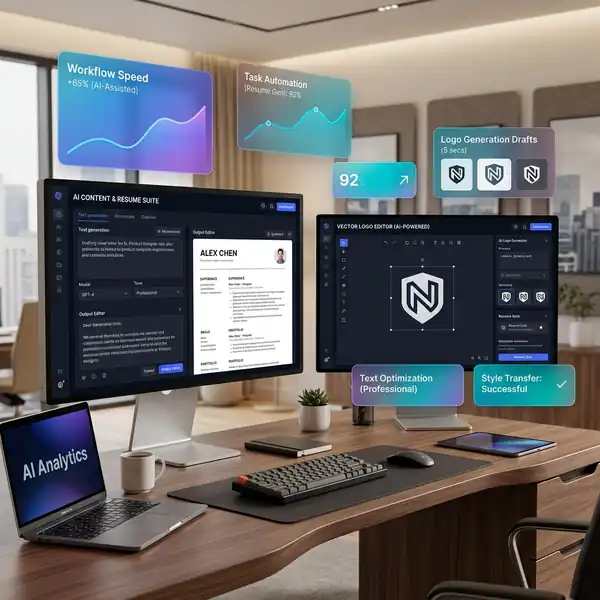
Collaboration tools within Canva further enhance workflow efficiency. The platform allows multiple users to work on a project simultaneously, enabling real-time feedback and revisions. This feature is particularly beneficial for teams that require input from various stakeholders, including graphic designers, marketers, and content strategists. By using comments and annotations, team members can directly communicate their ideas or suggestions within the design interface, reducing the time spent on back-and-forth communications via email or messaging apps.
Finally, the integration capabilities of Canva with other digital tools enhance workflow efficacy. For example, users can link Canva with social media management platforms to schedule posts directly from the design interface. This seamless transition from creation to publication eliminates additional steps in the content delivery pipeline, enabling brands to maintain a consistent posting schedule with minimal effort. By understanding and implementing these workflow enhancements, users can significantly elevate their content creation process while maintaining high design standards.
Exploring UI Features for Enhanced Design Flexibility
The user interface (UI) of Canva is a critical component that significantly impacts the design process, especially when creating Instagram-specific content. The platform's layout is intuitively designed to accommodate both novice and experienced designers, empowering users to navigate through features without extensive training. One notable aspect of the UI is its customizable workspace, which allows users to arrange tools and panels according to their preferences. This level of personalization enhances user experience and promotes a more efficient design workflow.
Canva’s vast library of design elements—ranging from stock photos to vector graphics—plays a fundamental role in enriching the creative process. The search functionality, enhanced by AI algorithms, enables users to quickly find relevant assets. Users can filter results by style, color, and type, which streamlines the selection of components that align with the brand’s visual identity. This feature is particularly advantageous when creating cohesive Instagram feeds, ensuring that each post adheres to a defined aesthetic while also maintaining the necessary aspect ratios for optimal display.
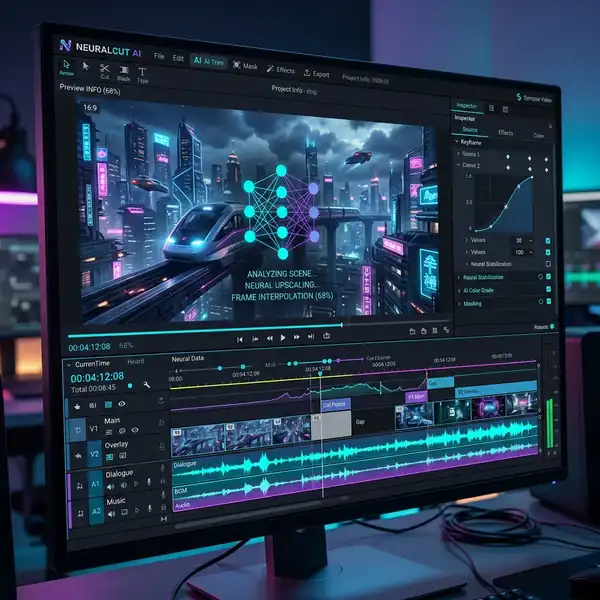
Moreover, Canva's advanced editing tools provide designers with a level of flexibility that is essential for creating standout Instagram posts. Features such as the ability to adjust transparency, layer elements, and apply advanced filters are vital for achieving unique visual effects that capture audience attention. Additionally, the platform supports the use of grid systems and guides, which are essential for maintaining alignment and proportion—key factors in creating visually appealing designs that adhere to Instagram's stringent guidelines.
Lastly, the built-in animation features expand the creative possibilities for Instagram Stories and video content. Users can incorporate motion effects and transitions that enhance user engagement. The ability to preview animations within the design interface allows for immediate feedback and adjustments, ensuring that the final output meets both aesthetic and functional standards. By fully utilizing these UI features, designers can create innovative and high-quality content that resonates with the Instagram audience and meets the platform's evolving demands.
Optimizing Instagram Post Workflows in Canva for Enhanced Efficiency
In the realm of digital design, particularly when catering to platforms like Instagram, the efficiency of your workflow can significantly impact the quality and frequency of your content output. Utilizing Canva’s built-in features can not only streamline your design process but also enhance your productivity. One fundamental aspect is the use of templates that align with Instagram’s stringent format specifications. By customizing these templates, users can save substantial time that would otherwise be spent on layout adjustments for different post types.
Moreover, Canva's collaborative features allow multiple users to contribute to a project simultaneously. This aspect is particularly beneficial for teams, as it facilitates real-time feedback and iterative design changes. By leveraging the comments and version history functionalities, teams can ensure that all design iterations align with the brand's voice and visual identity. Integrating these collaborative tools into your workflow not only fosters creativity but also helps maintain consistency across various posts, which is essential for brand recognition on platforms like Instagram.
Additionally, Canva’s integration capabilities with other applications enhance workflow efficiency. For instance, connecting Canva with social media management tools allows for seamless scheduling and posting of content directly from the design platform. This not only saves time but also reduces the friction often encountered when transferring designs from one tool to another. By centralizing the design and distribution process, users can maintain a coherent content calendar that is responsive to audience engagement metrics, thus optimizing their overall social media strategy.
Understanding Aspect Ratios and Their Impact on Visual Storytelling
Aspect ratios play a pivotal role in defining how content is perceived and engaged with on Instagram. The platform supports various formats, including square (1:1), vertical (4:5), and horizontal (16:9). Each aspect ratio not only affects the composition of the design but also influences user interaction. For example, vertical posts occupy more screen real estate on mobile devices, making them more likely to capture attention as users scroll through their feeds. Therefore, understanding the implications of each ratio is essential for crafting compelling visual narratives that resonate with your audience.
When utilizing Canva, designers must consider the aspect ratio not merely as a technical requirement but as a strategic element in their storytelling toolkit. A well-structured post, tailored to the correct aspect ratio, can guide the viewer’s eye through the visual hierarchy established by the design. This hierarchy can be manipulated through the placement of focal points and the use of negative space, which becomes even more critical when adhering to specific ratios. Canva’s grid and guide features can aid in this process, ensuring that elements are properly aligned and optimized for their designated aspect ratios.
Furthermore, as Instagram continues to evolve, so too do the expectations of its users regarding content quality and creativity. Designers must remain agile in their approach, adapting their visual strategies to exploit the benefits of various aspect ratios. Regularly experimenting with these formats within Canva can yield insights into what resonates best with your audience, allowing for a more data-driven approach to content creation. By analyzing engagement metrics in relation to the aspect ratios used, designers can refine their methods and elevate their visual storytelling on Instagram.

Perguntas Frequentes
Qual é o tamanho ideal para imagens de postagens no Instagram em 2026?
O tamanho ideal para imagens quadradas é de 1080 x 1080 pixels, enquanto para imagens em retrato o recomendado é de 1080 x 1350 pixels. Para imagens em paisagem, o tamanho ideal é de 1080 x 566 pixels.
Como posso otimizar as postagens para melhor engajamento?
Para otimizar suas postagens, utilize cores vibrantes, elementos de design atraentes e inclua chamadas à ação que incentivem a interação do público. Além disso, mantenha a consistência na estética da sua marca.
Quais formatos de arquivo são recomendados para exportar imagens do Canva?
Os formatos recomendados para exportação de imagens do Canva para o Instagram são PNG e JPG. O formato PNG é preferido, pois mantém a qualidade da imagem, especialmente quando se trata de postagens visualmente ricas.