
Xbox Game Pass Core vs Ultimate: Which Tier is Best? A Comprehensive Feature & Value Comparison
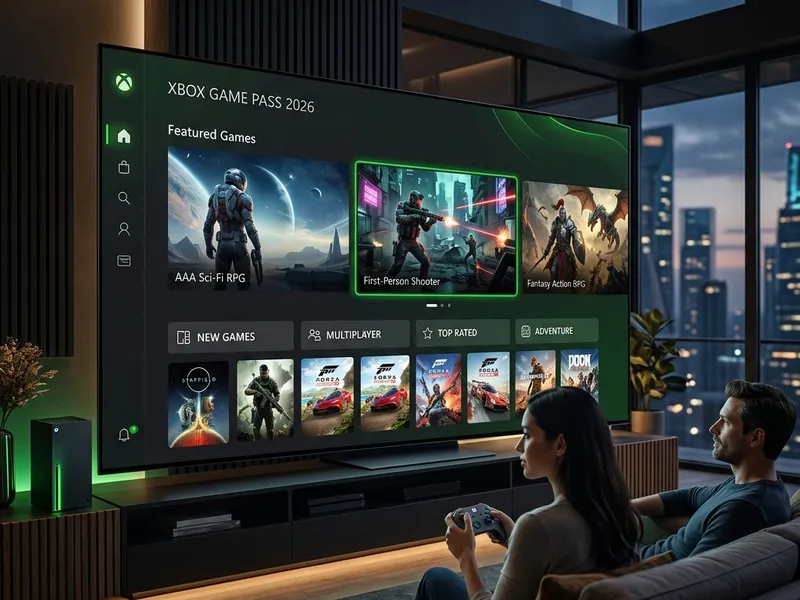
Choosing the right gaming subscription has become almost as important as choosing the console itself. Microsoft's subscription ecosystem, centered around Xbox Game Pass, offers several options designed for different types of players. The two main tiers at either end of the spectrum are Xbox Game Pass Core and Xbox Game Pass Ultimate. While Core serves as the baseline subscription for online console play, Ultimate represents Microsoft's full gaming vision, combining multiple services into a single package.
If you are trying to decide which tier fits your budget and gaming habits, it helps to understand exactly what features, games, and services each option provides. This article offers a detailed comparison of Xbox Game Pass Core and Ultimate, examining library sizes, multiplayer access, cloud gaming, day-one releases, and pricing structures. For a broader look at the entire service, including setup tips and platform compatibility, visit our main Xbox Game Pass Guide.
1. The Evolution of Xbox Subscriptions: From Live Gold to Core and Ultimate
To understand the current state of Xbox subscriptions, it is helpful to look at how they evolved. In 2002, Microsoft launched Xbox Live, introducing console players to online matchmaking, friends lists, and voice chat. The premium tier, Xbox Live Gold, quickly became a requirement for playing games online on the Xbox 360 and subsequent consoles. For years, the subscription remained largely unchanged, save for the introduction of "Games with Gold" in 2013, which provided subscribers with a few free games to keep each month as a response to Sony's PlayStation Plus offerings.
In 2017, Microsoft introduced Xbox Game Pass. Instead of giving away a few games to keep permanently, Game Pass offered a rotating library of hundreds of games that subscribers could download and play at will. The service grew rapidly, leading to the launch of PC Game Pass and Xbox Game Pass Ultimate, the latter combining console play, PC play, and cloud gaming. In September 2023, Microsoft officially retired the Xbox Live Gold branding, replacing it with Xbox Game Pass Core. This rebranded baseline tier kept the essential online multiplayer features of Gold but replaced the monthly free games with a curated, static library of high-quality titles. This transition completed the shift from a simple online matchmaking service to an integrated, library-based subscription model.
2. The Basics: What is Xbox Game Pass Core?
Xbox Game Pass Core is the baseline tier of the modern Xbox subscription family. It is designed primarily for console gamers who want to access online multiplayer features. Without it, you cannot play premium multiplayer games like Call of Duty, EA Sports FC, or Grand Theft Auto Online on an Xbox console (though free-to-play titles like Fortnite, Apex Legends, and Warframe do not require a subscription for online play).
In addition to online play, Core replaced the old "Games with Gold" program with a static, curated catalog of high-quality games from the Xbox library. This list typically contains between 36 and 40 games, with updates occurring only two or three times a year. This makes Core a straightforward, budget-conscious choice for players who primarily want to play online with friends and only need a small selection of games to play on the side.
3. The Basics: What is Xbox Game Pass Ultimate?
Xbox Game Pass Ultimate is the highest tier in Microsoft's subscription lineup. It is designed to combine all of Microsoft's gaming services into a single monthly plan. Ultimate is aimed at players who want to get the most out of their Xbox consoles, gaming PCs, and mobile devices.
Rather than limiting players to a single platform or feature set, Ultimate includes:
- The Complete Console Library: Access to over 500 games on Xbox Series X|S and Xbox One consoles.
- The Complete PC Library: Access to hundreds of PC-specific games via the Xbox App on Windows.
- Day-One Releases: Access to all first-party games from Xbox Game Studios, Bethesda, and Activision Blizzard on their global launch day.
- EA Play Membership: Access to EA's vault of games, including sports titles and early trials of new releases.
- Xbox Cloud Gaming: The ability to stream games directly to mobile devices, tablets, smart TVs, and web browsers.
- Perks and Discounts: Monthly rewards, in-game content, and exclusive member discounts on games and DLC.
Essentially, Ultimate is designed for players who want immediate access to new games, play on multiple devices, and want a large library of titles available at any time.
4. Side-by-Side Feature Matrix
To see how the two tiers compare directly, the table below outlines the features, pricing, and services included in both Core and Ultimate.
| Feature | Xbox Game Pass Core | Xbox Game Pass Ultimate |
|---|---|---|
| Monthly Price (USD) | $9.99 / month | $19.99 / month |
| Annual Price (USD) | $74.99 / year | N/A (Monthly only) |
| Online Console Multiplayer | Yes | Yes |
| Library Size | Curated list (~40 games) | Massive rotating library (500+ games) |
| Day-One Releases | No | Yes |
| PC Game Pass Library | No | Yes |
| EA Play Membership | No | Yes (Console and PC) |
| Xbox Cloud Gaming | No | Yes |
| Member Discounts & Deals | Yes (Basic deals) | Yes (Premium discounts + DLC deals) |
| Monthly Perks & Rewards | No | Yes (In-game currency, DLC, trials) |
5. Library Size and Rotation: Curated vs. Comprehensive
The differences in the game libraries are a major factor to consider when choosing between Core and Ultimate.
The Core Library
Game Pass Core offers a small, curated library of around 40 games. Rather than featuring a high volume of rotating titles, Core is designed to provide a selection of well-regarded games across different genres. The catalog includes major first-party titles like Gears 5, Forza Horizon 4, Doom Eternal, and Psychonauts 2, alongside indie favorites like Dead Cells, Among Us, and Stardew Valley.
The key point is that this library is mostly static. Microsoft only updates the Core catalog two or three times a year, adding or removing a few titles at a time. This means if you play games frequently, you may quickly exhaust the options that interest you within this limited list.
The Ultimate Library
In contrast, Game Pass Ultimate provides access to a library of over 500 games on console and hundreds more on PC. This library includes games from various eras of Xbox history, including the original Xbox, Xbox 360, Xbox One, and Xbox Series X|S. The library is updated twice a month, with new games added and older games leaving the service.
The library covers a wide variety of genres, from massive open-world RPGs (such as Starfield and Fallout 4) to sports simulators, racing games, puzzle games, and niche indies. For players who enjoy trying different types of games, the size and variety of the Ultimate catalog provides a continuous stream of new options.
6. The Impact of Day-One Releases
Access to day-one releases is one of the most significant differences between the two tiers. For many subscribers, this feature alone is the primary reason to choose the higher tier.
With Xbox Game Pass Ultimate, every game developed by Microsoft's internal studios is added to the library on the day of its global release. This includes games from major studios like Bethesda Softworks (developers of The Elder Scrolls and Fallout), Activision Blizzard (developers of Call of Duty and Diablo), and Xbox Game Studios (developers of Halo, Forza, and Gears of War). Additionally, many independent developers and third-party publishers partner with Microsoft to launch their games directly into Game Pass Ultimate on launch day.
With Xbox Game Pass Core, day-one access is not included. If you want to play a newly released first-party title, you must buy the game at retail price (usually $70) or wait to see if it eventually joins the Core library years later. For players who like to keep up with the latest releases, Ultimate can be a cost-effective way to play these games without buying them individually.
7. Xbox Cloud Gaming: Play Anywhere Without Installs
Xbox Cloud Gaming is an exclusive feature of the Ultimate tier, allowing you to play games without needing to download them to a console or PC. This feature uses Microsoft's custom server hardware to run the games in the cloud and stream the video feed directly to your device.
Cloud gaming supports a variety of platforms:
- Smartphones and Tablets: You can play Xbox games on iOS and Android devices using a compatible controller or touch controls.
- Smart TVs: Select Samsung, LG, and other modern smart TVs support the Xbox app, allowing you to play games with just a Bluetooth controller connected to the TV.
- Older Consoles: You can stream newer, Series X|S-exclusive games to an older Xbox One console, extending the life of your hardware.
- Laptops and Budget PCs: You can play demanding games on a standard laptop or low-spec PC without needing a dedicated graphics card.
This feature makes Ultimate highly versatile for players who travel frequently, have limited storage space, or want to play games in different rooms of their home without moving their console.
8. EA Play Integration
Another benefit included with Xbox Game Pass Ultimate is a full membership to EA Play. EA Play is Electronic Arts' standalone subscription service, which is integrated into Ultimate at no additional cost (it is not included in the Core tier).
EA Play provides access to a library of Electronic Arts' titles, including:
- Sports Franchises: Play recent entries in the Madden NFL, EA Sports FC, and F1 series.
- Popular Series: Access complete series like Mass Effect, Dead Space, Battlefield, Star Wars: Battlefront, and The Sims.
- Early Trials: Play up to 10 hours of select new EA releases before they launch, with your progress carrying over if you purchase the full game.
- Store Discounts: Receive a 10% discount on EA digital purchases, including full games, DLC, and in-game currency.
For fans of EA's sports or action games, the integration of EA Play adds a significant amount of content to the Ultimate package.
9. Play Anywhere, Cross-Saves, and PC Integration
One of the most notable features of the modern Xbox ecosystem is the "Xbox Play Anywhere" initiative, which is fully integrated into the Ultimate experience. When you purchase an Xbox Play Anywhere game digitally or play it through Game Pass Ultimate, you can play it on both Xbox consoles and Windows PCs at no additional cost. Your game progress, achievements, and cloud saves are shared across both platforms.
This seamless transition is particularly useful for multi-platform players. For example, you can start playing a game like Starfield on your living room console, save your progress, and continue playing from the same point on your gaming PC. This level of cross-progression is not supported on the Game Pass Core tier, which is restricted to console play and does not grant access to the PC Game Pass catalog.
10. The Ultimate Perks Program: More Than Just Games
Beyond the game libraries and multiplayer access, Xbox Game Pass Ultimate includes a rotating selection of monthly perks. These perks provide in-game cosmetics, consumables, and premium membership trials for third-party services. Examples of past perks include:
- Free trials for streaming services like Spotify Premium, Discord Nitro, and Paramount+.
- Exclusive in-game currency and cosmetic bundles for popular multiplayer games like Apex Legends, Overwatch 2, and Phantasy Star Online 2.
- Starter packs and expansion content for games in the Game Pass catalog.
While these perks may not be the primary reason to subscribe, they add extra value for active multiplayer gamers and those who use popular digital platforms.
11. Total Cost of Ownership: Analyzing the Math
When deciding between the two tiers, analyzing the annual cost of each subscription helps clarify the financial commitment.
Xbox Game Pass Core is the more budget-friendly option. While it costs $9.99 per month, purchasing a 12-month prepaid card costs $74.99 per year. This averages out to approximately $6.25 per month, making it a very affordable way to maintain online multiplayer access and a small selection of games.
Xbox Game Pass Ultimate does not offer an official discounted annual plan. At $19.99 per month, the annual cost totals $239.88 per year. This is a significant price difference compared to Core, making it important to evaluate whether you will use the additional features enough to justify the extra cost.
If you purchase and play at least three to four new $70 games on launch day each year, an Ultimate subscription can save you money compared to buying those games individually at retail. However, if you primarily play one or two multiplayer games (like Call of Duty or EA Sports FC) for the entire year, Core is likely the more cost-effective option.
12. How the Core-to-Ultimate Conversion Works
For players who want the features of Game Pass Ultimate but want to manage their expenses, Microsoft allows you to convert prepaid Game Pass Core subscription time into Game Pass Ultimate time. When you apply a Game Pass Ultimate subscription to an account that already has active Game Pass Core time, the remaining Core time is converted using a 3:2 ratio.
For example, if you have 12 months of Game Pass Core on your account and you redeem 1 month of Game Pass Ultimate, your 12 months of Core will convert into 8 months of Ultimate. Adding the 1 purchased month gives you a total of 9 months of Ultimate. This conversion method allows you to secure Ultimate access at a lower effective monthly rate by purchasing Core cards at retail prices before upgrading.
13. Summary: Which Tier is Right for You?
To help you decide which option fits your gaming habits, consider which of these player profiles matches you best.
Choose Xbox Game Pass Core If:
- You mainly play online multiplayer games: If your gaming time is dedicated to playing titles like Call of Duty, GTA Online, or sports games with friends, you only need Core to access online play.
- You are on a budget: The $74.99 annual subscription is much more affordable than the $239.88 annual cost of Ultimate.
- You prefer to own your games: If you buy games physically or digitally during sales and rarely play subscription library games, Core provides online access without charging you for a large library you won't use.
- You play casually: If you only play games occasionally, the small, curated library of Core is often enough to keep you entertained.
Choose Xbox Game Pass Ultimate If:
- You want access to new games on day one: If you want to play major new releases from Bethesda, Activision Blizzard, and Xbox Game Studios at launch without paying $70 per game, Ultimate is the only option that includes this.
- You play on both Console and PC: Ultimate covers both platforms under a single subscription, allowing you to sync your progress between devices.
- You want to use Cloud Gaming: If you want to play games on your phone, tablet, or smart TV without downloading them, Ultimate's streaming features are required.
- You enjoy trying a variety of games: The library of over 500 games is ideal for players who like to explore different genres and try new titles regularly.
- You want EA Play: If you play EA's sports titles, RPGs, or shooter franchises, the integrated EA Play membership adds significant value.
14. Frequently Asked Questions (FAQ)
Can I play online multiplayer with Xbox Game Pass Core?
Yes, online console multiplayer is the primary feature of Xbox Game Pass Core. It is designed to replace Xbox Live Gold and provides full access to online matchmaking on Xbox Series X|S and Xbox One consoles.
Does free-to-play multiplayer require Game Pass Core?
No, free-to-play multiplayer games like Fortnite, Apex Legends, Call of Duty: Warzone, and Roblox do not require an active subscription to play online on Xbox consoles. You only need a subscription for premium, paid games.
Can I upgrade from Core to Ultimate?
Yes, you can upgrade from Core to Ultimate at any time. When you redeem an Ultimate code or subscribe through the console dashboard, your remaining Core time will convert to Ultimate at a 3:2 ratio. For example, 90 days of Core will convert to 60 days of Ultimate.
Is PC Game Pass included in Xbox Game Pass Core?
No, PC Game Pass is not included in Core. Core is designed specifically for Xbox consoles. If you want access to a subscription library on PC, you need to subscribe to PC Game Pass ($11.99/month) or Xbox Game Pass Ultimate ($19.99/month).
How often are games added to Xbox Game Pass Core?
Unlike the Ultimate tier, which gets new games twice a month, the Core library is updated less frequently. Microsoft typically updates the Core catalog two or three times a year, adding or removing a few titles at a time to keep the curated selection fresh.
Are DLCs and expansions included in Game Pass Ultimate?
In most cases, Game Pass Ultimate only includes the standard base version of games. You will need to purchase DLCs, expansions, and season passes separately, though active subscribers usually receive a 10% discount on these digital purchases.




