What is Underextrusion in 3D Printing and How to Solve It

Underextrusion in 3D printing occurs when insufficient filament is extruded through the nozzle, leading to weak or incomplete prints.
Understanding Underextrusion in 3D Printing
Underextrusion is a common issue faced by 3D printing enthusiasts and professionals alike. This phenomenon results in the printed layers not being adequately filled with material, leading to gaps, weak layers, and in some cases, failed prints.
The root causes of underextrusion can vary widely, from mechanical issues to incorrect printer settings. Identifying the specific cause is crucial for effective troubleshooting.
Common Causes of Underextrusion
Several factors can contribute to underextrusion in 3D printing. Understanding these causes can help in diagnosing and correcting the issue.
- Filament Issues: Filament diameter inconsistencies, moisture absorption, or poor-quality material can lead to underextrusion.
- Extruder Settings: Incorrect settings in slicer software, such as flow rate or nozzle temperature, can hinder proper filament flow.
- Mechanical Problems: Issues with the extruder gear, clogged nozzles, or a poorly calibrated printer can also contribute.
- Print Speed: Excessively high print speeds can prevent the extruder from keeping up with the required filament flow.
- Temperature Fluctuations: Inconsistent temperatures can affect the viscosity of the filament, impacting extrusion.
Diagnosing Underextrusion
To effectively address underextrusion, it is essential to diagnose the problem accurately. Here are steps to follow:
- Examine the filament for any signs of damage or inconsistency.
- Check the extruder assembly for any loose parts or wear.
- Test the nozzle for clogs by extruding filament manually.
- Review slicer settings for appropriate flow rates and temperatures.
- Monitor the print speed and adjust as necessary for optimal flow.
How to Solve Underextrusion Problems
Once the cause of underextrusion has been identified, various solutions can be implemented. These solutions can be categorized based on the identified issue.
Tip: Regularly check and maintain the extruder and nozzle to prevent clogs and ensure consistent filament flow.
Filament Adjustments
Ensure that the filament used is of high quality and appropriate for the printer. Regularly check for moisture absorption, as this can lead to poor extrusion.

Extruder Settings Modifications
Adjusting the flow rate in the slicer settings can significantly affect extrusion. A common recommendation is to set the flow rate around 100% and adjust from there based on results.
Mechanical Fixes
Inspect the extruder assembly and ensure all components are tight and functioning correctly. If the extruder gear is worn out, consider replacing it.
Temperature Settings
Ensure that the nozzle temperature is appropriate for the filament type being used. Different materials have specific temperature requirements for optimal extrusion.

Print Speed Adjustments
Reducing print speed can allow the extruder to keep up with the required filament flow, especially for intricate designs that require precision.
Advanced Solutions for Persistent Underextrusion
In some cases, underextrusion may persist despite adjustments. Advanced solutions can help resolve these stubborn issues.
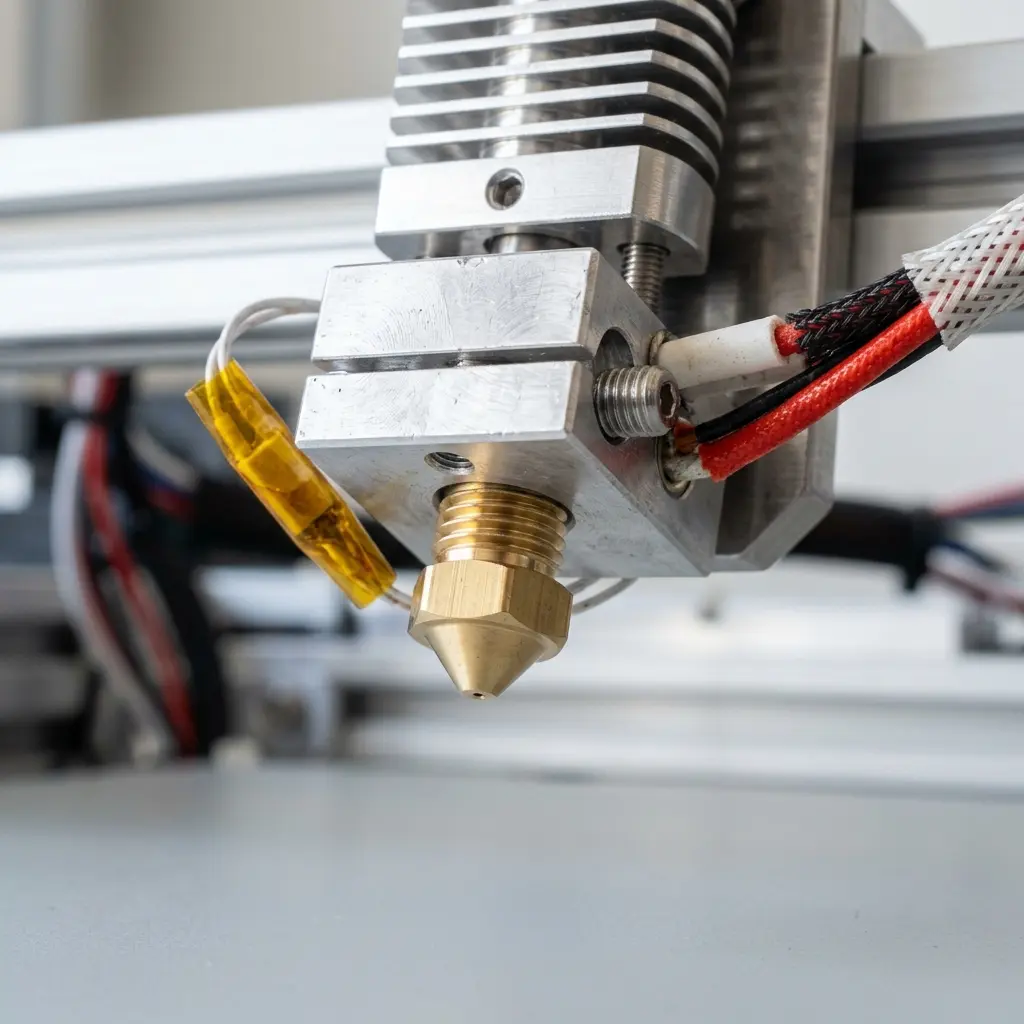
Consider upgrading the extruder to a more efficient model designed to handle higher flow rates. Additionally, using a larger diameter nozzle can help improve material flow.
Prevention Strategies for Future Prints
Implementing preventive measures can help avoid underextrusion in future prints. Regular maintenance and monitoring are key.
- Keep the printer clean and free from dust and debris.
- Regularly calibrate the printer settings for optimal performance.
- Store filament in a dry environment to prevent moisture absorption.
- Utilize high-quality filaments suited for the specific printer model.
- Conduct regular test prints to monitor extrusion quality.
Comparing Filament Types: PLA vs. ABS vs. PETG
Choosing the right filament can significantly impact print quality and the likelihood of underextrusion. Here is a comparative table of common filament types:
| Filament Type | Temperature Range (°C) | Strength | Flexibility | Ease of Printing |
|---|---|---|---|---|
| PLA | 180-220 | Medium | Low | Very Easy |
| ABS | 220-260 | High | Medium | Moderate |
| PETG | 220-250 | High | Medium | Easy |
Frequently Asked Questions
What are the signs of underextrusion?
Common signs of underextrusion include gaps in the printed layers, weak structures, and visible filament inconsistencies. Prints may appear incomplete or rough.
Can underextrusion be fixed during a print?
It is challenging to fix underextrusion during an ongoing print, but adjustments to settings can be made for subsequent layers. Pausing the print to address issues may be necessary.
Does the type of filament affect underextrusion?
Yes, different filament types have unique properties that can influence extrusion behavior. For example, PLA is generally easier to print than ABS or PETG.
How often should printer maintenance be performed to prevent underextrusion?
Regular maintenance should be conducted every few weeks, depending on usage. This includes cleaning the nozzle and checking the extruder for wear or clogs.
Is it worth upgrading the extruder to prevent underextrusion?
Upgrading the extruder can significantly improve print quality and reduce issues like underextrusion, especially for high-demand prints. It is a valuable investment for serious users.
Checklist for Troubleshooting Underextrusion
Utilize the following checklist to systematically diagnose and resolve underextrusion issues:
- Check filament for moisture and damage.
- Inspect extruder gears and assembly for wear.
- Examine nozzle for clogs and clean if necessary.
- Verify slicer settings for flow rates and temperatures.
- Adjust print speed according to design complexity.
- Perform a test print after each adjustment.
Conclusion
Underextrusion in 3D printing can be a frustrating issue, but understanding its causes and implementing effective solutions can greatly enhance print quality. Regular maintenance, careful filament selection, and proper adjustments to printer settings are essential for successful prints.
By following the guidelines and strategies outlined in this article, users can minimize the risk of underextrusion and achieve optimal results with their 3D printing endeavors.




