What is a 3D Slicer? How 3D Printing software Works Explained
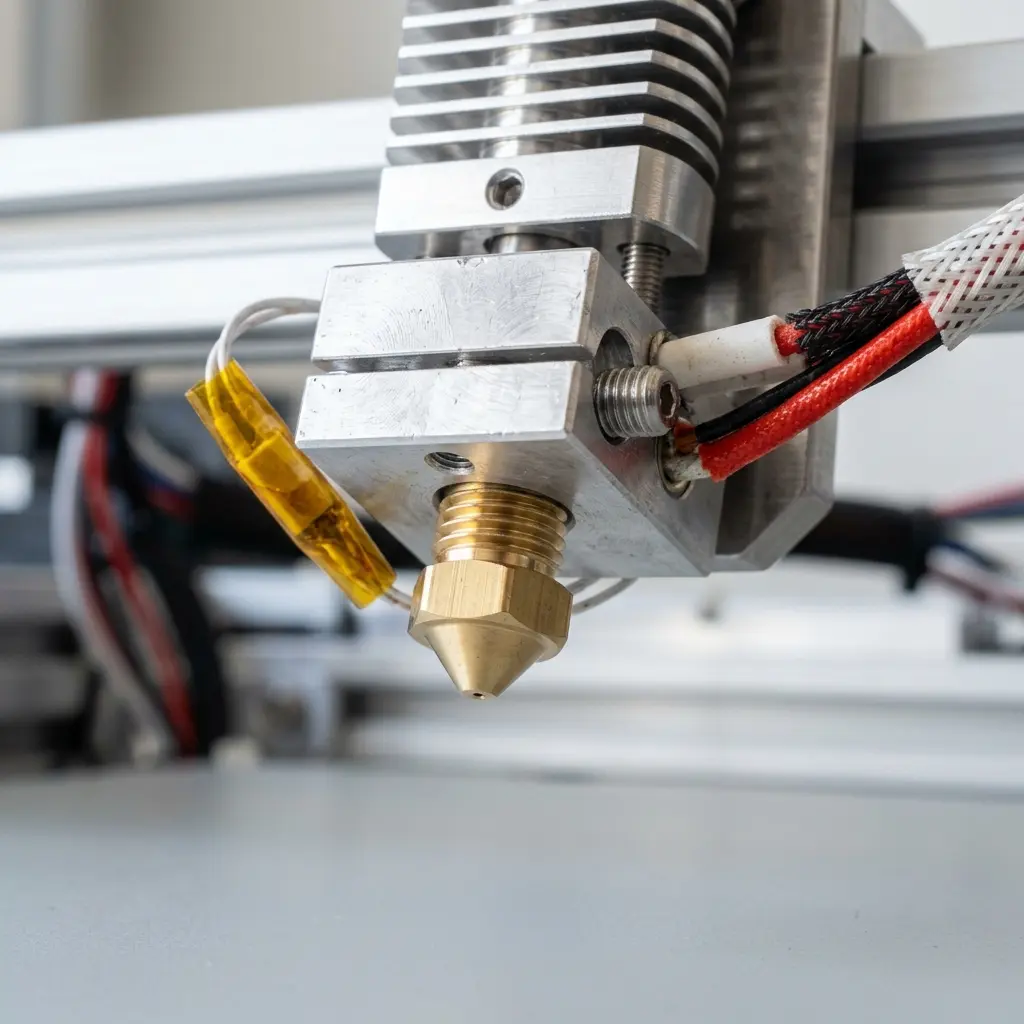
A 3D slicer is software that converts 3D models into instructions for 3D printers, effectively translating digital designs into physical objects.
Understanding 3D Slicing Technology
3D slicing technology is essential for bridging the gap between digital designs and physical prints. The process involves breaking down a 3D model into thin horizontal layers, allowing the 3D printer to build the object layer by layer.
The slicing software interprets the geometry of the 3D model, determining the correct path for the printer's nozzle. This is accomplished through a series of calculations that optimize the print process, including considerations for material flow, cooling, and layer adhesion.
How Does 3D Slicing Work?
The functionality of a 3D slicer can be broken down into several key steps. Initially, the software imports a 3D model in formats like STL or OBJ.
- Importing the 3D model: Users load their 3D design into the slicer software. The model should be checked for errors beforehand to ensure a smooth slicing process.
- Adjusting settings: Parameters such as layer height, infill density, and print speed are configured. Advanced users may also set parameters for temperature, cooling, and adhesion aids.
- Slicing the model: The software generates G-code, which contains the movement instructions for the printer. This includes details on how the nozzle moves, when it extrudes filament, and other critical commands.
- Saving the file: The G-code is saved to a format that the printer can read, typically on an SD card or USB drive. Users must ensure that the correct file format is used for compatibility.
- Printing: The printer reads the G-code and begins the printing process. During this stage, the printer's firmware interprets the G-code to execute the printing operation.
Each of these steps is critical for ensuring that the final printed object meets the expected quality and specifications.
Key Features of 3D Slicing Software
Modern 3D slicers come equipped with a variety of features that enhance usability and output quality. These include:
- Customizable print settings: Allows users to tailor parameters according to project needs, such as adjusting the layer height for finer detail or changing the infill density for strength.
- Support generation: Automatically creates support structures for overhangs or complex geometries. Users can customize support density and placement to optimize material usage.
- Preview capabilities: Users can visualize the slicing process and check for potential issues. This includes layer-by-layer previews that help identify problematic areas before printing.
- Material compatibility: Supports various filament types, optimizing settings for each material. Users can select presets for common materials like PLA, ABS, and PETG.
- Community plugins: Many slicers allow third-party extensions to enhance functionality, such as custom scripts or additional features that improve workflow.

Commonly Used 3D Slicing Software
There are numerous slicing software options available, each with unique features. Below is a comparison of some of the most popular options:
| Software | Platform | Key Features | Cost |
|---|---|---|---|
| Ultimaker Cura | Windows, macOS, Linux | Customizable settings, extensive material library | Free |
| Simplify3D | Windows, macOS, Linux | Advanced support generation, preview modes | $149 |
| PrusaSlicer | Windows, macOS, Linux | Multi-material support, configuration assistant | Free |
| Repetier-Host | Windows, macOS, Linux | Integrated printer control, customizable interface | Free |
| IdeaMaker | Windows, macOS | Easy-to-use interface, cloud sharing | Free |
The choice of slicer can significantly impact the quality and reliability of the 3D prints produced. Evaluating which software aligns best with specific printing needs is vital.
Best Practices for Slicing 3D Models
To achieve optimal results in 3D printing, several best practices should be considered during the slicing process:
- Adjust layer height: Thinner layers provide greater detail but increase print time. Typical layer heights range from 0.1 mm for high-resolution prints to 0.3 mm for faster prints.
- Optimize infill density: Balance strength and material usage based on the object's requirements. Typical infill densities range from 10% for decorative objects to 100% for functional parts.
- Use supports wisely: Generate supports only when necessary to minimize post-processing. Consider using tree supports or adaptive supports for complex geometries.
- Calibrate the printer: Proper calibration ensures accurate printing dimensions and reduces errors. Regular maintenance checks can help maintain print quality.
- Regularly update software: Keeping the slicer updated allows users to leverage new features and improvements. Newer versions often include bug fixes and performance enhancements.
DomineTec Tip: Experiment with different slicing settings to find the ideal combination for various materials, especially when considering the difference between PLA and ABS.

The Importance of G-code in 3D Printing
G-code is the language that 3D printers understand. It contains a series of commands that dictate the printer's movements, temperature settings, and extrusion rates.
Understanding G-code is crucial for troubleshooting and optimizing the printing process. Users can manually edit G-code files to refine prints, such as adjusting layer heights mid-print or changing speeds for specific sections.
Advanced Slicing Techniques
For users looking to enhance their 3D printing capabilities, understanding advanced slicing techniques can be incredibly beneficial. Here are several techniques to consider:
1. Adaptive Layer Height
This technique involves varying the layer height based on the complexity of the model's features. Thicker layers can be used for less detailed sections, while thinner layers can capture finer details.
2. Variable Infill Patterns
Instead of using a uniform infill density throughout the model, variable infill allows users to adjust the infill pattern based on the strength requirements of different areas.
3. Multi-Material Printing
Some advanced slicers support multi-material printing, enabling users to combine different filaments in a single print. This allows for complex geometries and enhanced mechanical properties.
4. Custom Support Structures
While many slicers automatically generate support structures, manually customizing them can save time and reduce post-processing efforts. Users can specify where supports are needed and design custom support shapes that are easier to remove.
Conclusion: The Future of 3D Slicing
The future of 3D slicing is poised for exciting advancements. As technology evolves, slicers are expected to integrate more sophisticated algorithms and artificial intelligence.
Improved user interfaces and enhanced compatibility with a wider range of materials will further streamline the printing process. Staying informed about these developments ensures that users can maximize their 3D printing capabilities.
Frequently Asked Questions
What types of files can be sliced using 3D slicers?
Most 3D slicers accept file formats such as STL, OBJ, and AMF. These formats contain the necessary geometry information for slicing.
Can slicing settings affect print quality?
Yes, slicing settings such as layer height, infill density, and print speed significantly influence the final print quality. Fine-tuning these settings is crucial for achieving desired results.
Is it necessary to use supports for every print?
Supports are not always necessary. They are typically used for overhangs or complex geometries where the print may collapse without additional structure.
How does a slicer handle different materials?
Slicers provide material profiles that optimize printing parameters for specific filaments. This includes temperature settings, cooling options, and print speed adjustments.
What should be done if the printer produces inaccurate prints?
Inaccurate prints can arise from several factors, including improper calibration and incorrect slicing settings. Checking printer calibration and reviewing the slicing parameters is recommended.
```htmlUnderstanding 3D Slicers
A 3D slicer is a critical software tool that converts 3D models into a format suitable for 3D printing. It generates the G-code that instructs the printer on how to create each layer of the object.
These slicers allow for advanced configurations, enabling users to customize layer height, print speed, and infill density. Such configurations can significantly impact print quality and material usage.
Popular 3D slicers include Ultimaker Cura, PrusaSlicer, and Simplify3D, each offering unique features. The choice of slicer can depend on the specific needs of the printing project and the capabilities of the 3D printer.
Advanced Configurations in Slicing
Advanced configurations in slicing software can optimize print results by adjusting settings such as temperature and support structures. Fine-tuning these parameters can reduce print time and enhance the durability of the final product.
Users should experiment with settings such as retraction distance and print speed to achieve optimal results. Each configuration may require adjustments based on the material being used and the intricacies of the design.
Many slicers offer presets for various types of materials, which can serve as a starting point. However, further customization may be necessary to meet specific project requirements or overcome material limitations.
Common Calibration Mistakes
Calibration is crucial for successful 3D printing, yet many users overlook this step. Common mistakes include misaligned print beds and incorrect nozzle heights, leading to poor adhesion and print failures.
Regular calibration checks should be performed to ensure consistent print quality. Utilizing tools such as bed leveling sensors can simplify the calibration process and enhance print accuracy.
It is essential to understand the printer's specifications and limitations to avoid such mistakes. Following manufacturer guidelines can aid in achieving precise calibration results.
Cost Estimations for 3D Printing
Estimating the cost of 3D printing involves considering material expenses, machine wear, and operational costs. Each filament type has a different cost, which can significantly influence the total project budget.
In addition to materials, electricity consumption during printing can affect overall costs. It is advisable to calculate the total cost per print to ensure budget adherence throughout the project lifecycle.
Investing in higher-quality materials may increase initial costs but can lead to better durability and print quality. Long-term cost analysis should factor in the benefits of using premium materials versus cheaper alternatives.
Security Precautions in 3D Printing
Security in 3D printing is often overlooked, yet it is vital to protect intellectual property and sensitive designs. Using secure networks and encrypted file transfers can help prevent unauthorized access to 3D models.
Implementing access controls and user authentication can further enhance security measures. Regular software updates for slicers and printers can mitigate vulnerabilities and potential data breaches.
Data backups of 3D designs should be maintained to safeguard against loss or corruption. A comprehensive security strategy can help ensure the integrity of the 3D printing workflow.
Alternative Choices to 3D Slicers
While traditional slicers are widely used, alternative software solutions exist that offer unique advantages. For instance, cloud-based slicing services can provide access to powerful computing resources for complex models.
Some users may prefer direct-to-print solutions that eliminate the slicing step entirely. These options can streamline the printing process but may limit customization capabilities.
Exploring different software options can uncover features that better fit specific project needs. Evaluating the pros and cons of each alternative can lead to more efficient and effective 3D printing workflows.
``` ```htmlWhat is a 3D Slicer?
A 3D slicer is a software application that converts 3D models into instructions for 3D printers. It prepares the model for printing by dividing it into horizontal layers, or slices, which the printer will build one layer at a time. This process is essential for enabling the printer to understand how to recreate the complex geometry of a 3D object in a physical form.
Key Functions of a 3D Slicer
- Model Preparation: Importing and modifying 3D models to ensure they are suitable for printing.
- Slicing: Dividing the 3D model into layers, generating G-code for the printer.
- Support Generation: Creating additional structures to support overhangs or complex geometries.
- Settings Configuration: Allowing users to adjust parameters such as layer height, infill density, and print speed.
Common 3D Slicer Software
| Software Name | Platform | Features |
|---|---|---|
| Ultimaker Cura | Windows, Mac, Linux | User-friendly interface, extensive material profiles, customizable settings. |
| PrusaSlicer | Windows, Mac, Linux | Advanced settings, support structures, variable layer height. |
| Simplify3D | Windows, Mac, Linux | Comprehensive control over print settings, robust support generation. |
| Repetier-Host | Windows, Mac, Linux | Multiple printer support, integrated slicing, monitoring tools. |
How 3D Printing Software Works Explained
3D printing software encompasses a range of applications that facilitate the entire 3D printing process, from design to the final output. This software can be categorized into three main types: design software, slicing software, and printer control software.
1. Design Software
Design software allows users to create 3D models. These models can be designed from scratch or modified from existing files. Popular design software includes:
- AutoCAD
- Tinkercad
- Blender
- Fusion 360
- SketchUp
2. Slicing Software
After the 3D model is designed, it must be sliced into layers using slicing software. The slicer translates the 3D geometry into G-code, which is the language understood by 3D printers. Key steps in this process include:
- Importing the 3D model file (commonly in STL or OBJ format).
- Adjusting print settings such as temperature, speed, and layer height.
- Generating support structures if necessary.
- Exporting the G-code file for the printer.
3. Printer Control Software
This software manages the operation of the 3D printer itself. It sends the G-code to the printer, monitors the print process, and provides real-time feedback. Examples of printer control software include:
- OctoPrint
- Repetier-Server
- Pronterface
Understanding G-code
G-code is a set of instructions that tells the 3D printer how to move, extrude filament, and perform various functions. Each line of G-code corresponds to a specific command. Key G-code commands include:
| Command | Description |
|---|---|
| G0 | Rapid movement to specified coordinates. |
| G1 | Linear movement while extruding filament. |
| M104 | Set the extruder temperature. |
| M140 | Set the heated bed temperature. |
Conclusion
3D slicers play a critical role in the 3D printing process by converting digital models into printable formats. Understanding the functionalities and types of software involved in 3D printing is essential for achieving successful prints. As technology continues to evolve, the efficiency and capabilities of 3D printing software are expected to improve, leading to more advanced and accessible printing solutions.
What is a 3D Slicer?
A 3D slicer is a software application that converts 3D models into instructions for 3D printers. It processes the geometry of the model and generates toolpaths that the printer will follow.
Key Functions of a 3D Slicer
- Model Preparation: Prepares the 3D model by fixing any issues such as non-manifold edges or holes.
- Layering: Divides the 3D model into horizontal layers, which are printed one at a time.
- G-code Generation: Produces G-code, a language that contains specific instructions for the printer.
- Print Settings: Allows users to customize settings such as layer height, infill density, and print speed.
Types of 3D Slicers
There are various types of slicers available, each catering to different printing technologies. Some popular slicers include Cura, PrusaSlicer, and Simplify3D.
How 3D Printing Software Works Explained
3D printing software encompasses various tools that facilitate the creation and manipulation of 3D models for printing. This software can be divided into three main categories: modeling software, slicing software, and printer control software.
Modeling Software
Modeling software is used to create and modify 3D models. Popular tools include Blender, Tinkercad, and Autodesk Fusion 360.
Slicing Software
Slicing software converts 3D models into machine-readable instructions. This stage involves selecting print parameters and generating the G-code.
Printer Control Software
Printer control software manages the actual printing process. It provides a user interface to start, stop, and monitor prints.
Workflow of 3D Printing Software
| Step | Description |
|---|---|
| 1. Model Creation | Create or download a 3D model using modeling software. |
| 2. Slicing | Import the model into slicing software to configure print settings and generate G-code. |
| 3. Printing | Load the G-code into the printer control software to initiate printing. |
| 4. Post-Processing | Clean and finish the printed object as required. |
Importance of Slicing Software
Slicing software is crucial as it determines the quality and success of the print. Proper settings can enhance the strength and detail of the final product.
```



