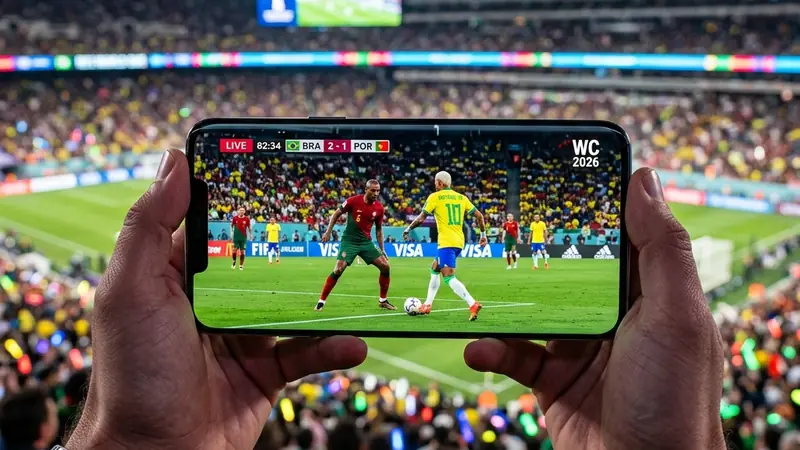
Watching the World Cup 2026 on your phone is the ultimate solution for fans who don't want to miss any match while commuting, working, or on the go. Thanks to the rollout of high-speed 5G networks and highly optimized streaming apps, watching high-definition live sports in the palm of your hand has never been easier.
To help you find the best options, we've prepared this guide showing where to find official broadcasts on mobile devices (Android and iOS), how to save mobile data, and how to avoid stream stuttering right before a goal.
Top Official Apps for World Cup 2026
Here is a comparison of the top recommended streaming apps and their broadcast details:
| App Name | Cost | Max Resolution | Key Features |
|---|---|---|---|
| Fox Sports / Tubi (US) | Paid (Fox) / Free (Selected highlights) | 4K / Full HD | English broadcast, professional commentary, and multi-cam feeds. |
| BBC iPlayer / ITVX (UK) | Free (with TV License) | Full HD / 4K UHD | Unmatched British coverage, zero ads, and extensive highlights. |
| FIFA+ | Free | Full HD | Live coverage in select territories, real-time stats, and historical match archives. |
Tips to Optimize Mobile Streaming
Follow these steps to enjoy smooth streams and keep your cellular data plan from running out:
1. Adjust Video Resolution Manually
When using cellular data, avoid setting the video quality to "Auto". Manually locking it to 720p keeps the image sharp on small phone screens while consuming half the data of a 1080p stream.
2. Use Low Latency Bluetooth Headphones
If you're watching in public, use headphones supporting Bluetooth 5.2 or newer to eliminate the delay between the audio narration and the video playback.
DomineTec Tip: Want to know how to keep your phone from dying during the game? Read our guide on how to save battery watching games. You can also visit our main hub at World Cup 2026 and Technology to explore more articles.
🔮 DomineTec Perspective for 2026
For the 2026 World Cup, new video compression codecs like AV1 enable stunning stream quality using up to 30% less bandwidth compared to previous tournaments. This will significantly improve stream stability in areas with weak cell coverage.
Checklist: Prevent Stuttering During Matches
- [ ] Test your Wi-Fi or cellular speed 15 minutes before kick-off.
- [ ] Close all background apps to free up RAM.
- [ ] Disable chat notifications to prevent spoilers from friends.
FAQ: Frequently Asked Questions
Can I watch the World Cup matches outside my country using these apps?
Most local broadcasters (like Fox or BBC) use geoblocks. If you travel internationally, using the official **FIFA+** app is your best free legal option, as it broadcasts to multiple global regions where local rights are not exclusive.
Does streaming a full match consume a lot of battery?
Yes. A 90-minute live video stream at medium brightness can consume 20% to 35% of your battery. It is highly recommended to have a portable power bank handy.