PlayStation 5: Guide to Models, Features, and Best Settings
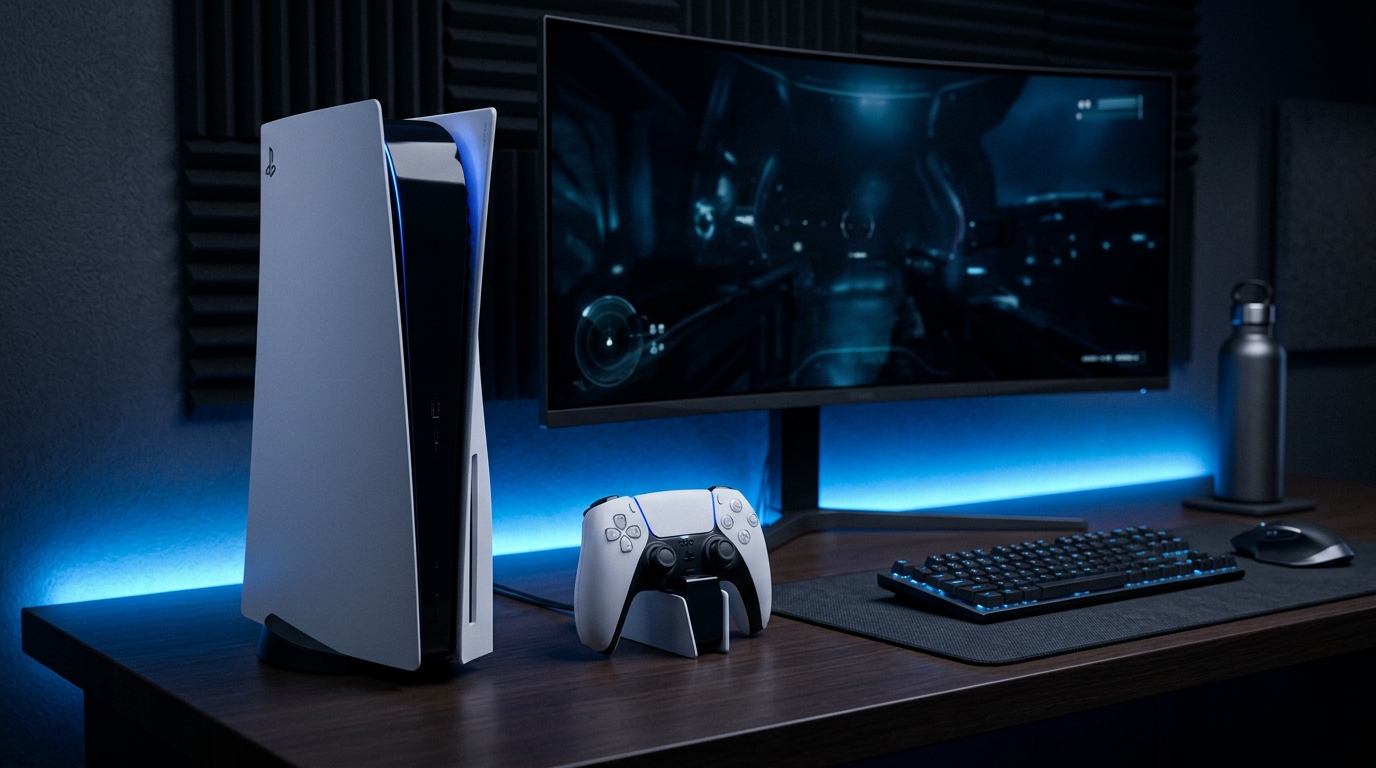
PlayStation 5: Guide to Models, Features, and Best Settings
The PlayStation 5 stands as one of the leading gaming consoles, delivering 4K visuals, ultra-fast SSD load times, and immersive haptic feedback via the DualSense controller. Understanding hardware revisions, essential accessories, and optimal system settings ensures you get the best performance from your console.
Comparing PlayStation 5 Hardware Models
- PS5 Slim (Digital Edition): Compact design with 1 TB internal SSD storage. Includes no disc drive out of the box but supports the optional add-on disc drive.
- PS5 Slim (Disc Edition): Compact design with 1 TB SSD storage, featuring a built-in Ultra HD 4K Blu-ray disc drive.
- PS5 Pro: Targeted at performance enthusiasts seeking higher frame rates (60+ FPS) paired with advanced ray tracing and AI upscaling (PSSR).
Selecting the Best Display for PS5
To take full advantage of PS5 graphics, choose a monitor or TV supporting 120Hz refresh rate, 4K resolution, and VRR (Variable Refresh Rate) via HDMI 2.1. Check our guide on the best monitor for PS5 4K 120Hz gaming.
Expand storage using high-speed internal M.2 NVMe SSDs. Read our picks for the best SSD for PS5 storage expansion and improve online latency with the best DNS servers for PS5 gaming.
The Evolution of PlayStation: Why the PS5 Stands Out
The gaming industry has witnessed numerous generational leaps, but the transition from the PlayStation 4 to the PlayStation 5 represents one of the most significant paradigm shifts in modern gaming history. For years, console lifecycles were defined by sheer graphical upgrades—more polygons, higher resolutions, and better textures. However, the PS5 distinguishes itself by fundamentally changing how games are designed and experienced, prioritizing speed, immersion, and seamless user interaction over raw visual fidelity alone. The custom-designed AMD architecture, combined with a revolutionary solid-state drive (SSD), has eliminated the notorious loading screens that plagued previous generations. This architectural marvel allows developers to stream massive, highly detailed worlds into the system's memory instantaneously. The implications of this speed go far beyond mere convenience; it enables entirely new gameplay mechanics. Games like Ratchet & Clank: Rift Apart showcase this by seamlessly teleporting players across entirely different dimensions in a fraction of a second—a feat that was physically impossible on older hardware. This emphasis on removing friction from the gaming experience has redefined user expectations, making the PS5 not just a graphical powerhouse, but a fluid, highly responsive entertainment hub. The console's user interface has also been completely overhauled, featuring a Control Center that provides instant access to system settings, party chats, and in-game activities without ever needing to pause or exit the current game. The integration of Game Help—a feature that provides in-game hints and video guides directly from developers—further smooths out the player journey, ensuring that you remain engaged and immersed at all times. This holistic approach to game design and system architecture is why the PS5 has become the gold standard for contemporary console gaming, setting a benchmark that competitors are striving to match.
Deep Dive: PS5 Slim vs PS5 Pro - Which Should You Buy?
When selecting a PlayStation 5 in the current market, consumers are faced with a crucial decision between the streamlined PS5 Slim and the powerhouse PS5 Pro. Making the right choice requires a deep understanding of your personal gaming habits, your display hardware, and your performance expectations. The PS5 Slim, introduced as a mid-cycle refresh to replace the bulky launch model, is an engineering triumph in miniaturization. It retains the exact same processing power as the original console but packages it into a 30% smaller footprint. The Slim is available in both a Digital Edition and a standard Disc Edition. Crucially, the Digital Edition now features an attachable disc drive, meaning that users who initially opt for a digital-only lifestyle can later upgrade their console to play physical media without needing to purchase an entirely new system. The Slim also standardizes the internal storage at a full 1TB, providing ample room for several blockbuster titles right out of the box. For the vast majority of players, the PS5 Slim delivers exceptional 4K visuals and smooth 60 FPS gameplay, making it the most sensible and cost-effective entry point into the PlayStation ecosystem.
Conversely, the PlayStation 5 Pro is engineered for the uncompromising enthusiast who demands the absolute peak of console performance. The Pro model features a significantly beefed-up GPU that delivers up to 45% faster rendering compared to the base model. However, the true game-changer in the PS5 Pro is the introduction of PlayStation Spectral Super Resolution (PSSR). PSSR utilizes advanced machine learning and AI to intelligently upscale lower-resolution images to crystal-clear 4K. This technology allows developers to push frame rates higher—often reaching a stable 60 to 120 FPS—without sacrificing image quality. Furthermore, the PS5 Pro features vastly enhanced ray tracing capabilities. Ray tracing, which simulates the physical behavior of light to create hyper-realistic reflections and shadows, is incredibly demanding on hardware. On the base PS5, enabling ray tracing almost always requires capping the frame rate at 30 FPS. The Pro model overcomes this limitation, allowing players to enjoy breathtaking ray-traced visuals alongside silky-smooth, high-frame-rate performance. If you have invested in a premium OLED TV or a high-end gaming monitor capable of 120Hz and VRR, the PS5 Pro is the only console that will fully saturate your display's capabilities. It represents the ultimate luxury gaming experience, catering to players who refuse to compromise between graphical fidelity and competitive responsiveness.
In conclusion, the decision between the Slim and the Pro hinges on your budget and your setup. The PS5 Slim is the workhorse of the generation, offering incredible value and access to all of Sony's exclusive titles. The PS5 Pro, while commanding a premium price tag, future-proofs your gaming setup and guarantees that you will experience upcoming mega-hits in their absolute best light.
Mastering the DualSense Controller: A Tactile Revolution
The DualSense wireless controller is widely regarded as the crown jewel of the PlayStation 5 experience, introducing a level of tactile feedback that fundamentally alters how we interact with virtual worlds. Sony abandoned the traditional asymmetrical rumble motors found in the DualShock 4, replacing them with highly sophisticated dual voice coil actuators. This technology, known as haptic feedback, allows the controller to produce an incredibly wide spectrum of vibrations, ranging from a subtle, high-frequency hum to a heavy, low-frequency thud. Game developers utilize this technology to simulate environmental textures and physical impacts. When playing Gran Turismo 7, for instance, you can literally feel the difference in the road surface—the controller vibrates differently when your tires are on smooth asphalt versus a gravel shoulder. In Horizon Forbidden West, the impact of a robotic dinosaur's footstep translates into a heavy, directional pulse in your hands. This physical connection grounds the player in the game world, creating a sensory loop that goes beyond just sight and sound.
Working in tandem with the haptic feedback are the adaptive triggers located on the L2 and R2 buttons. These triggers contain complex gear mechanisms that can dynamically alter their resistance based on in-game events. In a shooter game, the triggers can be programmed to simulate the distinct pull weight of different firearms, or they can forcefully kick back to mimic weapon recoil. In a racing game, the triggers can emulate the tension of a brake pedal, becoming stiffer as you brake harder to prevent wheel lockup. The ingenuity of these features shines brightest in titles specifically built to showcase them. The pre-installed platformer, Astro's Playroom, serves as a comprehensive tech demo for the DualSense, utilizing the adaptive triggers to simulate crushing glass, drawing a bow, or manipulating a spring-loaded suit. To ensure that these features remain comfortable for all players, Sony provides robust accessibility settings within the PS5 menu. Users can adjust the intensity of the haptic feedback and trigger effects, or disable them entirely if they cause hand fatigue. It is highly recommended to experiment with these settings to find the perfect balance between immersion and comfort for prolonged gaming sessions.
Step-by-Step Guide: Upgrading Your PS5 with an M.2 NVMe SSD
As the visual fidelity of games continues to increase, so does their installation footprint. Blockbuster titles regularly demand upwards of 100GB of storage space, making the PS5's internal 1TB SSD fill up surprisingly fast. Recognizing this limitation, Sony incorporated a dedicated, user-accessible M.2 NVMe SSD expansion slot into the console's design. Upgrading your storage is the most impactful hardware modification you can perform on your PS5, and doing so is a straightforward process that does not void your warranty.
Before beginning the installation, you must acquire a compatible SSD. Sony requires a PCIe Gen4 x4 M.2 NVMe SSD with a sequential read speed of at least 5500 MB/s. Using a slower Gen3 drive is not supported and will not work. Crucially, the SSD must be equipped with a heat dissipator (heatsink). The expansion bay within the PS5 is a confined space, and Gen4 drives generate significant heat during operation. Without a heatsink, the drive will quickly overheat, leading to severe thermal throttling, reduced performance, and potentially permanent hardware damage. You can purchase an SSD with a pre-installed heatsink, such as the widely recommended WD Black SN850X or the Corsair MP600 Pro LPX, or you can buy a bare drive and attach a compatible third-party heatsink yourself. Furthermore, the drive's total dimensions, including the heatsink, must adhere to Sony's strict clearance requirements, which are detailed extensively on the official PlayStation support page.
The physical installation process takes less than ten minutes. Begin by completely powering down the PS5—do not place it in Rest Mode. Disconnect all cables, including the power cord and HDMI. Lay the console on a flat, clean surface. If you are using the Disc Edition, place the console with the disc drive facing upwards and the PlayStation logo facing down. Grip the top two corners of the faceplate (the corners opposite the disc drive). Apply gentle upward pressure while simultaneously sliding the faceplate towards the base of the console. The faceplate will pop off, revealing the internal chassis and the expansion bay cover, which is a rectangular piece of metal secured by a single Phillips-head screw. Remove this screw and lift off the metal cover. Inside the bay, you will find another screw and a small metal spacer. Remove the screw, move the spacer to the notch corresponding to the length of your M.2 drive (typically the "80" notch for standard 2280 drives), insert the SSD firmly into the connector at a diagonal angle, press it down so it rests on the spacer, and secure it with the screw. Reattach the metal cover, slide the faceplate back into position until it clicks, and reconnect your console. Upon powering up, the PS5 will automatically detect the new drive and prompt you to format it. Once formatted, the drive functions exactly like the internal storage, allowing you to install and play PS5 titles directly from it with lightning-fast load times.
Unlocking Next-Gen Visuals: HDMI 2.1, VRR, and 120Hz Output
To truly appreciate the graphical prowess of the PlayStation 5, you must ensure that your display and system settings are optimized to handle the massive bandwidth of next-generation video signals. The cornerstone of this visual experience is HDMI 2.1 technology. While the PS5 is perfectly compatible with older HDMI 2.0 displays (running at 4K 60Hz), a display equipped with HDMI 2.1 ports is required to unlock the console's maximum potential: uncompressed 4K resolution at 120 frames per second. The leap from 60 FPS to 120 FPS is profound, particularly in competitive multiplayer games such as Call of Duty, Fortnite, and Apex Legends. The increased frame rate drastically reduces input latency, providing a massive advantage in reaction times, while simultaneously making camera movements and fast-paced action appear incredibly fluid and lifelike.
Another critical display feature supported by the PS5 is Variable Refresh Rate (VRR). In a traditional gaming setup, your monitor or TV refreshes its image at a fixed rate (e.g., 60 times per second). If the console struggles to render a complex scene and the frame rate drops below 60 FPS, the display and the console fall out of sync, resulting in jarring screen tearing or noticeable stuttering. VRR eliminates this issue by allowing the display to dynamically adjust its refresh rate on the fly to perfectly match the console's exact frame output. If a graphically demanding boss fight causes the frame rate to fluctuate between 48 FPS and 60 FPS, the display will instantly adjust its refresh rate to mirror those fluctuations. This synchronization creates an incredibly smooth visual experience, masking performance drops so effectively that they become practically imperceptible to the human eye. To take advantage of VRR, your display must explicitly support it via HDMI Forum VRR or AMD FreeSync Premium.
Configuring these features is simple. Ensure you are using the Ultra High Speed HDMI cable provided in the PS5 box, as standard HDMI cables lack the necessary bandwidth. Connect the console directly to an HDMI 2.1 port on your TV. On the PS5, navigate to the Settings menu, select "Screen and Video," and then "Video Output." Set the "Resolution" to Automatic. Scroll down and set "VRR" to Automatic. If you want VRR applied even to unsupported games, you can toggle the "Apply to Unsupported Games" option, though this may cause visual artifacts in older titles. Set "120 Hz Output" to Automatic, and ensure "ALLM" (Auto Low Latency Mode) is enabled. ALLM automatically communicates with your TV, switching it into its dedicated "Game Mode" to minimize input lag without requiring you to navigate your TV's menus manually. With these settings configured, your PS5 is fully optimized to deliver a cutting-edge visual experience.
Immersive Audio: Experiencing Tempest 3D AudioTech
While stunning graphics are often the focus of next-generation hardware, Sony has placed equal emphasis on revolutionizing the auditory experience with its proprietary Tempest 3D AudioTech. Traditional gaming audio relies on channel-based surround sound (such as 5.1 or 7.1 systems), where sounds are hard-coded to output through specific speakers. Tempest 3D Audio, however, utilizes an object-based audio engine that calculates the precise origin and trajectory of hundreds of individual sound sources in real-time. This creates a highly accurate, spherical soundscape that fully envelops the player, accounting for spatial positioning, environmental acoustics, and the physical obstruction of sound waves.
The practical application of this technology in gameplay is profound. In a competitive shooter, Tempest 3D Audio allows you to pinpoint the exact location of an unseen enemy based purely on the sound of their footsteps. You can accurately judge their distance, direction, and even the type of surface they are walking on. In narrative-driven single-player experiences, the technology significantly heightens immersion. When playing an atmospheric horror game, you can hear a creature scurrying across the ceiling directly above you or a floorboard creaking in the adjacent room. The audio engine is so precise that it tricks your brain into perceiving depth and elevation, transforming a flat stereo signal into a tangible, three-dimensional environment.
The optimal way to experience Tempest 3D Audio is through high-quality stereo headphones. Sony's official Pulse 3D Wireless Headset is designed specifically for this purpose, but the technology works exceptionally well with any standard wired headphones plugged directly into the DualSense controller's 3.5mm audio jack. Furthermore, Sony has released system updates that enable 3D audio output through built-in TV speakers and compatible Dolby Atmos soundbars. When using TV speakers, the console utilizes the microphone built into the DualSense controller to measure the acoustics of your room, adjusting the audio output to create a virtual surround sound effect. To ensure the best possible experience, navigate to the Sound settings menu on your PS5 and run the personalized 3D audio calibration tool. This process allows you to select an audio profile that best matches your specific hearing characteristics, ensuring that spatial cues are perfectly aligned with your perception.
Navigating PlayStation Plus: Choosing the Right Subscription Tier
The PlayStation Plus ecosystem has undergone a massive transformation, evolving from a standard online multiplayer subscription into a comprehensive, multi-tiered service that offers immense value to players. Understanding the nuances of the Essential, Extra, and Premium tiers is crucial for determining which subscription best aligns with your gaming habits and budget.
PS Plus Essential is the foundational tier and mirrors the classic PlayStation Plus offering. For a reasonable annual fee, subscribers gain access to crucial online multiplayer functionality, allowing them to play with friends and compete globally. It also includes exclusive discounts during PlayStation Store sales, often resulting in significant savings on new releases and popular catalog titles. A critical feature of this tier is cloud storage, which automatically backs up your game save data to Sony's servers, ensuring your progress is safe even if your console experiences hardware failure. Finally, Essential subscribers receive a curated selection of two to three "free" games each month. These titles, which range from major AAA blockbusters to acclaimed indie gems, are permanently tied to your account and remain playable as long as your subscription is active.
PS Plus Extra represents a significant step up in value and is widely considered the "sweet spot" for most PS5 owners. This tier includes all the benefits of Essential, but the primary draw is the Game Catalog. The Game Catalog is a massive, Netflix-style library containing up to 400 highly rated PS4 and PS5 games. Unlike cloud streaming services, these games are downloaded directly to your console's SSD, ensuring flawless performance and zero latency. The catalog is continually updated with new titles, featuring incredible PlayStation Studios exclusives like Ghost of Tsushima Director's Cut, Spider-Man: Miles Morales, and Returnal, alongside a robust selection of third-party hits. If you are new to the PlayStation ecosystem or simply want a massive library of critically acclaimed games at your fingertips without purchasing them individually, the Extra tier provides unparalleled value.
PS Plus Premium (known as PS Plus Deluxe in regions without cloud streaming support) is the top-tier subscription designed for dedicated PlayStation enthusiasts and retro gaming fans. Premium encompasses all the features of Essential and Extra, but introduces the Classics Catalog. This library grants access to hundreds of beloved titles from previous console generations, including the original PlayStation, PS2, PS3, and PSP. In supported regions, Premium members can utilize cloud streaming to play PS3 and PS4 titles instantly without needing to download massive installation files. This tier also introduces Time-Limited Game Trials, a highly requested feature that allows players to download and test full versions of newly released blockbuster games for several hours before deciding whether to purchase them. Any trophies earned or progress made during the trial carries over directly if you choose to buy the full game.
Console Maintenance: Keeping Your PS5 Running Cool and Quiet
The PlayStation 5 is a remarkably powerful machine, and like any high-performance computing device, it generates a substantial amount of heat. Sony engineers addressed this by designing an advanced thermal management system, consisting of a massive internal liquid-metal heatsink and a large, multi-directional cooling fan. However, to ensure the long-term health and consistent performance of your console, regular physical maintenance is absolutely necessary. The primary enemy of any gaming console is dust accumulation. Over time, dust, pet hair, and environmental debris are drawn into the console's intake vents. As dust builds up on the heatsink fins and the fan blades, the system's ability to dissipate heat is severely compromised. This forces the cooling fan to spin faster and louder to compensate, resulting in excessive fan noise and, in severe cases, thermal throttling that drastically degrades game performance or causes sudden system shutdowns.
Fortunately, the PS5 was designed with user-friendly maintenance in mind. Sony explicitly engineered the console's faceplates to be easily removable without tools, providing access to dedicated "dust catcher" ports. To perform a routine cleaning, power down the console entirely and unplug it. Carefully remove the faceplates by lifting the top corners and sliding them downwards. Once the internal chassis is exposed, locate the triangular dust catcher holes. Use a low-powered vacuum cleaner equipped with a narrow nozzle attachment to gently suction dust directly out of these ports. Do not use a high-powered air compressor directly inside the console, as this can force dust deeper into sensitive optical drive components or internal circuitry. It is recommended to perform this basic cleaning procedure every three to six months, depending on the environment in your home.
Equally important to physical cleaning is proper console placement. The PS5 requires adequate ventilation to breathe. Whether you orient the console vertically or horizontally, ensure it is placed on a hard, flat surface. Never place the console on thick carpets or rugs, as this will suffocate the bottom intake vents. Ensure there is at least four to six inches of clear space around the entire perimeter of the console, particularly at the rear exhaust ports where hot air is expelled. Avoid housing the PS5 inside enclosed entertainment center cabinets, media racks with solid glass doors, or any confined space lacking active airflow. If the hot exhaust air cannot escape, it will be recirculated back into the intake vents, creating an "oven effect" that will rapidly overheat the system. By combining regular dust removal with intelligent spatial placement, you will significantly extend the lifespan of your PlayStation 5 and ensure it operates at peak performance for years to come.




