Mondial Robot Vacuum Beeping 3 Times: Error Codes Explained
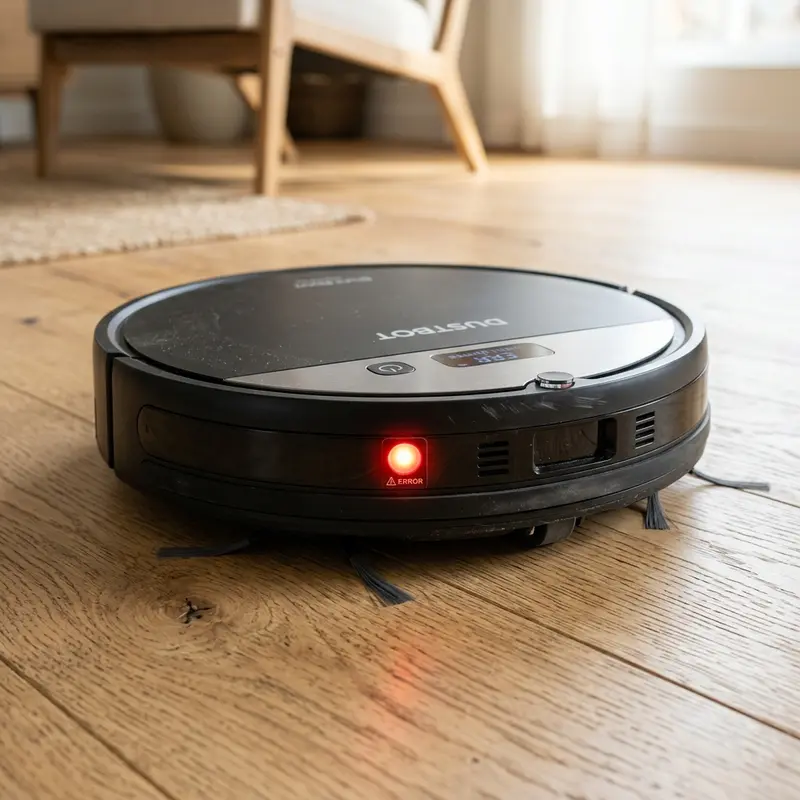
Mondial Robot Vacuum Beeping 3 Times: Error Codes Explained
If your Mondial robot vacuum stopped working, turned on its red indicator warning light, and emitted a sequence of beep alerts, here is the technical diagnosis: the Mondial robot vacuum beeping 3 times indicates a mechanical jam in the side drive wheels or an electrical overload in the wheel motors caused by wrapped hair, threads, and compacted dust. This beep pattern is an integrated firmware safety feature designed to cut power to the drive circuits and prevent the motherboard's H-bridge transistors from failing.
1. Decodifying Mondial Robot Vacuum Warning Beeps
The main motherboard of the Mondial Fast Clean robot vacuum monitors current levels across all actuators and reads sensor states. If a motor draws current exceeding safety parameters, the processor halts cleaning cycles and alerts you using specific beep patterns:
- 1 Beep: Cliff sensor fault. Wiping the optical windows under the chassis usually resolves this as it prevents the robot from assuming a step exists;
- 2 Beeps: Bumper fault. The mechanical front bumper is stuck in a pressed collision state due to grit in the springs or a bent micro-switch;
- 3 Beeps: Side drive wheel overload. Hair or fibers are wrapped around the wheel axle, blocking rotation;
- 4 Beeps: Main roller brush (on Turbo series) or side sweeping brushes are overloaded.
To compare these alerts with mapping vacuums and check how other models handle sensors, read our analysis of whether the KaBuM! Smart 500 is worth it or check out our diagnostic breakdown of the WAP Robot W100 worth buying for comparison.
2. Beep Codes and Troubleshooting Guide Table
The table below summarizes Mondial beep alerts, pinpointing the primary mechanical causes and the correct troubleshooting procedures:
| Beep Pattern | LED Indicator | Logical Issue | Resolution Step |
|---|---|---|---|
| 1 Beep | Slow flashing red LED | Optical cliff sensors dirty | Wipe underside sensor covers with isopropyl alcohol. |
| 2 Beeps | Solid red LED | Front bumper physically stuck | Tap the front bumper to align internal return springs. |
| 3 Beeps | Fast flashing red LED | Drive wheel stalled / motor overcurrent | Unscrew wheel housing, remove hair spools from axle. |
| 4 Beeps | Double flashing red LED | Sweeper brushes blocked | Remove brushes, clear axles, and grease wheel gears. |
3. Resolving Side Wheel Jams and Clearing 3 Beeps
If your Mondial vacuum beeps three times due to blocked side wheels, perform the following mechanical disassembly to clear the axle shafts:
- Set the power switch on the underside of the vacuum to the "0" (off) position and remove the battery pack;
- Place the unit upside down on a soft work surface. Remove the screws holding the side wheel assemblies to the chassis;
- Press the wheels down to test suspension travel. The wheel hubs must spring back quickly without clicking or binding;
- Use fine-tipped tweezers or a seam ripper to cut away pet hair and threads wrapped around the metal motor shaft;
- Use compressed air to clear dust from the internal optical encoder wheel that tracks RPMs;
- Apply a single drop of high-viscosity silicone grease to the wheel axle. Reassemble the wheel housing and test navigation on a flat floor.
4. Diagnostics of Electrical Motor Driver Faults with a Multimeter
If the drive wheels spin freely by hand but the 3-beep warning continues immediately upon switching the Mondial vacuum on, the motherboard motor driver has failed. The driver integrated circuit (such as the L298N driver or MOSFET bridges) may have shorted due to an earlier prolonged stall. To test the driver output on the logic board:
Expose the main logic board. Set your digital multimeter to the diode test or continuity scale. Connect the multimeter leads to the output terminals of the affected wheel motor socket on the motherboard. Turn the wheel by hand: you must observe a fluctuating voltage reading as the DC motor acts as a generator. If the multimeter reports zero resistance or continuous continuity, the MOSFET driver has shorted, requiring soldering a new driver chip on the logic board.
If other home automation systems are losing connection, consult our steps on resolving issues when a Tapo camera won't connect to Wi-Fi to check local DHCP configurations.
Additionally, to keep robot maps loading without lag, see our evaluation of the best Wi-Fi router for security cameras, which covers optimizing 2.4 GHz coverage through walls.

5. Testing the Bumper Micro-switches
If your Mondial vacuum shows a bumper error (2 beeps) after cleaning the external plastic, the internal switch is damaged. Heavy impacts can bend the metal actuator lever of the micro-switch. Set your multimeter to the continuity setting and place the probes on the switch terminals. Press the bumper manually: the meter must beep, registering zero ohms. If it remains open, replace the 3-pin micro-switch using a soldering iron.
Optical Encoder Jams and Odometer Signal Diagnostics
The optical encoders on the Mondial wheel motors track the speed (RPM) of each drive axle. The output pulses from these infrared photo-sensors feed the odometry algorithms of the motherboard's 3-axis gyroscope. If one wheel spins faster than the other due to slipping on slick floors or dust blocking the sensor lens, the vacuum loses tracking direction. The firmware reads this mismatch as a wheel jam, sounding the 3-beep warning to protect the motors.
Clearing the optical encoder requires spraying low-pressure compressed air into the motor gearbox slits. This clears away carbon brush dust, which reflects infrared light and triggers false wheel lock error codes on the mainboard.
Current Load Limits and Drive Wheel Suspension Troubleshooting
The DC wheel motors draw higher current when encountering mechanical resistance. If the independent coil springs on the wheel suspension are worn or dirty, the vacuum will lean, increasing weight and drag on one wheel. The control board monitors current draw across shunt resistors, sounding warning beeps if threshold limits are exceeded.
Keeping the suspension housing clean and verifying spring tension ensures even weight distribution on hardwood floors. Check that the plastic wheel brackets are not cracked or bent, as structural damage will cause wheel misalignment and trigger overcurrent faults.
Piezoelectric Buzzer Switching and Logic Signal Commutation
The warning beeps on the Mondial Fast Clean are generated by a piezoelectric buzzer soldered to the motherboard. This buzzer is driven by 2 kHz square waves sent from a general-purpose input/output (GPIO) pin on the central CPU. When a wheel sensor error is registered, the processor halts cleaning operations and pulses the GPIO pin at 500 ms intervals to trigger the 3-beep alert.
If the buzzer's internal ceramic disc cracks due to mechanical shocks, the vacuum may stop cleaning silently or emit faint, distorted clicks. Inspecting the buzzer casing for physical cracks and testing the continuity of the trace leading to the driver transistor prevents mistaking a simple buzzer failure for a broken mainboard.
Decoding Other Beep Codes on Mondial Robot Vacuums
In addition to the 3-beep wheel error, the Mondial Fast Clean utilizes other beep sequences to report hardware status. A 1-beep alert signals blocked underside cliff sensors, while 2 beeps indicate the front mechanical bumper is stuck. If the vacuum emits 4 beeps, the fault lies within the side sweeping brush motors or the main roller brush drive gear.
Understanding these beep patterns allows you to focus troubleshooting on the affected component immediately. Keep the motherboard buzzer clear of dust to ensure you can hear the diagnostic warnings clearly during operation.
Aligning Rear Drive Wheel Suspension and Swivel Brackets
Proper alignment of the rear drive wheels on the Mondial vacuum is necessary to prevent false 3-beep alerts. Dust and carpet lint packing into the suspension slots can jam the plastic wheel brackets, blocking the wheel from springing back when the vacuum crosses floor thresholds or low rugs.
To service the suspension, unscrew the wheel module, extract the coil springs, and wipe the plastic guide channels clean. Blow out any grit with compressed air. This preventive cleaning keeps wheel travel linear and prevents overcurrent sensor errors during normal cleaning cycles.
Geared Drive Axle Lubrication and Wear Prevention
Squeaking sounds during turns on Mondial vacuums point to mechanical wear in the drive wheel axle bushings. Fine dust mixing with lubricants forms an abrasive compound that wears down the steel pin, causing alignment wobble and drag.
Remove the wheel modules monthly to clean the nylon bushings. Clear out hair wrap with tweezers and apply fresh white lithium grease to the gear teeth. This keeps rotation quiet and prevents overcurrent faults that trigger beeping error codes.
Check our review of the best Wi-Fi router for security cameras, which discusses managing 2.4 GHz IoT channels to keep robot maps loading without lag.
Calibrating Front Bumper Micro-switch Actuators and Springs
Aligning the metal actuator levers on the front bumper micro-switches prevents false 2-beep bumper alerts on Mondial vacuums. Heavy impacts against baseboards can bend these copper contacts, keeping the circuit closed even when the vacuum is in open space.
Use needle-nose pliers to adjust the levers so they close contact only during physical collisions. Spraying the contacts with electrical cleaner restores conductivity, ensuring systematic straight paths without logical stalls.
Read our review of the best Wi-Fi router for security cameras to select stable 2.4 GHz channels for home appliances.
Aligning Bumper Micro-switches to Resolve 2-Beep Alerts
Correct mechanical alignment of the front bumper micro-switches prevents false 2-beep bumper alerts on Mondial vacuums. Heavy impacts against baseboards can bend the copper contacts, keeping the circuit closed even when the vacuum is in open space.
Testing Shunt Resistors and Voltage Regulator Output Terminals
The current draw of the Mondial wheel motors is measured across shunt resistors on the mainboard. If a power surge damages these shunts, the board will read incorrect current levels, triggering false 3-beep wheel jam alerts even if the wheels spin freely.
Measure the resistance of the shunts using a multimeter set to the lowest ohm scale. The reading must match the factory rating (usually 0.1 ohms). If the shunts read open or high, solder new components in place to restore correct current feedback loops.
Calibrating Front Bumper Micro-switch Actuators and Spring Travel
Aligning the metal actuator levers on the front bumper micro-switches prevents false 2-beep bumper alerts on Mondial vacuums.
Maintaining Bumper Cleanliness and Optical Path Alignment
The Mondial robot vacuum relies on small optocoupler sensors inside the bumper assembly to detect physical impacts. If fine drywall dust or pet dander gets inside the bumper frame, it can block the optical path of these internal sensors, resulting in a persistent 3-beep error or spinning in circles. Blowing compressed air into the bumper gap removes hidden blockages and restores normal navigation paths without requiring a full mechanical disassembly.
Calibrating Bumper Springs and Mechanical Switch Sensitivity
Over time, the coil springs behind the front bumper of the Mondial vacuum can fatigue or slip off their positioning posts. When this happens, the bumper stays partially depressed, triggering a constant beeping error code. Opening the front cover to realign these springs and testing the rebound action prevents persistent navigation failures.
Frequently Asked Questions (FAQ)
Does physical bumper misalignment cause the 3-beep alarm on Mondial?
Yes, bent copper switch contacts inside the bumper frame will keep the bumper circuit closed, resulting in the error loop.
The Mondial Fast Clean beeps 3 times and halts. Can a bad battery cause this?
Yes. If the Ni-MH battery drops below 10V on 14.4V models, the motor torque drops significantly. The CPU interprets the lack of wheel movement as a mechanical obstacle, triggering the 3-beep warning.
How do I clean the optical cliff sensors of the Mondial vacuum?
Wipe the acrylic windows on the underside with a microfiber cloth dampened with isopropyl alcohol. Avoid water or aggressive solvents, which can scratch the optical lens and block infrared light pathing.
Why does the Mondial vacuum spin in circles before beeping?
This happens when only one wheel is blocked by hair. The free wheel continues to rotate, causing the vacuum to pivot in circles. The gyroscope detects the lack of forward progress and sounds the beep codes.
Conclusion
Weekly inspections of your Mondial Fast Clean's side wheels will prevent unexpected halts during operation. Decodifying warning beeps allows you to address simple mechanical blocks quickly, maintaining optimal cleaning performance.




