Where to Buy Replacement Battery for Mondial Fast Clean Vacuum
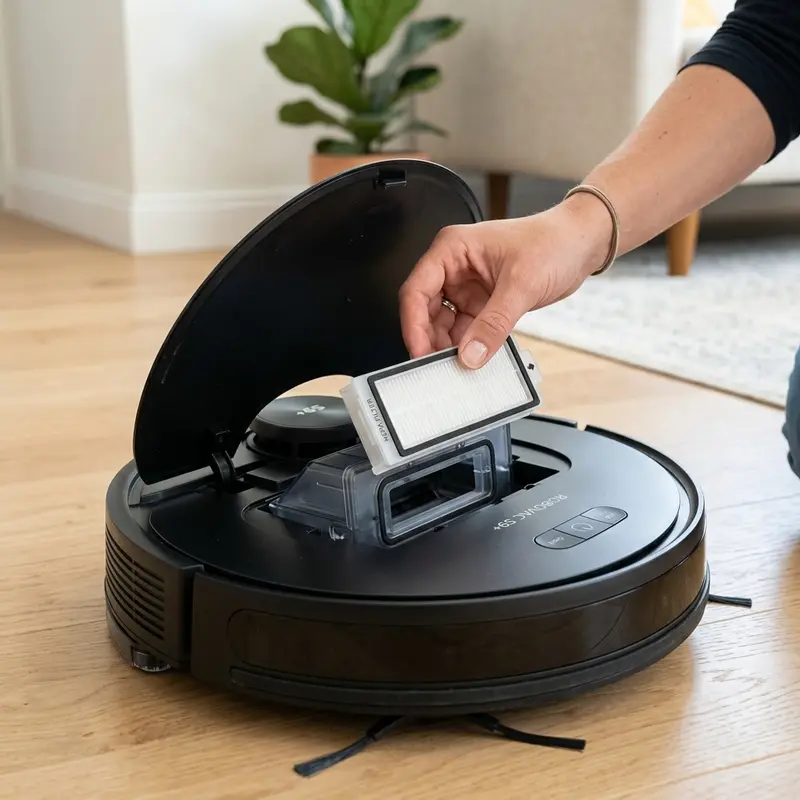
Where to Buy Replacement Battery for Mondial Fast Clean Vacuum
If your device shuts down after just a few minutes of sweeping, finding a replacement battery for the Mondial Fast Clean robot vacuum requires verifying the cell chemistry (19V NiMH vs. Li-ion), the energy capacity in milliampere-hours (mAh), and the physical connector type (2-pin or 3-pin JST). Unlike modern smart electronics with sealed batteries, Mondial robot vacuums feature a user-accessible bottom battery bay. Purchasing the correct battery cell restores your vacuum's run times.
1. Identifying Cell Chemistry and Nominal Voltage on Mondial Vacuums
The Mondial robot vacuum family (specifically the Pratic Clean and Fast Clean lines) has had different factory configurations. Older production runs use Nickel-Metal Hydride (NiMH) battery packs with a nominal voltage of 19V and capacities ranging from 800 mAh to 1,000 mAh. Newer batches feature Lithium-ion (Li-ion) battery packs with dedicated battery management system (BMS) chips.
To avoid damaging your vacuum's motherboard:
- Open the bottom hatch: Remove the two phillips screws to read the label on your original battery pack.
- Verify the voltage rating: Never install a 14.4V Lithium pack in a system configured for 19V NiMH cells. The charging dock will supply overvoltage, causing cell swelling and thermal runaway risks.
- Confirm the connector style: Mondial battery packs use JST plug connectors with 2 or 3 wires. The third wire (often yellow or white) connects to an internal NTC thermistor to monitor cell temperature.
2. Where to Purchase Compatible Replacement Battery Packs
Since Mondial does not sell replacement battery packs directly as standard retail accessories, you will need to order from specialized suppliers:
- Authorized Mondial Service Centers: Local repair centers can order original replacement packs using the manual's part codes.
- Online Replacement Marketplaces (Mercado Livre, Shopee, AliExpress): Search for terms like "Mondial Pratic Clean 19V battery" or "Mondial Fast Clean compatible battery". Read reviews to check cell quality.
- Custom Battery Assemblies: Specialized battery retailers can assemble a pack of rechargeable cells matching the original dimensions, voltage, and plug.
If your device consumes excess power after the swap, read our diagnostic guide on do robot vacuums consume a lot of electricity while charging.
3. Step-by-Step Battery Replacement Guide
Replacing the battery is a simple home maintenance task that takes under 10 minutes. Follow these instructions:
First, remove the robot from the charging dock and turn off the power switch. Remove the phillips screws securing the battery hatch on the underside of the chassis. Lift the old battery pack out of the bay using the pull tab.
Unplug the JST connector by pressing the central plastic latch. Plug the new battery connector in, ensuring correct polarity (red wire to positive, black wire to negative). Tuck the wiring into the side gaps so it is not pinched when closing the cover. If you need side brush maintenance tips, check how to clean WAP vacuum side brushes.
4. Technical Comparison of Replacement Cells
The table below highlights the differences between common battery options for entry-level robot vacuums:
| Cell Type | Nominal Voltage | Recommended Capacity | Estimated Lifespan | Key Advantage |
|---|---|---|---|---|
| NiMH (Nickel-Metal Hydride) | 19V | 1000 mAh to 1500 mAh | 300 — 400 cycles | Low cost, safe chemistry |
| Li-ion (Lithium-Ion) | 14.8V / 19V (variant) | 1500 mAh to 2200 mAh | 500 — 800 cycles | High energy density, no memory effect |
| Generic (No NTC sensor) | 19V | 800 mAh | 150 — 200 cycles | Very cheap, but lacks safety sensor |
| Original Mondial OEM | 19V | 1000 mAh | 350 cycles | Perfect fit, maintains factory warranty |
5. How to Calibrate a New Battery Pack
New replacement battery cells ship with a partial storage charge. When powered on for the first time, the vacuum's charging circuit may read the voltage curve incorrectly, indicating a full charge prematurely and causing early shutdowns.
To calibrate the battery, insert the new pack and charge the vacuum directly from the power adapter for 12 continuous hours. Then, run the Mondial vacuum on hard floors until the battery drains completely and the unit shuts down. Repeat this charge-discharge cycle three times. This synchronizes the motherboard's analog-to-digital converter with the actual energy capacity of the cells.
If your vacuum has trouble returning to its base, read our troubleshooting guide on robot vacuum cant find charging dock.
The Function of the BMS in Lithium Replacements
A Battery Management System (BMS) is a small circuit board soldered onto Lithium battery packs. It cuts off charging when a cell reaches 4.2V and shuts down power output when cell voltage drops below 3.0V, preventing cell damage.
Cheap replacement packs without a BMS are a safety risk as they can overheat during rapid charging. Always select certified packs that include integrated overcurrent and thermal protection circuits.
Long-Term Battery Storage Guidelines
If you need to store your Mondial vacuum unused for more than a month, do not leave it on the active charging dock or store it with an empty battery. Storing NiMH or Lithium cells completely empty degrades the chemistry, preventing future recharges.
Drain the battery to 50% capacity, remove the pack from the vacuum bay, and store it in a cool, dry place away from direct sunlight to minimize self-discharge rates.
Understanding Memory Effect in NiMH Batteries
Nickel-Metal Hydride (NiMH) cells are susceptible to memory effect (loss of capacity due to incomplete discharge cycles). If the Mondial vacuum runs for 10 minutes, returns to the charger, and repeats, the battery cells adapt to this short cycle, reducing capacity.
Avoid short, frequent top-off charges. Let the vacuum run until it displays a low battery alert before placing it back on the charging dock to extend the battery's lifespan.
Risk of Electrolyte Leakage in Aged Batteries
Old NiMH battery packs exposed to high temperatures can leak alkaline electrolyte. This corrosive liquid degrades wires and can ruin the motherboard's JST battery socket.
If the vacuum emits a burning smell or the battery bay feels extremely hot during charging, remove the pack immediately. Clean any leaked fluid using a swab dipped in vinegar and isopropyl alcohol.
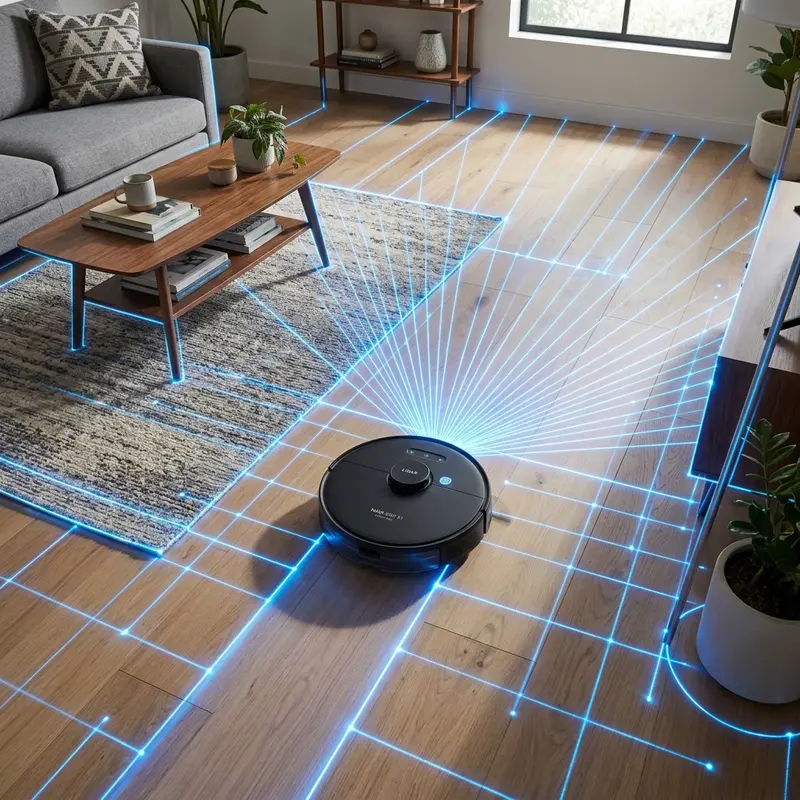
Voltage Discharge Curves and Trickle Charge Aging in NiMH Cells
The 19V Nickel-Metal Hydride (NiMH) battery packs utilized in Mondial robot vacuums have a steep, linear discharge profile. When new, they maintain a stable nominal voltage during the cycle, dropping off quickly once the charge is exhausted.
As the battery chemistry degrades, internal resistance within the cells increases. This resistance causes the voltage to drop immediately when the vacuum starts, triggering the motherboard's low-voltage safety cutoff. Replacing the worn cells restores the original run times.
NiMH to Lithium Conversion Packs and BMS Safety Circuits
Although Lithium-ion (Li-ion) packs offer longer lifespans, converting a Mondial vacuum from NiMH to Lithium requires specific safety features. The original power supply charges cells without balancing individual cell voltages.
To convert safely, the replacement Lithium battery pack must feature an integrated Battery Management System (BMS) circuit board. This board balances cell charging and protects the Lithium chemistry from overcurrent and overheating during docking cycles.
Analog-to-Digital Converter Calibration and Low-Voltage Cutoffs
The vacuum's motherboard monitors charge levels via an analog-to-digital converter (ADC) that measures battery terminal voltage. When installing a new battery pack with a different mAh rating, calibration is recommended.
Charging the unit for 12 continuous hours and letting it run until it shuts down helps the ADC map the new high and low voltage limits. This calibration stops early docking loops and prevents sudden shutdowns in the middle of a room.
Recognizing Battery Degradation Symptoms and Beeping Alarms
Battery wear in Mondial vacuums manifests through erratic behaviors, such as the unit shutting down suddenly after a few minutes of sweeping or emitting low-battery alarm beeps despite charging.
If the run time drops below 15 minutes and the vacuum stops without returning to its base, the battery is degraded. Replacing the worn cells with a new compatible pack restores the factory run time of 60 to 80 minutes.
Long-Term Storage Protocols during Vacation Breaks
If you need to leave your Mondial vacuum unused for more than a month (during vacations), storing the cells completely full or completely empty will accelerate chemical degradation.
Discharge the battery to roughly 50% capacity, unplug the JST wire connector from the battery bay, and store the cells in a cool, dry cabinet away from heat sources to protect their charging capacity.
Checking Charge Voltages on Charging Base Pin Interfaces
If a replacement battery pack fails to charge, test the output voltage on the charging base pins using a multimeter set to DC volts. The pins on a Mondial dock should output approximately 19V to 20V when active.
If the voltage is zero, check the power adapter wall connection and clean the brass plates on both the dock and the vacuum underside using an eraser to remove built-up oxide films that block current flow.
Safe Disposal and Recycling of Degraded NiMH Battery Packs
When replacing your Mondial Fast Clean battery, never throw the old NiMH cells in the regular trash. Nickel-Metal Hydride battery packs contain heavy metals that can contaminate the soil and groundwater.
Take the old pack to a local electronic waste recycling center or battery drop-off box. Storing old batteries at home is a hazard as they can slowly corrode and leak chemicals.
Led Indicators and Charging Warnings on Mondial Docks
When charging a new battery pack, the indicator light should pulse slowly. A solid green light indicates that the cells have reached full charge and the dock has switched to standby current.
If the LED flashes red quickly, unplug the power supply immediately. This indicates a thermal reading error or incorrect wire polarity JST connection inside the battery bay.
How Memory Effect Reduces NiMH Run Times
Nickel-Metal Hydride cells are susceptible to memory effect (loss of capacity due to incomplete discharge cycles). Try to prevent brief and partial charging sessions. Let the vacuum run until it displays a low battery alert before placing it back on the charging dock to extend battery life.
Calibrating the Internal Charge Sensor on the Vacuum Motherboard
After replacing the battery pack, the internal charge monitoring IC needs to map the new voltage profile. Charge the vacuum for 12 continuous hours, and then run the unit until it drains completely and stops. Perform this calibration routine three times to ensure accurate battery level readings in the app.
Inspecting Dock Connections and Adapter Outputs
If the vacuum refuses to charge, verify the outlet is active and clean the charging plates on both the dock and the vacuum underside. Scrubbing the plates with a pencil eraser removes built-up oxide films that block current flow.
Calibrating the Low Voltage Shutdown on Mondial Firmware
Perform three consecutive full charge and discharge cycles after replacing the battery. This helps the motherboard's analog-to-digital converter map the new cells, preventing early docking and sudden shutdowns.
Frequently Asked Questions (FAQ)
How do I know if my Mondial vacuum battery is degraded?
If the vacuum's run time drops from the factory 60-80 minutes down to under 15 minutes after a full 12-hour charge, the battery cells have degraded and need replacement.
Can I install a higher capacity battery in my Mondial vacuum?
Yes. As long as the nominal voltage matches (e.g., 19V for NiMH models) and the connector plug fits, installing a higher mAh battery (e.g., 1,500 mAh instead of 1,000 mAh) increases run times.
Are the batteries for Mondial Pratic Clean and Fast Clean the same?
Yes. The Mondial Pratic Clean and Mondial Fast Clean share the same internal platform. Their battery packs, voltages, and connectors are identical and interchangeable.
Why is my new replacement battery draining so fast?
This is usually caused by a lack of initial calibration. Perform three to five complete 12-hour charge cycles followed by complete discharge runs to calibrate the motherboard sensor.
Conclusion
Buying a replacement battery for the Mondial Fast Clean robot vacuum requires selecting a 19V NiMH pack with a matching JST plug. Calibrating the cells with complete charge and discharge cycles will restore your vacuum's performance.




