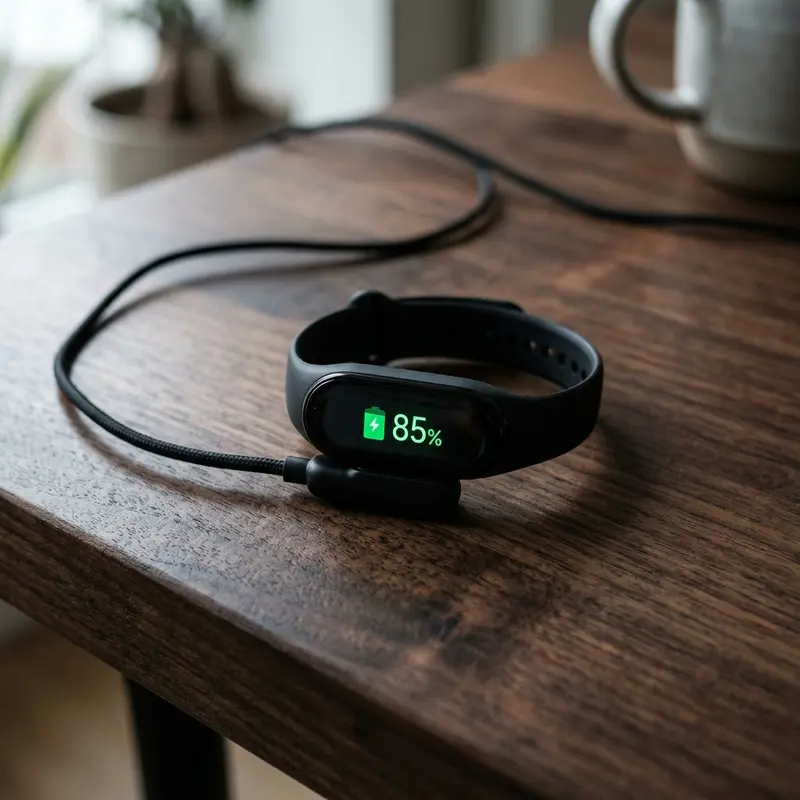
Mi Band Screen Black and Won't Turn On? Technical Troubleshooting Guide
Xiaomi Mi Bands are globally respected for their remarkable battery life and physical resilience. However, users occasionally face a sudden failure where the screen remains completely black and unresponsive to touch inputs or movements. If your smart band appears dead after charging, storage, or water exposure, understanding the electrical and firmware issues involved can save you from replacing a functioning device.
If your mi band screen black wont turn on, the most effective recovery steps include cleaning the magnetic gold-plated charging pins on both the band and the USB cable, charging the device using a dedicated wall adapter for at least 1 hour to recover from a deep discharge state, and performing a soft reset by unpairing the device within the Mi Fitness companion app. These steps resolve the vast majority of battery calibration bugs and background operating system freezes.
If you also want to optimize other wearable devices and learn how to manage system stability, read our companion guides on Apple Watch battery draining fast solutions and check out how to restart frozen Apple Watch to keep your fitness logs synced.
1. Reviving the Battery from Deep Discharge
If a Xiaomi Mi Band is left uncharged in a drawer for several months, its lithium-polymer battery cells will slowly lose charge until they drop below the low-voltage cutoff threshold. When this occurs, the microcontroller shuts down all logical circuits to protect the battery from damage. In this deep discharge state, the watch display will remain completely black when placed on a low-power charger.
To recover from deep discharge:
- Avoid using computer USB ports, which only deliver 500mA to 900mA of current.
- Plug the charging cable into a certified 5V 1A or 5V 2A smartphone charger. Avoid ultra-high-output "PD" or "Turbo" chargers that may fail to negotiate low-amperage current profiles.
- Leave the device plugged into the wall outlet for at least 1 to 2 hours continuously.
- It can take up to 45 minutes for the battery chemistry to stabilize and allow the processor to boot up and render the charging graphic. Be patient before concluding the hardware has failed.
2. Hardware Diagnosis: Screen Failure vs. Battery Failure
When your wearable display is black, you must verify if the motherboard is active or if the AMOLED panel itself is damaged. Try the following checks:
- Vibration Response: When you connect the magnetic charging cable, does the band vibrate? If you feel a haptic pulse but the display remains dark, the battery and mainboard are active, suggesting a broken AMOLED panel or loose ribbon connector.
- Optical Sensor Flash: Lift the band in a dark room and look at the bottom sensor package. If you see the green optical heart rate sensors flashing, the main processor is running code, meaning the failure is isolated to the display hardware.
- App Connectivity: Open your smartphone's Bluetooth settings and look for the band. If it shows as connected, or if you can trigger a "Find Band" vibration from the companion app, the wireless radio and logic board are functional.
3. Cleaning and Polishing the Charging Contacts
Over time, skin oils, perspiration, soap residue, and dust accumulate on the copper contacts at the back of the band. This creates an invisible insulating layer. The charger's magnets will still align the cable, but no electrical current will flow into the battery.
To clean the contacts:
- Unplug the USB charging cable from the power source.
- Dampen a cotton swab with 99.8% isopropyl alcohol. Do not use household water, as it contains minerals that accelerate copper corrosion.
- Thoroughly scrub the gold contacts on the band and the spring-loaded pins on the cable.
- If thick grime is present, gently scrape it away using a wooden toothpick, taking care not to scratch off the gold protective plating.
- Dry all components with a microfibre cloth before reconnecting the power.
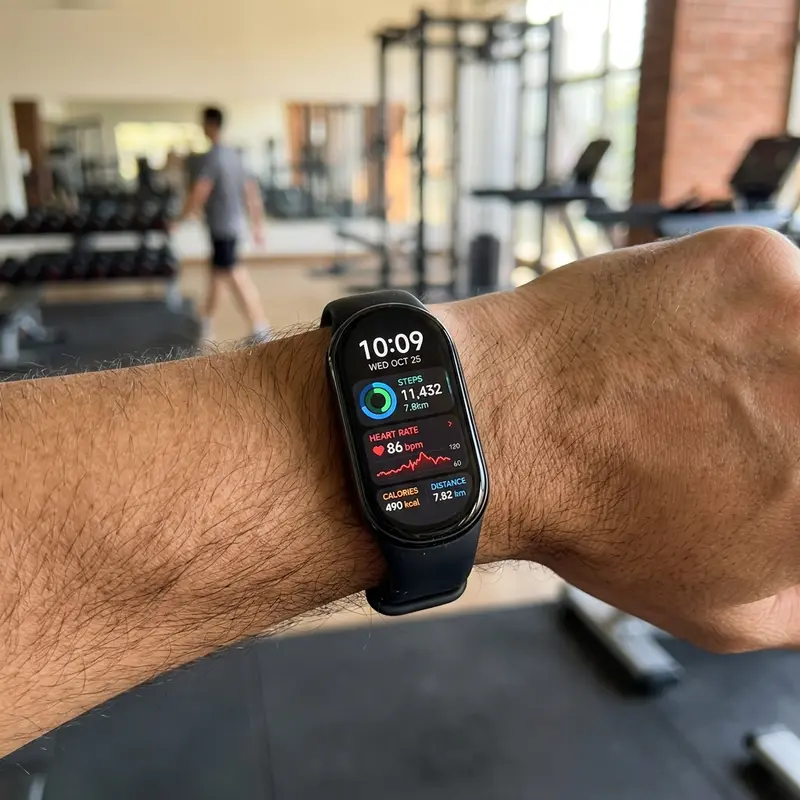
4. Troubleshooting Firmware Freezes (Soft Reset)
Xiaomi Smart Bands run a lightweight real-time operating system (RTOS or Zepp OS). A firmware crash during an OTA update or a system memory leak can freeze the display on a black screen while leaving the processor stuck in an active loop.
To resolve this:
- Force an App Unpairing: Open the Mi Fitness or Zepp Life app on your phone. Go to the Device settings and tap "Unpair" or "Remove Device." This breaks the Bluetooth encryption keys, forcing the band's operating system to reboot to a default state, which wakes the screen.
- Clear Mobile Bluetooth Cache: On Android, go to Settings > Apps > System Apps > Bluetooth, select "Clear Data" and "Clear Cache," then reboot your phone. This removes corrupted connection logs that may be causing the band's SoC to loop continuously.
- Let the Battery Drain: If the band remains unresponsive, leave it off the charger for 3 to 5 days. Once the battery drains completely, the system RAM will clear. Reconnecting the charger will perform a fresh boot.
5. Managing Water and Steam Ingress
While Mi Bands feature 5 ATM water resistance, these rubber seals naturally degrade over time. Exposing your band to hot steam showers, soap surfactants, or saltwater can wear out the adhesive barriers, allowing moisture to seep inside the casing. If your screen went black after a shower and the back sensor area feels hot, water damage is likely. Avoid placing it in raw rice, as starch particles can clog the small acoustic ports. Instead, store it in a dry, ventilated area for 48 hours to dry out the internals.
6. Safe Charging Practices and Power Supplies
To protect the delicate charging circuits of your wearable, avoid charging it via car cigarette lighter adapters. Power surges from vehicle alternators can easily destroy the small voltage regulators on the mainboard. Always opt for stable, low-amperage USB ports found on game consoles, TV decoders, or standard 5V 1A wall plugs to preserve the battery health.
7. Diagnostic Matrix for Black Screen Failures
| Observed Symptom | Probable Root Cause | Recommended Technical Action |
|---|---|---|
| Band vibrates on charger, but display remains black | AMOLED display panel or internal display connector failure | Requires hardware display replacement or warranty claim. |
| Device gets unusually hot on charger with no screen response | Internal short-circuit due to moisture or liquid entry | Unplug immediately and let the device dry for 48 hours. |
| Screen is black, but green heart rate LEDs are flashing | Operating system crash or locked firmware loop | Unpair the band via the phone app to force a logical soft reset. |
| No charging indicator, haptic vibration, or Bluetooth connection | Oxidized contact pins or broken USB charging cable | Clean the contacts with isopropyl alcohol or replace the cable. |
8. The Importance of Certified Chargers and Replacement Cables
Using cheap, uncertified third-party charging cables can prevent your smart band from powering on. Low-quality cables often use thin wires with high electrical resistance, which drop the voltage below the minimum 4.5V needed to initiate the charging sequence. This causes the battery controller to enter safety lock mode, keeping the screen dark. Always purchase cables that meet original equipment manufacturer specifications.
9. Myths and Realities of DIY Battery Revival Techniques
Many online videos suggest freezing your dead smart band or heating it with a hair dryer to revive the battery. From a materials engineering standpoint, these methods are highly destructive. Extreme cold causes the rubber seals to contract, allowing ambient humidity to condense directly onto the motherboard, while heat from a hair dryer can permanently damage the battery chemistry, presenting a safety hazard.
10. Deep Temperature Sensitivity and Ambient Weather Impact
Smart bands are engineered to operate within a specific temperature window, usually between 0°C and 35°C. When a device is exposed to sub-zero temperatures (for example, during winter running or if left in a cold vehicle), the lithium ions inside the battery electrolyte lose mobility. The electrical internal resistance rises dramatically, causing a massive voltage drop. This tricks the Battery Management System (BMS) into reading a completely depleted battery, shutting down the display to prevent cell damage. If you notice a black screen after cold exposure, allow the device to warm up to room temperature for at least 30 minutes before connecting it to a power source, as charging a frozen lithium battery can cause permanent chemical plating, rendering the battery completely useless.
11. Understanding Wearable Power Management Integrated Circuits (PMIC)
The core power allocation inside modern smart bands is regulated by a dedicated Power Management Integrated Circuit (PMIC). The PMIC is responsible for managing low-power sleep modes, regulating voltage rails for the sensor suite, and running charging algorithms. When an electrostatic discharge (ESD) event occurs—such as when a user puts on a wool sweater and touches the band—the PMIC can enter a lockup state. In this condition, the PMIC fails to respond to physical buttons or charger connections. The only way to resolve a PMIC lockup is to disconnect the battery physically (which requires micro-soldering tools) or let the cell drain completely to absolute zero over several days, forcing a hardware-level power-on reset.
12. Detailed Troubleshooting for Specific Smart Band Generations
Depending on which version of the Xiaomi Smart Band you own, the physical charging layouts and failure rates vary. For instance, the older Mi Band 4 and 5 utilize a deep recess cradle style that gathers pocket lint easily. If the pins inside the cradle cannot extend fully, the electrical contact area is halved, triggering resistance spikes. In contrast, the newer Mi Band 6, 7, and 8 models rely on flat magnetic connectors on the rear shell. While easier to clean, they are highly exposed to grease and skin oils. To clean these newer flat designs, use an abrasive rubber pencil eraser to buff the gold surfaces gently, removing the microscopic film left by skin contact without scratching the gold plating.
13. Understanding Battery Protection Circuits and Fuel Gauges
Inside the tiny battery pack of your smart band lies a battery protection circuit board (PCM) containing a fuel gauge integrated circuit. This IC tracks the chemical state of charge by measuring voltage changes over time. When the battery remains completely flat for months, the PCM triggers a hard sleep shutdown to prevent the cell from ballooning. To wake the PCM from this state, you must bypass the standard USB port limits and use a wall charger with an output of 5V and 1A, allowing the higher stable current to break the high-resistance barrier built up inside the chemicals of the depleted battery cell.
Frequently Asked Questions (FAQ)
1. What should I do if my Mi Band gets hot on the charger?
If the band heats up, disconnect it immediately. This indicates a physical short-circuit or battery damage, often caused by water ingress. Continuing to charge a damaged battery can cause it to swell or fail completely.
2. Can I restart my Mi Band without using the touch screen?
Yes. If the screen is unresponsive due to a firmware hang, you can force a restart by unpairing the device from your smartphone's companion app. This terminates the connection and forces a system-level reboot.
3. How long do Mi Band batteries usually last?
Under normal usage, a lithium-polymer battery in a smart band has a lifespan of 2 to 3 years (about 300 to 500 charge cycles) before its capacity degrades. After this point, you will notice significantly shorter battery life.
4. How can I tell if my charging cable is broken?
Check the two gold pins on the charger. They are spring-loaded and should compress easily when pressed. If a pin is stuck inside the plastic housing or has turned green from corrosion, the cable must be replaced.
5. Will storing my smart band with an empty battery damage it?
Yes. Storing a lithium battery at 0% charge for long periods can cause it to fall into a deep discharge state, chemically altering the cells and preventing them from holding a charge in the future. Store it at 50% charge instead.




