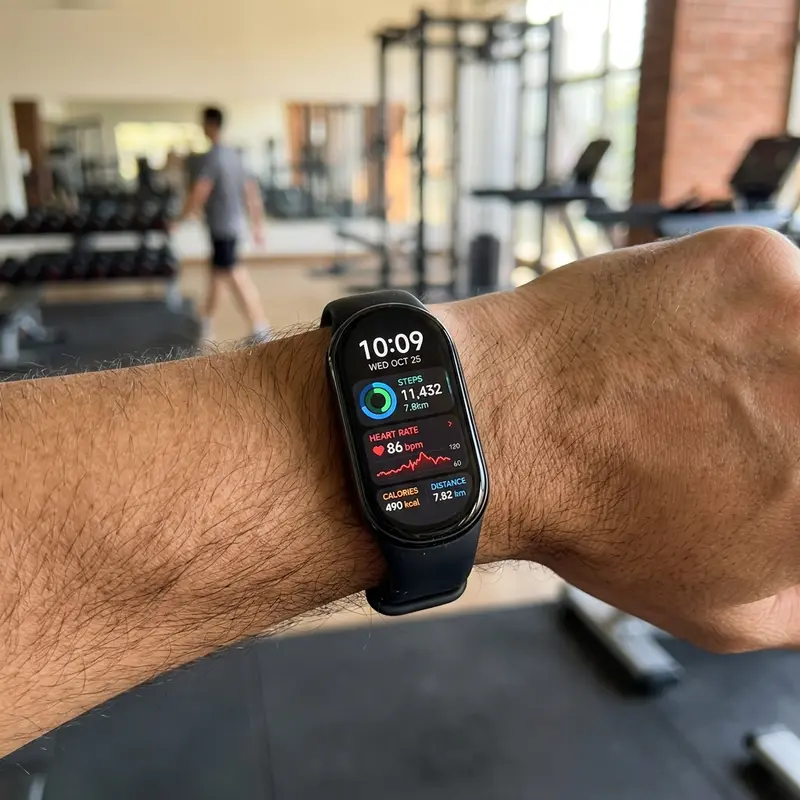
The evolution of Xiaomi's fitness trackers has been one of the most interesting developments in the wearable tech industry. With each new generation, the Chinese tech giant aims to strike the perfect balance between affordability, sensor accuracy, and long battery life. Following the release of the Mi Band 8 (globally known as the Xiaomi Smart Band 8), many users of the Mi Band 7 are questioning if it is worth upgrading, while new buyers are confused about which model to choose. The answer lies in structural design updates, significant improvements in screen responsiveness, and new sports monitoring modes that change how the device is used.
To evaluate the mi-band-7-vs-mi-band-8-comparison and decide which fits your lifestyle, keep in mind that the Mi Band 8 features a 60Hz display with up to 600 nits of auto-brightness (compared to 30Hz and 500 nits manual on the Mi Band 7), a quick-release strap connection system, a running clip accessory enabling "Pebble mode," upgraded motion sensors, and 1-hour fast charging. These screen smoothness adjustments and structural additions make the newer model a better choice for most users.
If you are looking to optimize your smart home and voice assistant devices, check out our comparative articles on Echo Dot vs Echo Pop comparison and learn how to pair phone with Alexa Bluetooth to streamline your connection protocols.
1. Display Upgrades: The Transition to 60Hz Refresh Rate
The most immediate difference you will notice when interacting with the Mi Band 8 is the responsiveness of its screen. Although both trackers feature a 1.62-inch AMOLED display with a matching resolution of 192 x 490 pixels, Xiaomi implemented a 60Hz refresh rate on the Mi Band 8. This replaces the standard 30Hz refresh rate of the Mi Band 7. In real-world use, this upgrade eliminates the choppy, dragging effect when scrolling through notifications, selecting workouts, or navigating menus.
Beyond screen responsiveness, the maximum brightness on the Mi Band 8 has been bumped to 600 nits, compared to the 500 nits on the Mi Band 7. This 100-nit increase improves visibility when reading workout statistics under direct sunlight. More importantly, the Mi Band 8 includes an ambient light sensor. While the Mi Band 7 requires manual adjustments or preset schedules to dim the screen at night, the Mi Band 8 adjusts its brightness automatically in real time based on your surroundings, saving battery power in darker environments.
2. Strap Redesign: The Quick-Release Button Connection
For several generations, Xiaomi used a single strap design: the tracker body (the "capsule") was pushed into a flexible, one-piece silicone band. While secure, this design collected dirt along the inner edges, required physical effort to remove, and stretched out the silicone frame over time.
With the Mi Band 8, Xiaomi moved to a quick-release button connection system, similar to the Apple Watch. The tracker features small physical release buttons on both ends of its metallic frame. Pressing these buttons releases the strap pieces instantly. This change provides several practical benefits:
- Premium Materials: Users can now wear genuine leather straps, metal link bracelets, chains, or braided bands without a silicone ring wrapping around the entire tracker.
- Jewelry/Necklace Option: The Mi Band 8 has a metallic frame finish (available in black and gold). This allows users to wear the tracker as a necklace pendant or clip it onto clothing.
- Easier Customization: Switching straps takes seconds and does not require stretching rubber or applying excessive force.
3. Technical Specifications Comparison
The table below provides a detailed comparison of the hardware specs and capabilities of the Mi Band 7 and Mi Band 8:
| Technical Spec | Xiaomi Mi Band 7 | Xiaomi Mi Band 8 |
|---|---|---|
| Screen Refresh Rate | 30Hz | 60Hz |
| Peak Brightness | 500 nits (Manual Adjust) | 600 nits (Auto Brightness Sensor) |
| Frame Material | Plastic (Polycarbonate) | Metal Frame (Aluminum Alloy/NCVM) |
| Strap Attachment | Wraparound capsule silicone band | Quick-Release system (Separate straps) |
| Pebble Running Mode | No | Yes (Via Running Clip accessory) |
| Necklace Mode | No | Yes (Pendant Setting in software) |
| Battery Capacity | 180 mAh | 190 mAh |
| Charging Duration | Approx. 2 hours | Approx. 1 hour (Fast Charge support) |
| Main Processor | Dialog14706 | BES2700IBP (Higher performance) |
4. The Pebble Mode and the Running Clip Accessory
One of the most notable features introduced with the Mi Band 8 is "Pebble Mode," designed specifically for runners. Utilizing the updated 6-axis motion sensor system and the quick-release mechanism, the core capsule can be detached from the wristband and secured inside a running clip attached to your shoelaces.
When you enable Pebble Mode in the Mi Fitness app, it changes how the device tracks metrics. It provides advanced running data that is typically only available on expensive, dedicated running watches from Garmin or Polar. These running metrics include:
- Stride Length: Measures the exact distance covered in centimeters with each step, helping you optimize your running form.
- Ground Contact Time: The duration in milliseconds that your foot remains in contact with the ground during each stride.
- Flight Time: The duration your body is airborne between steps.
- Landing Impact Force: The amount of force (G-force) absorbed by your foot when landing.
- Foot Strike Pattern: Detects whether you land on your heel, midfoot, or forefoot, which is crucial for reducing running injuries.
Note that heart rate tracking from the wrist is disabled while using Pebble Mode, but the detailed foot movement tracking is highly valuable for runners trying to improve their cadence and form.
5. Sensors and Health Monitoring Features
Both models track heart rate, blood oxygen levels (SpO2), stress levels, and sleep stages. However, the Mi Band 8 uses a newer BES2700IBP processor, which improves sensor data processing. Heart rate tracking during intense exercises with rapid arm movements shows fewer signal drops and errors compared to the Mi Band 7.
The SpO2 tracking on the Mi Band 8 has also been updated. It now supports continuous all-day tracking and triggers a vibration alert if your oxygen level drops below 90%. Sleep tracking on both devices divides your sleep into light, deep, REM, and waking periods, but the Mi Band 8 includes breathing metrics to help identify signs of sleep apnea.
6. Battery Life and Charger Optimization
Battery performance has always been a key feature of Xiaomi trackers. The Mi Band 7 has a 180 mAh battery, while the Mi Band 8 has a slightly larger 190 mAh capacity. While this hardware difference is minor, the newer processor and automatic brightness settings help optimize daily battery usage.
In standard use (notifications active, occasional workouts, and continuous health sensors enabled), the Mi Band 8 lasts up to 16 days on a single charge, compared to the 14-day limit of the Mi Band 7. If you enable the Always-On Display (AOD), the Mi Band 8 lasts around 6 days, while the Mi Band 7 generally needs a charge after 4 to 5 days.
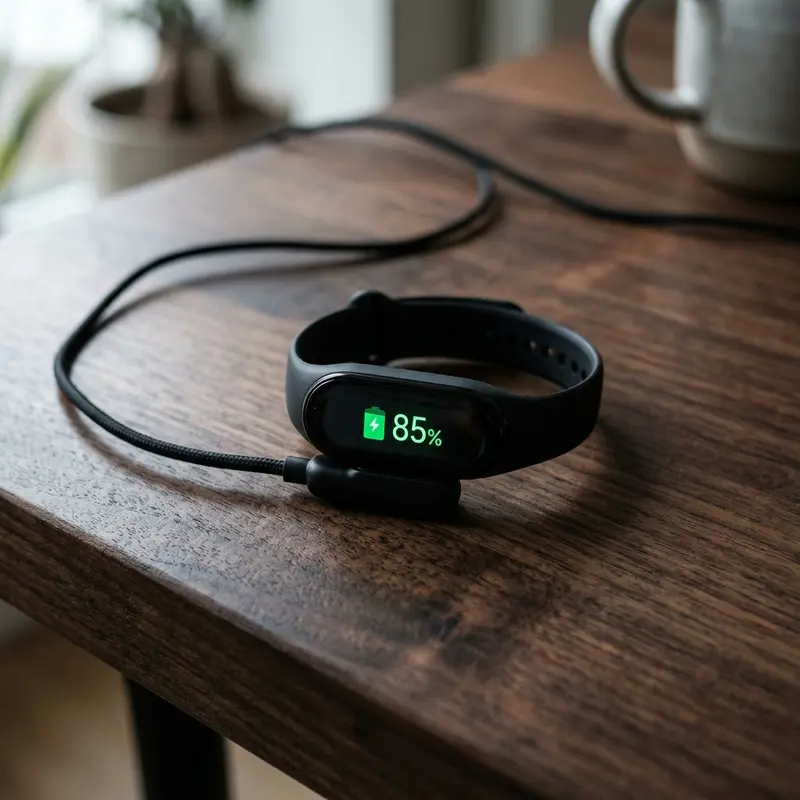
The most convenient battery update on the Mi Band 8 is its charging speed. The redesigned magnetic charging cable supports fast charging, taking the tracker from 0% to 100% in 60 minutes. The Mi Band 7 requires approximately 2 hours to complete a full charge cycle.
7. Software Transition: Moving from Zepp Life to Mi Fitness
A major change that affects users upgrading from older devices is the official companion app. The Mi Band 7 was the last tracker to support the Zepp Life app (formerly Mi Fit). The Mi Band 8 is designed to work exclusively with the new Mi Fitness app.
Some long-time users may miss the detailed tables and historic data presentation of Zepp Life. While the Mi Fitness app has a clean, modern design and syncs with Strava, Apple Health, and Google Fit, it does not support native, easy migration of years of history from Zepp Life. Upgrading to the Mi Band 8 means setting up a new profile on the Mi Fitness app.
8. New Workout Modes and Interface Features
The Mi Band 8 increases the number of tracked workouts to over 150, up from the 120 sports modes on the Mi Band 7. Among the new activities is a specialized boxing mode (which tracks punch speed and estimated force when using the correct sensor accessory) and interactive motion-based workouts on your phone.
Xiaomi also added interactive watch faces to the Mi Band 8. Several downloadable watch faces feature simple minigames (like simple puzzles, maze games, and runner games) that you can play directly on the screen using touch controls, which is a fun addition for passing time.
9. Verdict: Which Smart Band Should You Buy?
Choosing between the Mi Band 7 and the Mi Band 8 depends on your current setup:
- If you already own a Mi Band 7: Upgrading is only necessary if you want the smoother 60Hz screen, auto-brightness, or the advanced running stats from Pebble Mode. If you are satisfied with your current screen and battery life, the Mi Band 7 remains a highly capable tracker.
- If you own a Mi Band 6 or older: Upgrading to the Mi Band 8 is highly recommended. The larger screen, faster refresh rate, auto-brightness, and quick-release strap system provide a much better user experience.
- If you are buying your first tracker: Choose the Mi Band 8. The price difference between the two models is minor, and the Mi Band 8 will receive firmware updates and app support for longer.
Detailed Look at the Quick-Release Strap Architecture
The transition from the Mi Band 7 to the Mi Band 8 introduced a major design change in strap integration. The Mi Band 7 holds the tracker module suspended in a single silicone loop. The Mi Band 8 adopts dual quick-release buttons on the chassis edges, matching smartwatch architectures. This redesign allows users to wear the module as a necklace or attach it to running shoes via Pebble Mode.
Visual Differences: 30Hz vs 60Hz Screen Refresh Rates
Scrolling through notifications on the Mi Band 8 feels much smoother due to its 60Hz display refresh rate, compared to the 30Hz panel of the Mi Band 7. The higher refresh rate eliminates motion blur and ghosting when reading texts. This change, paired with double the peak brightness (600 nits), makes the newer model significantly easier to read under sunlight. Furthermore, the graphics processor driving the 60Hz panel features optimized frame-pacing technologies. On the older model, fast vertical swipes often resulted in frame drops and micro-stuttering, particularly when navigating resource-heavy pages like the workout history log. On the newer model, transitions are fluid, mimicking the user interface experience found on high-end smartwatches. This hardware upgrade directly improves user comfort, as it reduces the visual fatigue associated with reading scrolling text on small displays. The jump to 60Hz essentially doubles the temporal resolution of the interface, providing a level of tactile feedback that makes the device feel fundamentally more expensive than its predecessor. Whether you are quickly glancing at your heart rate data during a HIIT workout or performing a deep dive into your sleep metrics, the consistency of the 60fps animations ensures that no information is lost during the scrolling process. Additionally, the improved refresh rate allows for more intricate watch face animations, such as fluid weather effects and rotating activity rings, which were previously limited on the 30Hz Mi Band 7 due to potential stuttering concerns. Developers have clearly prioritized UI responsiveness in the Mi Band 8 firmware, ensuring that the input latency is minimized to the point where the tracker feels almost instantaneous. Users who frequently access menus or switch between tracking screens will find that the 60Hz output makes the device feel far more modern and capable in daily usage, justifying the upgrade based on UI feel alone.
Frequently Asked Questions (FAQ)
1. Can I use my old Mi Band 7 straps on the Mi Band 8?
No. The Mi Band 7 uses a one-piece silicone strap that wraps around the entire tracker body. The Mi Band 8 features a quick-release system where the straps attach directly to the metal frame. The straps are physically incompatible between the two devices.
2. Does the Mi Band 8 have built-in GPS for outdoor tracking?
No. Neither the standard Mi Band 7 nor the Mi Band 8 includes a built-in GPS chip. Both trackers rely on your connected phone's GPS via Bluetooth to map your outdoor running, cycling, or walking routes.
3. How does the screen visibility compare outdoors in direct sunlight?
The Mi Band 8 features 600 nits of peak brightness and an auto-brightness sensor. The Mi Band 7 offers 500 nits and requires manual adjustment. The Mi Band 8 is much easier to read outdoors and automatically dims in dark rooms to prevent eye strain.
4. Does the Running Clip come included with the Mi Band 8?
No. The Running Clip is a separate official accessory that must be purchased separately. However, it is inexpensive and a worthwhile purchase if you want to track advanced running stats on your shoes.
10. Final Comparison and Wrap-Up
Xiaomi did more than just release a basic yearly update with the Mi Band 8. They updated the tracker's look, shifting it from a simple rubber sports band to a stylish, metal-framed accessory that can be worn in multiple ways. With its responsive 60Hz display, fast charging, and advanced running metrics, the Mi Band 8 remains a top budget choice in the wearable market.




