Mesh Wi-Fi vs Traditional Router: What is the Difference?
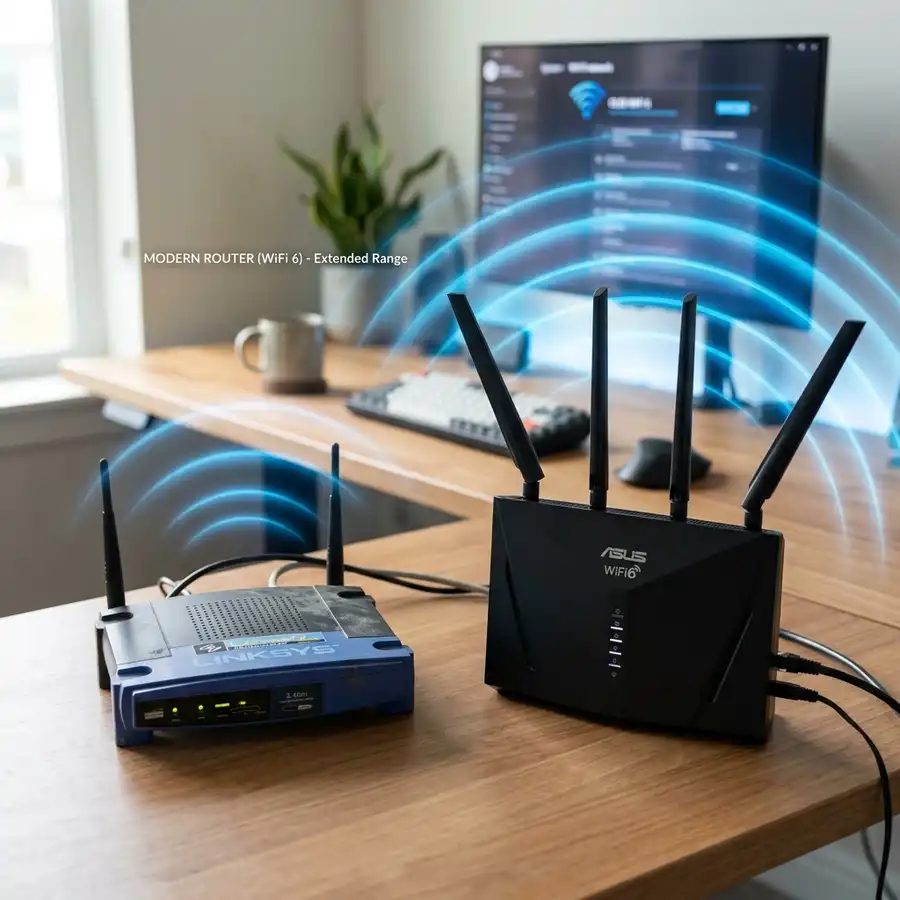
The architecture of residential wireless networks has undergone a massive technological shift. As the number of high-bandwidth devices per household grows and fiber optic plans increase in speed, traditional single-router setups are revealing their physical limitations. The primary difference between a traditional router and a mesh Wi-Fi system is that a traditional router relies on a single central point to broadcast signals (losing bandwidth quickly over distance), whereas a mesh system uses multiple interconnected nodes that work together to broadcast a single, unified Wi-Fi network (SSID) with seamless roaming protocols (802.11k/v/r) and no bandwidth loss.
For users dealing with frequent connection drops, slow speeds when moving between rooms, or trying to manage dozens of smart home accessories, understanding this architectural difference is crucial. While traditional setups using cheap Wi-Fi repeaters create fragmented, high-latency networks, modern mesh systems solve these coverage issues natively, managing traffic dynamically behind the scenes.
1. Understanding Traditional Router Architecture
Traditional routers operate on a Star Topology. The central router is the sole access point, and every device (smartphone, smart TV, laptop) must communicate directly with it. As you move away from this central point, the high-frequency radio waves (particularly the 5 GHz band, which uses shorter waves) degrade rapidly when passing through walls, doors, and furniture.
To extend coverage, many users add cheap Wi-Fi extenders or repeaters. However, this creates several technical bottlenecks that degrade the overall user experience:
- Bandwidth Reduction (Half-Duplex): Traditional repeaters use a single radio transceiver to receive packets from the router and rebroadcast them to clients. Because they cannot receive and transmit data simultaneously on a single channel, they operate in half-duplex mode, cutting your usable network speed by 50% immediately.
- Multiple Network Names (SSIDs): Repeaters broadcast separate networks (e.g., "Home_Wi-Fi_EXT"). Devices tend to cling to the original router's signal even when it is extremely weak, refusing to switch to the closer repeater. This is known as the "sticky client" issue and results in frequent lag and connection drops.
- Co-channel Interference: Cheap extenders usually broadcast on the same wireless channel as the parent router. This causes severe airwave overlap, which leads to packet collisions, elevated latency, and slower loading times.
- Single CPU Bottleneck: The central router must handle all network address translations, firewall rules, QoS queues, and DHCP IP assignments, which often leads to local hardware hangs under heavy load.
2. How Mesh Wi-Fi Technology Works
In contrast to a centralized star setup, mesh Wi-Fi operates on a dynamic Mesh Topology. Instead of a single router and dumb extenders, a mesh system consists of several smart nodes that act as peers. They communicate dynamically with one another, sharing routing responsibilities and balancing network load across different frequencies.
Mesh nodes route data dynamically. If Node A is connected to your modem, Node B can connect to Node A, and Node C can connect to Node B. The system continuously calculates the fastest path to transmit data. If a node goes offline or experiences local interference (such as from a microwave, baby monitor, or cordless phone), the system automatically reroutes traffic through another node (Self-Healing) to keep the network active. This means your network doesn't go down if someone accidentally unplugs a secondary node in the hallway. It also distributes routing CPU tasks across nodes.
Furthermore, mesh devices deploy spatial multiplexing and Beamforming. Rather than radiating energy uniformly in a sphere, the nodes adjust their signal phase arrays to direct power toward client locations. Supporting MU-MIMO (Multi-User Multiple Input Multiple Output) allows nodes to maintain concurrent spatial streams to separate devices, bypassing the time-division wait cycles of traditional networks.
3. Seamless Roaming: The Technical Standards Explained
The most noticeable benefit of a mesh system is Seamless Roaming. This technology is defined by three IEEE wireless standards: 802.11k, 802.11v, and 802.11r. They work in tandem to manage your devices' connections automatically and transparently:
- IEEE 802.11k (Neighbor Reports): The mesh network sends your smartphone a list of nearby nodes with strong signals. This prevents your phone from having to scan the entire frequency spectrum, accelerating handovers and conserving phone battery life.
- IEEE 802.11v (Transition Management): The mesh system monitors your connection. As you walk away from a node, the system actively prompts your device to switch to the closer, stronger node before your signal drops below a usable threshold.
- IEEE 802.11r (Fast Transition Roaming): In standard networks, switching routers requires a full cryptographic handshake (WPA2/WPA3), causing a delay of up to several seconds. 802.11r completes this re-authentication in under 50 milliseconds, preventing drops during active downloads, video calls, or gaming sessions.
4. Traditional Router vs. Mesh Wi-Fi Comparison
The table below summarizes the key technical differences between traditional Wi-Fi setups and mesh Wi-Fi systems:
| Technical Feature | Traditional Router + Extenders | Mesh Wi-Fi System |
|---|---|---|
| Network Topology | Star (Centralized) | Mesh (Decentralized/Dynamic) |
| SSID Setup | Multiple SSIDs (e.g., Home, Home_EXT) | Single, unified SSID across all nodes |
| Bandwidth Performance | Extenders cut speed in half (Half-Duplex) | Full or near-full speed (Dynamic Backhaul) |
| Roaming Handover Delay | High (Requires manual disconnect or drop) | Under 50 milliseconds (Seamless) |
| Management Interface | Configure each extender individually | Unified management via a single app |

5. When Is It Worth Upgrading to a Mesh System?
While mesh systems are technically superior, they require a larger upfront investment than entry-level traditional routers. Consider upgrading if your household fits any of the following scenarios:
Multi-story or Large Homes: If your home is larger than 1,200 sq ft or has multiple floors with thick plaster or concrete slabs, a single router will struggle to cover it. A mesh system with 2 or 3 nodes ensures high-speed 5 GHz coverage across every room, allowing you to walk from the living room to an upstairs bedroom without losing connection. It bridges structural blocks seamlessly.
High IoT Density (Smart Homes): If you own dozens of smart home devices (smart plugs, wireless security cameras, smart lights, smart speakers) alongside your phones and laptops, your ISP-provided router's CPU will become overloaded. Mesh systems are built with faster processors and more RAM to manage high-density client connections efficiently, preventing devices from dropping off the network randomly. They handle IP pooling much better.
Low-Tolerance Activities (Remote Work and Gaming): If your daily routine includes Zoom video calls, remote work, or latency-sensitive online gaming, connection drops are highly disruptive. The dynamic routing and fast roaming of a mesh network eliminate these interruptions, maintaining a steady ping even when other household members start downloading large files or streaming 4K video. It removes jitter issues from real-time communication protocols.
6. Disadvantages of Mesh Wi-Fi
Before investing in a mesh Wi-Fi system, keep these potential drawbacks in mind:
Higher Cost: A multi-node mesh system costs more than a standard stand-alone router. While the stability and coverage benefits justify the price for larger homes, it may be unnecessary for small apartments where a single high-quality router provides ample coverage. This cost factor should be weighed against the price of running physical ethernet drops.
Vendor Lock-in: In most cases, you cannot mix mesh nodes from different brands (e.g., adding an Eero node to a TP-Link Deco network). You must expand your network using hardware from the same product line, unless the devices support the open EasyMesh standard. This can limit your options if a specific node model is discontinued or becomes unavailable in your market.
Setup Complexity for Legacy Clients: Some older smart home devices that only support the 2.4 GHz band can have trouble connecting to a mesh network that broadcasts both frequencies under a single SSID. You may need to temporarily disable the 5 GHz band in the app to pair these devices, which can be annoying during home automation rollouts.
7. Understanding Wired vs. Wireless Backhaul
The speed you experience on secondary mesh nodes depends on how they transmit data back to the primary node connected to your modem. There are two primary backhaul methods:
Wireless Backhaul: The nodes use their wireless bands to communicate with one another. Dual-band mesh systems share the 5 GHz band for both client traffic and node communication, which can reduce maximum throughput on secondary nodes. Tri-band systems resolve this by dedicating a third radio band exclusively to node-to-node communication, preserving full speeds for clients. The software manages the backhaul band steering dynamically. This requires tri-band nodes which are typically more expensive.
Ethernet Backhaul (Recommended): Connecting your mesh nodes with physical Ethernet cables bypasses wireless backhaul entirely. This leaves the wireless bands fully available for client devices, providing maximum speeds and the lowest possible ping throughout your home. This is particularly useful in homes with thick concrete walls that severely block wireless signals between rooms, ensuring stable data transfers.
8. Advanced Security Comparison: WPA2 vs WPA3
Security is another critical difference when comparing traditional routers and modern mesh setups. Older traditional routers are often limited to WPA2-Personal encryption. WPA2 is vulnerable to offline dictionary attacks if someone captures the four-way handshake when a device connects to the network. Modern mesh systems, particularly Wi-Fi 6 units, support WPA3-Personal. WPA3 replaces the WPA2 handshake with Simultaneous Authentication of Equals (SAE), preventing offline brute-force attacks and protecting your traffic even if your network password is relatively simple. This encryption is processed hardware-wise in modern mesh CPUs, maintaining full throughput without overhead.
9. Resolving Co-Channel Interference and Frequency Congestion
In highly populated areas, such as apartment complexes, co-channel interference degrades Wi-Fi performance. Traditional routers broadcast on a fixed channel unless manually configured. Extenders only worsen the problem by repeating the signal on the same channel, increasing packet collisions. Mesh systems employ dynamic channel selection. By scanning the local RF spectrum, the primary node selects the least congested channels for both the 2.4 GHz and 5 GHz bands. It coordinates these channel switches across all nodes automatically, preventing local device dropouts. Under Wi-Fi 6, technologies like BSS Coloring mark frames from neighboring networks, allowing your nodes to ignore them and transmit data without waiting for the clear airwaves, reducing latency in crowded areas.
10. Setting Up Guest Network Isolation and VLAN Profiles
An overlooked benefit of modern mesh Wi-Fi firmware is the ability to easily segregate your local network using VLAN profiles and Guest Networks. In a traditional router setup, creating a guest network often requires navigating complex, outdated browser admin portals, and in many budget routers, it is not supported at all. When you connect smart home appliances (which often lack strong security safeguards) to your main Wi-Fi network, a single compromised device can allow an attacker to access your personal computer or storage drive. Mesh systems make guest isolation simple. Within the app, you can toggle a Guest Network switch that automatically provisions a separate VLAN. This prevents devices on the guest network from scanning, pinging, or communicating with devices on your primary home network, allowing your family's personal data to remain secure behind a logical firewall barrier.
11. Future-Proofing and Lifespan Cost Calculations
When computing the actual value of a mesh network upgrade, it helps to look at a five-year calculation. Purchasing a cheap traditional router and multiple extenders might cost less upfront, but the setup often requires replacement within two to three years due to hardware decay, firmware abandonment, and port limitations. Extenders also run hot, leading to hardware failure. Mesh systems, by design, are modular. If a node fails, you only replace that specific unit instead of buying a whole new system. Furthermore, manufactures update mesh firmware more frequently to patch security issues and add software features, meaning a quality Wi-Fi 6 mesh kit will easily last five to seven years. Over its operational lifespan, mesh Wi-Fi delivers a lower cost-per-year while saving you from hours of network troubleshooting and downtime.
Frequently Asked Questions
Can I keep my old router when installing a mesh system?
You can, but you should disable its Wi-Fi network. Leaving your old router's Wi-Fi active causes signal congestion and can lead to IP address conflicts. It is best to set your old router to Bridge Mode and let the mesh system handle all wireless traffic.
What happens if one of my mesh nodes fails or is unplugged?
Mesh systems feature self-healing capabilities. The remaining nodes will automatically detect the failure and reroute data through the best available path. Your network will remain online, though you may experience a reduction in Wi-Fi range.
Does a mesh system increase my broadband speed?
No. Your maximum internet speed is determined by your subscription plan with your Internet Service Provider (ISP). A mesh system ensures that your contracted speed is distributed reliably throughout your home, minimizing speed loss over distance.
How many devices can a typical mesh system handle?
Most mid-range mesh systems can support between 100 and 150 connected devices. Their high-performance processors and generous RAM allow them to handle traffic from smartphones, smart TVs, and IoT devices simultaneously without lagging.




