M.2 SATA vs NVMe SSD Enclosures: Key Differences and Compatibility

M.2 SATA vs NVMe SSD Enclosures: Key Differences and Compatibility
M.2 SATA vs NVMe SSD enclosures represent two distinct approaches to solid-state drive technology. Understanding the key differences and compatibility of these enclosures is essential for optimal performance and storage solutions.
Defining M.2 SATA and NVMe
M.2 SATA SSDs utilize the SATA III interface, limiting their maximum transfer speeds to 6 Gbps. In contrast, NVMe SSDs leverage the PCIe interface, enabling significantly faster data transfer rates.
Performance Comparison
The performance disparity between M.2 SATA and NVMe SSDs is notable. NVMe drives can achieve speeds exceeding 30 Gbps, while M.2 SATA drives remain capped at their SATA III limitations.
| Feature | M.2 SATA | NVMe |
|---|---|---|
| Interface | SATA III | PCIe |
| Max Speed | 6 Gbps | Up to 32 Gbps (PCIe 4.0) |
| Latency | Higher latency | Lower latency |
| Use Cases | Basic storage, older systems | Gaming, high-performance computing |
| Power Efficiency | Moderate | More efficient |
Compatibility Considerations
Compatibility is a primary concern when selecting M.2 enclosures. Not all M.2 slots support both SATA and NVMe drives, making it crucial to check motherboard specifications.
Devices designed for M.2 SATA will not accommodate NVMe SSDs. Conversely, NVMe enclosures often support SATA drives, but this varies by design.
Choosing the Right Enclosure
- Identify the type of M.2 SSD (SATA or NVMe).
- Check motherboard compatibility.
- Consider desired speed and performance requirements.
- Evaluate power consumption and thermal management.
- Assess budget and brand reputation.
DomineTec Tip: For efficient data management, ensure to backup iPhone to computer without iCloud before upgrading storage devices.

Thermal Management
Thermal management plays a crucial role in the performance of both M.2 SATA and NVMe enclosures. NVMe drives generate more heat due to higher speeds, necessitating effective cooling solutions.
Some enclosures include built-in heat sinks or fans to prevent thermal throttling. Ensuring adequate airflow can enhance performance and longevity.
Real-World Application Scenarios
Typical users for M.2 SATA enclosures include those using legacy systems or requiring basic storage solutions. NVMe enclosures cater to gamers, content creators, and professionals needing high-speed data access.
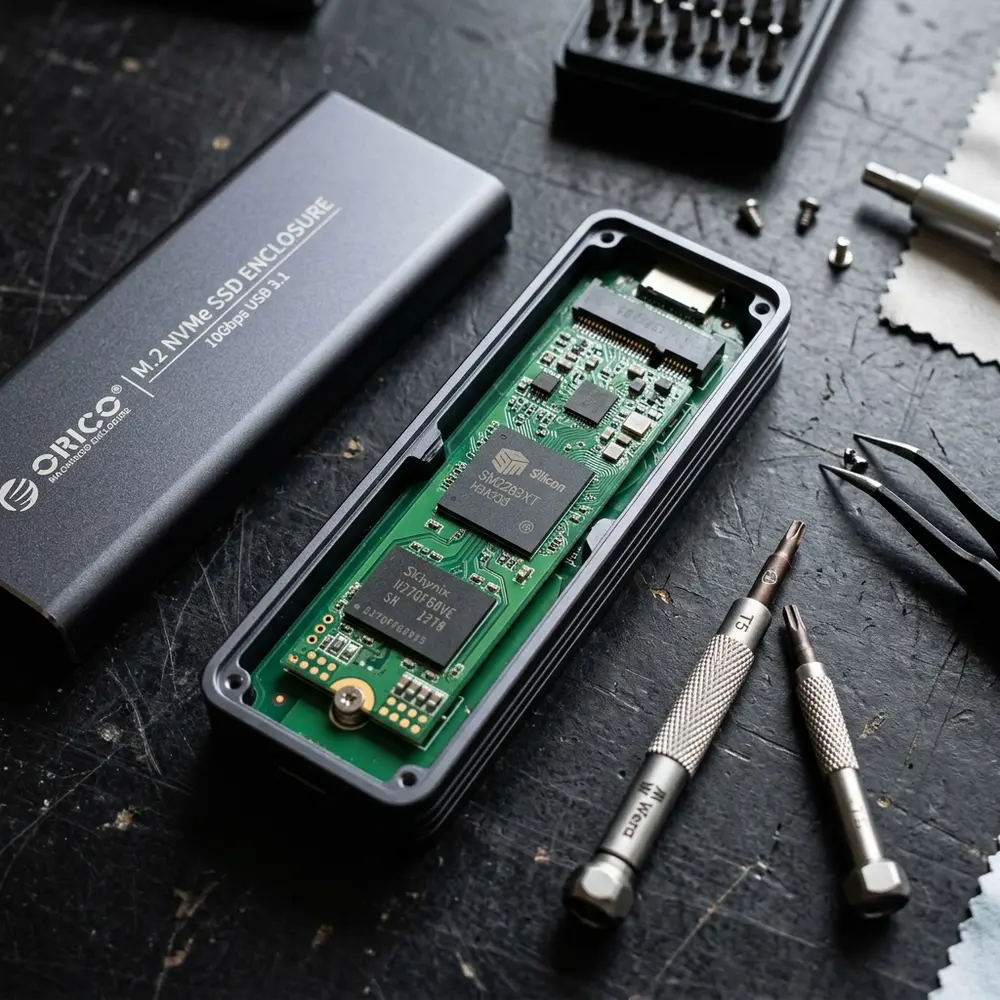
Future-Proofing Storage Solutions
Investing in NVMe enclosures may provide a better return on investment due to ongoing advancements in technology. As software continues to demand higher speeds, NVMe will likely become the standard.
Consider future needs and potential upgrades when selecting an enclosure. Compatibility with upcoming technologies is crucial for long-term performance.
Additional Features to Consider
When evaluating M.2 SSD enclosures, additional features may influence the decision. Support for USB 3.1 or higher can enhance transfer speeds significantly.
Encryption support, LED indicators for activity monitoring, and rugged designs can also be beneficial, depending on the intended use case.
Conclusion
Understanding M.2 SATA vs NVMe SSD enclosures is vital for making informed decisions about storage solutions. The choice between these technologies hinges on compatibility, performance needs, and future-proofing considerations.

Frequently Asked Questions
- What is the main difference between M.2 SATA and NVMe SSDs?
M.2 SATA SSDs use the SATA interface with lower speeds, while NVMe SSDs utilize PCIe, offering significantly higher speeds and lower latency. - Can an NVMe SSD be used in an M.2 SATA enclosure?
Generally, NVMe SSDs cannot be used in M.2 SATA enclosures due to interface incompatibility. - Are M.2 SATA SSDs slower than NVMe SSDs?
Yes, M.2 SATA SSDs are slower, capped at 6 Gbps, whereas NVMe SSDs can exceed 30 Gbps. - What should be considered for thermal management in NVMe enclosures?
Effective cooling solutions, such as heat sinks or fans, are essential for maintaining optimal performance and preventing thermal throttling. - Is it worth investing in NVMe SSDs for future use?
Yes, investing in NVMe SSDs is advisable for future-proofing, as software demands for speed continue to rise.
Advanced Setup Tips for M.2 SATA and NVMe SSD Enclosures
When setting up M.2 SATA and NVMe SSD enclosures, ensure that the correct interface type is chosen for your motherboard. Properly connecting the enclosure to the system can significantly enhance data transfer speeds and overall performance.
Utilizing the right thermal management solutions is also crucial. Consider using enclosures that come with built-in heat sinks or fans to prevent overheating during prolonged usage.
Keep firmware updated to maximize compatibility and performance. This can help in resolving any potential issues arising from outdated software that may restrict data transfer rates.
Common Mistakes When Using M.2 Enclosures
A frequent mistake made when using M.2 enclosures is selecting the wrong SSD type, either SATA or NVMe. This can lead to incompatibility, resulting in failure to recognize the drive.
Another common error involves improper installation of the SSD within the enclosure. Not securing the drive correctly can lead to connection issues and potential damage to the components.
Failing to check for adequate power supply requirements may also cause performance issues. Some NVMe drives may require more power than what certain enclosures can deliver, leading to instability.
Model Comparisons: M.2 SATA vs NVMe Enclosures
When comparing models, consider the data transfer rates; NVMe enclosures typically offer significantly higher speeds than SATA counterparts. This difference is critical for tasks that require fast read and write operations, such as video editing or gaming.
Durability and build quality also vary between models. NVMe enclosures often feature better heat dissipation materials, while some SATA models might be built for cost-effectiveness rather than longevity.
Additional features such as USB-C connectivity and support for UASP protocol should also be evaluated. These features can enhance overall performance and compatibility with modern devices.
Use Case Scenarios for M.2 Enclosures
M.2 SATA enclosures are suitable for general storage needs, such as backing up files or running applications. They offer a cost-effective solution for users who do not require the fastest speeds.
In contrast, NVMe enclosures are ideal for high-performance tasks like gaming or 4K video editing. Their superior speed allows users to load large files quickly and efficiently.
Consideration should also be given to portability; many NVMe enclosures are designed for on-the-go use, making them perfect for professionals who travel frequently. They often come with rugged designs to withstand the rigors of travel.
System Compatibility for M.2 SSD Enclosures
Before purchasing an enclosure, it is essential to verify compatibility with the specific operating system and hardware. Some systems may have limitations that affect the performance of the M.2 SSD.
Check for support of the NVMe protocol in the BIOS settings, as this can impact the functionality of NVMe SSDs. Ensuring that the motherboard supports the required interface is critical for optimal performance.
Moreover, not all USB ports support the same data transfer speeds. It is advisable to connect the enclosure to a USB 3.1 or higher port to fully leverage the speed of NVMe SSDs.
Cost Estimates for M.2 SATA and NVMe Enclosures
The price of M.2 SATA enclosures is generally lower than that of NVMe enclosures due to the differences in technology and performance. Budget-friendly options can be found for basic use, whereas premium models may offer advanced features.
Nvme enclosures tend to be more expensive but provide a significant return on investment for high-performance applications. Users should evaluate their needs to determine if the additional cost is justified for their specific use case.
Additionally, consider the cost of the SSD itself, as NVMe drives are typically pricier than SATA drives. Balancing the total cost of both the enclosure and the SSD is vital for budget-conscious consumers.
Troubleshooting Common Issues with M.2 Enclosures
One common issue when using M.2 enclosures is the drive not being recognized by the system. This can often be resolved by checking the physical connections and ensuring that the SSD is properly seated.
If data transfer speeds are slower than expected, verify that the enclosure supports the maximum speeds of the SSD. Outdated drivers or firmware can also contribute to performance issues.
Power supply problems can cause intermittent connectivity; ensuring that the enclosure is powered correctly may resolve these issues. Monitoring temperatures can also prevent overheating, which can lead to thermal throttling.
When to Seek Expert Help for M.2 Enclosures
If persistent issues arise that cannot be resolved through standard troubleshooting methods, it may be time to consult an expert. Complex compatibility issues or hardware failures often require professional diagnosis.
Additionally, if unfamiliarity with installation procedures or technical specifications exists, seeking guidance can prevent costly mistakes. Professionals can assist in optimizing performance and ensuring the right components are selected.
In cases where data recovery is needed due to drive failure, expert help should be sought immediately. Specialized services can increase the chances of retrieving lost data from malfunctioning SSDs.
M.2 SATA vs NVMe SSD Enclosures: Key Differences and Compatibility
The evolution of storage technology has led to the development of M.2 SSDs, which can operate using either SATA or NVMe protocols. Understanding the differences between M.2 SATA and NVMe SSD enclosures is crucial for selecting the right storage solution. This document provides an in-depth comparison, compatibility guidelines, and answers to frequently asked questions.
Comparison Table: M.2 SATA vs NVMe SSD Enclosures
| Feature | M.2 SATA SSD Enclosure | M.2 NVMe SSD Enclosure |
|---|---|---|
| Interface | SATA III | PCIe (NVMe) |
| Data Transfer Rate | Up to 6 Gbps | Up to 32 Gbps (PCIe 4.0 x4) |
| Latency | Higher latency | Lower latency |
| Power Consumption | Lower | Higher |
| Form Factor | M.2 2280, 2260, 2242, etc. | M.2 2280, 2260, 2242, etc. |
| Cost | Generally cheaper | Generally more expensive |
| Use Cases | Basic storage, backups | High-performance applications, gaming |
Key Differences Between M.2 SATA and NVMe SSD Enclosures
- Protocol: M.2 SATA uses the SATA III protocol, while M.2 NVMe utilizes the PCIe protocol, allowing for significantly faster data transfer rates.
- Speed: NVMe SSDs can achieve transfer speeds up to 32 Gbps, whereas SATA SSDs are limited to 6 Gbps due to the bandwidth restrictions of the SATA interface.
- Latency: NVMe offers lower latency due to its design, which allows for more efficient data retrieval and processing.
- Form Factor Compatibility: Both types of SSDs can share the same physical M.2 form factors, but their interfaces and protocols differ.
- Cost: M.2 SATA enclosures are generally more affordable, making them suitable for budget-conscious consumers, while NVMe enclosures are priced higher due to their advanced technology.
- Power Consumption: SATA SSDs typically consume less power, making them ideal for portable devices where battery life is a concern.
Compatibility Checklist for M.2 SSD Enclosures
When selecting an M.2 enclosure, it is essential to ensure compatibility with the intended SSD and device:
- Check the SSD Type: Determine whether the SSD is SATA or NVMe.
- Confirm M.2 Size: Ensure the enclosure supports the M.2 size of the SSD (e.g., 2280, 2260, 2242).
- Interface Support: Verify that the enclosure supports the SSD protocol (either SATA or NVMe).
- Device Compatibility: Ensure the host device (laptop, desktop, etc.) supports the enclosure's connection interface (USB, Thunderbolt, etc.).
- Heat Dissipation: Check if the enclosure has proper thermal management to prevent overheating during operation.
Technical Glossary
- M.2: A specification for internally mounted computer expansion cards and associated connectors.
- SATA (Serial ATA): An interface used for connecting storage devices like HDDs and SSDs, known for its slower speed compared to NVMe.
- NVMe (Non-Volatile Memory Express): A protocol designed for SSDs that allows for faster data transfer speeds via PCIe connections.
- PCIe (Peripheral Component Interconnect Express): A high-speed interface standard for connecting components like SSDs to the motherboard.
- Latency: The time delay before a transfer of data begins following an instruction for its transfer.
- Thermal Throttling: A mechanism to reduce the performance of a device to prevent overheating.
FAQs about M.2 SATA and NVMe SSD Enclosures
1. Can a SATA SSD fit in an NVMe enclosure?
No, SATA SSDs are not compatible with NVMe enclosures due to different interfaces and protocols.
2. Are there any performance benefits of using NVMe over SATA?
Yes, NVMe SSDs offer significantly higher read/write speeds, lower latency, and improved overall performance compared to SATA SSDs.
3. How do I know if my motherboard supports NVMe?
Check the motherboard specifications or user manual for M.2 slots and their supported protocols. Most modern motherboards support NVMe, but older models may only support SATA.
4. Can I use an NVMe SSD in a SATA slot?
No, NVMe SSDs require a PCIe interface, which is not supported by SATA slots.
5. What factors determine the speed of an M.2 SSD?
The speed of an M.2 SSD is determined by the type of interface (SATA vs. NVMe), the generation of PCIe (e.g., PCIe 3.0 vs. PCIe 4.0), and the SSD's internal architecture.
6. Is it possible to boot from an external M.2 NVMe SSD enclosure?
Yes, if the host device's BIOS/UEFI supports booting from USB devices and if the external enclosure is connected via a compatible interface.
7. How do I install an M.2 SSD into an enclosure?
To install an M.2 SSD into an enclosure, open the enclosure, align the SSD with the connector, insert it at an angle, and secure it with screws as required.
8. Do M.2 enclosures support TRIM command?
Many NVMe enclosures support the TRIM command, which helps maintain SSD performance, while support may vary for SATA enclosures.




