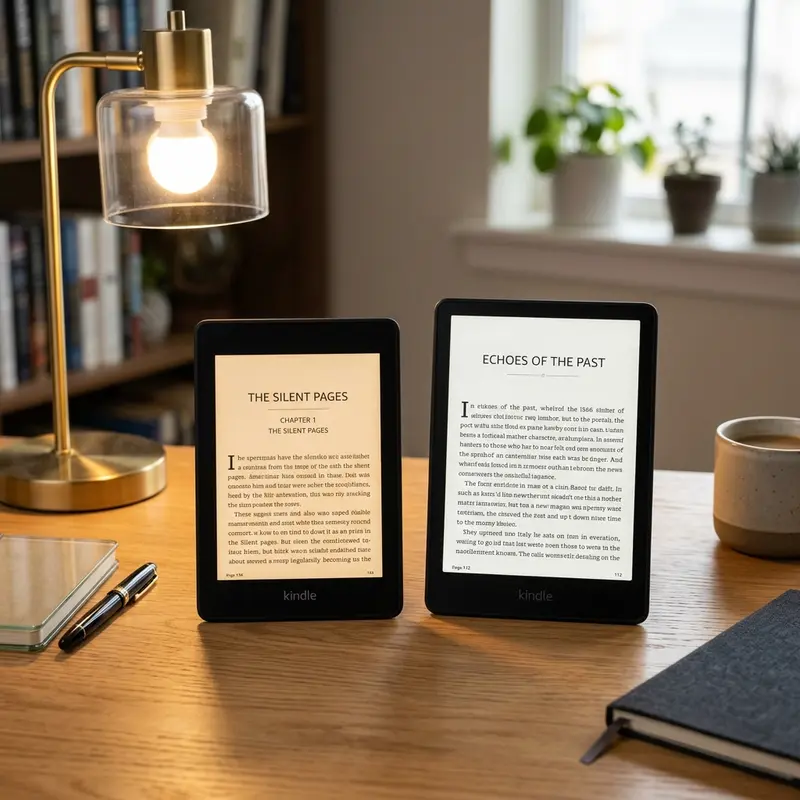
For avid readers looking to upgrade their digital library experience, the Kindle Paperwhite Signature Edition represents the pinnacle of Amazon's mid-tier e-readers. Combining a larger screen, flush-front design, and premium hardware features that were once exclusive to the expensive Kindle Oasis, this device has become a favorite among tech enthusiasts. However, premium hardware comes with a higher retail price tag. Buy the Kindle Paperwhite Signature Edition at the best price during Prime Day or Black Friday, when discounts typically reach 20% to 30% off. Timing your purchase can save you a significant amount of money.
Finding the absolute lowest price on the Signature Edition requires patience and an understanding of Amazon's retail cycles. Amazon rarely discounts its hardware products outside of major promotional events. However, during these sales, discounts can drop the price to historic lows. In addition to waiting for official holiday sales, there are several lesser-known shopping strategies, such as the Amazon Trade-In program and tracking historical price data, that can help you secure the device at an even lower cost. This guide will explore these methods in detail, helping you make an informed decision on your purchase.
1. What Makes the Signature Edition Worth the Premium?
Before analyzing the best ways to get a discount on the Kindle Paperwhite Signature Edition, it is important to understand what sets it apart from the standard Kindle Paperwhite. While both models feature a 6.8-inch e-ink display, 300 ppi pixel density, and an adjustable warm light, the Signature Edition introduces three key upgrades that enhance usability and convenience for power readers.
The first major upgrade is 32 GB of internal storage, compared to the 8 GB or 16 GB found in the standard models. This extra capacity is essential if you read graphic-heavy manga, subscribe to audiobooks via Audible, or maintain a massive library of personal documents. Standard text-only e-books require minimal storage, typically around 1 MB to 2 MB each. However, a single high-quality audiobook can exceed 150 MB, and complex PDF files with high-resolution diagrams can be 50 MB or more. If you plan to store hundreds of Audible titles or read graphic novels, the 32 GB option gives you peace of mind that you will never run out of space.
The second feature is wireless charging capability, supporting standard Qi wireless chargers so you don't have to plug in a USB-C cable. Simply placing your e-reader on a wireless charging pad at night keeps the battery topped up effortlessly. The third major upgrade is the auto-adjusting front light. Unlike the standard model where you must manually slide the brightness scale, the Signature Edition uses a built-in ambient light sensor to automatically adjust the screen brightness based on your surroundings. This sensor is highly responsive, ensuring that if you move from a bright outdoor patio to a dim living room, the screen adapts to reduce eye strain without requiring manual input.
2. Understanding Amazon's Annual Discount Calendar
Amazon's pricing strategy for its hardware devices is highly predictable. The retail giant schedules specific sales events throughout the year where Kindles, Echo speakers, and Fire tablets receive deep discounts. Knowing when these events occur is the easiest way to avoid paying full retail price.

Key Sales Events to Watch For
- Prime Day (July): This is Amazon's flagship summer shopping event. Prime members get exclusive access to some of the deepest Kindle discounts of the year. Historically, the Kindle Paperwhite Signature Edition drops by 20% to 25% during Prime Day, making it an excellent time to buy.
- Prime Big Deal Days (October): A secondary fall sales event that serves as a warm-up for the holiday shopping season. While the discounts are similar to Prime Day, stock availability can sometimes be limited, so buying early is recommended.
- Black Friday and Cyber Monday (November): The traditional holiday shopping weekend features massive discounts on all Amazon hardware. During this period, Amazon often bundles Kindle devices with accessories, such as leather covers or wireless charging docks, at heavily discounted bundle prices.
- Mother's Day and Father's Day (May/June): Amazon frequently runs promotions targeting these gift-giving holidays, offering modest discounts of 10% to 15% on various e-readers.
To help you evaluate the potential savings, we have compiled a table showing the typical pricing tiers of the Kindle Paperwhite Signature Edition during these major sales periods:
| Shopping Event | Typical Discount % | Estimated Price Range | Bundle Availability |
|---|---|---|---|
| Standard Retail Price | 0% (Full Price) | $189.99 | Sold separately |
| Prime Day Deals | 20% - 30% Off | $139.99 - $149.99 | High (includes charging dock) |
| Black Friday Sales | 25% - 30% Off | $134.99 - $139.99 | Very High (includes fabric/leather case) |
| Spring/Mother's Day Sales | 10% - 15% Off | $159.99 - $169.99 | Moderate |
Dica DomineTec: If you are planning to purchase a Kindle during Prime Day or Black Friday, make sure to add it to your Amazon Wishlist a few weeks in advance. The Amazon app will send push notifications directly to your smartphone the moment the price drops, ensuring you don't miss out on limited-time lightning deals.
It is also worth noting that Amazon often launches regional shopping events, such as the "Spring Sale" in Europe or "Semana do Consumidor" in Brazil. While the Kindle Paperwhite Signature Edition may not always see the maximum 30% discount during these secondary events, they are still a viable alternative if you need a replacement device immediately and cannot wait until the summer or holiday seasons.
3. How to Track Kindle Historical Pricing and Set Alerts
If you don't want to wait for the next major sales holiday, you can use specialized price-tracking tools to monitor Amazon's daily pricing changes. Because Amazon uses dynamic pricing algorithms, the price of the Kindle Paperwhite Signature Edition can fluctuate unexpectedly throughout the month based on inventory levels, competitor pricing, and demand.
The most popular tool for tracking Amazon prices is CamelCamelCamel. This free website allows you to paste the Amazon URL of the Signature Edition and view a comprehensive chart of its price history. By analyzing this chart, you can determine if the current price is a genuine deal or if it is sitting at its standard retail MSRP. More importantly, you can set up email alerts. You specify your target price (for example, $140), and CamelCamelCamel will email you the instant Amazon lowers the price to match your target. Another excellent browser extension is Keepa, which embeds price history charts directly onto the Amazon product page, allowing you to view historical pricing trends while you browse.
By using these tracking systems, you can also notice trends. For instance, Amazon often reduces Kindle prices by 15% on random weekends that have no official holiday association. If you are tracking the product, you can snap up the device during these short, unannounced windows before the price returns to its standard level on Monday morning.
4. Hidden Amazon Discounts: Trade-ins and Warehouse Deals
If you want to purchase the Kindle Paperwhite Signature Edition immediately but still want a discount, you can take advantage of two programs run by Amazon: the Trade-In program and Amazon Resigned (formerly Warehouse Deals).

The Amazon Trade-In Program
The Trade-In program is one of the best ways to get a stackable discount on a new Kindle. Amazon allows you to trade in your old Kindle, tablet, or smart speaker in exchange for an Amazon gift card matching the trade-in value of your old device. However, the real benefit of this program is that Amazon also gives you a 20% discount coupon towards the purchase of a new Kindle device. This 20% discount can be combined with existing sales. For example, if the Signature Edition is already discounted by $40 during a Prime Day sale, you can apply your 20% trade-in coupon on top of that discounted price, resulting in massive savings.
To take advantage of the Trade-In program, navigate to the Amazon Trade-In portal and select your old device. You will answer a few basic questions about its condition (e.g., does it turn on, is the screen cracked). Amazon will provide an instant quote and a free prepaid shipping label. Once you mail the device and Amazon verifies its condition, the gift card balance is credited to your account, and the 20% discount coupon is automatically applied to your next Kindle purchase at checkout.
Amazon Resigned (Warehouse Deals)
Another option is to browse Amazon Resigned for open-box or refurbished units. These are devices that were returned by customers who changed their minds, or units with damaged packaging. Amazon test these devices to ensure they are fully functional, grades them based on cosmetic condition (such as "Like New" or "Very Good"), and sells them at a steep discount. A warehouse unit can save you 15% to 25% off the retail price, and because they are backed by Amazon's return policy and standard warranty, it is a low-risk way to purchase the Signature Edition.
5. Comparing the Signature Edition to Alternative Kindle Models
To determine if the Signature Edition is the right choice for your budget, it is helpful to compare it directly with the standard Kindle Paperwhite and other models in the Kindle lineup. A side-by-side comparison reveals whether the extra features justify the price difference, especially if the standard model is also on sale.
For a complete breakdown of how the hardware stacks up, you can read our detailed Kindle Paperwhite vs Signature Edition comparison. In summary, if you primarily read standard text-only e-books in well-lit environments and do not listen to audiobooks, the standard 8 GB or 16 GB Kindle Paperwhite offers the same screen size and warm light feature at a lower price. However, if you read in dark environments frequently where the auto-brightness sensor is useful, or if you prefer the convenience of wireless charging and need extensive storage for media, the Signature Edition is well worth the extra investment, especially when purchased during a promotion.
Additionally, compared to the entry-level Kindle Basic, the Signature Edition offers a much larger screen (6.8 inches vs 6 inches), waterproofing, and adjustable warm light. While the Kindle Basic is the cheapest model available, it lacks the premium feel and reading comfort of the Paperwhite series. On the other end of the spectrum, the Kindle Scribe offers note-taking capabilities and a massive 10.2-inch screen, but it is far less portable and significantly more expensive. For the vast majority of readers, the Paperwhite Signature Edition represents the sweet spot of premium features and value.
FAQ — Frequently Asked Questions
Does the Kindle Paperwhite Signature Edition come with ads?
No, the Kindle Paperwhite Signature Edition is sold exclusively without lockscreen advertisements. Standard Kindle models are usually sold at a slightly cheaper price point with lockscreen ads, requiring you to pay an extra fee to remove them later. The Signature Edition includes the ad-free experience out of the box, saving you from having to pay to remove ads after purchase.
Can I use any Qi wireless charger with the Signature Edition?
Yes, the Signature Edition is compatible with any standard Qi-certified wireless charging pad or stand. Amazon sells an official wireless charging dock manufactured by Anker specifically for this model, which holds the Kindle upright. However, you do not need to buy the official accessory; any standard wireless charger designed for smartphones will work perfectly to charge the device.
Is the Signature Edition waterproof?
Yes, the Kindle Paperwhite Signature Edition features an IPX8 waterproof rating. This means it can withstand accidental immersion in up to two meters of fresh water for up to 60 minutes, or 0.25 meters of seawater for up to 3 minutes. This level of protection makes it safe to read by the pool, at the beach, or in the bath without worrying about water damage.
How long does the battery last on the Signature Edition?
The battery life of the Kindle Paperwhite Signature Edition can last up to 10 weeks on a single charge. This estimate is based on half an hour of reading per day with wireless connectivity turned off and the light setting set to 13. Heavy usage, high brightness settings, keeping Wi-Fi enabled, or listening to audiobooks via Bluetooth will reduce battery life, but it still easily outlasts smartphones and tablets.