How to Unclog a 3D Printer Nozzle Off-Tool Using a Heat Gun Safely

To unclog a 3D printer nozzle off-tool using a heat gun safely, heat the nozzle gently while ensuring proper ventilation and temperature control.
Understanding 3D Printer Nozzle Clogs
3D printer nozzle clogs are common issues that can significantly disrupt the printing process. A clogged nozzle can lead to uneven extrusion, layer shifts, and ultimately failed prints.
Understanding the causes of clogs can help in preventing them and knowing how to effectively unclog a nozzle when necessary. Proper knowledge about clogs enhances the overall 3D printing experience.
Common Causes of Nozzle Clogs
Several factors contribute to nozzle clogs in 3D printers. The most prevalent causes include filament quality, improper temperature settings, and foreign debris.
Low-quality filament often contains impurities that can lead to blockages. Incorrect temperature settings may cause the filament to harden prematurely or burn, resulting in a clog.
Other factors include moisture absorption and inappropriate retraction settings, which can also contribute to nozzle blockages. Understanding these causes allows for more effective prevention strategies.

Safety Precautions When Using a Heat Gun
Using a heat gun to unclog a nozzle requires careful attention to safety. Always ensure that the work area is well-ventilated to avoid inhaling fumes.
It is essential to wear protective gear, including heat-resistant gloves and goggles, to protect against burns or accidental exposure. Taking these precautions can minimize the risk of injury during the unclogging process.
Ensure that the heat gun is in good condition and check for any frayed cords or malfunctioning components. This can prevent electrical hazards during operation.
Tools and Materials Needed
Before starting the unclogging process, gather the necessary tools and materials. The following items will be needed:
- Heat gun
- Heat-resistant gloves
- Goggles
- Pliers
- Cleaning filament or wire brush
- Soft cloth
- Temperature control device (optional)
- Compressed air canister (optional)
Having the right tools at your disposal not only makes the process smoother but also ensures safety and effectiveness. Each tool serves a specific purpose in the unclogging process.
Step-by-Step Guide to Unclog a 3D Printer Nozzle
Follow these steps to safely unclog a 3D printer nozzle using a heat gun:
- Ensure the 3D printer is turned off and unplugged.
- Allow the nozzle to cool down if it was recently used.
- Put on heat-resistant gloves and goggles.
- Set the heat gun to a low temperature setting, around 200°C (392°F).
- Hold the heat gun 3-5 inches away from the nozzle.
- Move the heat gun in a circular motion around the nozzle for even heating.
- Observe the filament; it should begin to soften and melt.
- After a few minutes, gently use pliers to pull out any softened filament.
- For stubborn clogs, repeat the heating process as necessary.
- Once cleared, clean the nozzle with a soft cloth or use a cleaning filament.
Following these steps methodically ensures that the process is conducted safely and effectively. Each step is crucial for achieving optimal results.

Comparing Alternative Clog Removal Techniques
While using a heat gun is effective, several other methods exist for unclogging a nozzle. Each method has its pros and cons:
| Method | Pros | Cons |
|---|---|---|
| Heat Gun | Quick and effective | Requires safety precautions |
| Cold Pull Method | Gentle on nozzle | Time-consuming |
| Cleaning Filament | Designed for clogs | Can be costly |
| Needle Method | Immediate results | Risk of damaging nozzle |
Choosing the right method depends on the specific clog situation and the user's comfort level with each technique. Evaluating the pros and cons allows for informed decision-making.
Maintaining a Clog-Free Nozzle
Regular maintenance of the 3D printer nozzle can significantly reduce the chances of clogs. Use high-quality filament and ensure the printer is calibrated correctly.
Perform regular cleaning of the nozzle and check for signs of wear. Keeping the nozzle at appropriate temperatures during printing also helps prevent overheating and clogs.
Checklist for Nozzle Maintenance
- Inspect the filament quality before use.
- Calibrate the printer settings regularly.
- Clean the nozzle after every few prints.
- Check for moisture absorption in the filament.
- Monitor the temperature settings during printing.
- Use a cleaning filament periodically.
Adhering to a maintenance checklist helps in prolonging the life of the nozzle and enhances print quality. A proactive approach is key to preventing clogs.
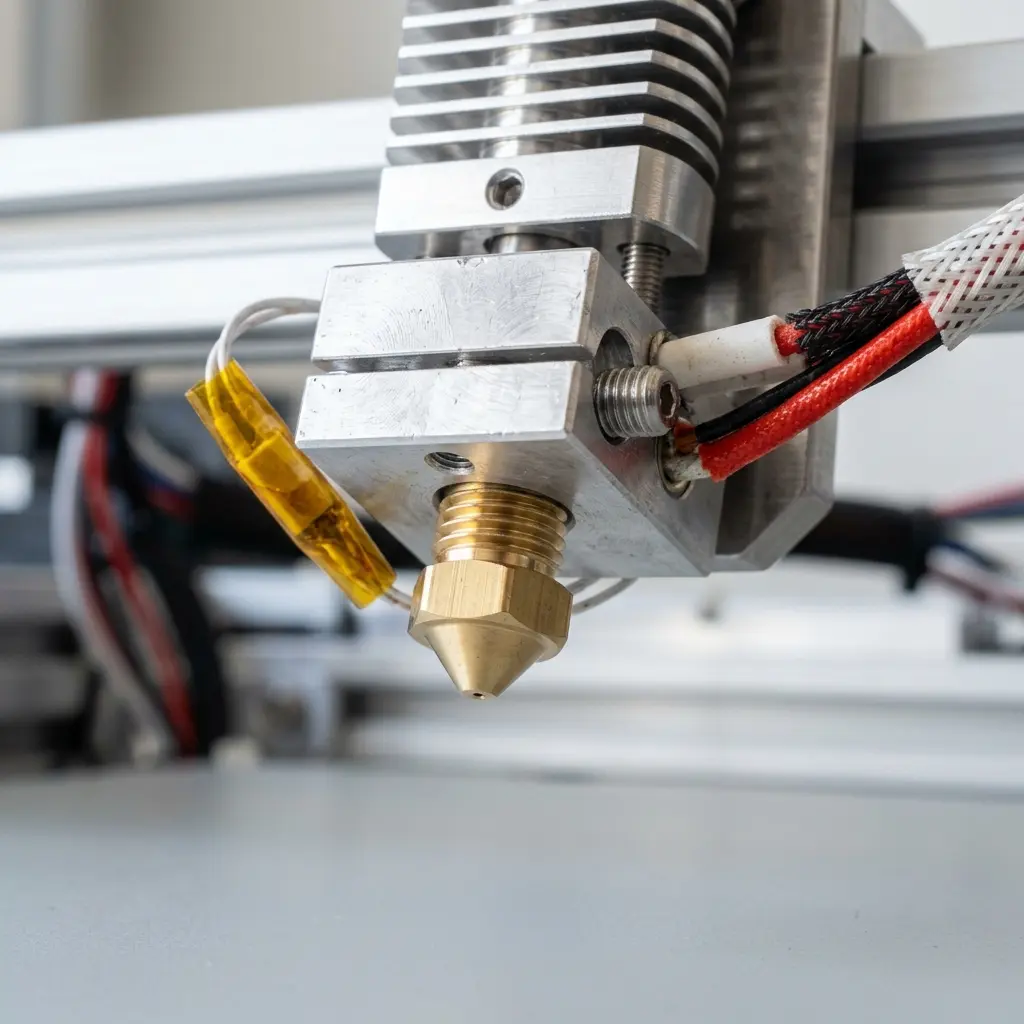
DomineTec Tip: Consider using a nozzle cleaning kit that includes various tools specifically designed for 3D printer maintenance.
Conclusion
Understanding how to unclog a 3D printer nozzle using a heat gun safely can enhance the printing experience. By following the outlined steps and maintaining a clean nozzle, printing issues can be minimized.
Regular attention to nozzle maintenance and the use of quality materials are essential components of successful 3D printing. A well-maintained printer produces better results and reduces the likelihood of clogs.
Frequently Asked Questions
What are the signs of a clogged 3D printer nozzle?
Common signs include inconsistent extrusion, under-extrusion, and filament not coming out of the nozzle. Observing these symptoms early can help prevent more severe issues.
Can a clogged nozzle damage the 3D printer?
A clogged nozzle can lead to overheating and potential damage to the printer's extruder. Regular maintenance and timely unclogging can mitigate these risks.
How often should the nozzle be cleaned?
Cleaning the nozzle every few prints or after changing filament types is advisable. This helps maintain optimal performance and prevents clogs.
Is using a heat gun the best method for unclogging?
A heat gun is an effective method, but the best technique depends on the type of clog and personal preference. Other methods like the cold pull technique may also be beneficial.
What type of filament is best for reducing clogs?
High-quality filament with minimal impurities is recommended to reduce the chances of clogs. Consider comparing options such as PETG vs PLA filament for optimal results.




