How to Clean and Unclog Your 3D Printer Nozzle Using Specialized Cleaning Filament

Cleaning and unclogging a 3D printer nozzle using specialized cleaning filament can restore optimal performance and print quality.
Understanding the Importance of a Clean Nozzle
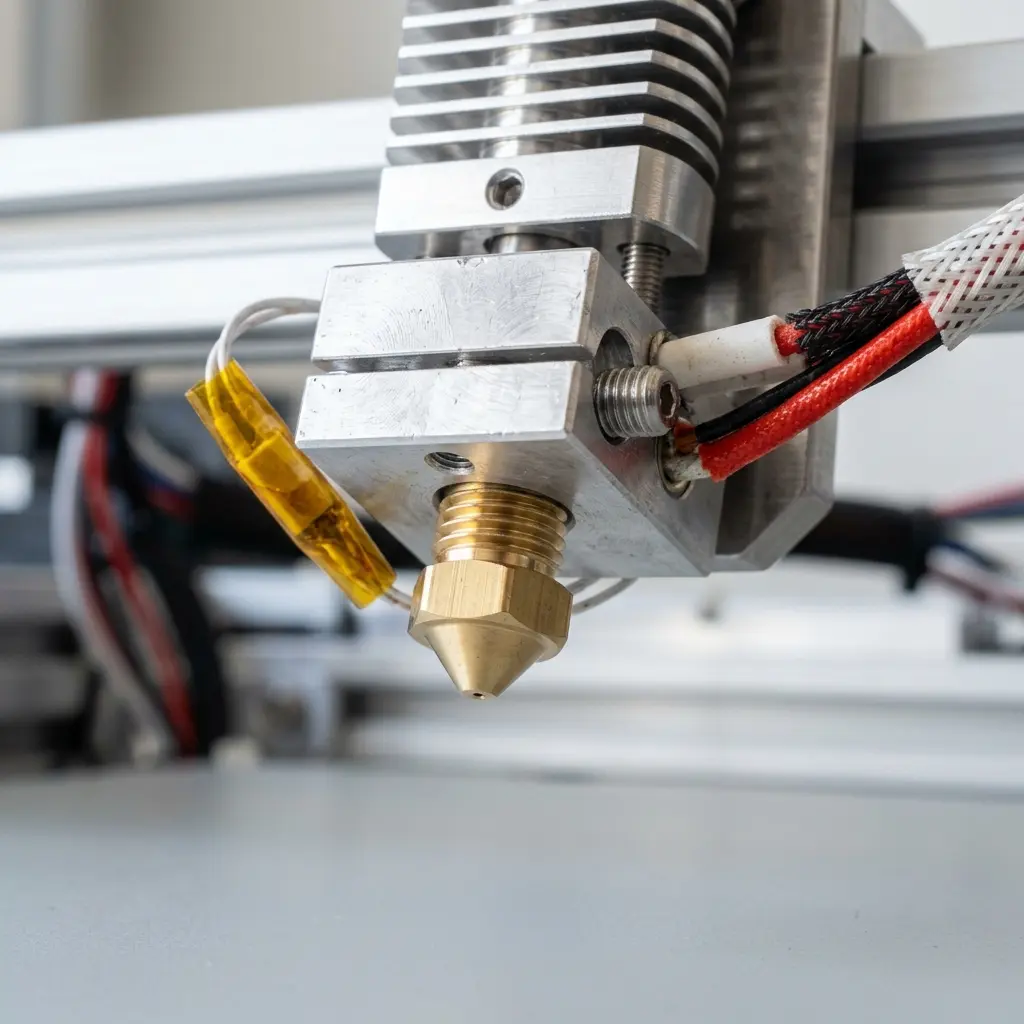
A clean nozzle is essential for achieving high-quality prints in 3D printing. Clogs and blockages can disrupt the flow of filament, leading to under-extrusion or even failed prints.
Regular maintenance of the nozzle enhances the lifespan of the printer and ensures consistent results across various materials. Neglecting this critical component can lead to more significant issues down the line.
What is Specialized Cleaning Filament?
Specialized cleaning filament is designed explicitly for removing residues and blockages in 3D printer nozzles. Unlike standard filaments, these products contain unique properties that help dissolve and remove contaminants.
Cleaning filaments are typically made from materials that have higher melting points or specific additives to aid in the cleaning process. Using them can significantly reduce the time and effort required to maintain your printer.

Steps to Clean and Unclog the Nozzle
Follow these steps to effectively clean and unclog the 3D printer nozzle using specialized cleaning filament:
- Gather all necessary materials, including cleaning filament, pliers, and a heat-resistant surface.
- Preheat the 3D printer to the recommended temperature for the filament currently in use.
- Remove the existing filament from the printer by manually retracting it or using the printer's control settings.
- Insert the specialized cleaning filament into the extruder.
- Allow the cleaning filament to melt and flow through the nozzle for a few minutes.
- Manually extrude the cleaning filament to push out any remaining debris or blockage.
- Once the cleaning process is complete, switch back to the regular filament and start a test print.

Choosing the Right Cleaning Filament
When selecting a cleaning filament, consider the following factors to ensure effective cleaning:
- Compatibility with your printer's nozzle size.
- Material properties that align with the filaments commonly used in your prints.
- Brand reputation and user reviews for reliability and effectiveness.
Different cleaning filaments are available in the market, including those specifically designed for PLA, ABS, and PETG materials. Each type has unique characteristics that cater to specific needs.
| Filament Type | Temperature Range | Common Uses |
|---|---|---|
| PLA Cleaning Filament | 180-220°C | Compatible with most standard 3D printers |
| ABS Cleaning Filament | 220-260°C | Ideal for ABS and similar materials |
| PETG Cleaning Filament | 230-260°C | Best for PETG prints |
DomineTec Tip: Always allow the nozzle to cool down before attempting to clean it to prevent burns and ensure safe handling.
Additional Cleaning Techniques
While specialized cleaning filament is effective, other techniques can be employed to maintain a clean nozzle. These methods can complement the use of cleaning filament for optimal results.
Soaking the nozzle in a suitable solvent can help dissolve stubborn clogs. Alternatively, using a needle or small wire can clear minor blockages manually.
Preventive Maintenance for Your 3D Printer
Implementing preventive measures can significantly reduce the likelihood of nozzle clogs. Regular maintenance routines can keep the printer in optimal working condition.
Routine checks on filament quality, ensuring proper storage, and maintaining a clean printing environment can all contribute to fewer issues. Additionally, calibrating the printer regularly will help maintain optimal flow rates.
For those new to 3D printing, understanding how to calibrate a 3D printer is essential for preventing issues before they arise. Refer to the how to calibrate 3D printer guide for more insights.

Frequently Asked Questions
How often should the nozzle be cleaned?
The frequency of cleaning depends on the type of filament used and the volume of prints. Regular users might find monthly cleaning sufficient, while heavy users may need to clean more often.
Can cleaning filament damage the nozzle?
When used correctly, specialized cleaning filament is safe for nozzles. However, using it at improper temperatures can potentially cause damage, so following manufacturer guidelines is crucial.
What signs indicate a clogged nozzle?
Common signs of a clogged nozzle include irregular extrusion, under-extrusion, and inconsistent print quality. Observing these symptoms can prompt timely cleaning.
Is it necessary to use specialized cleaning filament?
While it is not strictly necessary, specialized cleaning filament provides a more effective solution for removing stubborn clogs compared to regular filaments. Its formulated properties enhance cleaning efficiency.
Can a clogged nozzle be cleaned without specialized filament?
Yes, a clogged nozzle can be cleaned using manual techniques such as using a needle or soaking it in solvents. However, these methods may not be as effective as specialized cleaning filament.
Checklist for Nozzle Maintenance
Essential Maintenance Tasks
- Inspect the nozzle for signs of wear or damage.
- Check filament quality and compatibility.
- Store filament in a dry and temperature-controlled environment.
- Clean the build plate and surrounding areas regularly.
- Calibrate the printer after every few prints.
Cleaning Supplies Checklist
- Specialized cleaning filament
- Heat-resistant surface
- Pliers or tweezers
- Needle or small wire for manual blockage removal
- Solvent for soaking (if applicable)
In-Depth Guide to Different Cleaning Methods
1. Soaking Method
This method involves removing the nozzle from the printer and soaking it in a solvent like acetone or isopropyl alcohol. The solvent helps dissolve old filament residues and clogs.
After soaking for a few hours, scrub the nozzle with a soft brush to remove any remaining debris. Rinse thoroughly and dry before reattaching.
2. Manual Clearing with a Needle
For minor clogs, use a thin needle or wire to gently clear the nozzle. Ensure the printer is heated to the appropriate temperature to soften any filament inside.
Insert the needle into the nozzle opening and gently rotate it to dislodge any blockage. Be cautious not to damage the nozzle tip.
3. Hot Pull Method
The hot pull method involves heating the nozzle and then pulling out a piece of filament to remove any residual material. Preheat the printer, insert cleaning filament, and allow it to melt.
Once melted, pull the filament out rapidly, which helps to pull out debris stuck in the nozzle.
Conclusion
Maintaining a clean nozzle is crucial for the longevity and performance of a 3D printer. Regular cleaning using specialized cleaning filament, along with preventive maintenance, can help avoid clogs and ensure high-quality prints.
By following the steps outlined above, users can keep their printers in optimal condition and enjoy a seamless printing experience. Remember, a proactive approach to maintenance is always better than waiting for problems to arise.




