How to Sell AI Generated Art on Adobe Stock and Shutterstock
Learn how to sell AI generated art on Adobe Stock and Shutterstock complying with copyright guidelines. Selling AI-generated images has become a lucrative avenue for artists and creators, offering a modern approach to stock photography. With the rise of AI tools, creators can produce unique art pieces, but understanding the intricacies of selling on platforms like Adobe Stock and Shutterstock is essential. This guide will discuss the entire process, from generating art to navigating the submission processes, licensing, and maximizing your earnings.
DomineTec Tip: Before diving into selling, ensure you're aware of the rules and guidelines. Familiarize yourself with build a custom stock photo library using AI generators for deeper insights.
Understanding AI-Generated Art
AI-generated art refers to images created using artificial intelligence algorithms that can understand and mimic artistic styles. These tools, such as DALL-E, Midjourney, and Stable Diffusion, generate images based on textual prompts. The ability to customize these prompts is important; parameters like weight tokens and resolution settings significantly affect the final output. Artists can experiment with different styles, from photorealistic portraits to abstract pieces, ensuring that their portfolio remains diverse and appealing.
Choosing the Right Tools for Creation
Choosing the right AI generation tool is the first step in your selling journey. Each tool has its unique features. For instance, DALL-E allows for intricate adjustments through modifiers in prompts, while Midjourney emphasizes artistic flair through style presets. Below is a comparison of popular AI image generators:
| AI Tool | Key Features | Pricing Model | Output Quality |
|---|---|---|---|
| DALL-E | High customization, text-to-image capabilities | Subscription-based | High-resolution images |
| Midjourney | Art-focused styles, community-driven | Tiered membership | Exceptional artistic quality |
| Stable Diffusion | Open-source, flexible models | Free with optional paid features | Varies based on model |
When selecting an AI tool, consider your artistic style, the type of images you wish to create, and your budget. Each tool's processing speed and graphic card requirements also play a major role; for example, Midjourney often requires a robust GPU for quicker rendering times. A high-end graphics card, like the NVIDIA RTX 3080 or 3090, is recommended for optimal performance.
Creating Compelling Artwork
Once you've chosen your AI tool, the next step involves creating artwork that stands out. Start by crafting unique and descriptive prompts. For instance, instead of using a generic prompt like "a sunset," enhance it with details: "A vibrant sunset over a tranquil lake with reflections of orange and purple hues in the water." Experiment with weight tokens to emphasize certain aspects of your prompt, allowing the AI to focus on specific elements. The more detailed your prompt, the more refined the output will be.
Post-generation, utilize design software to refine your images further. Tools like Adobe Photoshop or Canva can help you enhance colors, add effects, or tweak compositions. You can create captivating social media layouts for better presentation, ensuring your pieces are visually appealing.
Understanding Licensing and Copyright
Before selling your AI-generated images, it is paramount to understand the licensing rules set by platforms like Adobe Stock and Shutterstock. Adobe Stock requires contributors to ensure that their content complies with intellectual property laws. Thus, it’s important to verify that the AI-generated images do not infringe on existing copyrights. Shutterstock, similarly, has strict guidelines on the originality and licensing of images. Always check the platform's specific requirements to avoid potential legal issues.
For example, some images may require specific licensing agreements if they include recognizable trademarks or brands. Familiarizing yourself with the Leonardo AI commercial use rights and policy can provide invaluable insights into what is permissible when selling your artwork.
Submitting Your Art
After generating and refining your images, it's time to submit them to stock platforms. Each platform has its own submission process. Typically, this involves creating an account, uploading your images, and providing relevant metadata including titles, descriptions, and keywords. The more precise your metadata, the easier it will be for potential buyers to discover your work. Aim for a balance of broad and niche keywords to maximize visibility.
Some platforms also encourage you to categorize your images, which can help in targeting specific audiences. For instance, if your artwork features landscapes, categorize it under "Nature" or "Landscapes" for better visibility. Keep in mind that each platform may have different specifications for image sizes and formats, so ensure your submissions meet these criteria.
Marketing Your AI Art
Creating stunning images is just the first part of the equation; marketing your work is equally important. Utilize social media platforms such as Instagram, Pinterest, and Facebook to showcase your art. You can also engage with art communities and forums to share your creations, receive feedback, and attract potential buyers. Collaborating with influencers can also expand your reach.
Consider setting up a professional website or portfolio to present your artworks. This can serve as a central hub for your creations, allowing customers to contact you directly or purchase your work through various platforms. Regularly update your portfolio with fresh content to keep your audience engaged.
Maximizing Earnings from Your Artwork
Understanding how pricing works on stock platforms is essential for maximizing your earnings. Most platforms operate on a commission basis, meaning they take a percentage of each sale. It’s important to analyze similar works within the same category and set competitive prices. Additionally, offering bundles or collections can attract more buyers and increase the overall value of your sales.
Consider participating in promotional events or contests on stock platforms, as these can boost visibility and lead to increased sales. Engage with your audience through newsletters or updates about new collections, thus establishing a loyal customer base.
Perguntas Frequentes
What are the best AI tools for generating stock images?
The best AI tools for generating stock images include DALL-E, Midjourney, and Stable Diffusion. Each offers unique features, with DALL-E focusing on customization, while Midjourney excels in artistic output. Your choice should depend on your specific artistic needs and budget.
How do I ensure my AI-generated art complies with copyright laws?
To ensure compliance with copyright laws, familiarize yourself with the licensing rules of the platforms you intend to sell on. Make sure that your AI-generated images do not infringe on existing trademarks or copyrighted material, as this could lead to legal issues.
What are the best marketing strategies for selling AI art?
Effective marketing strategies include utilizing social media to showcase your art, engaging with art communities, and creating a professional website. Collaborating with influencers and participating in contests can also increase visibility and sales.
Optimizing Workflows for AI-Generated Art Submission
In the realm of digital art, the efficacy of your submission workflow can significantly influence both the quality and quantity of your outputs. When dealing with platforms like Adobe Stock and Shutterstock, it's important to implement a streamlined process that not only adheres to platform guidelines but also maximizes your creative potential. This starts with a robust initial configuration of your AI tools, whether you're using generative adversarial networks (GANs), diffusion models, or other AI frameworks. Each of these tools has specific requirements regarding input data, computational resources, and output formats, which must be meticulously aligned with the standards set by stock photography platforms.
Central to an effective workflow is the concept of modularity. By breaking down your process into discrete stages—idea generation, image creation, post-processing, and submission—you can enhance both flexibility and control. For instance, using APIs offered by platforms like Adobe can facilitate the automation of repetitive tasks, such as batch uploading images or applying metadata in bulk. Integrating AI tools with image editing software through scripting can also create a seamless transition from initial generation to final polish, allowing for adjustments in color grading, resolution scaling, or cropping without leaving your primary environment.
Moreover, version control systems should not be overlooked. Utilizing platforms such as Git for managing your image assets can help track modifications over time, enabling you to return to previous iterations if newer outputs fail to meet your quality standards. This aspect is especially critical when working with AI-generated content, where nuances in prompts can lead to dramatically different results. Documenting your prompts and configurations alongside the corresponding outputs can serve as a repository of best practices, which you can refine as you gain more experience with the tools.
Advanced Prompt Engineering for Enhanced Art Generation
In the context of AI art generation, prompt engineering is a significant skill that transcends mere textual input. Effective prompts not only dictate the aesthetic and thematic output of your images but can also steer the underlying generative processes of models like DALL-E or Midjourney. Understanding the nuances of how different models interpret language is essential for crafting prompts that yield high-quality, commercially viable images. This involves not just the choice of words, but also the syntax and structure of your prompts, which can greatly influence the generated output.
When constructing prompts, specificity is paramount. Instead of vague descriptors, employing detailed and context-rich language can guide the AI towards your envisioned outcome. For instance, a prompt stating "a sunset over a mountain range" might yield generic results, whereas a more elaborate prompt like "a dramatic sunset casting fiery orange and pink hues over rugged snow-capped mountains, with a crystal-clear lake reflecting the vibrant sky" can lead to a more refined and unique image. Incorporating stylistic choices—such as "in the style of Impressionism" or "with a surreal twist"—can also direct the model to adhere to specific artistic movements or themes, potentially increasing the marketability of the final artwork.
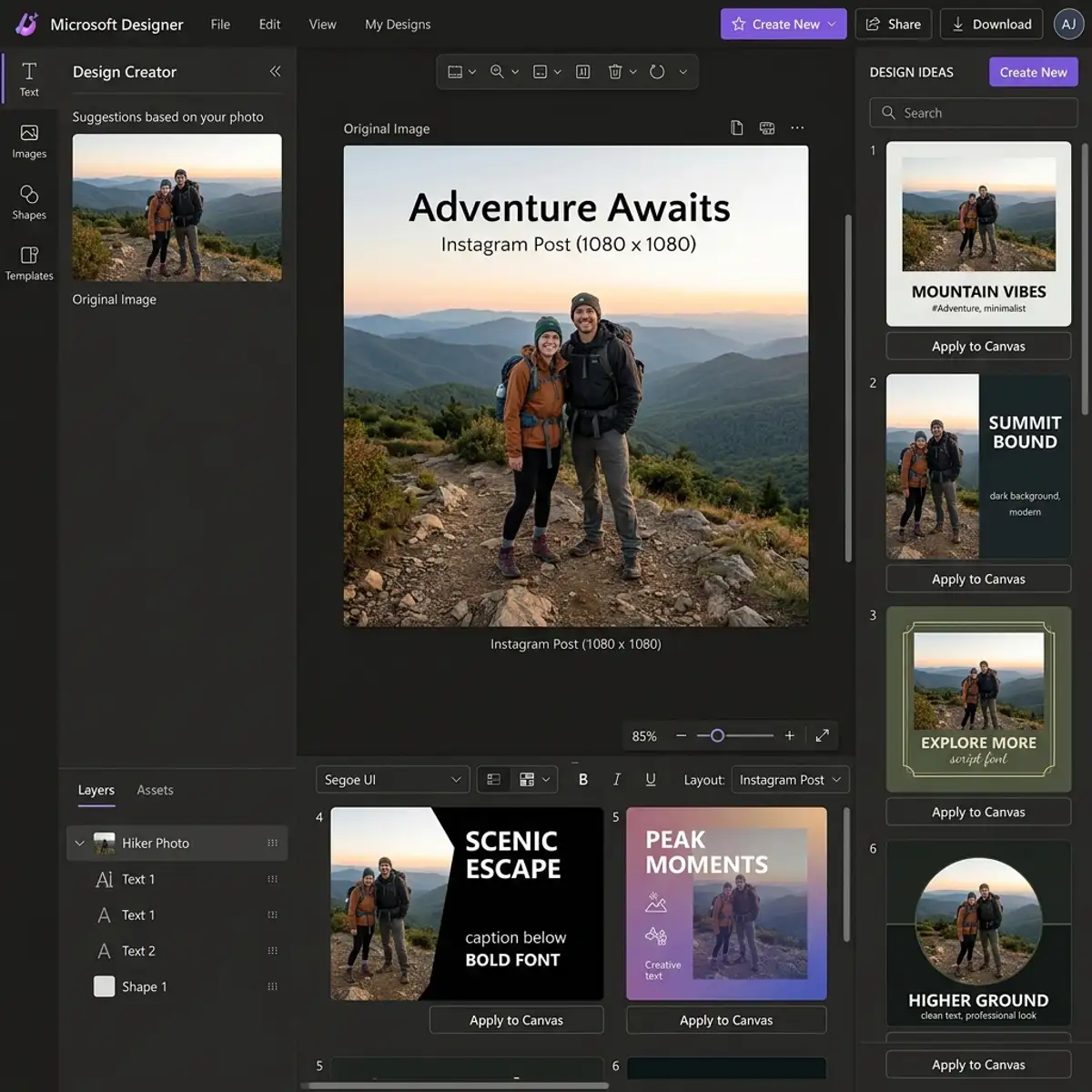
Additionally, experimenting with iterative prompting can lead to unexpected creative breakthroughs. Instead of relying on a single prompt, consider generating multiple variations based on incremental adjustments to your initial input. This could involve altering adjectives, changing the focal point, or introducing contrasting elements. Such iterative refinement allows you to explore a broader creative spectrum and identify which characteristics resonate most with your target audience. Collecting feedback on these variations, whether through personal review or community engagement, can further inform your prompt strategy, ensuring that your generated art remains relevant and appealing in the competitive stock marketplace.
Optimizing Your AI Art Generation Workflow
To effectively sell AI-generated art on platforms like Adobe Stock and Shutterstock, it is imperative to establish a streamlined workflow that maximizes both efficiency and output quality. The integration of AI tools into a structured workflow involves not just the choice of generation tools but also how these tools are configured and employed in a sequential manner. This can include selecting the right model for specific styles or subjects, preprocessing inputs for better results, and post-processing outputs to ensure they meet platform standards.
A important aspect of optimizing your workflow is the utilization of batch processing capabilities. Many AI art generation tools allow users to input multiple prompts or images at once, which can significantly increase productivity. When configuring these tools, ensure that you adjust settings like resolution, style parameters, and aspect ratios to align with the requirements of stock platforms. For instance, generating images at a higher resolution may be advantageous for stock submissions, as it provides greater flexibility for buyers in terms of usage.
Moreover, consider implementing a feedback loop within your workflow. After generating a set of images, analyze their performance on stock platforms, noting which styles or subjects garner the most attention. This data-driven approach allows for iterative refinement of prompts and settings in your AI tools, ensuring that each subsequent batch of images is better aligned with market demand. By integrating analytics tools or even simple tracking methods, you can base your creative decisions on real-time performance metrics, enhancing your chances of success.
Advanced Configuration Options for AI Art Tools
As the landscape of AI-generated art evolves, many platforms offer advanced configuration options that can significantly alter the output characteristics of generated images. Understanding these settings is important for artists looking to create work that stands out in saturated markets. Key configuration parameters often include aspects such as temperature settings, iteration counts, and model selection, each of which can dramatically influence the final result.
The temperature setting, for instance, controls the randomness of the output generated by the AI model. A lower temperature typically yields more consistent and predictable results, while a higher temperature can produce more surprising and creative outcomes. When selling on stock platforms, it may be beneficial to experiment with these settings to find a balance that maximizes both uniqueness and quality, as the right temperature can help in crafting images that are both innovative and commercially viable.
Furthermore, the choice of AI model is paramount. Different models may be optimized for various artistic styles or subjects, thus influencing the aesthetic quality of your work. For example, some models may excel in generating abstract art while others are tailored for photorealism. By carefully selecting the appropriate model based on the type of art you wish to create, you can achieve results that are not only visually arresting but also relevant to current trends in the stock art marketplace. Experimenting with multiple models in conjunction with advanced configuration settings can lead to a diverse portfolio, appealing to a wider audience.