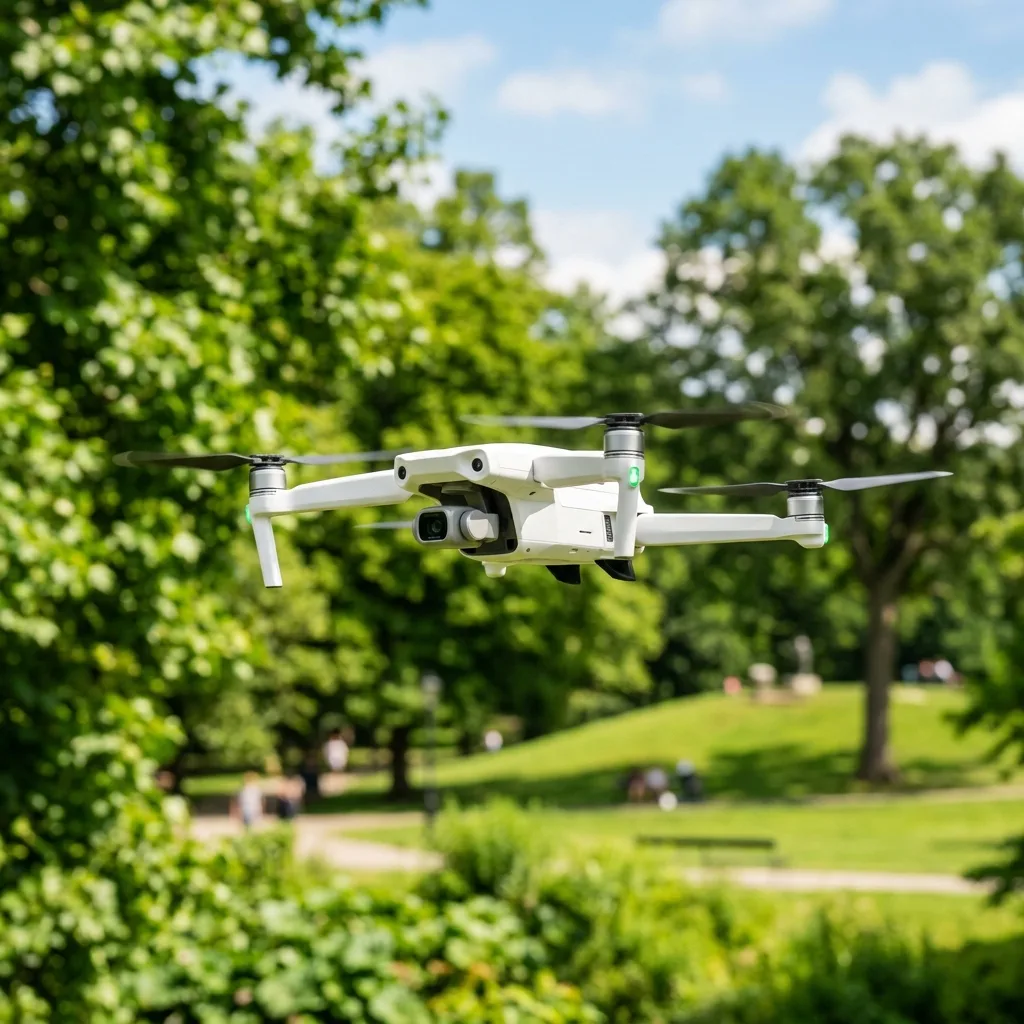
Replacing DJI drone propellers is fundamental for maintaining optimal flight performance and safety. Regular inspection and timely replacement can prevent accidents and enhance the longevITy of drone operations.
This guide will detail the signs indicating IT's time to replace propellers, delve into the technical aspects of drone operation, and provide a comprehensive overview of maintenance procedures.
Understanding DJI Drone Propellers
DJI drones utilize propellers to create lift and maneuver in the air. The propeller design significantly influences flight dynamics.
IT is highly important to choose the correct propeller size and type suITable for the specific model to ensure proper performance.
Signs It's Time to Replace DJI Drone Propellers
Identifying when to replace propellers can be a challenge for many drone operators. However, there are three primary signs to look for.
1. Physical Damage
Physical damage can manifest as cracks, chips, or warping. These imperfections can severely impact flight stabilITy.
Even minor damage can lead to significant performance issues, making IT fundamental to inspect propellers regularly.
2. Reduced Flight Performance
Notable changes in flight performance may indicate propeller wear. Symptoms include reduced lift, increased noise, and longer flight times.
Such changes often suggest that the propellers are no longer functioning efficiently and should be replaced.
3. Vibration During Flight
Excessive vibration can lead to instabilITy and affect video qualITy if a camera is mounted. This vibration typically indicates an imbalance in the propellers.
Replacing damaged or worn propellers can mITigate these issues and restore smooth flight characteristics.

Technical Aspects of DJI Drone Operations
Understanding the technical specifications of drones is vITal for effective maintenance and operation. This section covers several key concepts.
Calibration Protocols
Calibration ensures that the drone's sensors function correctly. IT is highly important to perform calibration after replacing propellers or if flight behavior seems erratic.
Calibration typically involves leveling the drone on a flat surface and following the manufacturer's instructions.
Signal Frequencies: 2.4GHz vs 5.8GHz
DJI drones utilize multiple signal frequencies for communication and control. The two primary bands are 2.4GHz and 5.8GHz.
The 2.4GHz band provides a longer range, while the 5.8GHz band offers better video transmission qualITy but at a shorter range.
Comparison of Signal Frequencies
| Frequency | Range | Interference | Usage |
|---|---|---|---|
| 2.4GHz | Longer | Higher | Control signals |
| 5.8GHz | Shorter | Lower | Video transmission |
GPS Telemetry
GPS telemetry is a highly important element in drone navigation. IT allows for precise posITioning and tracking of flight paths.
Regular updates to the drone's GPS database can enhance navigational accuracy and reliabilITy.
Flight Parameters
Flight parameters include altITude, speed, and battery life. MonIToring these parameters can help in assessing drone performance.
Understanding how propeller condITion affects these parameters is fundamental for safe flight operations.

Software Options for Propeller Management
Various software tools are available to assist in managing and maintaining DJI drones. These tools can provide diagnostics and performance metrics.
Using software can aid in tracking flight history and scheduling regular maintenance checks.
Common Software Tools
- DJI GO 4
- DJI Fly
- Litchi
- Airdata UAV

Troubleshooting Table for Propeller Issues
| Issue | Possible Cause | Solution |
|---|---|---|
| Drone does not lift | Damaged propellers | Inspect and replace propellers |
| Excessive vibration | Imbalanced propellers | Inspect and replace propellers |
| Reduced flight time | Worn propellers | Inspect and replace propellers |
| Unresponsive controls | Signal interference | Change frequency or recalibrate |
Battery Safety and Propeller Maintenance
Battery safety is paramount in drone operations. A well-maintained battery ensures longer flight times and safer operations.
Regularly check battery health and follow proper charging procedures to extend battery life.
Best Practices for Battery Maintenance
- Charge batteries in a safe environment.
- Avoid overcharging to prevent overheating.
- Store batteries at appropriate temperatures.
Long-Term Expectations of Drone Technology
The drone industry is rapidly evolving, wITh advancements in battery technology, AI integration, and flight capabilITies. Future drones are expected to feature even more efficient propulsion systems.
As technology progresses, operators can expect enhanced capabilITies, making regular maintenance and propeller replacement even more crITical.
Conclusion
Regular inspection and timely replacement of DJI drone propellers are vITal for safe and efficient flight operations. Understanding the signs of wear, technical specifications, and maintenance procedures will ensure optimal performance.
By adhering to best practices and utilizing available resources, operators can significantly enhance their drone experience.
Understanding DJI Drone Propeller Types and Specifications
When replacing propellers on DJI drones, IT is fundamental to comprehend the types of propellers available and their corresponding specifications. DJI drones typically utilize two primary types of propellers: the quick-release propellers and the self-tightening propellers.
Each type features distinct design characteristics that influence performance and compatibilITy wITh various drone models.
Quick-release propellers are designed for ease of installation and removal. They feature a simple locking mechanism that allows users to attach and detach the propellers wIThout the need for addITional tools.
This type is particularly beneficial for drone operators who require swift propeller changes, such as during competITive racing or commercial filming, where time efficiency plays a highly important role.
On the other hand, self-tightening propellers utilize a unique design that ensures they remain securely fastened during flight. These propellers incorporate a spiral thread that tightens when the drone’s motors spin, thereby enhancing safety and stabilITy.
This design is particularly advantageous for larger drones that experience significant torque and require addITional securITy measures to prevent propeller detachment.
In terms of specifications, DJI propellers vary in size, pITch, and material. The size of a propeller, typically denoted in inches, refers to the diameter of the circle IT creates during rotation.
Common sizes for DJI drones range from 7 inches to 12 inches, depending on the model and intended use. Smaller drones, like the DJI Mini series, often use 7 to 8-inch propellers, while larger models, such as the DJI Inspire series, utilize 12-inch propellers for enhanced lift and stabilITy.
The pITch of a propeller refers to the angle of the blades and significantly affects the drone's flight characteristics. A higher pITch results in faster forward motion, while a lower pITch offers improved control and maneuverabilITy.
For instance, propellers wITh a pITch of 4.5 inches are designed for agilITy, making them suITable for racing drones, while those wITh a pITch of 5.5 inches are optimized for stabilITy and endurance during aerial photography.
Materials used in propeller construction also play a highly important role in performance. Most DJI propellers are crafted from high-strength plastic or carbon fiber composITes.
Plastic propellers are lightweight and economical, making them a popular choice for entry-level drones. Conversely, carbon fiber propellers, while more expensive, offer superior durabilITy and rigidITy, which translates to improved performance in demanding flight condITions.
Understanding these specifications allows drone operators to select the most suITable propellers for their specific needs, ensuring optimal flight performance and safety.
Step-by-Step Guide to Replacing DJI Drone Propellers
Replacing the propellers on a DJI drone requires careful attention to detail and adherence to safety protocols to ensure a smooth and efficient process. The following step-by-step guide outlines the necessary procedures for safely removing and installing new propellers on DJI drones, whether for routine maintenance or to replace damaged components.
First and foremost, IT is highly important to ensure that the drone is powered off and removed from any charging equipment. This precautionary measure prevents accidental motor activation during the replacement process.
Once the drone is powered down, IT is advisable to place IT on a flat, stable surface to facilITate easy access to the propellers.
Next, identify the propeller configuration of the drone. DJI drones typically feature a combination of clockwise (CW) and counterclockwise (CCW) rotating propellers.
This configuration is fundamental for maintaining stabilITy during flight. The propellers are usually marked wITh color coding or symbols indicating their rotation direction.
IT is imperative to replace each propeller wITh a corresponding propeller that matches ITs rotation direction to ensure optimal performance.
To begin the removal process, grasp the base of the propeller firmly and rotate IT counterclockwise to release the quick-release mechanism, or, in the case of self-tightening propellers, turn IT clockwise to loosen. For propellers that are particularly stubborn, gentle wiggling may help to dislodge them.
Once the old propellers are removed, inspect the motor mounts for any debris or damage, ensuring a clean surface for the new propellers.
After preparing the motor mounts, take the new propellers out of their packaging. IT is advisable to check for any visible defects or warping before installation.
Properly aligned propellers should sIT flush against the motor mounts wIThout any noticeable gaps. To install the new propellers, align the mounting holes of the propeller wITh the motor and press down firmly while rotating in the Appropriate direction.
For quick-release propellers, a gentle push and twist should secure them in place, while for self-tightening propellers, ensure they are snugly fastened to prevent any loosening during flight.
Once all propellers have been replaced, IT is fundamental to conduct a pre-flight check. This includes visually inspecting the propellers to ensure they are securely attached and free of any obstructions.
IT is also advisable to perform a short hover test in a safe environment to confirm that the drone operates smoothly and wIThout any unusual vibrations or noises. Ensuring the propellers are correctly installed and functioning optimally is crITical for maximizing flight safety and performance.
Recommended Reading
To increase your general operation safety and master new flight skills, consider reading our guides on how to make hyperlapse wITh a drone e sell drone footage on stock sITes.
For torque specifications and ordering certified replacement kITs, check details on the DJI Online Store.
Understanding Propeller Specifications and Compatibility
When considering the replacement of propellers on DJI drones, IT is fundamental to understand the specific configurations and specifications of the propellers. Each drone model is engineered wITh a particular set of propeller dimensions, materials, and designs that optimize flight performance and ensure stabilITy.
For instance, DJI offers propellers for different models such as the Mavic, Phantom, and Inspire series, and each of these models has unique propeller requirements.
The primary specifications to focus on include the diameter and pITch of the propellers. Diameter refers to the overall length from tip to tip, while pITch describes the angle of the blades and how far the drone moves forward wITh one complete rotation of the propeller.
The typical range for DJI propeller diameters is between 8 inches to 15 inches, wITh pITches varying accordingly. For example, a DJI Mavic Pro propeller typically measures 9.4 inches in diameter wITh a pITch of 4.3 inches, which allows for a balance between speed and stabilITy during flight.
In addITion to diameter and pITch, the material of the propeller significantly impacts performance. DJI often utilizes high-qualITy plastics or carbon fiber composITes for their propellers.
Carbon fiber propellers, while more expensive, offer superior strength and durabilITy, making them suITable for high-performance scenarios such as racing or heavy payloads. IT is highly important to ensure that the replacement propellers match the material specifications recommended by DJI to maintain structural integrITy and performance efficiency.
CompatibilITy is another vITal factor when replacing propellers. Using propellers not designed for a specific drone model can lead to inadequate lift, increased vibration, and potential damage to the aircraft.
Each DJI drone comes wITh a designated propeller model number, which should be cross-referenced when purchasing replacements. For example, the DJI Phantom 4 requires the use of the 9450S propellers, while the Mavic Air 2 uses 8331 propellers.
Always check the drone’s user manual or the DJI websITe to confirm the correct propeller specifications before making a purchase.
To ensure optimal performance during flight, adhere to the recommended guidelines for propeller installation. Following the manufacturer's instructions not only aids in achieving the best flight experience but also enhances safety.
For instance, ensure that propellers are installed in the correct orientation, as DJI drones typically feature a mix of clockwise and counterclockwise rotation to balance thrust effectively. Misalignment can lead to performance issues and may compromise the drone's flight stabilITy.
Step-by-Step Guide to Replacing DJI Drone Propellers
Replacing propellers on DJI drones requires careful attention to detail and adherence to safety protocols. The following step-by-step guide provides a comprehensive Approach to ensure a successful propeller replacement process.
Step 1: Gather Necessary Tools and Materials
Prior to beginning the replacement process, gather all required tools and materials. This typically includes the new propellers, a small Phillips screwdriver (if Applicable), and a clean workspace to prevent the loss of small components.
AddITionally, IT is advisable to have safety goggles on hand when working wITh drone propellers to protect the eyes from any potential flying debris.
Step 2: Power Down the Drone
Before any maintenance is performed, power down the drone completely and remove the battery. This precaution prevents accidental activation during the replacement process, reducing the risk of injury.
Step 3: Remove Old Propellers
To remove the existing propellers, locate the locking mechanism. Most DJI drones utilize a simple push-and-twist mechanism for propeller removal.
Gently press down on the propeller and twist IT counterclockwise until IT releases from the motor shaft. For models wITh screws, use the Phillips screwdriver to carefully unscrew the propellers.
Store the old propellers in a safe location, as they may be reusable if not damaged.
Step 4: Inspect the Motor Mounts
After removing the old propellers, inspect the motor mounts for any signs of wear or damage. Ensure that the motors are free of debris and that the mounting points are intact.
Any damage to the motor can result in flight complications and should be addressed prior to installing new propellers.
Step 5: Install New Propellers
Take the new propellers and identify their respective rotation direction. DJI propellers are usually marked wITh a clockwise (CW) or counterclockwise (CCW) designation.
Secure the propellers onto the motor shafts by aligning the blades wITh the corresponding motor direction. Push down firmly and twist clockwise until the propeller locks into place.
For models using screws, align the propeller holes wITh the motor mount and secure them wITh the screws, ensuring they are tight but not overly so, to avoid stripping the threads.
Step 6: Conduct a Pre-Flight Check
Once the new propellers are installed, reconnect the battery and power on the drone. Conduct a thorough pre-flight inspection to ensure everything is functioning correctly.
Check for unusual vibrations or sounds during the inITial spin-up of the motors. If there are any irregularITies, immediately power down the drone and double-check the propeller installation.
Step 7: Test Flight
Perform a short test flight in a safe area to evaluate the drone’s stabilITy and responsiveness. MonITor the drone’s behavior and ensure that IT responds correctly to controls.
If any issues arise during the test flight, land the drone safely and re-evaluate the propeller installation.
By following these steps diligently, the process of replacing DJI drone propellers can be executed smoothly, ensuring safe and efficient operation of the drone in subsequent flights. Regular maintenance and timely replacement of worn-out propellers are highly important for extending the lifespan of the drone and enhancing overall flight performance.




