How to Fix Bad Overhangs on ABS Prints: Part Cooling Fan and Chamber Heat

To fix bad overhangs on ABS prints, adjust the part cooling fan and manage chamber heat effectively.
Understanding ABS and Its Overhang Challenges
Acrylonitrile Butadiene Styrene (ABS) is a popular thermoplastic used in 3D printing due to its strength and durability. However, ABS can present specific challenges, especially when it comes to overhangs.
Overhangs occur when a printed layer extends beyond the layer below it without sufficient support. ABS’s tendency to warp due to rapid cooling can exacerbate these issues, leading to poor print quality.
Importance of Part Cooling in ABS Printing
Part cooling plays a crucial role in the successful printing of ABS. Unlike PLA, ABS requires a delicate balance of cooling to prevent warping while ensuring that the material adheres well.
Applying too much cooling can cause the layers to separate or warp, while too little can lead to drooping overhangs. The ideal cooling strategy involves using a part cooling fan effectively without compromising layer adhesion.

Optimizing Part Cooling Fan Settings
Fine-tuning the part cooling fan settings in your slicer can significantly improve the performance of your ABS prints. Begin by understanding the capabilities of your 3D printer and the settings available in your slicing software.
- Fan Speed: Start with a low fan speed, around 20-30%. Gradually increase as needed for better cooling.
- Fan Placement: Ensure the fan directs airflow onto the part without blowing directly at the hotend.
- Layer Cooling: Enable cooling only after the first few layers to ensure good adhesion to the build plate.
DomineTec Tip: Utilize a fan duct for more focused airflow, which can help cool overhangs without affecting the entire print.
Managing Chamber Heat for ABS Prints
The environment during printing plays a significant role in the outcome of ABS parts. Maintaining a stable temperature inside the print chamber can help minimize warping and improve overhang performance.
An enclosed print chamber is recommended to retain heat. This setup ensures that the ABS material remains warm enough to adhere properly between layers.
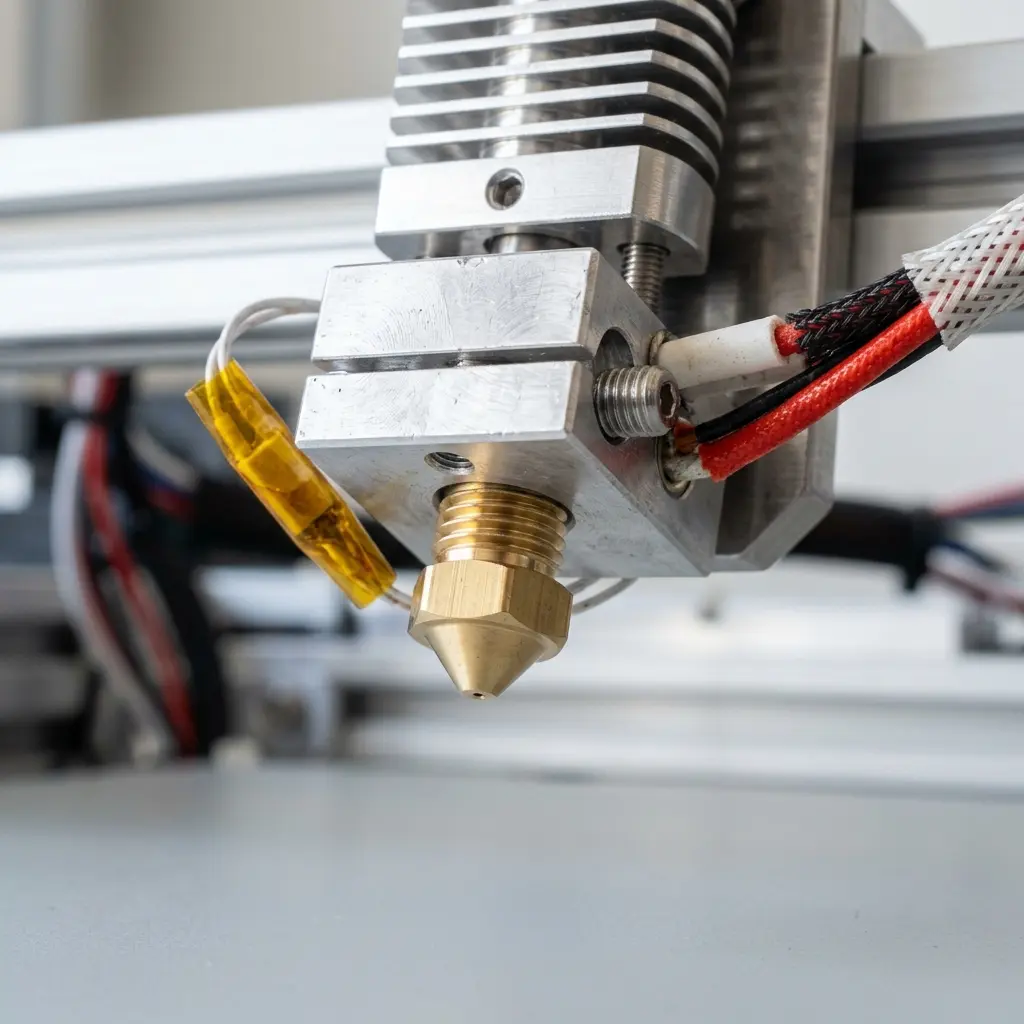
Recommended Temperature Settings for ABS Printing
Temperature settings are critical for achieving high-quality ABS prints. The extruder and bed temperatures should be carefully chosen to ensure optimal layer adhesion without excessive warping.
| Setting | Recommended Range |
|---|---|
| Extruder Temperature | 230°C - 250°C |
| Print Bed Temperature | 80°C - 110°C |
These temperature ranges may require adjustment based on specific printer capabilities and environmental conditions. Always monitor prints and make incremental changes as needed.
Additional Techniques to Improve Overhang Performance
Along with fan adjustments and chamber heat management, other techniques can enhance overhangs in ABS prints. These methods include:
- Use of Support Structures: Generate support structures in your slicing software to provide additional stability.
- Adjust Print Speed: Slower print speeds can improve layer adhesion, especially in challenging overhangs.
- Optimize Layer Height: Using a thicker layer height can help reduce the need for excessive cooling on overhangs.
- Consider Material Alternatives: If issues persist, consider using a different filament such as ASA, which has similar properties to ABS but better overhang performance.

Common Issues and Solutions for Overhangs
Despite optimization efforts, issues may still arise. Understanding common problems can help identify solutions more effectively.
Warping: If warping occurs, check that your bed adhesion is sufficient and that the print chamber is properly heated. Consider using a brim or raft for better adhesion.
Drooping Overhangs: If overhangs are drooping, adjust the fan settings or increase the printing speed slightly. Additionally, assess the layer height and consider using supports.

Frequently Asked Questions
What is the ideal cooling strategy for ABS prints?
The ideal cooling strategy involves using a low fan speed to avoid warping while ensuring that the part cools sufficiently to maintain shape. Gradually increasing fan speed after the initial layers can be beneficial.
Can I use a part cooling fan with ABS?
Yes, a part cooling fan can be used with ABS, but it should be set to a low speed. This approach helps manage cooling without compromising layer adhesion.
How can I prevent warping in ABS prints?
Preventing warping involves maintaining a stable print chamber temperature and ensuring proper bed adhesion. An enclosure can help retain heat and minimize temperature fluctuations.
What are the alternatives to ABS for better overhang performance?
Materials such as ASA or PETG can provide similar strength to ABS while offering improved overhang performance. These materials are less prone to warping and can be easier to print.
How should I adjust print speed for ABS overhangs?
Reducing print speed can enhance layer adhesion, especially on overhangs. Slower speeds allow the filament more time to bond properly, which can improve the overall print quality.
Checklist for Successful ABS Overhangs
Use the following checklist to ensure optimal settings and techniques for achieving successful overhangs in ABS prints:
- Ensure the printer is properly calibrated.
- Check bed adhesion methods (glue, tape, etc.).
- Set extruder temperature within the recommended range (230°C - 250°C).
- Set bed temperature within the recommended range (80°C - 110°C).
- Adjust fan speed to a low setting (20-30%) for the first few layers.
- Enable part cooling after the first few layers.
- Consider using support structures for complex overhangs.
- Monitor the print environment for temperature stability.
- Use a fan duct for improved airflow control.
- Analyze print speed and adjust as necessary.
Advanced Techniques for Overhang Management
Advanced techniques can further improve the quality of ABS prints with overhangs. These may require additional equipment or adjustments in slicing software.
Dynamic Cooling Adjustments
Implementing dynamic cooling adjustments can be beneficial. This involves adjusting cooling settings based on the layer's geometry.
Many slicer software options allow for setting cooling profiles based on the complexity of the print. This feature can help ensure that overhangs receive optimal cooling without impacting other parts of the model.
Bridging Technique
Bridging is a technique used to create overhangs without supports. It relies on the printer's ability to bridge gaps effectively.
To achieve successful bridging, ensure that the extruder temperature is optimized for flow. A slightly lower temperature can help solidify the filament more quickly, reducing sagging on overhangs.
Layer Orientation
Layer orientation can significantly impact the success of overhangs. When designing a model, consider the orientation that minimizes overhangs or allows for better support.
Rotating the model to reduce the number of overhangs can lead to improved print quality. This adjustment may require some trial and error to find the best orientation.
Conclusion
Achieving optimal overhangs in ABS prints requires a comprehensive understanding of the material, print settings, and environmental factors. By adjusting part cooling fan settings, managing chamber heat, and implementing additional techniques, print quality can be significantly enhanced.
Following the recommended practices outlined in this guide can mitigate common issues associated with ABS printing. As always, experimentation and monitoring are essential to perfecting the process.




