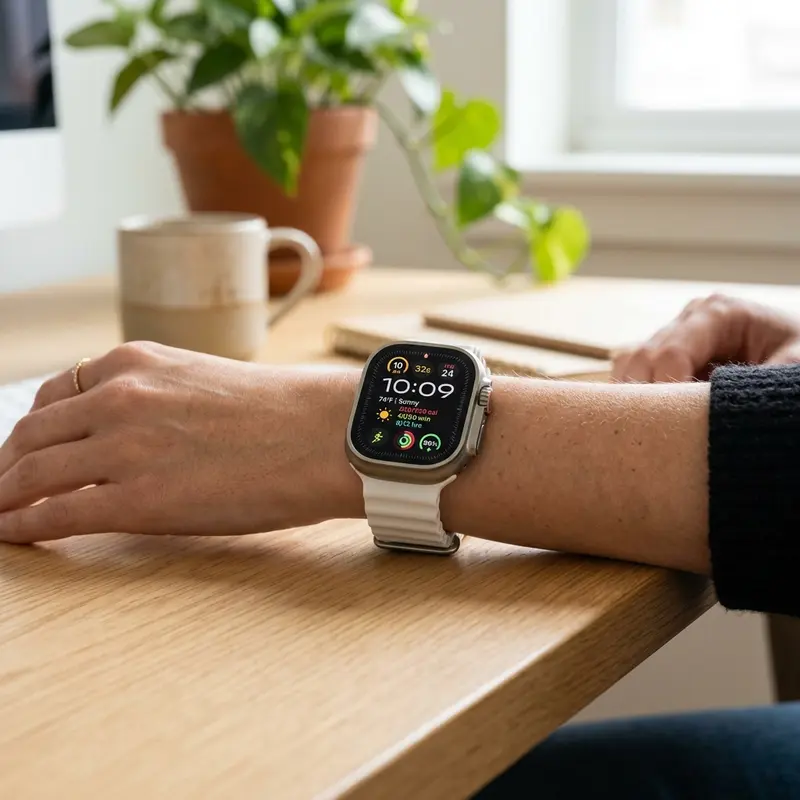
How to Calibrate Your Apple Watch for Better Workout Tracking
Apple Watch models are widely recognized for their tracking precision across cardiovascular exercises, heart rate monitoring, and caloric output. However, to ensure that your workout metrics—such as distance, running pace, and aerobic energy expenditure—remain accurate, you must calibrate the device. This technical fine-tuning process teaches the watchOS system your unique physical stride length, typical arm swing patterns, and heart rate sensor responses under varying levels of physical exertion.
To calibrate your Apple Watch sensors, you need to reset the fitness calibration data inside your iPhone Settings app, complete a walk or run outdoors in a flat area for at least 20 minutes with a strong GPS signal, and verify the physical fit of the band. Furthermore, keeping your personal biometrics like weight, height, and age up to date in the Health app is critical to calibrate heart rate zones and active calorie calculations. Implementing these minor adjustments optimizes sensor algorithms for your individual physiology.
If you are looking to optimize other devices within your Apple product ecosystem, check out our comprehensive guides on como limpar cache iphone and como restaurar iphone sem perder dados to clear system storage caches and solve common system configuration errors.
1. Why Apple Watch Calibration is Necessary
The Apple Watch integrates a complex array of hardware sensors and sensor-fusion algorithms to track body movement. The internal accelerometer and gyroscope monitor wrist rotation and linear acceleration vector forces, while the optical heart rate sensor uses photoplethysmography (PPG) to track capillary blood flow using green and infrared LEDs. Without personalized calibration, watchOS relies on generalized population tables based on age, gender, and average height. This can lead to a 10% to 20% error margin in calorie calculations when training indoors or running on a gym treadmill without a cellular or GPS connection.
By executing an outdoor calibration run, the system correlates the exact ground distance measured by the GPS radio with the motion waveforms captured by the accelerometer. This establishes a highly customized step-to-distance ratio that allows the watch to calculate indoor workouts accurately when GPS is unavailable.
2. Updating Biological Metrics in the Health App
Before initiating the physical calibration process, the fitness algorithms in watchOS require accurate biological parameters. Estimated energy expenditure (active calories) and VO2 Max values are calculated using equations that utilize body mass, height, and biological age.
To update your health profile on your paired iPhone:
- Launch the Watch application on your iOS device.
- Navigate to the My Watch tab in the navigation menu.
- Scroll down the settings list and select Health.
- Tap Health Details.
- Tap Edit in the upper right corner to correct metrics such as Weight, Height, Birthdate, and Biological Sex.
- Select Done to save the changes and synchronize the data with your watch.
Ensure that you update these metrics whenever your body weight changes significantly to prevent drift in calorie calculations.
3. How to Reset Motion Calibration Data
If your watch is reporting unrealistic pacing during runs, or if you have modified your running stride due to physical therapy or injuries, resetting the motion calibration database allows the watch to build a new stride model.
To purge the current calibration files from watchOS:
- Open the companion Watch app on your iPhone.
- Go to the My Watch tab and locate the Privacy settings panel.
- Tap Reset Fitness Calibration Data at the bottom of the list.
- Confirm the prompt in the pop-up warning dialog.
This action resets all customized step and acceleration calibration tables without deleting your actual historical workout records.
4. Sensor Integration Comparison Matrix
| Hardware Sensor | Primary Metric Monitored | Optimization Methodology |
|---|---|---|
| Optical Heart Rate Sensor (PPG) | Beats per minute (BPM) during rest and workout | Ensure tight, non-restrictive skin contact |
| Triaxial Accelerometer | Step frequency, stride speed, and movement patterns | Avoid wearing loose-fitting loop bands |
| Internal Gyroscope | Spatial orientation and wrist gestures | Maintain natural arm movement during walking |
| Built-in GPS Satellite Radio | True geographic distance and physical velocity | Calibrate outdoors away from high-rise buildings |
5. Executing the Physical Outdoor Calibration Session
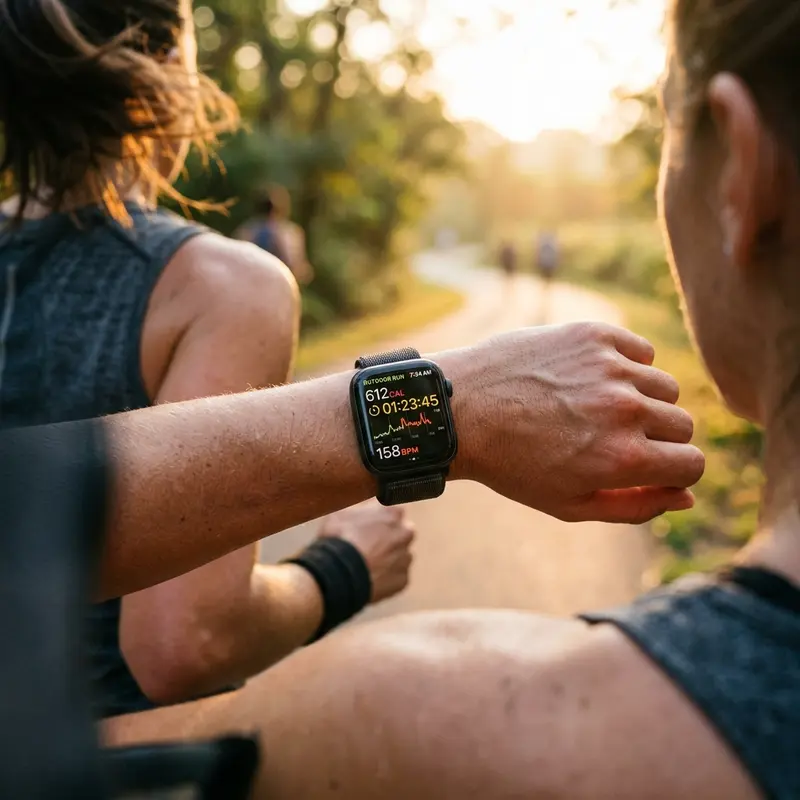
The core calibration step involves collecting physical sensor data over a 20-minute period under clear skies. This allows the system to train its algorithms using the GPS as the ground truth.
Follow these steps to complete the calibration walk or run:
- Verify that your Apple Watch band is adjusted properly. The optical sensor should sit flat against the top of your wrist, just away from the wrist joint bone.
- Locate an outdoor environment with a flat surface and an unobstructed view of the sky (parks or open running tracks are ideal).
- Open the Workout app on your Apple Watch.
- Select Outdoor Walk or Outdoor Run.
- Walk or run at your typical pace for a minimum of 20 cumulative minutes. You can split this duration across multiple distinct workout sessions if needed.
Avoid holding objects or keeping your hand in your pocket during this session. Your arms must swing naturally to calibrate the accelerometer correctly.
6. Cleaning and Fitting the PPG Heart Rate Sensor
The photoplethysmography sensor emits green light wavelengths through the skin to measure heart rate. If dust, dried sweat, or oily skin creams build up on the ceramic back crystal, light scattering occurs, leading to inaccurate readings or spikes.
To optimize heart rate readings:
- Clean the back of your watch with a dry microfiber cloth before exercising.
- Avoid wearing the watch too loose. A loose fit lets ambient light leak under the sensor, which corrupts the optical sensor data.
- Note that tattoos containing dense metallic pigments can block the light path of the green LED sensors, which may prevent heart rate tracking.
7. Barometric Altimeter and Elevation Calibration
The internal barometric altimeter tracks changes in atmospheric pressure to calculate elevation changes. This sensor is calibrated automatically using GPS altitude and local weather data from your iPhone. Ensure that Motion Calibration & Distance is enabled in your iOS system settings (Settings > Privacy & Security > Location Services > System Services) to keep this calibration accurate.
8. Physiological Variable Variance and Optical Interference
The photoplethysmography (PPG) system uses light absorption patterns to estimate heart rate. Because skin blood perfusion is highly dependent on ambient temperature, workout calibration in sub-zero conditions can return corrupted data points. The watchOS software compensates by increasing the LED intensity during low perfusion events, which drains additional battery power. Users who notice erratic spikes during winter runs are advised to use a Bluetooth-linked elastic chest strap sensor to measure heart rate directly through electrical impulses (ECG) instead of optical measurements.
9. Dual-Band GPS Antennas and Multipath Elimination
On Apple Watch Ultra and modern standard lines, dual-frequency GPS receivers utilize both L1 and L5 satellite signals. This prevents the multipath effect, which occurs when GPS radio signals reflect off structures like buildings or steep rock faces. The L5 frequency provides advanced signal processing to filter out these reflections, ensuring that the distance data used during your calibration run is highly accurate. This is particularly beneficial for city runners who train near skyscrapers or under dense tree cover.
10. Accelerometer Telemetry Filtering on watchOS
During a workout, the Apple Watch coprocessor analyzes data from the triaxial accelerometer at high sampling rates. The calibration profile filters out random hand gestures—like checking the time, adjusting your clothes, or swatting insects—from the step count. If the watchOS is busy downloading app updates, the calibration daemon might run at a lower priority, potentially leading to slight data loss. Keeping background downloads disabled ensures the processor has full bandwidth to map your stride correctly.
Signal Processing and Noise Filtering in watchOS Sensor Fusion
The Apple Watch relies on a complex sensor-fusion architecture that processes signals from the triaxial accelerometer, gyroscope, barometric altimeter, and optical heart rate sensor. During high-intensity training sessions, these sensors collect spatial and physiological data points at high frequencies. The watchOS kernel filters out background noise—such as random wrist adjustments, clothing friction, or micro-vibrations—using digital bandpass filters. Without a proper outdoor calibration run, the system must use generalized demographic parameters to guess your physical stride length and energy expenditure. Executing the 20-minute calibration walk allows the watch to correlate raw accelerometer waveform patterns with exact GPS coordinates, building a custom biomechanical model for your movement.
Biophysical Influences on Photoplethysmography (PPG) Signatures
Additionally, environmental factors like temperature and skin perfusion directly affect the optical heart rate sensor's accuracy. Cold weather triggers peripheral vasoconstriction, narrowing the blood vessels near the skin surface and reducing the optical contrast detected by the green LEDs. The watchOS power management unit dynamically adjusts the LED current to brighten the light source, which drains more battery. By keeping your physical height, weight, and fitness parameters updated, the sensor-fusion algorithms can better estimate cardiorespiratory metrics like VO2 Max and cardiovascular strain during extreme temperature drops, ensuring consistent tracking regardless of seasonal weather changes.
Preventing Optical Scattering from Sweat and Cosmetic Residues
The precision of the photoplethysmography array relies heavily on clean skin contact. When sweat minerals, dry skin oils, or chemical compounds from sunscreens gather on the back crystal panel of the Apple Watch, they cause optical scattering. The sensor receives distorted light signals, which corrupts your heart rate variability (HRV) metrics. Wiping the watch back with a micro-fiber cloth after every intense workout prevents this optical interference and ensures clean data points for the health daemon.
Barometric Pressure Integration and Elevation Performance Metrics
For workouts involving vertical climbs, the Apple Watch uses a barometric altimeter to detect elevation changes. The watchOS integrates atmospheric pressure calculations with real-time GPS altitude models to construct your elevation profile. If Location Services under System Services are disabled, the device cannot benchmark the barometric readings, leading to inaccuracies in active calorie estimation during hikes or steep outdoor runs.
Chemical Degradation of Lithium-Ion Batteries Under Thermal Stress
Small-scale lithium-ion cells used in wearable electronics undergo rapid physical degradation when subjected to persistent heat. The chemical charging cycle generates internal resistance that, if not radiated through the aluminum or ceramic case, damages the solid electrolyte interphase (SEI) layer. This reduces the anode's ability to host lithium ions. Furthermore, utilizing low-quality chargers that introduce voltage spikes accelerates lithium plating on the electrodes, increasing the risk of cell swelling and sudden battery drops.
The Evolution of Bluetooth Low Energy (BLE) Protocol Implementations
Bluetooth Low Energy (BLE) has changed how smartwatches sync telemetry logs with mobile hosts by prioritizing energy conservation over high-bandwidth transfers. BLE keeps the radio transceiver in a low-power sleep state, waking it up to broadcast small health telemetry packets during brief connection intervals. If a mobile operating system alters these connection intervals, it can cause delayed notification deliveries on the watch face or disrupt the wireless connection entirely.
Frequently Asked Questions (FAQ)
1. How often should I calibrate my Apple Watch sensors?
Calibration is a continuous process that updates whenever you track an outdoor walk or run with GPS active. You only need to reset and recalibrate manually if you notice pacing errors, or after upgrading to a new model.
2. Can I calibrate my watch using indoor treadmill workouts?
No, the calibration process requires GPS satellite data to measure actual distance per per step. Indoor treadmill workouts do not activate the GPS radio, which is needed to build the acceleration calibration model.
3. Why does my heart rate monitor drop out during strength training?
Exercises that involve gripping weights or flexing your wrist muscles can temporarily compress blood vessels, making it difficult for the optical sensor to read your pulse. Moving the watch slightly higher up your arm can help.
4. Do wrist tattoos affect the accuracy of the heart rate sensor?
Yes, the ink pigments in some tattoos, especially dark black ink, absorb the green light wavelengths emitted by the optical sensor, which can prevent the watch from reading your heart rate.
5. What should I do if my distance tracking remains inaccurate?
Make sure that Location Services are enabled on your iPhone (Settings > Privacy & Security > Location Services) and set to "While Using" for the Workout app. Also, ensure your watch has a clear line of sight to the sky to lock onto GPS.
