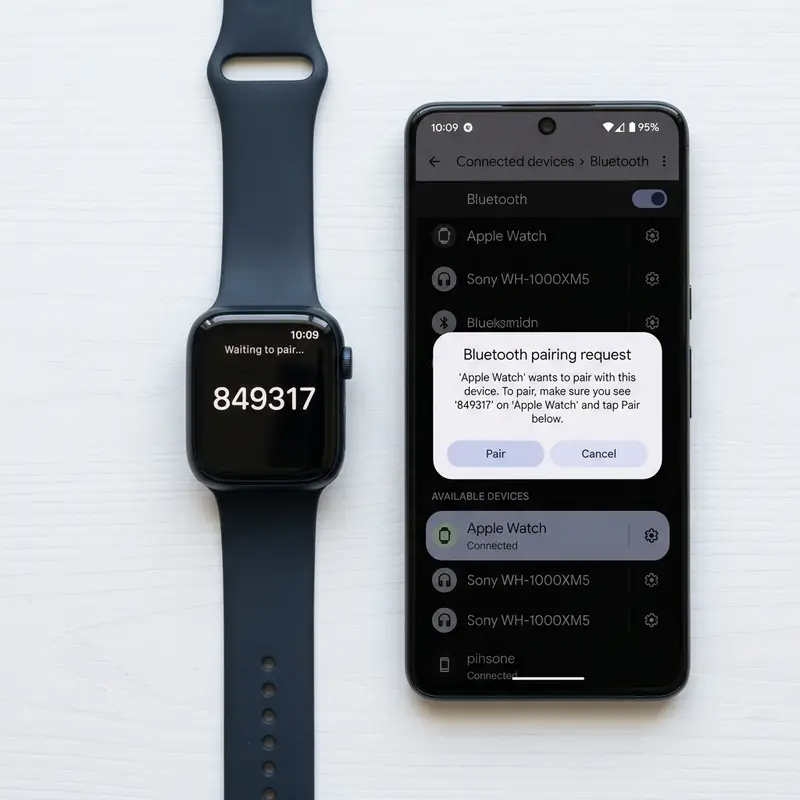
Does Apple Watch Work with Android? Technical Limitations and LTE Workarounds
Apple's walled garden ecosystem is widely known for its seamless integration within its own product family, but it remains notoriously restrictive when dealing with third-party operating systems. One of the most common compatibility questions asked by users planning to switch to an Android phone, or those who already own one and want to buy Apple's premium wearable, is whether the two devices can connect. The short answer is complex and requires understanding watchOS security frameworks.
Natively and directly, the Apple Watch does not work with Android. Apple does not publish the companion Watch setup application on the Google Play Store, preventing any Bluetooth pairing. However, a technical workaround exists: using a GPS + Cellular (LTE) Apple Watch activated on an iPhone first, then swapping the SIM card or cellular line to your Android phone. This setup allows you to receive calls on your watch using your main phone number, but it disables almost all smart notification systems and health database syncs.
If you want to maintain and optimize other wearable accessories, read our troubleshooting articles on Apple Watch battery draining fast solutions and discover how to restart frozen Apple Watch to fix unresponsive screens.
1. Why the Apple Watch is Locked to the iOS Ecosystem
The core architecture of watchOS relies on encrypted point-to-point connections with iOS. During the initial setup phase, unique cryptographic keys are generated by the iOS Secure Enclave and written directly to the Apple Watch's non-volatile memory. The watch uses these secure channels to sync health telemetry (such as ECG recordings, heart rhythm notifications, and temperature offsets) to Apple Health and iCloud.
Because Android devices lack access to the iCloud infrastructure and do not feature Apple's proprietary security APIs, they cannot establish a secure channel to read this health telemetry. Furthermore, the Watch app on iOS is responsible for pushing system OTA (Over-the-Air) firmware updates, making it impossible to update the watch's operating system without a host iPhone.
2. The Technical Workaround: The LTE eSIM Method
If you still wish to use an Apple Watch alongside an Android device, the only functional path requires a GPS + Cellular model. This setup operates via cellular redirection and involves the following steps:
- You will need an iPhone (either a spare device or one borrowed from a family member) to perform the initial pairing and activation.
- During the setup process on the iPhone, configure the eSIM cellular connection using your mobile carrier. Ensure your carrier supports multi-device sharing on a single phone number (such as AT&T NumberSync or T-Mobile Digits).
- Complete the pairing process and verify that the watch can make standalone cellular calls with the iPhone turned off.
- Power down the iPhone, remove the physical SIM card (or deactivate the eSIM profile on that phone), and place your primary SIM into your Android smartphone.
- Power on the Android phone and the Apple Watch. The watch will search for and connect to the carrier's LTE network.
With this configuration, when someone calls your mobile number, both your Android smartphone and your Apple Watch will ring simultaneously, even though they lack a direct Bluetooth connection.
3. What Works and What Fails in Android Standalone Mode
While the LTE workaround allows you to make basic phone calls from your wrist, the loss of features is substantial. The table below lists the availability of watchOS features when operating without a paired iPhone nearby:
| watchOS Feature | Status under Android LTE | Technical Constraint / Cause |
|---|---|---|
| Voice Calls (Outgoing / Incoming) | Functional | Processed directly over the LTE network using shared carrier numbers. |
| Standard SMS Messaging | Partially Functional | You can receive basic SMS text messages, but Apple's proprietary iMessage database remains blocked. |
| App Notifications (WhatsApp, Socials) | Not Functional | These require an active Bluetooth bridge and the iOS notification relay service. |
| Fitness & Health Data Sync | Not Functional | Workout logs stay cached on the watch and cannot sync to Google Fit or Samsung Health. |
| Firmware & Security Updates | Not Functional | Updating watchOS requires a local Wi-Fi handshake initiated by the iOS Watch app. |
| App Store Purchases & Installs | Not Functional | The on-watch App Store requires Apple ID authentication linked to a companion iPhone. |
4. Alternative Smartwatches Natively Compatible with Android
If you use an Android smartphone, purchasing a smartwatch designed for Wear OS provides a far superior user experience. High-quality alternatives in 2026 include:
- Samsung Galaxy Watch Ultra: Samsung's rugged titanium smartwatch, running Wear OS with complete health sensors (ECG, blood pressure, body composition analysis) optimized for Android.
- Garmin Fenix 8 / Venu 3: Excellent options for outdoor sports and detailed fitness metrics, featuring multi-week battery life and cross-platform compatibility.
- TicWatch Pro 5 Enduro: Features a dual-layer display that extends battery life for days while running clean Wear OS integrations.
5. Severe Battery Drain in Standalone Cellular Mode
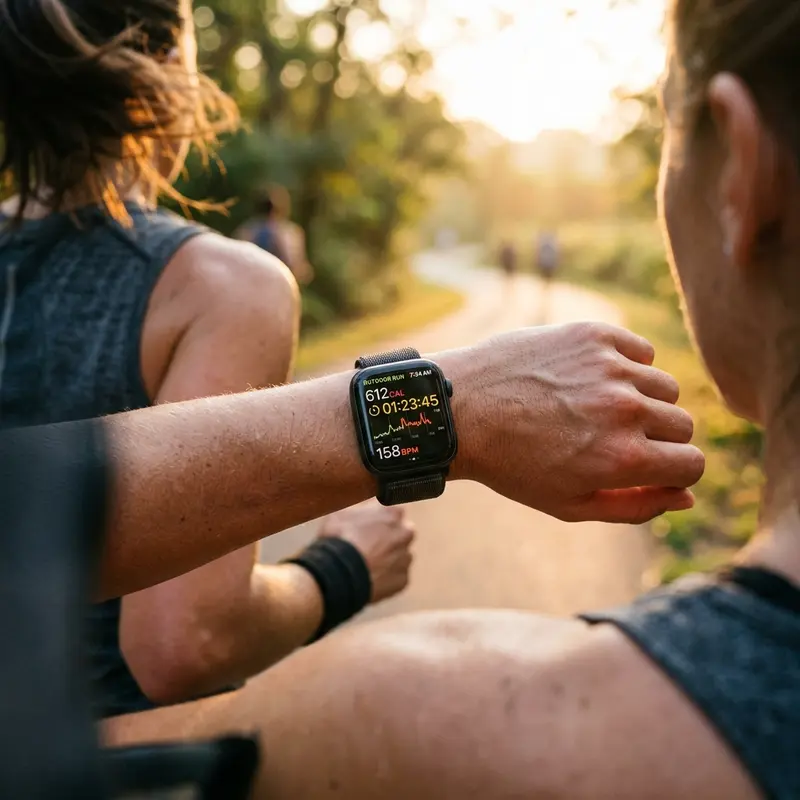
Operating an Apple Watch continuously over LTE (cellular) without a Bluetooth bridge to an iPhone causes massive power draw. The smartwatch's small battery is designed for local low-power Bluetooth connections. When forced to connect directly to distant cellular towers, the internal transmitter increases its power output. This causes the watch to run hot and drains a full charge in approximately 3 to 5 hours of active network use.
6. Why watchOS Bluetooth Rejects Direct Android Pairings
The pairing rejection is not caused by a physical incompatibility of the Bluetooth radio hardware. It is hardcoded into the watchOS pairing subsystem. The Apple Watch Bluetooth stack listens only for device identifiers matching iOS devices during its SDP handshakes. If it receives a pairing request from a non-iOS Vendor ID, it flags the request as unsupported and terminates the socket connection instantly. This maintains the ecosystem lock-in.
7. Security Risks and Stability of eSIM Relaying Methods
Some users try to use third-party notification relay apps or custom scripts hosted on home servers to push notifications from an Android phone to an Apple Watch via webhooks. This introduces significant privacy concerns, as all your sensitive chat alerts, bank verification codes, and emails must pass unencrypted through a third-party server, creating a potential point of data exploitation.
8. Native Features Comparison: iOS Native vs. Android Redirection
When paired with an iPhone, your watch can configure Apple Pay with local secure element tokenization, use the camera viewfinder complication to control your phone camera remotely, and share continuous cardiac data with Apple Health. In the Android redirection setup, all of these features are unavailable, leaving you with a highly expensive device that only performs basic cellular calling and localized fitness logging.
9. GPS Power Management Restrictions
Under normal conditions, watchOS delegates high-power GPS coordinate calculation tasks to the paired iPhone, running the watch's internal GPS radio only when the Bluetooth connection is severed. When utilizing an Apple Watch in standalone mode with an Android host, the wearable is forced to run its internal receiver constantly during workouts. This causes significant thermal load and rapidly drains the battery, often shortening the wearable's battery health metric over time.
10. Timezone and Time Synchronization Complications
When you cross international boundaries, your Android device automatically updates its clock using cell tower signals. However, because the Apple Watch is not connected to the Android phone via Bluetooth, its internal clock remains set to the previous timezone. To correct the time, you must either connect the watch to a local Wi-Fi hotspot with access to Apple's NTP time servers or boot the host iPhone to initiate a temporary sync.
11. API Level and Operating System Architecture Incompatibility
The root problem blocking compatibility is the architecture of the operating systems themselves. The Apple Watch runs watchOS, which is based on Apple's Darwin kernel (inherited from macOS/iOS). Android wearables, on the other hand, run Wear OS, which is built on the Linux kernel. Apple's CoreBluetooth APIs and watchOS frameworks (like WatchKit and ClockKit) rely on Darwin IPC protocols to communicate with the host iOS system. Porting these services to Android would require Apple to write a comprehensive translation layer to map Mach messaging systems to Linux sockets—a task Apple has chosen not to undertake to preserve its ecosystem's wall.
12. Detailed Protocol Analysis of the Bluetooth SDP/GAP Handshake
In standard Bluetooth communications, devices negotiate connectivity using Service Discovery Protocol (SDP) and Generic Access Profile (GAP). When an Android device attempts to query the SDP table of an Apple Watch, it discovers that the watch's services are flagged with custom proprietary UUIDs (such as those associated with the Apple Notification Center Service or ANCS). The watch restricts write access to these profiles using cryptographic keys generated during initial iOS enrollment. Since the Android Bluetooth controller cannot supply these keys, the handshake fails at the Link Layer, resulting in connection rejection.
13. Apple Silicon S-Series Co-Processors and Secure Enclave Integration
The strict boundary between the Apple Watch and non-iOS operating systems is reinforced at the silicon level. Apple's S-series custom System-in-Package (SiP) designs incorporate dedicated hardware blocks, such as a secure enclave and custom crypto accelerators. These components perform high-speed cryptographic checks on all incoming Bluetooth and Wi-Fi frames. If a host system fails to present a cryptographic certificate signed by an authentic iOS device, the secure enclave blocks access to the secure storage registers containing user health records and configuration parameters. This hardware-enforced isolation makes it impossible to write an Android driver that can fully unlock the Apple Watch's capabilities.
14. Standalone LTE Roaming and Antenna Limits
An important technical detail for users relying on the eSIM bypass workaround with Android is LTE roaming limitations. Because of the Apple Watch's compact housing, its internal LTE antenna is physically tuned to a limited subset of cellular frequency bands. To accommodate this, Apple manufactures distinct regional models (e.g., North America, Europe/Asia-Pacific, and China) with different radio configurations. When traveling internationally with an eSIM-enabled Apple Watch, the device cannot connect to roaming networks if the local carrier bands do not match the watch's regional hardware configuration, leaving you without cellular service until you return home.
15. Disabling Unnecessary Siri Active Listening Features
If your Apple Watch is configured to continuously monitor for the phrase 'Hey Siri' or listen for the 'Raise to Speak' trigger, its audio processor remains in a semi-active state. This requires continuous microphone sampling and data analysis. To eliminate this hidden power consumer, navigate to Settings > Siri on your Apple Watch. Toggle off 'Listen for Hey Siri' and 'Raise to Speak'. You can still access Siri instantly when needed by manually holding down the Digital Crown for 1 second, saving battery while keeping voice assistants functional.
Frequently Asked Questions (FAQ)
1. Is there an app on the Google Play Store to sync Apple Watch?
No. Any application on the Play Store claiming to pair or sync an Apple Watch directly is fake or malicious. Apple does not share its proprietary wearable connection protocols with third-party mobile systems.
2. Can I use an older Apple Watch (Series 3 or 4) with an Android phone?
No. The cellular workaround requires a model with LTE capabilities (GPS + Cellular). GPS-only models cannot connect to mobile networks independently, leaving them stuck as offline step-counters when separated from an iPhone.
3. Will the heart rate monitor work if I use Android?
Yes. The physical heart rate sensors on the back of the watch will read your pulse and display it on the watch screen. However, this data remains stored locally and cannot be exported to third-party fitness apps on Android.
4. How do I correct the watch time if it goes out of sync in LTE mode?
To fix clock drifts, you must power on the original iPhone used to activate the watch and allow both devices to pair via Bluetooth or share a local Wi-Fi connection to synchronize with Apple's NTP servers.
5. Should I buy an Apple Watch if I am an Android user?
No. It is not economically or practically viable to buy an expensive wearable when its main health, messaging, and system features are disabled. A Wear OS smartwatch is a much better choice.
