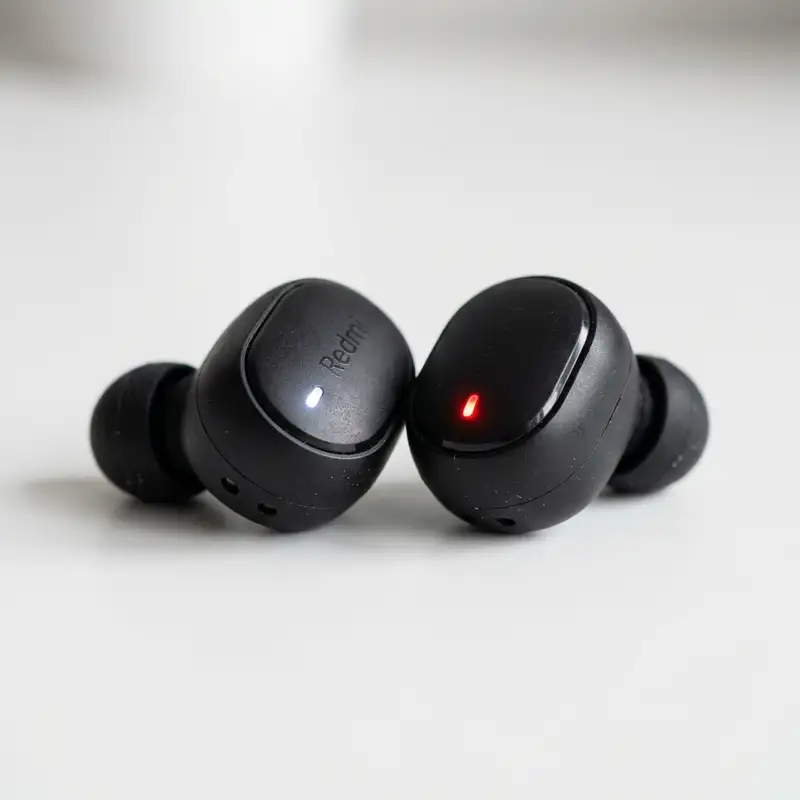
To fix Bluetooth earbuds when only one side works, begin by resetting both earbuds and their charging case, then re-pair them with your device. This fundamental troubleshooting step often resolves common synchronization and connectivity glitches. If the issue persists, further investigation into device settings, physical obstructions, or firmware updates may be necessary to restore full stereo audio functionality.
Experiencing a situation where only one side of your cherished Bluetooth earbuds delivers sound can be incredibly frustrating. This common technical hiccup disrupts the immersive audio experience, leaving you with lopsided sound or, worse, complete silence from one earbud. The convenience and freedom offered by wireless audio devices make them indispensable for many, from daily commutes to intense workout sessions. When one earbud goes quiet, it transforms a seamless listening experience into an annoying puzzle. This comprehensive guide aims to demystify the problem, offering a structured approach to diagnosing and resolving the issue, ensuring you can return to enjoying your favorite tunes, podcasts, or calls in full, balanced stereo sound. We will delve into various potential causes, ranging from simple pairing errors to more intricate hardware or software malfunctions, providing actionable steps for each scenario. Our objective is to equip you with the knowledge and techniques to troubleshoot effectively, minimizing downtime and maximizing your audio enjoyment.
Understanding the Root Causes of Single-Side Earbud Failure
The phenomenon of a single earbud failing to produce sound can stem from a surprisingly diverse array of issues, making a systematic diagnostic approach crucial for effective resolution. Before diving into solutions, it is beneficial to grasp the underlying reasons why your device might be experiencing this particular malfunction. Often, the problem is not indicative of a permanent defect but rather a temporary glitch that can be rectified with a few targeted adjustments. One of the most frequent culprits is a simple connectivity problem, where the earbuds, or one of them, fail to establish a stable and complete connection with the source device. This might manifest as one earbud successfully pairing while the other remains disconnected, or perhaps both are paired, but only one is actively receiving the audio stream. Such issues are often transient and can be influenced by environmental factors or minor software bugs within the earbud's internal programming or the connected device's Bluetooth module.
Battery-related complications also frequently contribute to one-sided audio. If one earbud has a significantly lower charge than the other, or if its battery is failing to hold a charge effectively, it might simply lack the power required to function correctly. This can occur even if both earbuds have been placed in the charging case, as sometimes one earbud's charging contacts might be obstructed, or its internal battery might be degrading at a faster rate. Furthermore, the synchronization between the two earbuds themselves is paramount for stereo sound. Many wireless earbuds operate by having one earbud designated as the "master" and the other as the "slave," with the master earbud relaying the signal to its counterpart. If this critical inter-earbud communication link is broken, the slave earbud will remain silent, regardless of its individual connection to the main audio source. External interference from other wireless devices, physical obstructions, or even issues with the audio source device's Bluetooth transmitter can also play a role in disrupting this delicate balance. Understanding these potential origins forms the foundation for applying the correct troubleshooting steps, allowing you to pinpoint the exact nature of the problem and implement a precise solution.
Initial Troubleshooting Steps for Quick Fixes
When one of your Bluetooth earbuds decides to go silent, the immediate reaction might be panic, but most issues are surprisingly simple to resolve with a few basic troubleshooting steps. These initial checks are designed to address the most common causes of one-sided audio, often without requiring any advanced technical knowledge. Starting with these foundational solutions can save you time and prevent unnecessary frustration, as many problems stem from temporary software glitches or minor connectivity disruptions. It is always wise to begin with the easiest and least invasive methods before moving on to more complex diagnostics. A structured approach ensures that you systematically eliminate potential causes, bringing you closer to a working solution. Remember, patience is key during this process, as sometimes a small delay or a particular sequence of actions can make all the difference in restoring full audio functionality to both earbuds.
Re-pairing Your Earbuds: The First Line of Defense
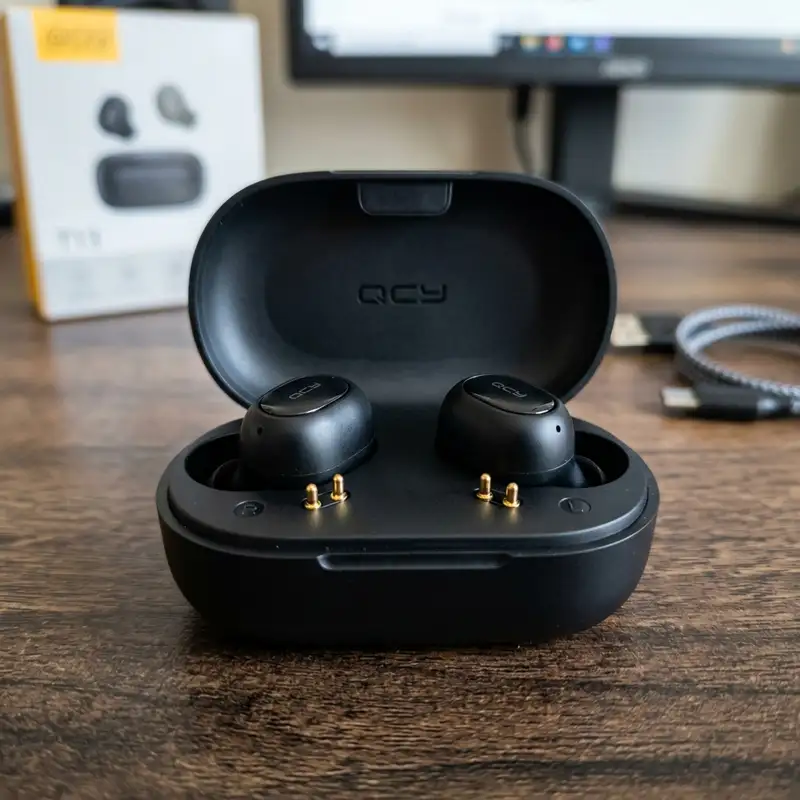
One of the most effective and frequently overlooked solutions is a complete re-pairing process. This involves essentially wiping the slate clean for your earbuds' connection to your device. Bluetooth connections can become corrupted or confused over time, leading to one earbud failing to connect properly. By performing a full reset and re-pairing, you give both devices a fresh start, often resolving communication breakdowns. This process usually involves forgetting the device on your smartphone or tablet, then initiating a pairing sequence from scratch. It's akin to turning a computer off and on again; simple, yet remarkably potent for resolving a myriad of digital glitches. Ensure both earbuds are adequately charged before attempting this, as low battery levels can sometimes interfere with the pairing process itself, leading to partial connections or failures.
- Place Both Earbuds Back in Their Case: Ensure the charging case has sufficient power. Close the lid and wait for about 10-15 seconds. This allows the earbuds to reset their internal state and often synchronizes them internally.
- Forget the Device on Your Source: On your smartphone, navigate to the Bluetooth settings. Find your earbud's name in the list of paired devices. Select the option to "Forget This Device," "Unpair," or "Delete." This removes all previous pairing data from your phone.
- Restart Your Source Device: Power off your smartphone or tablet completely, wait a few seconds, then power it back on. This clears any temporary software bugs that might be interfering with Bluetooth connectivity.
- Initiate Pairing Mode on Earbuds: Open the earbud case (or press and hold a button on the earbuds, depending on the model) to put them into pairing mode. Look for indicator lights flashing, usually white or blue, signaling they are ready to connect.
- Re-pair with Your Device: On your smartphone, go back to Bluetooth settings and scan for new devices. Select your earbuds from the list when they appear. Confirm any pairing requests.
Checking Battery Levels and Charging Contacts
A surprisingly common reason for one earbud remaining silent is an uneven battery charge. It's easy to assume both earbuds are charging identically when placed in their case, but minor misalignments or debris on charging contacts can prevent one earbud from receiving power. Always verify that both earbuds are properly seated in their charging case and that their respective indicator lights confirm they are indeed charging. Sometimes, a small piece of lint or dust can obstruct the metallic charging pins, preventing a proper connection. A quick inspection and gentle cleaning of these contacts with a dry cotton swab or a soft brush can often resolve this issue. Additionally, ensure the charging case itself has enough power, as a low-battery case might not fully charge both earbuds, leading to one dropping out prematurely during use.
Consider the age of your earbuds as well; older batteries naturally degrade, holding less charge and potentially failing more quickly than their newer counterparts. If one earbud consistently runs out of power much faster than the other, even after proper charging, it might indicate a failing battery within that specific earbud. While not always fixable at home, recognizing this pattern can help you decide if a replacement or professional repair is needed. Regularly checking the charging status through your phone's Bluetooth settings or the earbud app (if available) can provide valuable insights into individual earbud battery health.
DomineTec Tip: Resyncing the frequency between left and right wireless earbuds fixes unilateral audio drops instantly.
Troubleshooting Table: Common Symptoms and Solutions
To further assist in diagnosing and resolving one-sided earbud audio issues, the following table outlines common symptoms you might encounter, along with their probable causes and initial troubleshooting steps. This resource is designed to provide quick, actionable insights, helping you to efficiently navigate through the diagnostic process. Each entry focuses on a distinct problem scenario, offering a direct path towards a potential fix without the need for extensive research. Utilize this table as a rapid reference guide to identify your specific situation and apply the most relevant solution, accelerating your return to uninterrupted stereo sound.
| Symptom | Probable Cause | Recommended Action |
|---|---|---|
| One earbud completely silent, no indicator light. | Dead battery or charging contact issue. | Ensure proper seating in case, clean charging contacts. Verify case has charge. |
| One earbud connects, but the other doesn't pair. | Synchronization failure between earbuds or pairing glitch. | Perform a full reset and re-pairing process. Forget device on phone. |
| Sound drops out intermittently from one earbud. | Bluetooth interference, weak signal, or minor software bug. | Move closer to source device. Restart both earbuds and phone. Clear surrounding interference. |
| One earbud has lower volume than the other. | Earwax/debris blockage, uneven volume settings, or internal damage. | Clean earbud mesh. Check device balance settings. Test with another source. |
| Earbuds paired, but only one plays audio (not in mono mode). | Master/slave earbud communication failure or incorrect audio output setting. | Reset earbuds. Check phone's audio output settings (e.g., disable mono audio). |
| One earbud works with one device but not another. | Device-specific pairing issue or conflicting profiles. | Forget and re-pair on the problematic device. Clear Bluetooth cache if possible. |
Advanced Solutions for Persistent One-Sided Audio
When the initial troubleshooting steps fail to restore full audio functionality to both of your Bluetooth earbuds, it's time to delve into more advanced solutions. These methods address deeper software conflicts, firmware issues, or device-specific problems that might be preventing one earbud from working correctly. While these steps might seem more complex, they are often crucial for resolving stubborn issues that simple resets cannot fix. It is important to approach these solutions methodically, as improperly executed steps could potentially create new problems or fail to resolve the existing one. Always ensure your earbuds and source device are adequately charged before attempting any firmware updates or system-level changes, as power interruptions during these processes can lead to further complications.

Resetting Your Earbuds to Factory Settings
A factory reset is a more profound action than a simple re-pairing. It reverts your earbuds to their original, out-of-the-box state, erasing all previous pairing information, custom settings, and potential software glitches. This can be particularly effective if a software bug or corrupted configuration is causing one earbud to malfunction. The exact procedure for a factory reset varies significantly between brands and models, so consulting your earbud's user manual or the manufacturer's website is essential. Typically, it involves a specific sequence of button presses or a prolonged hold of a multi-function button while the earbuds are in their charging case. After a successful factory reset, you will need to re-pair your earbuds with your device as if they were brand new. This powerful step often resolves issues that seem intractable through other means, especially persistent synchronization problems between the two earbuds themselves.
For some specific models, like certain Xiaomi Airdots, the reset procedure involves specific timing and placement. If you own such a device and are struggling with one-sided audio, you might find detailed steps by searching for "Xiaomi Airdots only one side working sync" to ensure you follow the manufacturer's precise instructions for a complete reset. This can be a game-changer for restoring their intended performance.
Updating Firmware and Device Software
Outdated firmware on your earbuds or outdated operating system software on your source device can lead to compatibility issues and performance glitches, including one-sided audio. Manufacturers frequently release firmware updates for their earbuds to improve performance, fix bugs, and enhance compatibility with newer devices. Likewise, keeping your smartphone or tablet's operating system updated ensures optimal Bluetooth functionality. Check your earbud's companion app (if available) for any pending firmware updates. For your phone, navigate to the system settings and look for software update options. Performing these updates can resolve underlying software conflicts that might be silently affecting your audio experience. It's a proactive measure that can prevent future problems while potentially fixing current ones, ensuring both your earbuds and your source device are operating at their peak efficiency with the latest available code.
Checking Audio Balance Settings and Mono Audio
Modern smartphones and tablets often include accessibility features that allow users to adjust the audio balance between the left and right channels, or even force audio into mono mode. While useful for specific needs, these settings can inadvertently cause one earbud to sound faint or completely silent if accidentally activated or misconfigured. Navigate to your device's accessibility settings, usually found within the general settings menu under "Audio" or "Hearing." Look for options like "Mono Audio" and ensure it is disabled. Also, check for any "Balance" sliders and ensure they are centered, allowing equal audio output to both the left and right channels. A quick check of these often-overlooked settings can sometimes reveal a simple software misconfiguration that mimics a hardware fault, providing an easy and immediate solution to your one-sided audio problem.
Testing with Another Device
To definitively determine whether the problem lies with your earbuds or your primary audio source device, try pairing your earbuds with a different Bluetooth-enabled device. This could be another smartphone, a tablet, or a laptop. If both earbuds work perfectly with the alternative device, it strongly suggests that the original device is the source of the problem. This could be due to a corrupted Bluetooth profile, a software bug, or even a hardware issue with your original phone's Bluetooth module. If the problem persists (only one earbud works) even with the new device, it indicates that the earbuds themselves are at fault. This diagnostic step is crucial for narrowing down the problem area, guiding you towards the correct set of solutions, whether it involves troubleshooting your phone's Bluetooth settings or preparing for a potential earbud repair or replacement.
For users who own JBL Bluetooth speakers and encounter similar connectivity issues, understanding how to reset them can be equally beneficial. Sometimes, a reset on the speaker side can clear up pairing problems that affect how it interacts with other devices, including earbuds. Learning "how to reset JBL Bluetooth speaker" can equip you with a broader range of troubleshooting skills for your audio ecosystem.
Maintaining Your Earbuds to Prevent Future Issues
Preventative maintenance is a critical aspect of prolonging the lifespan and ensuring consistent performance of your Bluetooth earbuds. Many of the issues that lead to one-sided audio or other malfunctions can be mitigated, if not entirely avoided, through regular care and proper handling. Just like any other electronic device, earbuds are susceptible to wear and tear, accumulation of debris, and environmental factors that can degrade their functionality over time. Adopting a routine of mindful usage and cleaning can significantly reduce the likelihood of encountering frustrating technical problems, keeping your audio experience seamless and enjoyable for longer. Investing a little time in maintenance today can save you a lot of troubleshooting headaches in the future, preserving both your investment and your listening pleasure.

Regular Cleaning of Earbuds and Charging Case
One of the most common yet overlooked causes of audio problems, particularly reduced volume or complete silence from one earbud, is the accumulation of earwax, dust, and debris. These tiny particles can clog the speaker mesh, block charging contacts, or interfere with proximity sensors. A regular cleaning regimen is therefore essential. Use a soft, dry, lint-free cloth to wipe down the exterior of your earbuds. For the speaker mesh, a dry cotton swab or a soft-bristled brush (like a new, clean toothbrush) can gently dislodge debris. Be extremely careful not to push earwax further into the speaker. For charging contacts on both the earbuds and inside the case, a dry cotton swab or a specialized electronic cleaning stick can effectively remove any grime or oxidation that might impede proper charging and connectivity. Avoid using liquids or harsh chemicals, as these can damage the sensitive electronics. Consistent cleaning ensures unobstructed sound delivery and reliable charging, preventing a host of potential issues.
Here's a checklist for effective earbud cleaning:
- Inspect speaker mesh for visible debris.
- Gently brush away earwax or dust using a soft, dry brush.
- Wipe earbud body with a dry, lint-free cloth.
- Clean charging pins on earbuds with a dry cotton swab.
- Clean charging contacts inside the case with a dry cotton swab.
- Ensure all surfaces are completely dry before placing earbuds back in the case or using them.
Proper Storage and Handling
How you store and handle your earbuds significantly impacts their longevity. Always store your earbuds in their charging case when not in use. This not only protects them from physical damage but also keeps them charged and ready for the next listening session. Avoid leaving them loose in pockets, bags, or purses where they can accumulate lint, get scratched, or be subjected to pressure. Extreme temperatures, both hot and cold, can also adversely affect battery life and internal components. Do not leave your earbuds in direct sunlight, in a hot car, or expose them to freezing conditions for extended periods. Additionally, be gentle when inserting and removing them from your ears and the charging case. Avoid yanking them by the cable (if applicable) or dropping them frequently. These simple habits contribute immensely to maintaining the structural integrity and electronic health of your devices.
Keeping Earbuds Charged and Updated
Consistent charging practices are vital for maintaining battery health and preventing one earbud from dying prematurely. Avoid completely draining the battery frequently, as this can reduce its overall lifespan. Instead, aim to keep them topped up, especially when you know you'll need them for an extended period. Similarly, staying on top of firmware updates, as discussed earlier, is a proactive maintenance step. Manufacturers often include bug fixes, performance improvements, and enhanced compatibility in these updates. Regularly checking for and installing these updates ensures your earbuds are running the most stable and efficient software available. Treating your earbuds with care, keeping them clean, and ensuring they are always updated and charged are the best defenses against unexpected technical glitches and premature failure, guaranteeing a consistent and high-quality audio experience.
When to Seek Professional Help or Consider Replacement
Despite diligent troubleshooting and meticulous maintenance, there are instances when your Bluetooth earbuds might still exhibit persistent one-sided audio issues. At this juncture, it becomes important to recognize the limits of do-it-yourself fixes and consider whether professional intervention or a complete replacement is the more practical and cost-effective solution. While many problems are software-related or minor physical obstructions, some underlying issues point towards more significant hardware failures that are beyond the scope of home repair. Understanding these indicators can help you make an informed decision, preventing further frustration and potentially saving you from spending more time on a lost cause. Prioritizing your time and the value of your device is key in determining the next appropriate course of action, ensuring you regain a fully functional audio experience as efficiently as possible.
Identifying Irreparable Hardware Damage
Certain types of damage are typically beyond the realm of consumer repair. If your earbud has suffered significant physical trauma, such as being dropped from a considerable height, submerged in liquid, or subjected to crushing force, internal components may have been permanently damaged. Visible cracks, water damage indicators (often a small sticker inside the earbud that changes color when exposed to moisture), or rattling sounds from within the earbud are strong signs of irreparable harm. Similarly, if an earbud consistently fails to charge despite clean contacts and a working case, it might indicate a dead battery cell or a damaged charging circuit within the earbud itself. These types of failures usually require specialized tools and expertise to diagnose and repair, often making the cost of repair comparable to or exceeding the cost of a new pair, especially for more affordable models. In such cases, the time and effort spent on attempting a fix might be better invested in considering a replacement device.
Warranty and Manufacturer Support
Before considering a replacement, always check if your earbuds are still under warranty. Most manufacturers offer a warranty period, typically one year, which covers defects in materials and workmanship. If your one-sided audio issue is not due to accidental damage but rather a manufacturing defect, you might be eligible for a free repair or replacement directly from the manufacturer. Contact their customer support, explain the troubleshooting steps you've already taken, and provide any requested proof of purchase. Many reputable brands have excellent support services that can guide you through advanced diagnostics or facilitate a warranty claim. Even if your warranty has expired, they might still offer paid repair services or discounted replacements, which could be a more economical option than purchasing a brand new pair from scratch. Always exhaust the manufacturer support avenue before making a final decision.
Considering a Replacement
If your earbuds are out of warranty, have sustained irreparable damage, or if the cost of professional repair is prohibitively high, then purchasing a new pair becomes the most logical step. Technology evolves rapidly, and newer models often offer improved sound quality, better battery life, enhanced connectivity, and additional features that might make an upgrade worthwhile. When considering a replacement, take into account the factors that led to the failure of your previous pair. For instance, if water damage was the issue, look for models with higher IP ratings for water resistance. If battery life was a concern, prioritize earbuds known for their extended playback times. This experience can serve as a valuable lesson, guiding you towards a more durable or feature-rich alternative that better suits your needs and usage patterns, ensuring a more reliable and enjoyable audio experience going forward.
Frequently Asked Questions (FAQ)
Why do my Bluetooth earbuds keep disconnecting on one side?
Bluetooth earbuds frequently disconnect on one side due to several factors, primarily stemming from interference, low battery, or an unstable connection. Environmental interference from Wi-Fi routers, other Bluetooth devices, or even microwaves can disrupt the signal between the master earbud and the slave, causing one to drop out. Additionally, if one earbud's battery is significantly lower than the other, it might lose power and disconnect sooner. Software glitches or corrupted pairing data can also lead to intermittent disconnections. Ensuring your earbuds are fully charged, performing a reset and re-pairing, and minimizing nearby wireless interference are crucial first steps to stabilize the connection and prevent recurring single-side disconnections.
Can earwax block an earbud speaker and cause one side not to work?
Absolutely, earwax is a very common culprit behind one earbud failing to produce sound or having significantly reduced volume. Over time, earwax and other debris, such as dust or lint, can accumulate in the speaker mesh or audio nozzle of the earbud. This blockage physically obstructs the sound waves, preventing them from reaching your ear effectively. While one earbud might remain clear, the other can become clogged, leading to an imbalance or complete silence. Regular and gentle cleaning of the earbud's speaker mesh with a dry cotton swab or a soft-bristled brush is highly recommended to prevent such blockages and maintain optimal sound output from both sides.
How do I re-sync my earbuds if they are out of sync?
To re-sync your earbuds when they are out of sync, the most reliable method is typically a full reset and re-pairing procedure. First, place both earbuds back into their charging case, close the lid, and wait for a few seconds to allow them to reset their internal state. Next, on your audio source device (e.g., smartphone), go to the Bluetooth settings and "Forget" or "Unpair" your earbuds from the list of connected devices. Once unpaired, take the earbuds out of the case and put them into pairing mode according to your manufacturer's instructions (often by holding a button or simply opening the case). Finally, re-pair them with your device as if they were brand new. This process forces both earbuds to establish a fresh connection and synchronize correctly with each other and your device.
What if one earbud is charging but not connecting?
If one earbud is charging correctly but fails to connect or produce sound, it suggests the issue is likely related to its internal software, pairing data, or a hardware component other than the battery or charging contacts. Begin by performing a complete factory reset on your earbuds, which will clear all previous pairing information and internal glitches. After the reset, ensure you "Forget" the device from your phone's Bluetooth settings and restart your phone before attempting to re-pair the earbuds from scratch. If the problem persists after these steps, it might indicate a more serious internal hardware malfunction, such as a faulty Bluetooth module or a damaged speaker in that specific earbud, at which point contacting the manufacturer for support or considering a replacement would be the next logical steps.



